
Can PS4 Play Blu-ray?
In this article, we will tell you how to play Blu-ray on PS4.
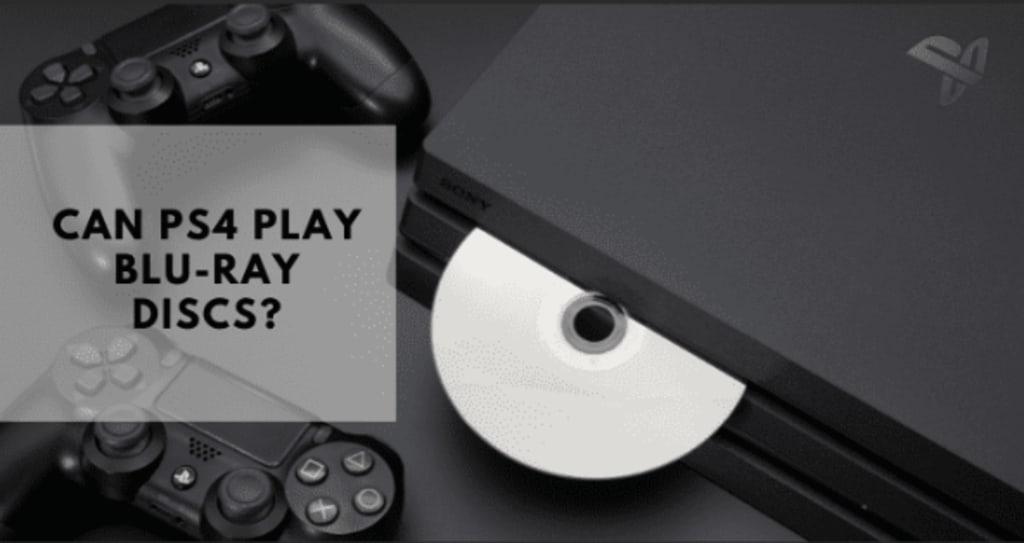
PS4, or PlayStation 4, is one of the most popular home video game consoles developed by Sony Company. While users gain good video game experience, some may want to play videos on it. So does a PS4 play Blu-ray? PS4 with built-in Blu-ray drive can play Blu-ray videos.
Part 1: Can PS4 Play Blu-ray?
“Can I play Blu-ray on PS4?” This is one of the most frequently asked questions. The answer to it is yes. However, you may still fail to play Blu-ray on PS4 from time to time. For example, Blu-ray disc can only be played when it’s in BD-ROM and BD-R/RE formats, which are supported by PS4. Also, PS4 only plays the Blu-ray discs bought in the same region.
Part 2: How to Play Blu-ray on PS4?
It’s true that you can play Blu-ray discs on PS4. Before diving into the how-to, there are a few prerequisites. First, update the PS4 software to the latest version. Second, prepare a stable Internet connection.
Now follow the steps to play Blu-ray on PS4:
Step 1. Update PS4 system software
When you want to play Blu-ray disc for the first time, your PS4 will prompt you to download an update to enable the Blu-ray disc reading and playback feature. Go to the function screen, and click “Settings” > “System Software Update” to proceed.
Step 2. Insert the Blu-ray disc into the PS4
Insert the Blu-ray disc into the PS4's optical drive. Make sure the front side of the disc faces toward you.
Step 3. Download Media Player app
Go to the PlayStation Store. Enter “Media Player” and download the app for free.
Step 4. Play Blu-ray disc on PS4
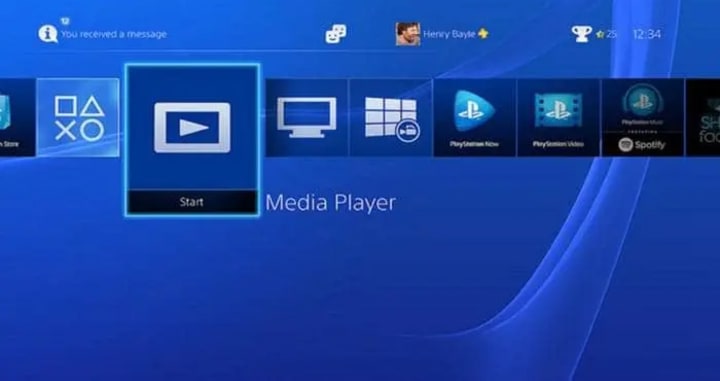
When the app is installed, a dynamic menu will appear where you need to hit the “Start” icon to play the Blu-ray disc. (Note that you shall click “Yes” when a prompt comes to determine the internet connection).
The whole process is easy and smooth. But as mentioned before, it comes with some restrictions that may prevent PS4 from reading a Blu-ray movie disc successfully. The reasons may be an "unrecognized Disc" error, the incompatibility of the disc format, or region code constraint.
Part 3: PS4 Blu-ray Player Doesn’t Work? How to solve it?
Following the steps in Part 2, you may still encounter some problems on different occasions. No worries, we’ve listed the most frequent problems and corresponding solutions.
1. Troubleshooting of PS4 Blu-ray player
When PS4 doesn’t read the disc, there may be different reasons behind it.
Reason 1: The disc format is not supported
Solution: Can PlayStation 4 play Blu-ray? Yes. But first, you have to know that BD-ROM and BD-R/RE are the only Blu-ray disc formats supported by PS4. Therefore, ensure your Blu-ray disc is supported.
Reason 2: The disc is damaged
Solution: PS4 cannot read a broken or stained Blu-ray disc. Try other devices and if it still cannot be read, replace it with a new disc.
Reason 3: The PS4 update is not the latest
Solution: Power off the PS4 and unplug the power cord. Wait a few minutes and plug back the power cord and power the console on. Your PS4 will load the Blu-ray disc.
Reason 4: The Blu-ray discs are region clocked
Solution: Adjust the region code of your PS4 to that of the Blu-ray, which can be found on the disc’s case. When they are compatible with each other, PS4 can read Blu-ray discs normally.
Please note that PS4 cannot support UHD 4K Blu-ray movies.
2. Play Blu-ray on PS4 with Third-party Tool
It must be disappointing if you have to go through the troubleshooting of PS4 Blu-ray player every time you encounter a problem. Not to mention that you may fail to find the reason and solution after so many hassles. To let you off the hook, we highly recommend Blu-ray , the best solution for Blu-ray to PS4 conversion.
This tool is the best open-source Blu-ray tool to convert Blu-ray content to various video formats. It is famous for its 6x faster speed in converting Blu-ray content. Batch conversion feature means that you can convert multiple Blu-ray files simultaneously. While PS4 doesn’t support UHD 4K Blu-ray movies, you can still enjoy theatre movies enjoyment on PS4 as the Blu-ray ensures 100% original video quality by setting resolution value, frame rate and aspect ratio. Also, it offers quality-loss audio output support to deliver a cinema-like audio experience on PS4. With advanced disc protection removal technology, it can remove the region restriction upon Blu-ray discs for smooth converting and you don’t have to manually adjust the PS4 region code. AS a region free Blu-ray player, it could play region B Blu-ray.
Conclusion
In this post, we introduced how to play Blu-ray files on PS4 and listed the most common reasons for Blu-ray playback failure and corresponding solutions. To gain an immersive and supreme Blu-ray viewing experience on PS4 with no compromise, however, the Blu-ray is the go-to solution. You can convert Blu-ray files to PS4 compatible formats, thus ensuring that Blu-ray discs can be played back on PS4 successfully.
About the Creator
Leia
Leia is passionate about discovering and sharing practical life hacks that make everyday tasks easier and more efficient. From clever household tips to productivity boosts, I strive to uncover innovative solutions that simplify life.
Silver Screen Magic with Mae West
American actress and singer Mae West became a popular film actress during the Great Depression. She started entertaining in vaudeville, then performed on Broadway, and finally went to Hollywood. She signed up with Paramount Pictures and made her debut in the 1932 film “Night After Night.” She also starred in musicals, comedies, and crime dramas. The American Film Institute named her one of the best classic Hollywood actresses.
By Rasma Raisters7 days ago in Geeks
Dilbert creator Scott Adams dies at 68 after a cancer battle.
Scott Adams, a cartoonist whose "Dilbert" comic strip became a standard for millions of readers as a satire of office life, has passed away at the age of 68. On January 13, 2026, his first wife, Shelly Miles, shared a final message from Adams before he passed away from complications from metastatic prostate cancer during an online livestream of his podcast.
By Raviha Imran7 days ago in Geeks



Comments
There are no comments for this story
Be the first to respond and start the conversation.