
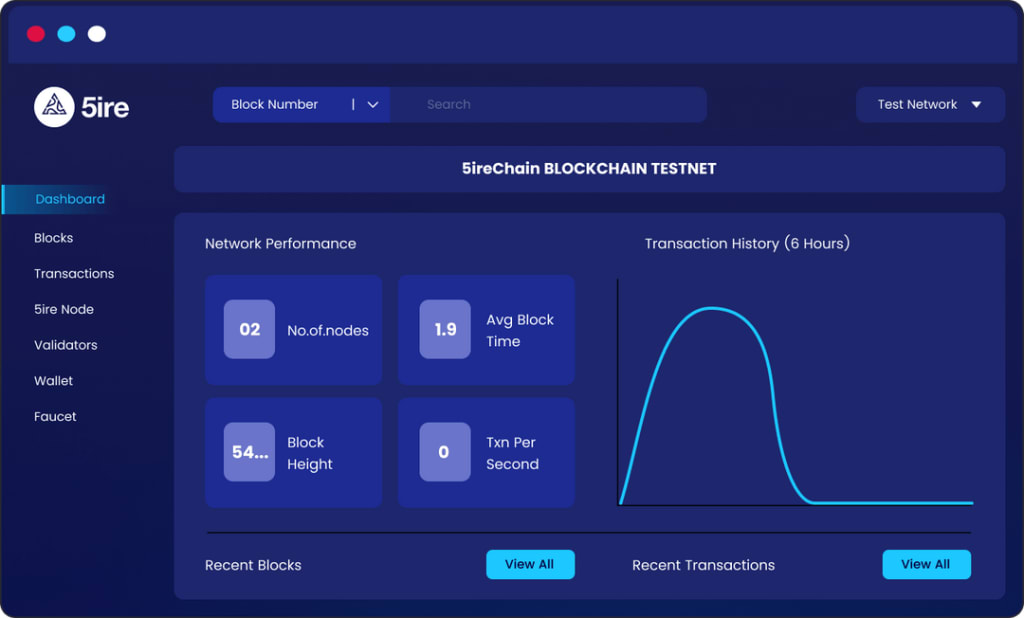
Introducing 5ire Chaintest net
5ire chain airdrop: free airdrop potential airdrop
@5ireChain
is a layer-1 EVM-compatible smart contract platform that focuses on developing a for-benefit blockchain ecosystem. — $121 million raised — Token confirmed
5ire chain confirmed airdrop
5ire has appointed retired footballer and environment activist Didier Drogba as an advisor.
5ire chain testnet potential airdrop
5ire token is confirmed
5ire Chain’s token generation event will occur once the mainnet has been successfully launched. Most likely after the Q3 of 2023.
airdrop 5irechain
So how can we potentially qualify?
— Complete Crew3 quests
— Test 5ire Chain testnet
— Join Discord and provide feedback
airdrop 5irechain confirmed
Complete Crew3 quests:
Here: https://crew3.xyz/c/5irechain/invite/VPr2bRwU_MZy-PYumOTw1… — Complete as many Crew3 tasks as you can.
crew 3 task
Test 5ire Chain testnet:
— Install wallet: https://explorer.5ire.network
— Claim faucet
— Transfer fund
— Swap Native to EVM and EVM to Native — Deploy a Smart Contract Official guide: https://docs.5ire.org/docs/intro
5irechain testnet airdrop
Test 5irechain Testnet:
This is a part of crew3 quests. You can find this in the https://crew3.xyz/c/5irechain/invite/VPr2bRwU_MZy-PYumOTw1
section.
5irechain crew 3 task
1st quest: Visit 5ire Chain Page
The first quest is simple, just click on “Visit this page and claim after 5 seconds.
5irechain testnet crew3 task
2nd quest: Create 5ire Wallet
Go to:https://explorer.5ire.network/
Download the extension
5irechain airdrop
Extract the download file
then install it on your browser:
A full video guide on how to install is provided within the download file
5irechain airdrop
After installation, set up your wallet. This is the same as we set up MetaMask or any decentralized wallet. Like saving the seed phrase securely and so on.
If you want to step by step guide on how to set up the wallet, you can find it here:https://docs.5ire.org/docs/wallets/5ire_wallet_extension/
5irechain wallet airdrop
Once you set up your wallet, copy the wallet address and paste it on the Crew3 quest and submit.
You can find your wallet address on Settings>Manage wallet>Native chain address.
5irechain wallet tasks
create 5ire wallet
3rd quest: Claim Faucet Coins
Go to:https://explorer.5ire.network/faucet
Enter your 5ire Native chain wallet address
Enter 5 5ire coins and click “Send”
testnet faucet 5irechain
Now click on the txn hash
faucet testnet airdrop
A new page will open. Copy the URL and submit it on the Crew3 quest
4th quest: Send 5ire Coins
Open your wallet and send any amount of 5irecoins to a different 5ire wallet.
For this, you can create a new wallet in the “My Account” section.
Once sent, you will get a txn hash. Copy it
Now paste the txn hash on the 5ire explorer.
Here:https://explorer.5ire.network/
Now copy the URL and submit it on the Crew quest
5th quest: Recieve 5ire coins
For this, you can send some 5ire coins from your 2nd wallet and submit the txn hash on Crew3
6th quest: Swap from native chain to EVM
Open 5ire wallet
Go to the swap section
And swap from native chain to EVM
then take a screenshot and submit it to crew3.
7th quest: Swap from EVM to native
Open 5ire wallet
Go to the swap section
And swap from EVM to native
Then take a screenshot and submit it onCrew3
8th quest: Deploy a Smart Contract
First go to:https://ide.5ire.network/
Connect 5ire wallet
Now click on “Workspace” from the left-panel menu and choose to create New File” icon.
Name it:5ire.sol
Then copy & paste the following code: Here
Or you can find the original source: Here
Then go to the “Compile” section and click “Compile”.
If there is no error, you’ll see a green tick on the compile button like this
Now go to the “Deploy” section
And click on Deploy
Approve the txn on 5ire wallet
5ire chain wallet testnet airdrop
Once the txn is successful, go to your 5ire wallet history, copy the txn hash
And paste it on 5ire explorer
Make sure to change to “EVM Chain” on right side.
Then copy the txn URL and submit it on Crew3.
smart contract deploy 5irechain airdrop
Finally,
join the discord and provide feedback: https://discord.gg/DWnF7zCy4a
That’s it!!! You have successfully completed the “thunder-Beta-Testnet” part on Crew3
Now make sure to complete the other quests as well. Those are simple tasks like retweeting, following, like, etc.
Follow me for more upcoming testnet and airdrop
About the Creator
Keep reading
More stories from writers in Geeks and other communities.
Silver Screen Magic with Mae West
American actress and singer Mae West became a popular film actress during the Great Depression. She started entertaining in vaudeville, then performed on Broadway, and finally went to Hollywood. She signed up with Paramount Pictures and made her debut in the 1932 film “Night After Night.” She also starred in musicals, comedies, and crime dramas. The American Film Institute named her one of the best classic Hollywood actresses.
By Rasma Raisters5 days ago in Geeks
So You Decided To Become a Nurse Practitioner:
So you decided to become an "Advanced Practice" nurse. Congratulations!... is what I would say if this was a good idea. Grad school? In this economy? What were you thinking? Likely it was something along the lines of either 1) “I've seen these other chucklefucks do it— Why can't I?” or even 2) “I've got a nice career, I should shake it up. I miss feeling like I have no clue what I'm doing.”
By Sandor Szabo2 days ago in Fiction



Comments
There are no comments for this story
Be the first to respond and start the conversation.