
Say Goodbye to Paper Piles: How Document Scanners Simplify Accounting Workflows
Say goodbye to paper piles! Streamline accounting workflows with document scanners for fast, secure, and hassle-free digitization.
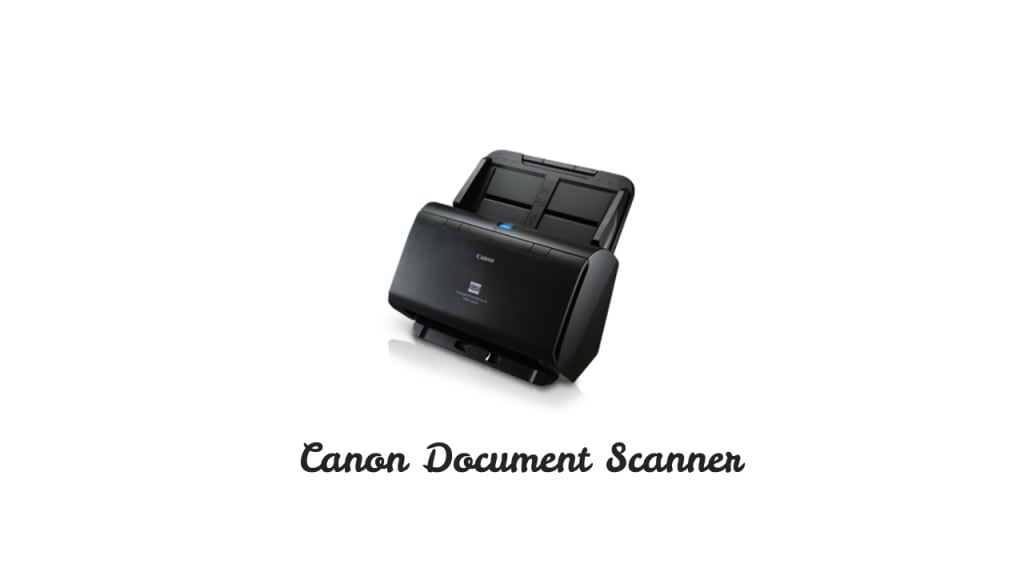
Scanning is essential for the smooth functioning of accountancy. Even today, invoices and other accountancy documents are documented in paper format. That’s why prioritising scanning different documents has become necessary for all businesses.
Nowadays, businesses doing accounting transactions electronically are at the frontline. Also, soft invoice copies generated by a high-speed and high-quality scanner are standard. The DR C240 is a scanner that loads papers of different sizes and processes various documents, such as receipts and invoices, at a high speed. If your accountant department is also looking for a trusted scanner, this blog is only for you.
Accountancy Challenges Resolved by A Document Scanner
Remove Headache of Paper Piles
Accountancy used to involve paper piling, and accountants had to create bundles of different documents. A decade ago or more, no software or scanning devices existed, so accountants needed help documenting their workflow. However, today, there is no need for paper piling, as accountants can save their headache of paper stock by generating soft copies of all accountancy-related documents. Using a scanner, accountants can also increase their efficiency.
Scan Documents at Large
When getting a scanner, accountants may ask how many papers it can accommodate for scanning simultaneously.
DR-C240 can feed 60 sheets of paper and process cheques, purchase orders, cash memos, bank statements, loan agreements, and more. So, accountants can now stop worrying about the number or types of papers needed to scan.
Scanning Speed Gets Better
Accountancy is an active department where accountants need to scan papers at lightning speed. The demand is quite understandable, especially during “closing time” or at the end of the financial year. Their work pressure doesn’t let them breathe therefore a document scanning device can reduce their pressure. With this document-scanning device, you can scan 45 pieces of paper in a minute or 95 images per minute. Isn’t that what you need?
Ultra Document Resolution
So, how good is the resolution when you scan a document? What is the metric to measure it?
If you want answers to these questions, this device comes with 600 dpi or dots per inch. 600 dpi scanners enable printers to produce double the standard number of dots per inch. Because the droplets of ink are tightly packed together, this results in smoother and more detailed images that can be enlarged without sacrificing quality.
Easy to Use
Last but not least is its easy-to-use feature. To make scanning fun, Canon has added buttons at the front of the machine. This thoughtful design ensures you don’t have to juggle your eyes repeatedly; you can scan, stop, and reuse them whenever you want with minimal effort. The CaptureOnTouch feature lets you register a job and assign it to the start button, enabling you to execute commonly used scanning operations with a single touch.
Accountants and papers have a universal connection. Previously, they dealt with piles of paper bundles, leading to considerable inconvenience. Over time, the focus shifted towards organization, saving space, and ensuring easy retrieval. Document scanners have revolutionized this process. They not only help accountants manage paperless workflows but also reduce time spent on filing and searching. Additionally, digitizing documents ensures better security, minimizes data loss, and promotes sustainability by reducing paper use. The advanced scanning features also allow customization, making the scanner a versatile tool for professionals across industries.
Whether you’re handling ledgers or day-to-day documentation, a scanner is the ideal device to eliminate the headache of paper piles quickly and effectively.
About the Creator
Keep reading
More stories from Preeti Aggarwal and writers in Art and other communities.
Top U.S. States for Teaching Jobs & Why They Stand Out
When planning a teaching career in the U.S., salary alone isn’t the only factor to consider. Job availability, cost of living, teacher support systems, and opportunities for growth all play a major role in shaping your experience.
By Preeti Aggarwal9 months ago in Education




Comments
There are no comments for this story
Be the first to respond and start the conversation.