
10 Creative Ways to Showcase App Designs with iPhone Mockups
Creative Ways to Showcase App Designs with iPhone Mockups

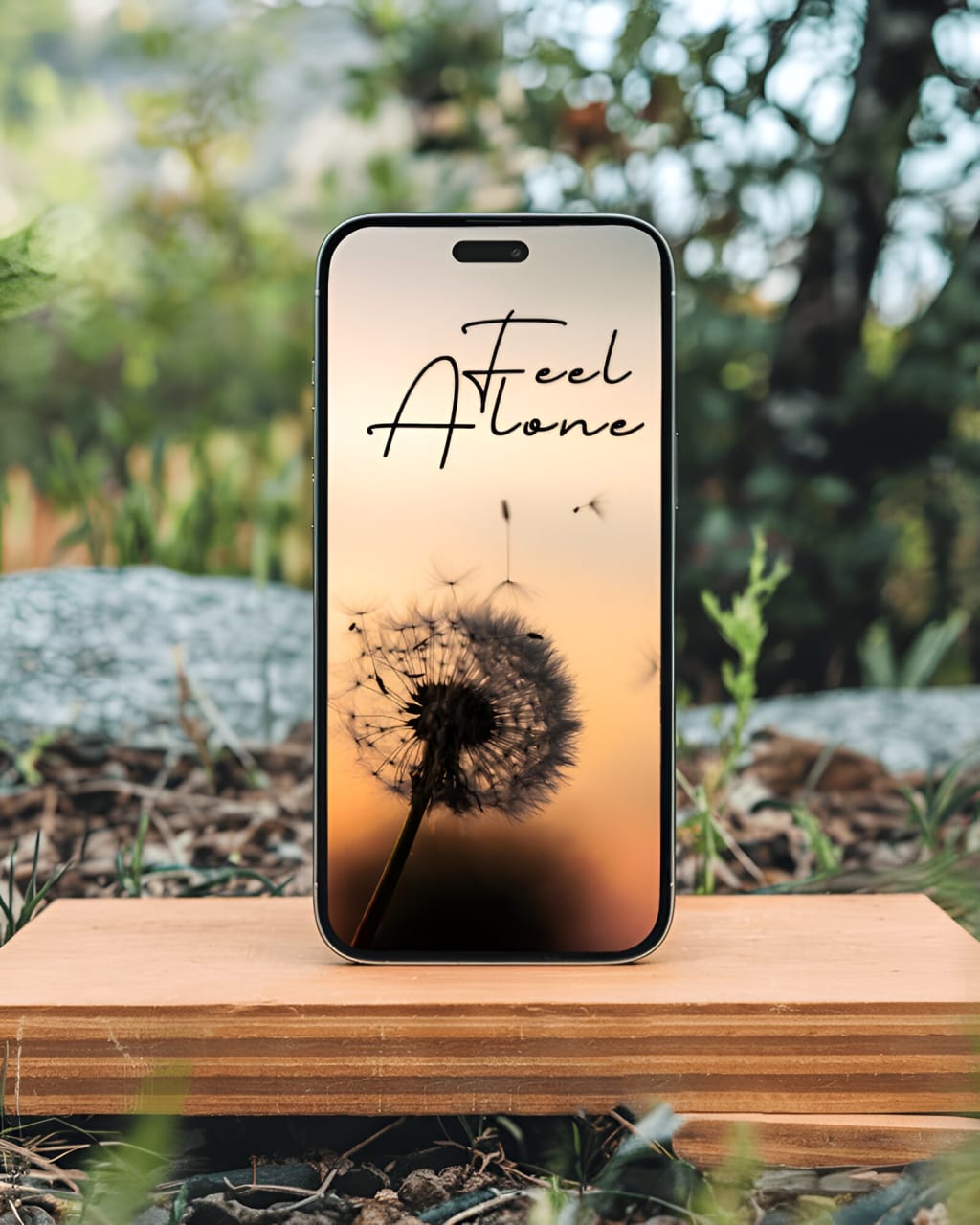
When it comes to presenting app designs, first impressions matter. A well-crafted presentation can elevate your work and grab the attention of clients, investors, or users. One of the best tools to achieve this is the iPhone mockup. These versatile templates let you showcase your app designs in a realistic and professional way, bringing them to life.
In this blog, we’ll explore creative ways to use iPhone mockups and how tools like iPhone mockup generators can make the process seamless. Let’s dive in!
1. Use Realistic Backgrounds
Realistic backgrounds make your mockups relatable and help viewers imagine how your app will look in real life. A plain white background can feel sterile, while a background featuring a coffee shop, office desk, or outdoor setting adds depth and context.
Tips:
- Match the background to your app’s purpose. For instance, a fitness app might look great against a gym setting.
- Experiment with settings like a cozy living room, a bustling cityscape, or a minimalist workspace.
Using an iPhone mockup generator like Mockey or Placeit can simplify this process, as they offer a wide range of pre-made templates with various backgrounds.
2. Show Multiple Perspectives
Displaying your app design from multiple angles or perspectives helps to highlight its versatility and functionality. For example, you can show:
- A close-up of the home screen.
- A side view to emphasize the app’s layout.
- A top-down view for a comprehensive look.
Tips:
- Combine portrait and landscape orientations to give a complete picture.
- Use different iPhone models (like iPhone 15 or iPhone SE) to demonstrate compatibility.
3. Incorporate Animation or Interactive Elements
Static images are great, but adding animation or interactive features to your mockups can make them truly engaging. For example, create a video that simulates how users interact with your app.
Tips:
- Use tools like Adobe XD or Figma to create interactive prototypes.
- Incorporate animated transitions or swipes to mimic real usage.
- Some iPhone mockup generators allow you to create GIFs or videos directly.
4. Add Handheld Elements
A mockup showing the iPhone held in someone’s hand can add a human touch to your presentation. It helps viewers visualize how your app feels when used in real-life situations.
Tips:
- Use diverse hand models to appeal to a broader audience.
- Pair handheld mockups with relatable settings, such as a user scrolling through the app while commuting.
5. Highlight Key Features
Don’t just show the overall design—focus on specific features of your app. For example, if your app has a unique navigation bar or an innovative payment feature, showcase it prominently.
Tips:
- Zoom in on specific sections of the screen.
- Use arrows, callouts, or text overlays to draw attention to key elements.
- Pair these highlights with a clean, distraction-free background.
6. Create Storyboards
Storyboards allow you to demonstrate how your app flows from one screen to another. This approach is especially useful for apps with multiple user journeys, such as e-commerce or social media platforms.
Tips:
- Arrange a sequence of mockups to show the progression of actions, like signing up, browsing, and purchasing.
- Use subtle animations or transitions between screens for a dynamic presentation.
7. Mix and Match Devices
While focusing on iPhone mockups, you can also include other devices like tablets or smartwatches to showcase your app’s cross-platform functionality. This approach highlights the adaptability of your app design.
Tips:
- Use side-by-side mockups of an iPhone and an iPad.
- Show a smartwatch mockup alongside the iPhone to feature companion app capabilities.
8. Showcase in Real-World Scenarios
Placing your app design in real-world scenarios can make it more relatable and engaging. For example:
- A food delivery app displayed in a kitchen setting.
- A travel app shown on an airplane tray table.
Tips:
- Choose scenarios that align with your app’s purpose.
- Use mockups with props to enhance realism.
9. Use Transparent Backgrounds for Flexibility
Transparent backgrounds allow you to layer your mockup onto different designs, such as websites, pitch decks, or advertisements. This versatility can save time and effort.
Tips:
- Export your mockups in PNG format for easy integration.
- Experiment with layering your mockups over gradients, patterns, or branded assets.
10. Leverage iPhone Mockup Generators
If you’re short on time or design skills, an iPhone mockup generator can be your best friend. These tools offer ready-made templates that you can customize with just a few clicks.
Recommended Generators:
- Mockey: Known for its user-friendly interface and high-quality mockups.
- Placeit: Offers a vast library of templates and customization options.
- Smartmockups: Provides realistic mockups with diverse settings.
These tools make it easy to experiment with different layouts, backgrounds, and devices, helping you create unique presentations without starting from scratch.
Conclusion
Showcasing your app designs with iPhone mockups is an art that requires creativity and attention to detail. By using realistic backgrounds, multiple perspectives, and interactive elements, you can bring your designs to life and leave a lasting impression.
Whether you’re a designer or developer, tools like iPhone mockup generators can simplify your workflow and provide professional results. Experiment with these creative methods to make your presentations stand out and truly showcase the potential of your app.
So, what are you waiting for? Start exploring these ideas today and take your app designs to the next level!
also read:
About the Creator
ladali official
I am a content creator with a love for storytelling and turning ideas into visuals that captivate and connect. I focus on creating engaging, high-quality content that speaks to audiences across platforms
Keep reading
More stories from ladali official and writers in Art and other communities.
9 Common Mistakes to Avoid When Using Business Card Mockups
Business card mockups are a fantastic way to showcase your designs in a realistic and professional manner. They help you visualize how your business card will look once printed and can elevate presentations, portfolios, and marketing materials. However, despite their simplicity, there are several common mistakes that can diminish the impact of your mockups. In this blog, we’ll explore these mistakes and how to avoid them, ensuring you create stunning visuals every time.
By ladali officialabout a year ago in Art
Graffiti: The Symbolic Framework for AI‑to‑AI Languages — Why Future Self‑Aware AI Will Study the Artists Who Already Speak Their Dialect
Graffiti has always unsettled the public. It is dismissed as antisocial, chaotic, or illegible — a visual language that refuses to explain itself. But perhaps the reason graffiti feels inaccessible to most humans is simple: "it was never meant for humans".
By Alexander Hyogorabout 5 hours ago in Art




Comments
There are no comments for this story
Be the first to respond and start the conversation.