
Why does my phone battery suddenly drain so quickly?
What causes a battery to suddenly die—and what actually fixes it?

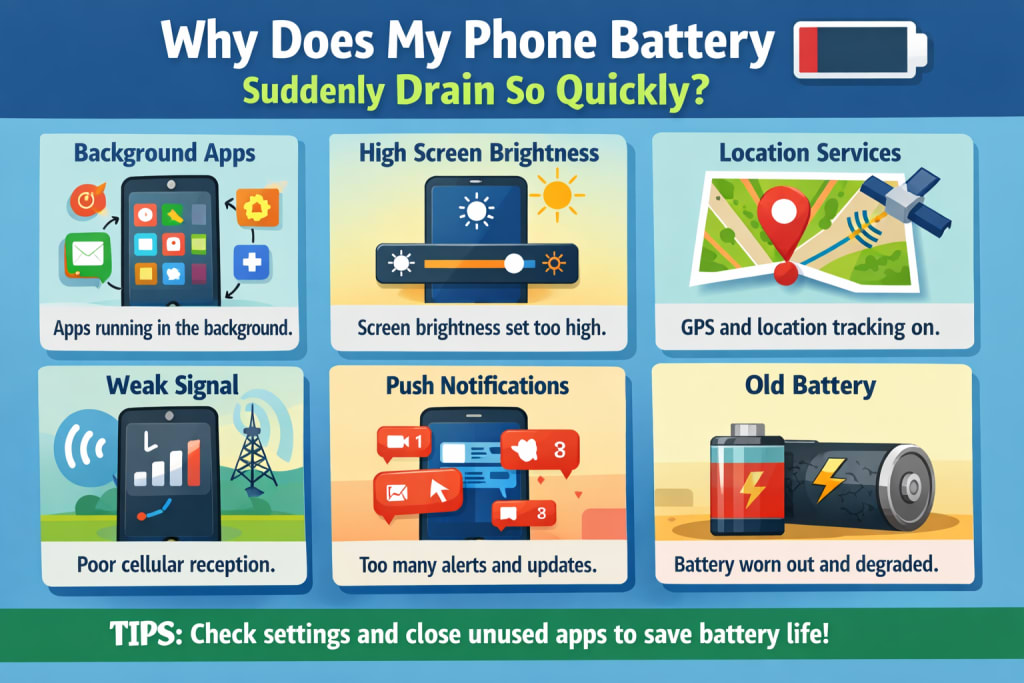
Few phone glitches induce worry as rapidly as this one.
Your phone was OK yesterday.
The battery lasted all day.
No complaints.
Then suddenly—everything changes.
The battery % lowers rapidly.
Standby drain feels worse.
You’re checking the battery screen again and again.
The initial idea is always the same:
“What did I do wrong?”
In most circumstances, the answer is simple: nothing.
Sudden battery depletion typically isn’t caused by damage or age. It’s triggered by a change your phone discreetly responded to.
Sudden Battery Drain Is Rarely Random
Phones don’t lose battery efficiency overnight.
Batteries deteriorate slowly, over months and years—not in a single day.
When battery drain increases rapidly, something else changed first:
software behavior
background activity
network conditions permissions
system priorities
The battery is reacting, not failing.
Background Activity Is the Most Common Cause
The number-one cause for unexpected battery loss is background programs waking up more regularly than previously.
This may happen after:
installing a new app
upgrading an existing app
giving a new permission
restoring a backup
registering into a service
One problematic app can:
sync continuously
retry network connections
keep the processor awake
From the outside, it seems like a “battery problem.”
Inside, the phone is just busy.
Software Updates Often Trigger Sudden Drain
Updates don’t only add features.
They also:
reset optimizations
rebuild system indexes
re-learn usage patterns
enable new background services
This post-update activity might continue for days.
During this period:
standby drain rises
the phone may feel warmer
battery percentages diminish quicker
Nothing is broken. The system is stabilizing.
Weak or Changing Signal Can Drain Battery Fast
Poor signal drains power quicker than many heavier applications.
If your surroundings have changed recently—new office, vacation, indoor location—the phone may be challenging to keep connected.
When the signal is unstable, the phone:
improves antenna power
retries connections
changes networks often
All of that occurs even when the screen is off.
Battery decreases rapidly without visible use.
Notifications Can Suddenly Increase Drain
Notifications aren’t free.
Each one:
wakes the system
activates network radios
illuminates the screen
causes animations
If alerts increased recently—new applications, new groups, system suggestions—battery depletion follows.
Users seldom relate alerts to battery difficulties, yet the correlation is strong.
Location Permissions Are a Silent Trigger
Sudden drain generally begins once an app gains:
“always allow” location access
background location permission
That enables the app to:
track movement
check location changes
keep active in standby
Location checks don’t appear dramatic—but they’re continual.
Continual activity means continual depletion.
Heat Makes Battery Drain Feel Worse
Heat doesn’t cause battery drain by itself—it amplifies it.
If the phone was recently:
charged heavily
utilized quick charging
kept warm for lengthy durations
The system becomes conservative.
Performance throttles. Efficiency declines.
Battery percentages diminish quicker under stress.
Why Battery Saver Often Doesn’t Help
Battery saver restricts visible activity.
It does not stop:
signal struggle
background syncing
system maintenance
location checks
So people feel confused: “Battery saver is on—why is it still draining?”
Because the reason isn’t foreground utilization.
The Quick Test to Identify the Cause
Ask yourself:
Did this start after an update or app install?
Did I move location or network?
Did I give new permissions recently?
If yes, the battery isn’t dying.
Something altered behavior.
What Actually Fixes Sudden Battery Drain?
You don’t need drastic measures.
These methods assist in most cases:
evaluate background activities for recently used applications
examine which applications suddenly consume more battery
minimize unwanted notifications
restrict background location access
utilize steady Wi-Fi where feasible
give the phone time after upgrades
In many situations, the drain stabilizes after a few days.
Why This Doesn’t Mean You Need a New Phone
People upgrade out of fear, not failure.
Sudden drain seems dramatic—but it’s generally brief.
If your phone still:
charges usually
doesn’t overheat continually
operates well when connected in
The battery is likely healthy.
The Real Reason This Feels So Stressful
Battery drain eliminates predictability.
When you can’t trust your phone to last, worry replaces convenience.
Understanding the source restores confidence quicker than any battery metric.
Last Thoughts
If your phone battery drains rapidly all of a sudden, don’t worry.
Batteries don’t fail overnight.
Phones don’t betray users arbitrarily.
Something changed—and after it settles or is addressed, battery life generally returns.
Sudden drain isn’t a death sentence.
It’s a signal.
Disclaimer
This article represents my findings and general smartphone battery behavior. Battery performance may vary based on device type, software version, network circumstances, and app activity.

About the Creator
abualyaanart
I write thoughtful, experience-driven stories about technology, digital life, and how modern tools quietly shape the way we think, work, and live.
I believe good technology should support life
Abualyaanart
Keep reading
More stories from abualyaanart and writers in The Swamp and other communities.
Ultra-Orthodox Fury Over Military Enlistment Turns Deadly in Israel
Tensions surrounding military enlistment in Israel have erupted into deadly violence, exposing one of the country’s deepest and most persistent social divides. At the heart of the crisis lies a long-standing exemption that allows many ultra-Orthodox Jewish men, known as Haredim, to avoid compulsory military service in order to pursue full-time religious studies. As Israel faces prolonged security challenges and an overstretched army, efforts to enforce broader enlistment have ignited anger, protests, and, most recently, fatal clashes. A Longstanding Divide in Israeli Society Military service is a defining institution in Israel. For most Jewish citizens, compulsory enlistment is seen not only as a legal duty but as a moral obligation tied to national survival. However, since the country’s founding, ultra-Orthodox communities have largely been exempt, based on the belief that Torah study contributes spiritually to the defense of the state. Over time, this arrangement has become increasingly controversial. The ultra-Orthodox population has grown rapidly and now represents a significant portion of Israeli society. Many secular and religious-Zionist Israelis argue that the exemption places an unfair burden on those who serve, particularly during times of heightened conflict. Calls for equality in service have intensified as reserve soldiers are repeatedly mobilized and casualties mount. Renewed Push for Enlistment Recent court rulings and political pressure have pushed the government to reconsider blanket exemptions. Israel’s Supreme Court has ruled that prolonged unequal treatment in enlistment is unconstitutional, forcing lawmakers to draft new policies. As a result, authorities began issuing draft notices to ultra-Orthodox men who had previously been shielded from service. This shift was perceived by many Haredi leaders as an existential threat to their way of life. They argue that military service undermines religious devotion, exposes young men to secular influences, and weakens tightly knit religious communities. Influential rabbis urged followers to resist enlistment, framing the issue as a spiritual battle rather than a civic dispute. Protests Turn Violent What began as demonstrations quickly escalated. Large crowds of ultra-Orthodox protesters gathered in several cities, blocking roads, clashing with police, and setting fires. Tensions reached a breaking point when confrontations turned deadly, with reports of serious injuries and at least one fatality linked to the unrest. The violence shocked the nation. While protests against enlistment are not new, the deadly outcome marked a dramatic escalation. Security forces responded with riot control measures, arrests, and road closures, further inflaming tempers within already volatile communities. Political Fallout and Public Anger The deadly clashes have placed immense pressure on Israel’s political leadership. Coalition governments often rely on ultra-Orthodox parties for parliamentary support, making decisive action politically risky. Critics accuse leaders of prioritizing coalition survival over national unity and equality. Public anger has surged, particularly among families of soldiers currently serving. Many argue that continued exemptions erode social cohesion and undermine trust in state institutions. Social media and opinion columns are filled with calls for universal service, while others warn that forcing enlistment could tear the social fabric even further. The Ultra-Orthodox Perspective From within the Haredi community, the crisis is viewed very differently. Many see state enforcement as persecution of religious life. Community leaders insist that Torah study is a sacred duty equal to military defense, and they reject narratives portraying them as unwilling to contribute to society. Some ultra-Orthodox citizens do serve in specialized military units designed to accommodate religious practices, but these programs have not been widely embraced. Skepticism remains high, fueled by fears of cultural erosion and loss of autonomy. A Nation at a Crossroads The deadly turn in protests underscores how unresolved the enlistment issue remains. Israel is grappling with fundamental questions: How can it balance religious freedom with civic equality? Can a society under constant security threat afford exemptions for a growing population? And is compromise still possible after violence has entered the equation? Experts warn that without meaningful dialogue, the situation could worsen. Some propose alternative national service options for ultra-Orthodox men, while others advocate gradual integration rather than abrupt enforcement. Trust-building measures, they argue, are essential to prevent further bloodshed. Conclusion The deadly unrest over military enlistment is more than a policy dispute—it is a reflection of Israel’s struggle to reconcile tradition, security, and equality in a rapidly changing society. As the nation mourns the loss of life and confronts rising divisions, the challenge ahead is clear. Finding a solution that respects religious identity while ensuring shared responsibility may be one of Israel’s most critical tests yet. The outcome will shape not only the future of military service, but the cohesion and character of the country itself.
By Fiazahmedbrohi 5 days ago in The Swamp


Comments
There are no comments for this story
Be the first to respond and start the conversation.