
3 Reasons Why Your iPhone Sound Fainted
How to clean iPhone speakers
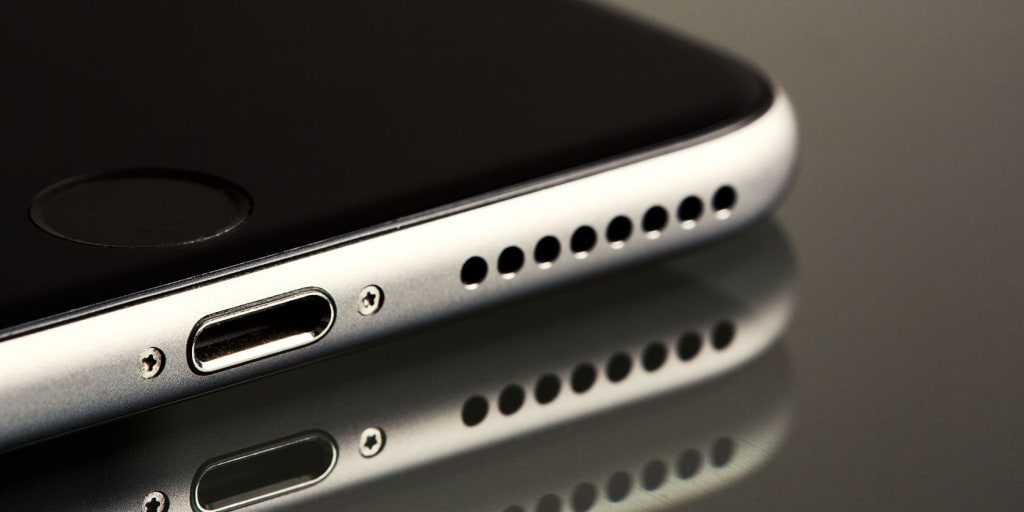
If you own an iPhone, you have to contend with one major problem: the iPhone speaker problem. So if you are facing a low-volume quality call and music on your iPhone, then do not feel alone. iPhone speaker problem such a common and always happening problem. This is the most frustrating issue of every iPhone. Although, we are fortunate enough that these issues can be resolved.
Is your iPhone is on silent
Another thing about which people complained that they are unable to hear the sound of the calls and notification which usually pop up in their iPhone. Its reason is that your iPhone is on silent mode, which is the main reason for not getting any sound of the incoming calls and other notifications. To make sure the sound of your messages pulls up the ring and silent button toward the screen of your phone, a pop-up message will occur on the screen stating that your iPhone is on ring mode.
This button is always found above the volume button, no matter which iPhone you are using. Sometimes because of low volume, you cannot hear the sound of notification and calls properly. To stay alert and get all the notifications, one should switch up the sound up button. When the volume is entirely up, leave the button.
One can switch up the volume from this setting, and from the ringer, you need to go-to sound and hepatics. You should haul the slider in the right direction for full volume, and eventually, your iPhone should be all up to hear. There is always an option of using your volume up button to bring up your iPhone's volume. You can also use this option by sliding on the change with buttons.
Ways to clean up the iPhone speaker
You must be wondering how to clean iPhone speakers? And what can I use to clean my iPhone speakers? Different ways could be used and proven to be beneficial for cleaning up an iPhone speaker. And by using their ways speaker could be all clear up from the dust particles. It could be a common bristle toothbrush that can be used to scrub your dirty speaker iPhone. By using the toothbrush, clean up the port of the speaker.
The gentle movement of the bristle brush will clean the grime off the speaker, and also the gunk will also be cleaned up. Also, It can be cleaned with painter's tape. It is a perfect adhesive that can use to clearing your iPhone speaker.
By tearing and rolling the tape into a cylinder shape, the sticky area of the tape will be outside, and the plain surface will be inside; you can slip it over the index finger and press it to the iPhone speaker. After the check, if the tape has picked up all the grime from the speaker.
Check the tape after each time you apply the tape; if the grime or dust stuck to the tape, you could use another cylinder of tape by using your index finger. This process will help you pick out all the dust particles that are blocking your iPhone's voice. You can repeat this technique until the speaker is completely dirt-free. Another method that could be used to clean up your iPhone speaker is blowing the air compressor into your iPhone's speaker.
This technique is proving to be the most formal one for cleaning, and it is used for computers. To get your iPhone speaker cleaned up, place it flat on the surface with the screen down. Read the given instructions and use them accordingly. The canned air must be used according to the directions given. Now aim the nozzle of the canned air at your iPhone's speaker and squeeze the handle and then release to clean iPhone speaker holes. Do it briefly. All these methods can be used to clean the speaker holes of the iPhone 8 and any other iPhone.
Making iPhone lifelong
For making iPhone a lifelong one, different techniques could be used. These techniques will significantly make your iPhone life much longer than usual.
Good quality casing
Sometimes you unintentionally drop your iPhone, which is to prove to be the biggest problem for iPhone issues, and get a new iPhone. You can prevent your iPhone from this situation by using a good quality iPhone casing which helps in reducing the risk of damage that could occur to your phone. Casing your iPhone does not mean hiding your latest iPhone sleek, but it is used as a tool for prevention. You could also use new decorated iPhone cases. It will make your iPhone look more stylish and attractive.
Screen Protector
You always crack your iPhone screen by accidentally dropping it to the ground. Screen Protector is the best product that can help you to shield the screen. Although the screen protector is yet another extra expense, it is worth spending. Screen Protector helps make your iPhone's life much longer as if you accidentally shattered the screen than the other organs of the iPhone.
Low brightness
iPhone consumes more battery if your brightness is brighter. Reducing the brightness could help in significantly lasting the battery longer. The latest iPhone series has a dark mode, so you can switch to the dark mode if you are owning a new iPhone series. It will help in using less energy. Low brightness always prevents your eyes because the consistent shining light can harm your eyes.
Use the only apple issued charger
If you purchase a third-party charger other than Apple issued charger, it will damage your iPhone and prevent it from getting charged properly. The third purchase charger is not worth the threat of damage that could lessen the life of your iPhone. Change your third-party charger to Apple issued charger.
Low power mode
It is another source that could use to prevent your iPhone’s battery. Low power mode causes minor changes to your iPhone, which are so minor to be noticed by anyone. But these changes can make the life of your iPhone more reliable and longer. Low power mode automatically turned off the background used apps. And it also turns off the automatic download feature.
About the Creator
Keep reading
More stories from writers in Lifehack and other communities.
How Millennials and Gen Z Are Buying Gold Without Ever Touching It
The first time Sarah tried to buy gold, she hit a wall. Not a metaphorical one, but a real barrier. The minimum purchase at her local dealer was far more than she wanted to spend, and even if she could afford it, where would she store it? What about insurance? What about a safe deposit box?
By Marcus Briggs6 days ago in Lifehack
Silver Screen Magic with Mae West
American actress and singer Mae West became a popular film actress during the Great Depression. She started entertaining in vaudeville, then performed on Broadway, and finally went to Hollywood. She signed up with Paramount Pictures and made her debut in the 1932 film “Night After Night.” She also starred in musicals, comedies, and crime dramas. The American Film Institute named her one of the best classic Hollywood actresses.
By Rasma Raisters4 days ago in Geeks




Comments
There are no comments for this story
Be the first to respond and start the conversation.