
Quick Fixes for Crawled But Not Indexed in Google Search Console
How to Fix Crawled But Not Indexed

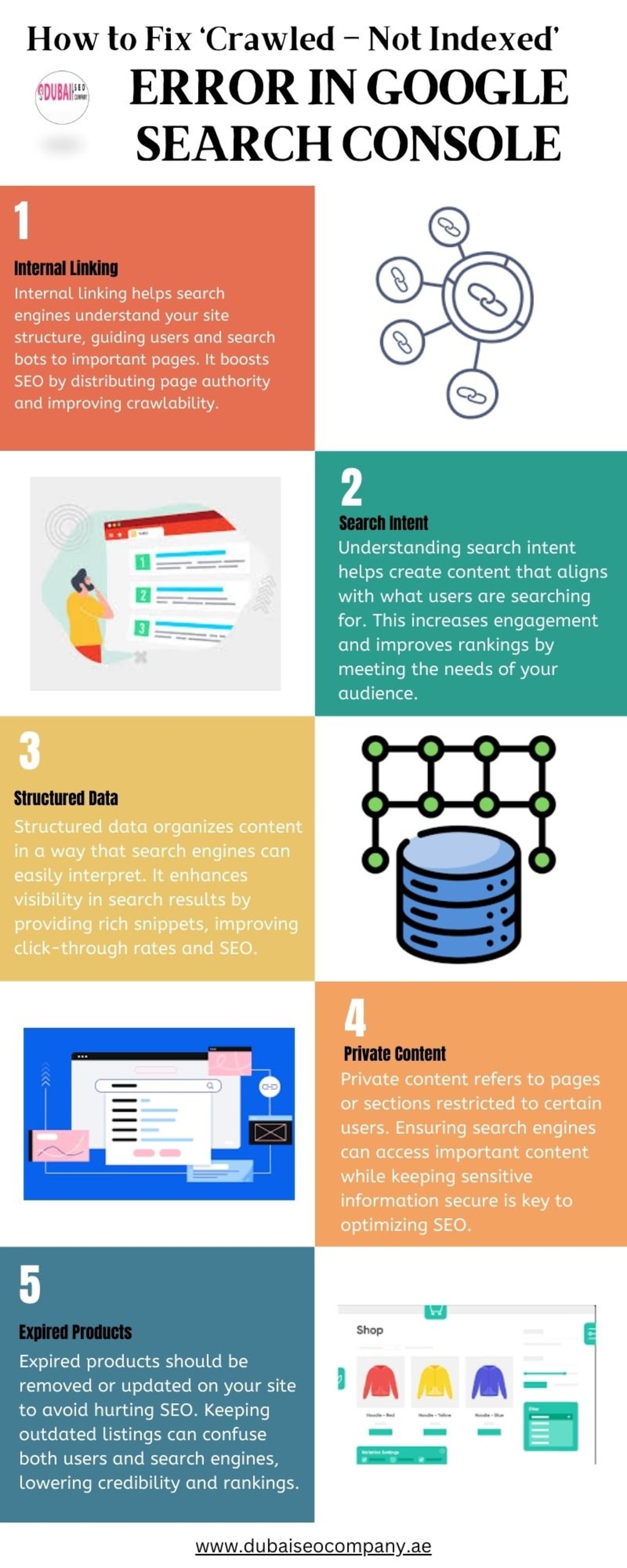
When Google Search Console shows “Crawled — Currently not indexed,” it means that Google has found your page but decided not to include it in the search index. This issue can hurt your website’s visibility, but don’t worry! Follow these easy-to-understand steps to fix the problem and improve your website’s chances of ranking higher in search results.
STEP 1: Provide High-Quality Content
Google prioritizes pages that offer valuable, unique, and relevant information. If your content doesn’t meet these criteria, it might not be indexed.
What to Do:
Focus on Originality: Avoid duplicating content from other pages or websites. Create articles, blogs, or product descriptions that provide fresh insights.
Address User Needs: Write content that solves problems, answers questions, or engages your audience. Use tools like Google Trends or AnswerThePublic to discover topics people care about.
Use Proper Formatting: Break content into headings, bullet points, and short paragraphs. This makes it easier to read and understand.
Improve Readability: Use simple language and avoid overly technical jargon unless necessary. Aim for a conversational tone.
Example: If you’re writing about “Crawled Currently Not Indexed How to Fix in Google Search Console,” ensure you thoroughly explain the causes and solutions in an easy-to-follow way. This enhances your page’s value and increases the chances of being indexed.
STEP 2: Perform a Manual Review of the Affected Pages
Sometimes, pages might not be indexed due to minor issues that you can easily identify. A manual review can reveal potential problems.
What to Check:
Meta Tags: Ensure your pages don’t have a “noindex” tag accidentally added. A “noindex” tag tells Google to exclude a page from search results.
Page Loading Speed: Slow-loading pages may get crawled but not indexed. Use tools like Google PageSpeed Insights to test and improve your website’s speed.
Broken Links: Check for links leading to 404 errors or other dead ends. These can negatively affect your website’s crawlability.
Mobile-Friendliness: Make sure your pages work well on mobile devices since Google uses mobile-first indexing.
How to Fix Issues:
After identifying problems, make necessary corrections. Update your meta tags, improve loading speed, and fix broken links. For instance, if a URL flagged as “Crawled Currently Not Indexed” has a slow load time, optimizing its images and scripts can help.
STEP 3: Work on Your Website Structure and Improve Internal Linking
A clear website structure helps Google understand the relationship between pages, improving the chances of indexing.
What to Do:
Use Logical Navigation: Ensure your menu and categories make sense and are easy for users to follow.
Add Internal Links: Link your pages to each other naturally. For example, connect blog posts with similar topics to create a flow.
Avoid Orphan Pages: Ensure every page is connected to the rest of your site. Orphan pages (pages with no internal links) are harder for Google to find and index.
Include Breadcrumbs: Breadcrumb navigation shows the path a user has taken through your site. It also helps Google understand your site’s structure.
Example: If a blog post about “Crawled Currently Not Indexed How to Fix in Google Search Console” isn’t indexed, link it to your homepage or other relevant pages. This signals its importance to Google.
STEP 4: Limit Your Duplicate Content
Duplicate content confuses Google, leading to some pages being ignored. Avoid creating multiple pages with identical or very similar content.
What to Do:
Merge Similar Pages: Combine pages with overlapping content into one comprehensive page.
Canonical Tags: Use canonical tags to signal the preferred version of a page when duplicates are unavoidable.
Unique Meta Descriptions: Create distinct meta titles and descriptions for every page.
Avoid Thin Content: Pages with very little useful information are less likely to be indexed. Add value by expanding your content.
Example: If multiple pages discuss “Crawled Currently Not Indexed How to Fix in Google Search Console,” merge them into a single, detailed guide. Add insights, examples, and solutions to make the page stand out.
STEP 5: Manually Submit a Request to Google to Re-Crawl Your Specific URLs
After fixing the issues, you can ask Google to re-crawl and reconsider your pages for indexing.
How to Do It:
- Log in to Google Search Console.
- Go to the URL Inspection Tool.
- Enter the affected URL.
- Click on Request Indexing if the page passes the checks.
- Repeat this process for other URLs as needed.
Best Practices:
- Don’t submit too many URLs at once. Focus on priority pages first.
- Make sure all issues are resolved before requesting re-crawling.
- Monitor the status of these URLs over time to see if they are indexed.
Example: If your guide on “Crawled Currently Not Indexed How to Fix in Google Search Console” still isn’t indexed, submitting it manually after ensuring quality and relevance can help.
STEP 6: Use a Temporary Sitemap.xml
A sitemap is like a roadmap that helps Google find your pages.
Why Use a Temporary Sitemap:
It helps Google focus on specific URLs you want to be indexed without getting distracted by irrelevant ones.
How to Create and Use It:
Use tools like Yoast SEO or Screaming Frog to generate a sitemap.
Include only the pages flagged as “Crawled — Currently not indexed.”
Submit the sitemap in Google Search Console under the Sitemaps section.
Once the issue is resolved, remove the temporary sitemap to avoid clutter.
Example: If multiple pages about “Crawled Currently Not Indexed How to Fix in Google Search Console” are affected, include them in a temporary sitemap to prioritize their indexing.
“Crawled — Currently not indexed” vs. “Discovered — Currently not indexed”
Crawled — Currently not indexed: Google has visited the page but decided not to include it in its index.
Discovered — Currently not indexed: Google knows about the page (likely from a link or sitemap) but hasn’t crawled it yet.
Key Difference:
“Crawled” means Google has assessed the content, while “Discovered” means the content hasn’t been evaluated yet. Solutions for “Discovered — Currently not indexed” include improving crawlability through internal links, sitemaps, and server performance.
Wrapping Up
Addressing “Crawled Currently Not Indexed How to Fix in Google Search Console” involves ensuring high-quality content, a clear website structure, and proper technical practices. By following the steps above, you can increase your chances of getting all your important pages indexed.
Remember, indexing isn’t instantaneous, so patience is key. Monitor your progress in Google Search Console and continue optimizing your site for better results.
About the Creator
Dubaiseocompany
Dubai SEO Company offers a full range of SEO Dubai & best SEO services in Dubai and across UAE. By best search engine optimization consultant & experts. Visit us to know about our SEO company Dubai.
Keep reading
More stories from Dubaiseocompany and writers in Journal and other communities.
A Complete Guide to Google Business Profile Video Verification
Google Business Profile video verification has become an essential process for businesses looking to build credibility and trust with customers. This guide will walk you through everything you need to know about video verification, its benefits, and how it can contribute to effective Google Business Profile optimization.
By Dubaiseocompanyabout a year ago in Journal
What are the top strategies for insurance compliance management in 2026?
Many insurers still rely on fragmented processes, manual reviews, and reactive controls; approaches that create blind spots, slow response times, and expose the business to regulatory and reputational risk. At the same time, digital distribution, AI-driven decision-making, and growing volumes of customer data are reshaping how insurance products are built, sold, and serviced.
By Fusion Business Solution P Limitedabout 2 hours ago in Journal
Silver Screen Magic with Mae West
American actress and singer Mae West became a popular film actress during the Great Depression. She started entertaining in vaudeville, then performed on Broadway, and finally went to Hollywood. She signed up with Paramount Pictures and made her debut in the 1932 film “Night After Night.” She also starred in musicals, comedies, and crime dramas. The American Film Institute named her one of the best classic Hollywood actresses.
By Rasma Raisters6 days ago in Geeks


Comments
There are no comments for this story
Be the first to respond and start the conversation.