
A Complete Guide to Google Business Profile Video Verification
Google Business Profile

Google Business Profile video verification has become an essential process for businesses looking to build credibility and trust with customers. This guide will walk you through everything you need to know about video verification, its benefits, and how it can contribute to effective Google Business Profile optimization.
What is Google Business Profile Video Verification?
Google Business Profile video verification is a security feature by Google that allows business owners to verify their listings by submitting a video of their business. This method is useful for proving that the business is legitimate and exists in the stated location. It also helps prevent fraudulent listings from appearing on Google.
By using video verification, you’re showing Google—and potential customers—that your business is real and active, which adds a level of trust and transparency.
Why Does Google Use Video Verification?
Google introduced video verification to reduce fake listings and improve the quality of information on its platform. Video verification makes it harder for scammers to create fake businesses, which could mislead or harm customers.
This process also allows Google to gather more data, such as a glimpse of your storefront, signage, and business operations. Through this visual proof, Google can confirm your business's authenticity and make it more visible to local search users.
Benefits of Google Business Profile Video Verification
Enhanced Trust and Credibility
Video verification adds credibility to your business listing by offering proof that your business is real. Customers can feel more confident choosing your business when they see a verified listing, knowing that Google has confirmed it.
Improved Visibility in Local Search
Verified profiles often rank better in local search results. When you complete Google Business Profile video verification, your listing is more likely to appear at the top of search results when potential customers are looking for businesses like yours nearby.
Increased Customer Engagement
Verified businesses receive more views and engagement. When customers see that a business is Google-verified, they are more likely to call, visit, or explore your profile, ultimately driving more traffic and potential sales.
Protection Against Fake Listings
Google Listing Profile video verification helps protect your business against fraudulent activities. Scammers can create fake profiles to lure customers away, but with video verification, Google minimizes this risk by verifying that your business actually exists.
Essential for Google Business Profile Optimization
Video verification is a key step in Google Business Profile optimization. Optimizing your profile is crucial to rank higher in search results and to appear as a trustworthy option for potential customers.
Step-by-Step Guide to Google Business Profile Video Verification
To verify your business via video, follow these steps to ensure a smooth and successful verification process:
Step 1: Prepare for Video Verification
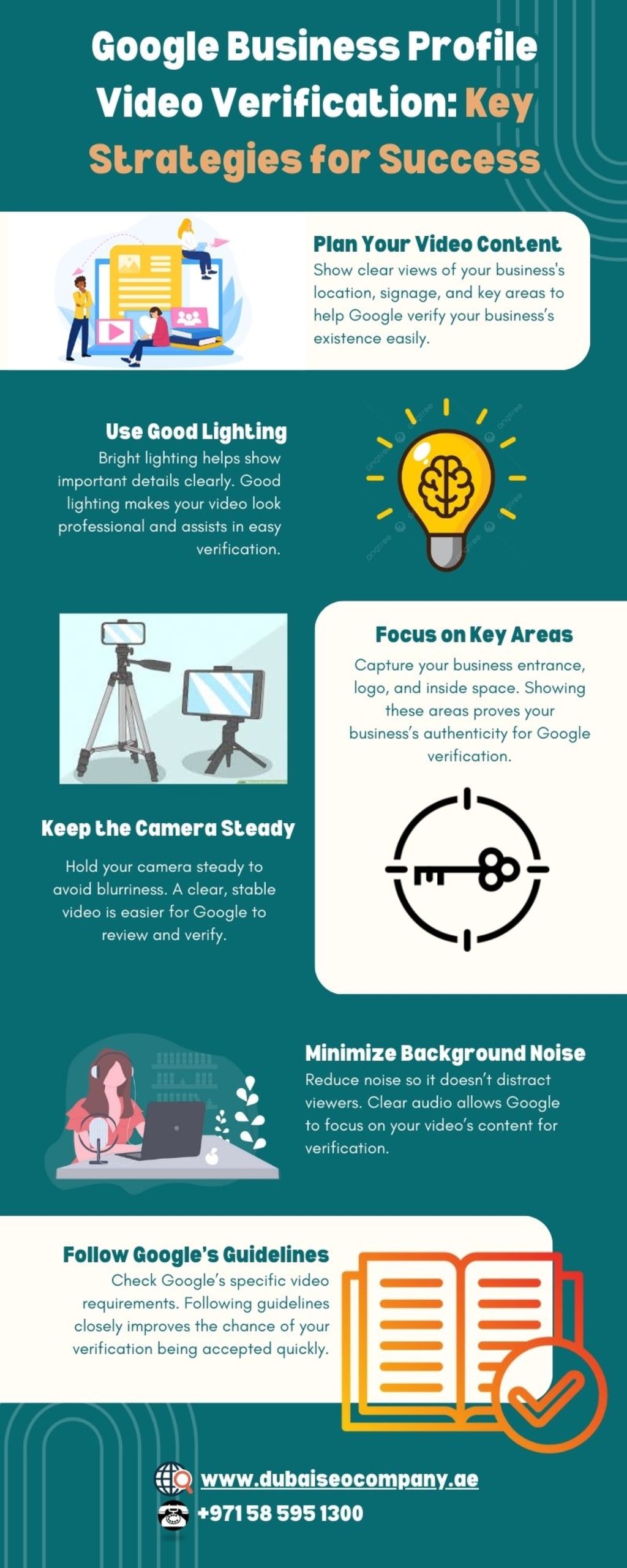
Review Google’s Requirements: Make sure you understand what Google needs for video verification. You’ll typically need to show your business location, signage, and some internal aspects, such as workspaces or inventory.
Check Your Equipment: A smartphone with a good camera or any device capable of high-quality video recording will work. Make sure the device is fully charged, and you have stable internet access.
Plan the Video Content: Decide what you’ll showcase in the video. Focus on showing Google that your business is legitimate by including key details that verify the location and activities.
Step 2: Log Into Google Business Profile
Open Google Business Profile Manager on your device and sign in with the account linked to your business profile.
Step 3: Locate the Video Verification Option
Go to your business profile dashboard. If video verification is an available option for your account, you’ll see instructions from Google on how to proceed with the video verification process.
Step 4: Start Recording
Begin recording, making sure to include the following:
Business Location: Record the outside of your building, including any clear signage that proves the business name and address.
Interior and Workspace: Show the inside of your business to prove it is active, including workspaces, equipment, or products.
Any Unique Business Features: Capture any specific elements that make your business unique, such as machinery, merchandise, or recognizable features.
Step 5: Upload the Video
Once your video is complete, upload it through the Google Business Profile interface as directed. The upload might take some time, depending on the video length and file size.
Step 6: Wait for Google’s Review
After uploading, Google will review your video. This process can take a few days. If your video meets all the requirements, your profile will be verified, and your business will have a verified badge.
Common Challenges and Solutions for Video Verification
Video Rejection
Challenge: Sometimes, videos are rejected due to poor quality or missing details.
Solution: Ensure your video is high quality and includes all necessary shots, such as the exterior, interior, and proof of business activity.
Technical Issues
Challenge: Uploading may fail if the video file size is too large or if there are network problems.
Solution: Compress the video file to a smaller size if needed or try uploading during off-peak hours when your internet connection might be faster.
Limited Options for Video Verification
Challenge: Not all businesses are given the video verification option.
Solution: If video verification is not available, consider other verification methods like mail, phone, or email, as Google may change the available methods based on your business type or location.
How Video Verification Supports Google Business Profile Optimization
Completing video verification is a powerful way to optimize your Google Business Profile. Verified profiles are more likely to appear higher in local search results, giving your business better visibility. Here’s how video verification supports profile optimization:
Boosts Profile Rankings
Google prioritizes verified listings, as they are seen as more trustworthy. By completing the video verification, you’re directly enhancing your chances of ranking well in local searches.
Improves Profile Quality
Verified profiles often have better engagement. When customers see that your business is verified, they are more likely to interact, leading to higher engagement, which Google uses to assess profile quality.
Enables Full Profile Features
With a verified profile, you can access all features available in Google Business Profile, such as posts, direct messaging, and adding more business categories. This level of control allows you to optimize your profile fully.
Strengthens Local SEO Efforts
Google Business Profile optimization is crucial for local SEO, and video verification plays a significant role in this. Verified listings signal to Google that your business is relevant and trustworthy, increasing your visibility in local searches.
Tips for a Successful Google Listing Profile Video Verification
Use Natural Light
Good lighting makes your video clear and professional-looking. Try to record during daylight hours if possible.
Keep it Steady
Use a tripod or steady your camera to avoid shaky footage. Shaky videos can reduce the quality and may cause issues during verification.
Follow Google’s Instructions Closely
Google provides specific instructions for video verification. Make sure you cover everything they ask for, as missing even a small detail might lead to verification delays.
Be Genuine and Transparent
Show your real business activities and features. Avoid staged or misleading content, as Google may flag it, delaying the verification.
Conclusion
Google Business Profile video verification is a powerful tool that can help you build trust, rank higher in local searches, and protect your listing from fraud. By completing video verification, you’re not only enhancing your Google Business Profile optimization but also giving potential customers more reasons to choose your business over others.
Following the steps and tips provided in this guide will help ensure your video verification process is smooth and successful. Embrace video verification as a way to improve your online presence and connect more authentically with local customers. With a verified Google Business Profile, your business can achieve new levels of visibility and credibility on Google.
About the Creator
Dubaiseocompany
Dubai SEO Company offers a full range of SEO Dubai & best SEO services in Dubai and across UAE. By best search engine optimization consultant & experts. Visit us to know about our SEO company Dubai.
Keep reading
More stories from Dubaiseocompany and writers in Journal and other communities.
Understanding Google Algorithm Updates: A Complete History
Google constantly refines its search results through various changes known as Google SEO updates. These updates affect how websites rank in search results and are crucial for anyone involved in online marketing. In this article, we will look at the history of these updates, their impact, and what they mean for SEO.
By Dubaiseocompanyabout a year ago in Journal
My New Book is Finally Here
My poetry collection Beautiful and Brutal Things is done. It's actually done and finally published over 270 pages. Over a year of my life went into this book. More than a year, really. Long days at my computer, sometimes seven days a week because I couldn't stop even when I probably should have. Then two months of editing that felt harder than the writing itself. But it's finished, and I'm still standing, and the book is real.
By Tim Carmichael2 days ago in BookClub



Comments
There are no comments for this story
Be the first to respond and start the conversation.