
Samsung Sends One UI 7 Update to Galaxy Tab S8, Tab S9, and Tab S10 in the US
Android 15-Based Software Rollout Introduces Enhanced Productivity, AI Features, and Security Improvements to Samsung’s Leading Tablets

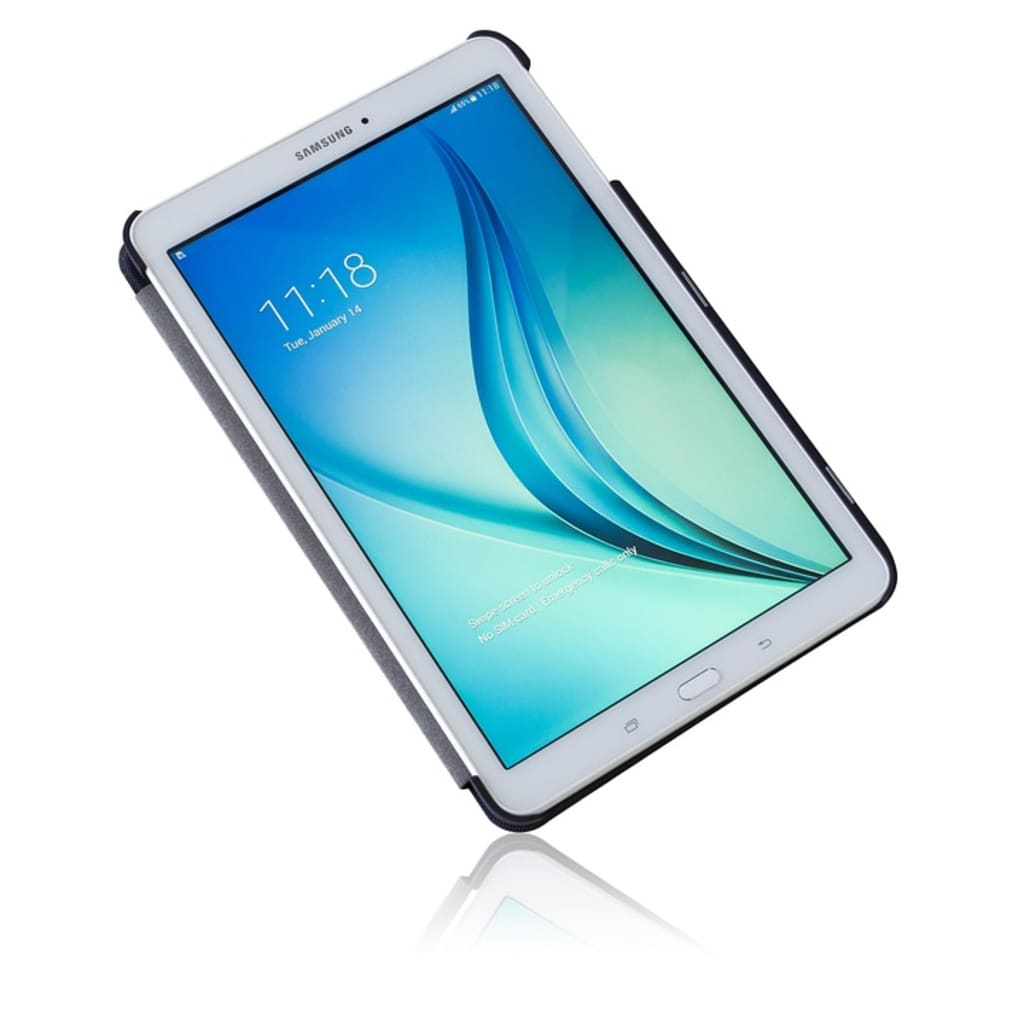
# **Samsung Sends One UI 7 Update to Galaxy Tab S8, Tab S9, and Tab S10 in the US**
**Sub-title: Android 15-Based Software Rollout Introduces Enhanced Productivity, AI Features, and Security Improvements to Samsung’s Leading Tablets**
**Tech Desk | May 3, 2025**
Samsung has officially started rolling out its **One UI 7** update to the **Galaxy Tab S8**, **Tab S9**, and **Tab S10** series in the United States, bringing a host of new features and improvements powered by **Android 15**. This marks a significant update for tablet users, especially those who rely on their devices for work, study, and media consumption.
The update first appeared on **Verizon-locked models** but is expected to reach **unlocked and Wi-Fi-only variants** in the coming weeks. One UI 7 brings smarter multitasking, deeper Galaxy ecosystem integration, and AI-powered enhancements that aim to elevate the user experience across the board.
---
## Rollout Begins with Verizon Models
According to several user reports and Samsung’s own firmware tracker, the One UI 7 update is currently rolling out to:
* **Galaxy Tab S8 / S8+ / S8 Ultra**
* **Galaxy Tab S9 / S9+ / S9 Ultra**
* **Galaxy Tab S10 / S10+ / S10 Ultra**
Each of these models is receiving device-specific firmware builds. For example:
* Galaxy Tab S8+ (Verizon): **X808USQU8DYDC**
* Galaxy Tab S9+ (Verizon): **X818USQU5CYDA**
* Galaxy Tab S10+ (Verizon): **X828USQU2BYDA**
Users are being notified via OTA (over-the-air) update notifications, but you can also check manually by navigating to:
**Settings > Software update > Download and install**
Samsung has not yet provided a firm timeline for when Wi-Fi and factory-unlocked versions will receive the update, but past rollouts suggest a delay of one to two weeks is typical.
---
## What's New in One UI 7?
### 📱 Refined Multitasking Experience
One of the major highlights of One UI 7 is the overhaul of multitasking tools. Samsung has optimized the **multi-window** and **split-screen** modes for smoother transitions, more responsive resizing, and better app management. This makes it easier for users to switch between apps or run multiple tasks side by side—ideal for professionals or students.
The **taskbar** has also been improved to include recent apps and app pair shortcuts, enabling faster navigation without jumping back to the home screen.
### 🤖 Smarter AI Integration
Samsung is embracing AI more fully with this update. One UI 7 introduces **context-aware suggestions** and smarter device behavior. For example, the tablet might suggest apps or settings based on your usage habits or location. AI is also powering improvements in:
* **System-wide search** (find content from within apps, settings, and documents)
* **Keyboard predictions and autocorrect**
* **Battery optimization**, learning when to limit background activity
While the features are subtle, they add up to a more intuitive experience over time.
### 🔐 Better Privacy and Security
In line with Android 15, One UI 7 brings new privacy tools:
* A revamped **Privacy Dashboard**
* More control over **location permissions**
* Temporary permissions for camera and microphone
* Stronger **biometric authentication** options
Samsung has also enhanced **Samsung Knox** to provide additional protection for sensitive work and personal data.
---
## Ecosystem and Connectivity Upgrades
The One UI 7 update tightens integration across Samsung's ecosystem. Galaxy tablet users can now:
* Use **Galaxy phones as webcams** for video calls on the tablet
* Sync **Samsung Notes** more efficiently between phone, tablet, and PC
* Seamlessly share files using the improved **Quick Share** interface
* Browse and access **PC files wirelessly**, removing the need for USB connections
These changes make tablets more capable as productivity tools, especially for users who already own multiple Galaxy devices.
---
## Real-World User Reactions
Initial feedback from users who’ve received the update has been largely positive. On Reddit and Samsung forums, many users have praised the faster performance, smoother animations, and better multitasking tools.
One Galaxy Tab S9+ user wrote:
> “This feels like the software my tablet should’ve had from day one. Everything’s just more fluid, and it’s easier to get work done without constantly switching between apps.”
Some have reported minor bugs post-update—such as slightly increased battery drain or app compatibility issues—but these are expected with any major Android upgrade and will likely be addressed in upcoming patches.
---
## Why This Update Matters
Samsung’s willingness to support multiple generations of its tablets with large software upgrades sets it apart in the Android ecosystem. Apple has long been praised for its iPadOS updates, but Samsung’s One UI is proving to be a serious competitor in both functionality and long-term device support.
With tablets becoming more than just media consumption devices—used increasingly for note-taking, document editing, and remote work—the **One UI 7 update represents a meaningful step forward**, especially as users expect their devices to do more with less effort.
---
## Final Thoughts
If you're using a Galaxy Tab S8, S9, or S10 in the U.S., One UI 7 is a **must-install** update that meaningfully improves both performance and usability. Whether you’re a student juggling research documents, a professional attending video meetings, or a casual user browsing and streaming, this update enhances how your tablet works and feels.
To check if your device is eligible, head to:
**Settings > Software update > Download and install**
Samsung continues to refine its user experience—and with One UI 7, it’s not just catching up to the competition. In many ways, it’s leading.
I hope this informetion helpful for you.
About the Creator
H M Sakib
Writing to inspire, challenge, and tell stories that matter. From politics to personal journeys, my words aim to connect and provoke thought. Proud contributor on Vocal Media. Words are my power.
3 Completely Innocent Decisions That Ended Very Badly
Most disasters don’t begin with villainous laughter or ominous music. They begin with someone making a perfectly reasonable decision. Sensible, even. The kind of choice you’d defend confidently if questioned later.
By Enoch Saginia day ago in History
Israel: A Land of Struggle, Faith, and Transformation
The land that is today Israel has been at the crossroads of civilizations for thousands of years. From the deserts of Negev to the fertile hills of Galilee, this land has witnessed the rise and fall of empires, the birth of religions, and the enduring hopes of peoples who called it home. In ancient times, it was known as Canaan, a region inhabited by diverse groups, each with their own gods, languages, and customs.
By The best writer 2 days ago in History
So You Decided To Become a Nurse Practitioner:
So you decided to become an "Advanced Practice" nurse. Congratulations!... is what I would say if this was a good idea. Grad school? In this economy? What were you thinking? Likely it was something along the lines of either 1) “I've seen these other chucklefucks do it— Why can't I?” or even 2) “I've got a nice career, I should shake it up. I miss feeling like I have no clue what I'm doing.”
By Sandor Szabo3 days ago in Fiction


Comments
There are no comments for this story
Be the first to respond and start the conversation.