
Top 11 MP3 Converters for Mac
Best MP3 Converters for Mac
For people who want to convert video to audio or convert between different audios, it is recommended to use MP3 as it delivers high-quality sound and allows you to stream it on any device without taking too much storage space. This is where an MP3 converter comes in handy. With countless programs on the market, choosing a suitable one may be quite the task especially when you are on Mac OS. This article intends to introduce some of the best MP3 converters that work well on Mac.
1. Any Video Converter
Any Video Converter is an all-in-one video editor that allows users to download, convert, merge, trim, compress, crop, watermark, and enhance videos and audio. The Format Convert tool is specifically used for converting a variety of formats to MP3 for free, including MOV to MP3, AVI to MP3, FLAC to MP3, mpg2 to MP3, mkv to MP3, etc. Featuring an ultra-clean interface, there is a large assortment of tools in the toolkit, which allows users to do other edits apart from format conversion. The program introduces a workflow tool that is designed to combine single tools for your custom workflow. But it is a new feature and still needs optimization.

2. Leawo Video Converter
Leawo Video Converter is a versatile MP3 converter that supports more than 180 media formats. Just like Any Video Converter, it also supports DVD burning and video downloads from different sites, but they are advanced features that are only available in Leawo Video Converter Ultimate. The program also offers editing capabilities, allowing users to trim, crop, and add effects to their videos.

3. Movavi Video Converter
Movavi Video Converter is a professional solution that helps users to convert video files to various formats quickly and easily. It comes with a compressor that lets users adjust the converted output size easily with a slider. Some key features of Movavi Video Converter include ultrafast conversion speed, instant file merging, and the ability to trim, rotate, and crop videos. Apart from GPU acceleration, the Snapspeed feature gives an extra boost to the conversion speed. But this feature is only available with the premium version.

The 3 desktop video converters for Mac are not just MP3 converters but packed with other additional features. Any Video Converter provides most editing features, while Movavi Video Converter stands out with AI upscaling. Compared with dedicated audio converters, they have a relatively more complex interface and higher subscription prices. All three video converters support batch conversion and GPU acceleration.

5. MediaHuman Audio Converter
MediaHuman Audio Converter is a multimedia software designed for macOS and Windows operating systems. It offers a range of features that allow users to convert audio files, extract audio from video files, and perform other audio-related tasks.

For above two dedicated audio converters, they mainly focus on audio-related tasks, so the interface is relatively simple to use. And they may lack other advanced features.
6. Audacity
Audacity is another popular, free, and open-source audio editor and recorder. The program is mainly designed to edit audio. For example, removing a certain clip from an audio file, applying fade-out, etc. It also supports capturing audio on the screen. With Audacity, you can convert audio files to three common file types: MP3, WAV, and Ogg Vorbis. This feature allows you to modify the format of your audio files to suit your specific needs or compatibility requirements.

7. VLC media playe
If you want an MP3 converter for Mac, you can’t miss VLC media player. Mostly known as a cross-platform player that can handle unpopular formats or formats unsupported by other players, it also lets users convert between a variety of formats.

This two open-source MP3 converters for Mac can save you money. However, they may not have advanced features and options as available in paid solutions.
To learn more about other types of MP3 converter for Mac, click here.
In conclusion, each of these video editing software for Mac offers a unique set of features that cater to different user needs. Ultimately, the choice of video editing software depends on the specific requirements, skill level, and budget of the user.
About the Creator
Keep reading
More stories from Dave Brown and writers in Geeks and other communities.
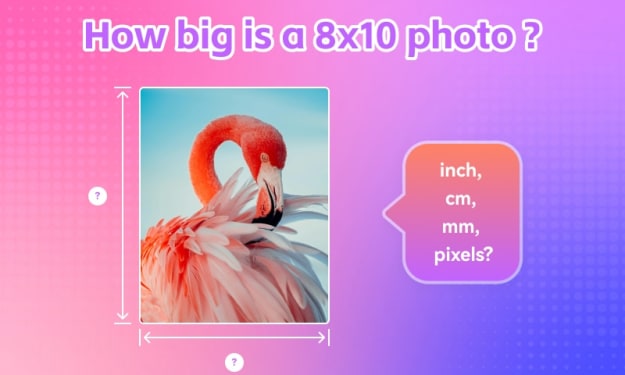
How Big is a 8x10 Photo: Dimensions in Inches, CM, MM & Pixels
While digital photos are a great way to cherish happy memories, a physical print makes it easier to display, showcase, and share with others. If you are looking to frame your precious memories, an 8x10 photo size is a popular choice. It’s slightly bigger than the 4x6 and 5x7 sizes, and suitable for portrait photography, landscape shots, and more. In this article, we will delve into this particular 8x10 picture size, and check its dimensions in inches, centimeters, millimeters, feet, and pixels.
By Dave Brownabout a year ago in FYI
Marvel Zombie
The last entry into our 2025 superhero projects catalogue is Marvel Zombies. This was a show that was anticipated by absolutely no one and it disappeared from the public consciousness as quickly as it was released. There was nothing special about the project that made it a must see, or a must remember. In fact if anything it's a must forget.
By Alexandrea Callaghan26 days ago in Geeks
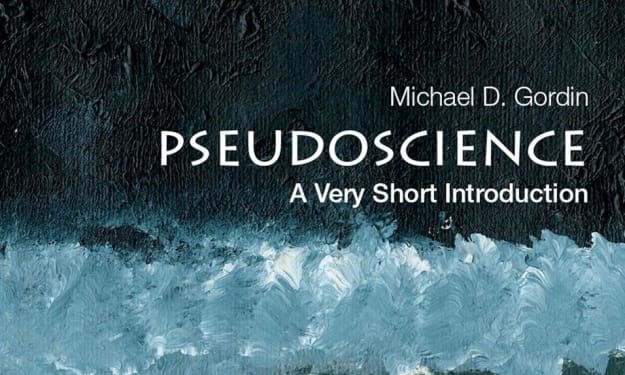
Book Review: "Pseudoscience: A Very Short Introduction" by Michael D. Gordin
If I've said it once, I've said it a thousand times: I love free books. I also love dipping my toes into the Very Short Introduction series, especially when I'm between bigger books. I've read those on Biblical History, I've read some on philosophy and now this one, is on pseudoscience. From UFOs to Anti-Vaxxers, from eugenics to how the Russians basically made up their own science during the height of communism, from the planets to the human body - pseudoscience is everywhere. But what is it, where did it come from, and what are the different forms it can arise in? Well, the truth is that pseudoscience is just as old as science itself...
By Annie Kapura day ago in Geeks
Thoughts on Vocal and the way the world is
"Death cannot stop true love, only delay it." – Wesley in The Princess Bride. I decided to come back to Vocal on a very cold and dark night at the end of December. I had been, and still am, convalescing from a horrible staph infection that had gone misdiagnosed for months. This, paired with the increasing challenges of being healthy, making the best choices for my co-parented child, being a wife, and being a director at a new job, was a lot to manage.
By Jazzy 4 days ago in Confessions


Comments
There are no comments for this story
Be the first to respond and start the conversation.