
My First Impressions of the macOS Sequoia: A New Era for Mac Users
A personal dive into the key features, improvements, and first-hand experiences with Apple's latest macOS Sequoia update.
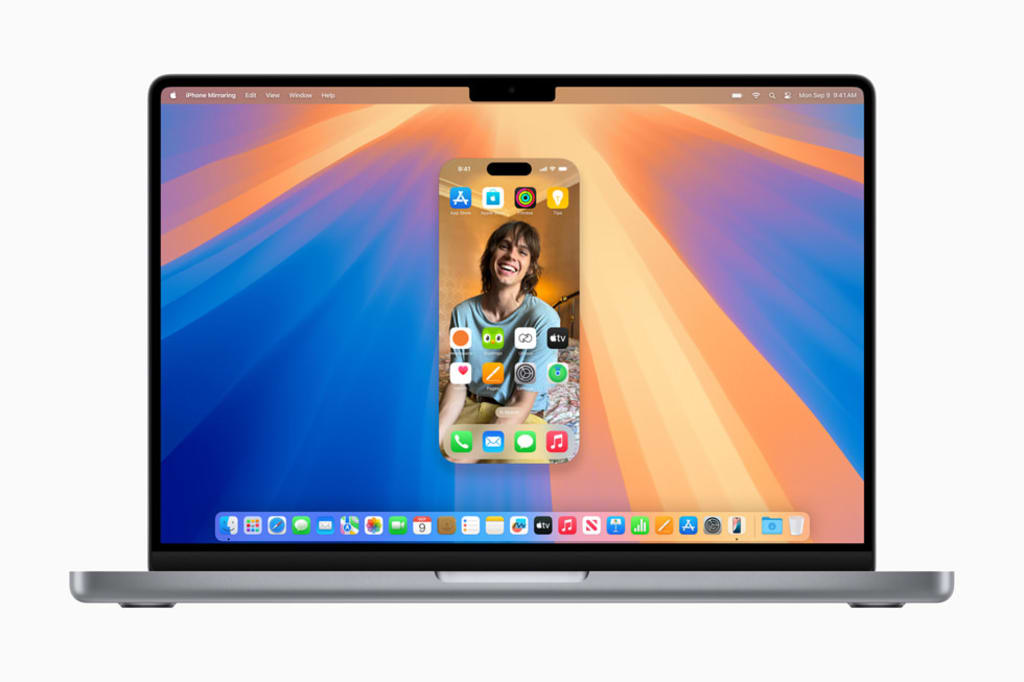
When Apple announced macOS Sequoia, I was eager to see how this update would compare to previous iterations. As someone who relies heavily on my Mac for both work and personal projects, any update has the potential to either improve or disrupt my workflow. After spending some time exploring macOS Sequoia, I can confidently say that this release brings several key improvements that elevate the user experience in subtle, but impactful ways.

A Refined User Interface That Feels Familiar, Yet Fresh
The first thing I noticed after installing macOS Sequoia was the refined user interface. At first glance, it might seem like a minor change, but once you start using it, the updated design really stands out. The icons are crisper, and the overall interface feels more cohesive. It’s a blend of modern aesthetics with the familiarity that Mac users appreciate.
What impressed me most is how these design changes make navigation more intuitive. The cleaner layout seems to reduce visual clutter, allowing me to find what I need faster. Apple’s attention to detail is evident, and it makes the whole experience feel more polished without straying too far from what we know and love about macOS.
Performance Improvements That Make a Difference
After using macOS Sequoia for a few days, one thing that really impressed me was the performance boost. Applications launch noticeably faster, and multitasking feels smoother. For someone like me, who often has multiple apps and tabs open at once, these performance improvements are a game-changer.
I was particularly pleased with how well my Mac handled intensive tasks, such as editing large media files. The system didn’t lag, and I could switch between apps without the usual slowdowns that sometimes occur after prolonged use. It’s clear that macOS Sequoia is designed to make the most of the hardware, even on older machines.
Privacy Features That Give Me Peace of Mind
Apple has always placed a strong emphasis on privacy, and macOS Sequoia takes this to the next level. The new privacy features caught my attention right away. As someone who values control over my data, the enhanced tracking prevention and more granular app permissions really stood out.
One of the features I appreciate the most is the clearer notifications when apps request access to sensitive data like my microphone or location. It gives me peace of mind knowing I’m more in control of what apps can access, and it makes me feel like Apple is looking out for its users’ privacy in a way that’s practical and easy to manage.
Seamless Integration Across Apple Devices
As part of the Apple ecosystem, I’ve always loved the way my devices work together, but macOS Sequoia takes that integration even further. Features like Handoff and Universal Clipboard now work more seamlessly than ever. Moving between my Mac, iPhone, and iPad feels smoother, and the transition between devices is virtually instant.
I’ve especially noticed the improvements in continuity features when working on shared documents. Whether I start something on my iPhone and continue it on my Mac, or copy something on one device and paste it onto another, it all happens effortlessly. This tight integration adds to the feeling that my devices are part of a single, unified system.
A Few Quirks, But Nothing Major
No software is perfect, and macOS Sequoia is no exception. There were a few small quirks I noticed, such as occasional stutters when switching between apps or a slight delay when connecting to external monitors. However, these issues were few and far between, and they didn’t significantly impact my overall experience. I’m confident that future updates will iron out these small issues.
Final Thoughts: macOS Sequoia is a Strong Step Forward
After spending some time with macOS Sequoia, my overall impression is that this update is a strong step forward for Apple. The improved performance, enhanced privacy features, and refined user interface make this a worthwhile upgrade for any Mac user. While there are a few minor bugs, they don’t detract from the positive experience that macOS Sequoia offers.
Conclusion
For those curious about how macOS Sequoia can change your workflow, I highly recommend diving into this update. It offers enough new features and enhancements to make it feel fresh, while still maintaining the familiar experience that Mac users expect.
macOS Sequoia represents a significant leap forward in the evolution of macOS. With its new features, performance improvements, and enhanced privacy and security measures, Apple continues to push the boundaries of what’s possible with its operating system. For a more detailed analysis of how macOS Sequoia changes the landscape of macOS, visit the in-depth review on christechno.com.
About the Creator
Keep reading
More stories from writers in Geeks and other communities.
Silver Screen Magic with Mae West
American actress and singer Mae West became a popular film actress during the Great Depression. She started entertaining in vaudeville, then performed on Broadway, and finally went to Hollywood. She signed up with Paramount Pictures and made her debut in the 1932 film “Night After Night.” She also starred in musicals, comedies, and crime dramas. The American Film Institute named her one of the best classic Hollywood actresses.
By Rasma Raisters9 days ago in Geeks
Bobby Deol Breaks Down in Tears, Hugs Sunny Deol’s Son Karan Deol After Dharmendra’s Asthi Visarjan in Haridwar
The passing of legendary actor Dharmendra has left an emotional void in Indian cinema and in the hearts of millions of fans across the world. But for the Deol family, the grief has been deeply personal, marking the end of an era defined by warmth, strength, and an unmistakable cinematic presence. During the asthi visarjan ceremony in Haridwar, a moment that captured the rawness of this loss unfolded: Bobby Deol broke down in tears and embraced his nephew, Karan Deol, in a heartfelt gesture that moved everyone present.
By Fiaz Ahmed about 14 hours ago in Geeks
How, Too
Many people wonder how, too. You are not alone, and I am an expert. I will teach you how, too! First, you need to remit a small application fee and fill out an application describing the nature of your financial situation and how often payments will be made, as this will have great bearing on how well I teach you how, too.
By Harper Lewis6 days ago in Fiction




Comments
There are no comments for this story
Be the first to respond and start the conversation.