
Best Laptop for AutoCad
Discover the best laptops for AutoCAD with powerful performance, smooth rendering, and reliable multitasking perfect for architects, engineers, and designers.


If you're an architect, engineer, or design professional, you already know how critical AutoCAD is for creating precise 2D and 3D drawings.
But to run AutoCAD smoothly, you need more than just any laptop you need one with the power to match the complexity of your work.
In this blogpost, we’ve done all the research for you. We'll walk you through the best laptops for AutoCAD, whether you're on a tight budget or looking for top-tier performance.
Before diving into the list, keep in mind a few essentials: a modern Intel Core i7 processor or better, a dedicated GPU like the NVIDIA GeForce GTX 1050 or higher, at least 8GB RAM, and SSD storage for fast data access.
Best Value: MSI GS66 Stealth 15.6

The MSI GS66 Stealth 15.6 is a powerful and stylish choice for AutoCAD users who want premium specs without a premium price tag.
With an Intel Core i7-11800H 8-core processor and an NVIDIA GeForce RTX 3060 GPU, this laptop handles heavy CAD files and 3D rendering tasks with ease.
The 32GB DDR4 RAM and 1TB NVMe SSD ensure lightning-fast performance and ample space for storing large projects.
The 240Hz refresh rate on its Full HD anti-glare display not only provides smooth visuals but also reduces eye strain during long work sessions.
Designed with professionals in mind, its ultra-thin and lightweight body, paired with Windows 11, makes it perfect for both the office and on-the-go use.
This laptop strikes the ideal balance between value, performance, and reliability.
Best Premium: ConceptD 7 CN715

If you're looking for elite performance and color precision, the ConceptD 7 CN715 is an excellent choice for AutoCAD professionals.
Powered by a 9th Gen Intel Core i7-9750H and an NVIDIA GeForce RTX 2060 GPU, this laptop is specifically built for creators and CAD designers.
The 15.6-inch 4K UHD display is PANTONE Validated and covers 100% of the Adobe RGB color space, ensuring stunning color accuracy for your detailed drawings and models.
With 16GB of DDR4 RAM and a 1TB PCIe NVMe SSD, multitasking and file management are seamless.
The professional-grade build also includes an amber backlit keyboard, powerful cooling, and advanced connectivity options.
It’s not just a laptop it’s a mobile workstation tailored for engineering and design-intensive workflows.
If budget isn't a constraint, this is a future-proof investment for AutoCAD power users.
Best Budget: HP Spectre x360
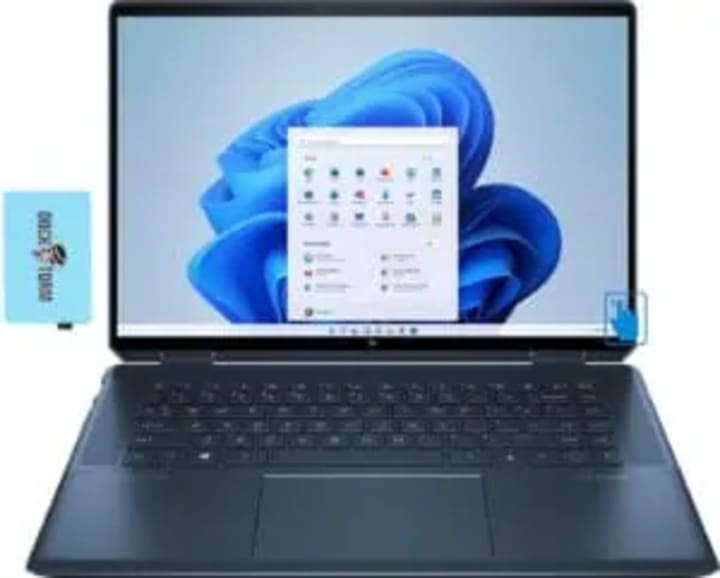
The HP Spectre x360 is a budget-friendly yet highly capable laptop for AutoCAD users seeking versatility and mobility.
This 2-in-1 device features an 8th Gen Intel Core i7-8565U and NVIDIA GeForce MX150 GPU, making it suitable for light to moderate AutoCAD projects.
It comes with 16GB of RAM and a 512GB PCIe SSD, ensuring quick data access and multitasking without lag.
The standout feature is its stunning 15.6-inch 4K IPS touchscreen display, which offers excellent visual clarity for intricate design work.
Bonus accessories like the HP Active Stylus and a sleek sleeve enhance the user experience. With strong battery life and premium audio by Bang & Olufsen, the Spectre x360 isn’t just about performance it’s also about style and portability.
Ideal for students and professionals who want a flexible device for both work and creativity.
Best Runner-Up: ASUS ZenBook Duo UX481

For multitasking professionals, the ASUS ZenBook Duo UX481 stands out with its dual-screen setup. It features a main 14-inch Full HD touchscreen and a 12.6-inch matte ScreenPad Plus, allowing AutoCAD users to manage layers, tool palettes, or references on a separate screen.
Powered by a 10th Gen Intel Core i7-10510U processor, 8GB RAM, and a 512GB PCIe SSD, it offers reliable performance for 2D design work and moderate 3D modeling. Though it lacks a high-end GPU, the design is smart, sleek, and highly portable.
This laptop is best suited for professionals who often juggle AutoCAD with other productivity apps or software.
With built-in facial recognition and an elegant celestial blue finish, the ZenBook Duo delivers both style and functionality, making it a perfect tech companion for mobile creators.
Best High-End: Razer Blade 15 Advanced

The Razer Blade 15 Advanced is a top-tier powerhouse built for serious performance. Under the hood, it boasts an 8-core Intel Core i7-10875H processor and an NVIDIA GeForce RTX 2080 Super Max-Q graphics card, delivering exceptional speed and rendering power for intensive AutoCAD tasks.
The 15.6-inch Full HD display supports a lightning-fast 300Hz refresh rate, ideal for high-resolution workflows.
Its sleek aluminum chassis houses 16GB of RAM and a 512GB SSD, striking a solid balance between storage and multitasking capabilities.
Designed with an advanced cooling system featuring a vapor chamber, it ensures sustained performance even under load.
Whether you're handling massive 3D models, complex simulations, or real-time rendering, this laptop is ready to tackle it all.
It’s a favorite among CAD professionals and creative studios that demand the absolute best.
Best Mid-Range: Dell XPS 15 7590

If you're searching for a high-performance mid-range laptop, the Dell XPS 15 7590 delivers in all the right areas.
Featuring a 9th Gen Intel Core i7-9750H processor and NVIDIA GeForce GTX 1650 GPU, it provides the speed and graphics capability needed for most AutoCAD projects.
The standout feature is its 15.6-inch 4K UHD OLED InfinityEdge display, offering vibrant visuals with 100% DCI-P3 color accuracy ideal for those who work on detailed plans or presentations.
With 16GB of RAM and a fast 256GB SSD, it ensures quick boot times and smooth workflow transitions. Its slim profile and premium design make it as stylish as it is functional.
Whether you're working at the office or on the move, the XPS 15 7590 is a reliable companion for demanding CAD tasks.
Best Stylish: LG Gram 17
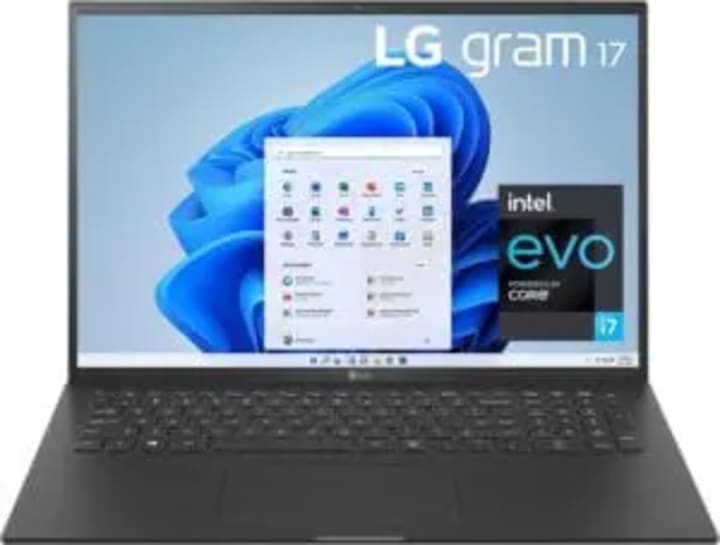
The LG gram 17 is perfect for AutoCAD users who value screen space, portability, and style. Weighing under 3 pounds, this laptop offers a massive 17-inch WQXGA IPS display with a 16:10 aspect ratio and 99% DCI-P3 color coverage giving you more vertical room to work and vibrant, accurate colors.
Powered by a 13th Gen Intel Core i7 processor and Intel Iris Xe graphics, it handles 2D drafting and light 3D modeling with ease.
With 16GB of LPDDR5 RAM and a 1TB NVMe SSD, performance and storage won’t be a bottleneck.
Its long-lasting 80Wh battery keeps you productive all day, while Dolby Atmos audio and Intel Unison integration add a premium touch.
It’s the perfect blend of power, portability, and aesthetic appeal for modern designers.
Best Cheap: Lenovo Ideapad L340

The Lenovo Ideapad L340 is a reliable and affordable option for students or entry-level professionals working with AutoCAD.
It features a 9th Gen Intel Core i5-9300H processor and NVIDIA GeForce GTX 1650 graphics, offering solid performance for 2D drawings and light 3D modeling.
With 8GB of RAM and a 512GB NVMe SSD, you’ll get responsive performance and quick access to your project files.
The 15.6-inch Full HD IPS display ensures clarity and good viewing angles for detailed work.
While it may not have the premium build or power of higher-end models, the L340 offers excellent value at its price point.
It also includes features like Dolby Audio and gaming-ready hardware, making it a great dual-purpose laptop for work and entertainment.
Conclusion
Choosing the right laptop for AutoCAD doesn’t have to be overwhelming.
Whether you're just starting out or leading complex design projects, there’s a laptop here that fits your needs and budget.
Pick the one that matches your workflow and get designing!
About the Creator
Laptopflora
Welcome to Laptopflora, where laptops meet expertise and your tech decisions are made easier. Our journey began with a single mission: to create a trusted platform that provides clear, actionable, and insightful information about laptop.
Keep reading
More stories from Laptopflora and writers in Art and other communities.
'Till Death We Do Art
There would be nothing divine in this world without art. Nature may surpass the divine to all intents and purposes, but like everything it absorbs and is absorbed by, it remains here, stuck on the surface of this world, ever-present, physically bound to the universe.
By Avocado Nunzella BSc (Psych) -- M.A.P 13 days ago in Art
Five world-renowned classic landmark sculptures
In many cities around the world, there is an iconic landmark sculpture. It may stand in a square, by the water, or at the entrance to a park, quietly becoming a symbol of the city. Over time, these pieces came to mean much more than just decoration. They become symbols, gathering places, and even cultural landmarks that represent the spirit of the city.
By Shenzhen Ruiheng Craftsa day ago in Art
Trickle Them Down, But Not Out
The thing about smart people is that they should know better, but alas, intelligence is not the same as wisdom. Not only do the mistakes of experts too short on vision—when they are not corrected—have the potential to do great and far-reaching damage, but they also undermine public confidence in the very notion of expertise. This is particularly so when expertise is wielded in defence of the rich and powerful as a cudgel against those laid low. As an academic, this lack of faith in “so-called experts” is painful to see as it plays out in the spread of dis-/misinformation, conspiracy theories, and anti-intellectualism writ large. But it is also an understandable impulse given the catastrophic failure of an economic ideology pushed by certain economic experts. Supply-side economics has shaped a broken system for the last half-century and has arguably done more to undermine the fabric of the American Dream than any policy framework of the past century.
By Cory Wright-Maley5 days ago in Humans



Comments
There are no comments for this story
Be the first to respond and start the conversation.