
Best Laptop for After Effects
Discover the best laptops for After Effects that deliver smooth performance, fast rendering, and powerful graphics perfect for video editors and motion designers.


Adobe After Effects is an industry-standard tool used by professionals to craft motion graphics, visual effects, and cinematic animations for films, TV, music videos, and digital content.
Whether you're animating text, adding VFX to footage, or working with complex 3D compositions, After Effects demands a powerful system that can handle intensive processing tasks.
The key to a smooth After Effects experience lies in hardware performance. A powerful processor is essential preferably an Intel Core i7 or equivalent AMD Ryzen 7 or above.
At least 16GB of RAM is recommended to handle multitasking and rendering large compositions efficiently.
A dedicated GPU with a minimum of 2GB VRAM will significantly boost preview speeds and accelerate rendering.
Fast storage, like an NVMe SSD, ensures that your project files load quickly, and overall performance remains snappy.
A high-resolution display and good thermal management are added advantages for long editing sessions.
According to Adobe’s official system requirements, you'll need a Windows 10 OS, Intel Core i5 or i7 CPU, 16GB RAM, a GPU with 2GB VRAM, and at least 15GB of free space.
With those needs in mind, we’ve compiled a list of the top 8 best laptops for After Effects. Each offers excellent performance, value, and reliability so you can focus on creating, not troubleshooting. All the Links in the Description
Best Value: Lenovo Legion 5

The Lenovo Legion 5 offers incredible value for motion graphics artists and After Effects users who need power without breaking the bank.
Packed with an AMD Ryzen 7 5800H processor and 16GB of DDR4 RAM, this laptop handles multitasking and complex renders like a pro.
The NVIDIA GeForce RTX 3050 Ti GPU ensures smooth playback and accelerated rendering, making real-time effects and 3D compositions faster and more responsive.
The 15.6-inch Full HD IPS display delivers vibrant visuals and color accuracy, essential for precise editing.
With a Legion TrueStrike RGB backlit keyboard, WiFi 6, USB-C, HDMI 2.1, and robust cooling, the Legion 5 is built for both gamers and creators.
It’s a perfect mix of performance, affordability, and build quality making it the best value pick for After Effects users looking for serious hardware at a reasonable price.
Best Premium: MSI Prestige 14
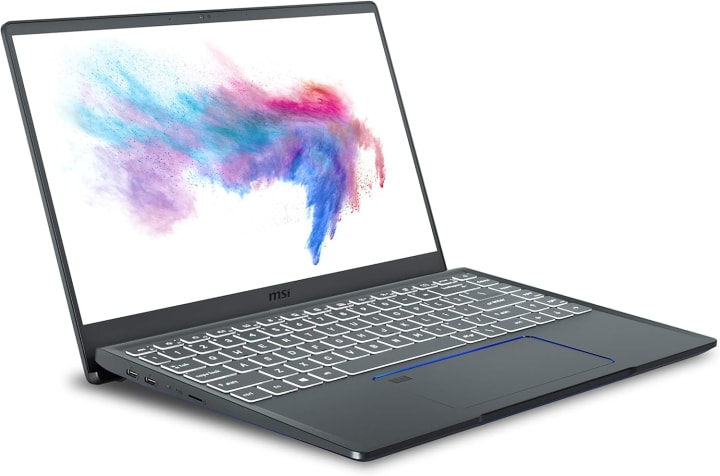
The MSI Prestige 14 A10SC-229 stands out for professionals who demand premium performance in a sleek, portable design.
Powered by a 10th Gen Intel Core i7-10510U processor and NVIDIA GTX 1650 Max-Q graphics, it’s ideal for running After Effects with precision and power.
The 14-inch UHD 4K display is perfect for creators working on high-resolution projects, offering stunning clarity and color fidelity.
With 16GB of RAM and a 512GB NVMe SSD, you'll experience smooth playback, fast file transfers, and efficient multitasking.
This ultra-thin laptop also features Thunderbolt 3 for rapid data transfer, making it great for on-the-go creators.
Built with professionals in mind, the Prestige 14 delivers both style and substance offering high-end performance in a compact, lightweight chassis that doesn’t compromise on capability.
Best Budget: Razer Blade 15 Advanced
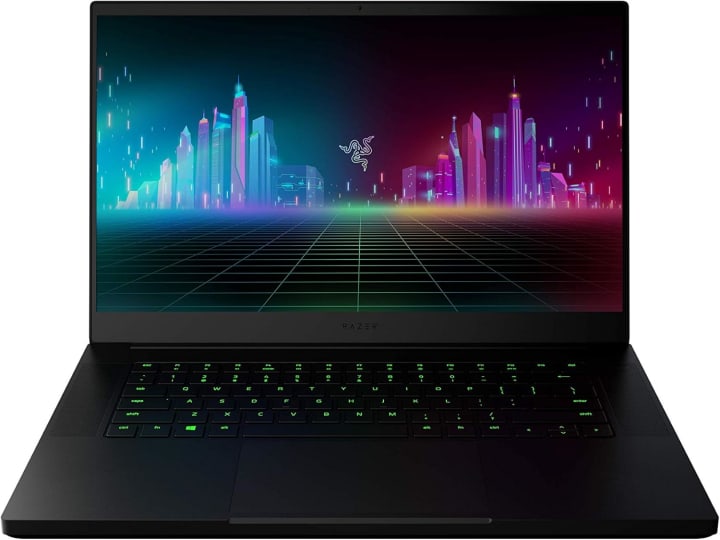
The Razer Blade 15 Advanced is a dream machine for budget-conscious creators who don’t want to sacrifice performance.
It features an 11th Gen Intel Core i7 CPU, pushing up to 5.1GHz with Turbo Boost, making it excellent for handling After Effects tasks like 3D rendering and complex animations.
Paired with NVIDIA’s RTX 30 series graphics, it delivers ray-traced visuals and AI-enhanced features that speed up your creative workflow.
You can choose between a high-speed 360Hz FHD display or a 4K OLED panel ideal for color-critical work.
The vapor chamber cooling system ensures consistent performance even during long rendering sessions, while built-in WiFi 6 and a UHS-III SD card slot boost its utility.
With Windows 10 Home and a free upgrade to Windows 11, it’s ready for current and future creative tasks.
For its price, the Blade 15 Advanced strikes a perfect balance between power and affordability.
Best Runner-Up: Dell XPS 15 9500

The Dell XPS 15 9500 is a powerhouse designed for serious content creators. With a 10th Gen Intel Core i7-10750H processor and a generous 64GB of DDR4 RAM, this machine tackles heavy After Effects projects effortlessly.
Its NVIDIA GTX 1650 Ti GPU provides solid rendering performance, while the 1TB PCIe SSD ensures rapid file access and smooth multitasking.
The standout feature is its Ultra HD+ touchscreen display, boasting a 3840 x 2400 resolution with 500-nit brightness perfect for detailed visual work.
Additional perks include Thunderbolt 3 ports, a fingerprint reader, backlit keyboard, and a sleek aluminum chassis that screams professionalism. The XPS 15 also comes with WiFi 6 and a 2-year warranty for peace of mind.
If you want near-flagship performance with premium build quality and display, the XPS 15 is a top contender for creators working in Adobe After Effects.
Best High-End: Apple MacBook Pro M1 Max

For those who want absolute peak performance, the 2021 MacBook Pro with M1 Max is a game-changer.
Featuring Apple’s M1 Max chip with up to 10 CPU cores and 32 GPU cores, this laptop is built to power through the most demanding After Effects workflows.
Whether you're compositing 4K footage, working with 3D elements, or using AI-driven effects, it performs flawlessly.
With up to 64GB of unified memory and 8TB of superfast SSD storage, everything feels fluid from timeline scrubbing to file transfers.
The MacBook Pro also boasts up to 21 hours of battery life and a Liquid Retina XDR display, which is unmatched in brightness and color accuracy.
Its 16-core Neural Engine enables lightning-fast machine learning tasks, making it the ultimate choice for professional editors and VFX artists.
If budget isn’t a constraint and performance is your priority, the M1 Max MacBook Pro is a no-brainer.
Best Affordable: Acer Nitro V

The Acer Nitro V 15 is an ideal option for creators looking for affordability without compromising on capability.
Powered by the Intel Core i7-13620H and NVIDIA GeForce RTX 4050, it’s more than capable of running After Effects and handling 3D renders, motion graphics, and video effects.
The 15.6-inch Full HD display with a 144Hz refresh rate ensures smooth visuals, while AI-driven RTX graphics deliver impressive real-time performance.
Windows 11 compatibility, advanced thermal design, and a modern chassis make it an all-rounder for content creators.
You also get 3 months of Game Pass bundled in, adding more value for entertainment when you're off the clock.
For professionals on a tight budget or students getting into animation and VFX, the Nitro V provides everything you need reliable power, future-ready specs, and immersive visuals at a price that makes sense.
Best Smooth: Acer Swift 3
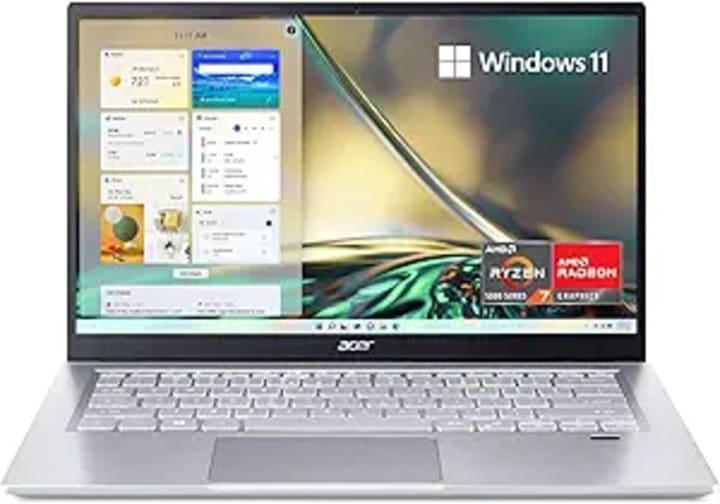
If you’re looking for a smooth and portable laptop to handle After Effects, the Acer Swift 3 SF314 is a strong contender.
It runs on an AMD Ryzen 7 5700U processor with integrated Radeon graphics, delivering solid performance for light to moderate motion graphics work.
With 16GB of RAM and 512GB of NVMe SSD storage, you’ll have enough memory and speed to edit without slowdowns.
The 14-inch Full HD IPS display with slim bezels offers a vibrant viewing experience, while the all-metal design keeps it lightweight and durable.
It also includes a fingerprint reader for security, WiFi 6 for fast connectivity, and Acer’s PurifiedVoice tech to enhance audio during video calls or edits.
Ideal for students and professionals on the move, the Swift 3 delivers a balance of speed, portability, and functionality for casual After Effects projects.
Best Cheap: Lenovo V15

The Lenovo V15 proves that you don’t need a big budget to get started with After Effects. This budget-friendly laptop features an AMD Ryzen 5 5500U processor with 6 cores and 16GB of RAM, making it capable of handling basic video editing and motion graphics tasks.
A 512GB PCIe NVMe SSD ensures faster boot times and quick file access, while the 15.6-inch Full HD screen provides ample space for timeline editing.
It comes pre-installed with Windows 11 Pro, offering enhanced security and enterprise features. With a good mix of ports including USB-C, HDMI, RJ45 Ethernet, and a numeric keypad, the Lenovo V15 is functional and practical.
While it’s not built for high-end 3D rendering, it’s more than sufficient for beginners or hobbyists using After Effects for simpler tasks.
Conclusion
Choosing the best laptop for After Effects depends on your budget, workflow, and creative goals.
Whether you're a professional animator working on complex VFX or a beginner exploring the world of motion design, there’s a laptop on this list tailored to your needs.
From the powerful MacBook Pro M1 Max to the affordable Lenovo V15, each pick balances performance, price, and features to enhance your After Effects experience. No more guesswork just smooth rendering, faster previews, and reliable performance.
So, pick the one that fits your style, and start bringing your ideas to life with confidence. Your next masterpiece is just a laptop away.
Thank you so much for reading. Take Care
About the Creator
Laptopflora
Welcome to Laptopflora, where laptops meet expertise and your tech decisions are made easier. Our journey began with a single mission: to create a trusted platform that provides clear, actionable, and insightful information about laptop.
Keep reading
More stories from Laptopflora and writers in Art and other communities.
'Till Death We Do Art
There would be nothing divine in this world without art. Nature may surpass the divine to all intents and purposes, but like everything it absorbs and is absorbed by, it remains here, stuck on the surface of this world, ever-present, physically bound to the universe.
By Avocado Nunzella BSc (Psych) -- M.A.P 12 days ago in Art
Ken Wolverton
By Brian D’Ambrosio Along a dusty roadside of Cerrillos, connected weathered shacks lean into the landscape like a creature molded from the earth itself. Its walls are alive with color: horses rearing across mesas, dreamlike murals, and abstract forms that seem to vibrate with movement. Inside, brushes slant in jars, canvases are stacked against walls, and unfinished murals climb wooden planks. This is the world of Ken Wolverton, an 80-year-old artist whose life has been as itinerant and unconventional as the art he creates.
By Brian D'Ambrosio a day ago in Art




Comments
There are no comments for this story
Be the first to respond and start the conversation.