
AI Art Generator: Your Ultimate Guide to Creating Mind-Blowing Images from Text
Go from a simple idea to a stunning visual masterpiece in seconds. We break down how AI art generators work, how to write the perfect prompt, and how you can start creating today.
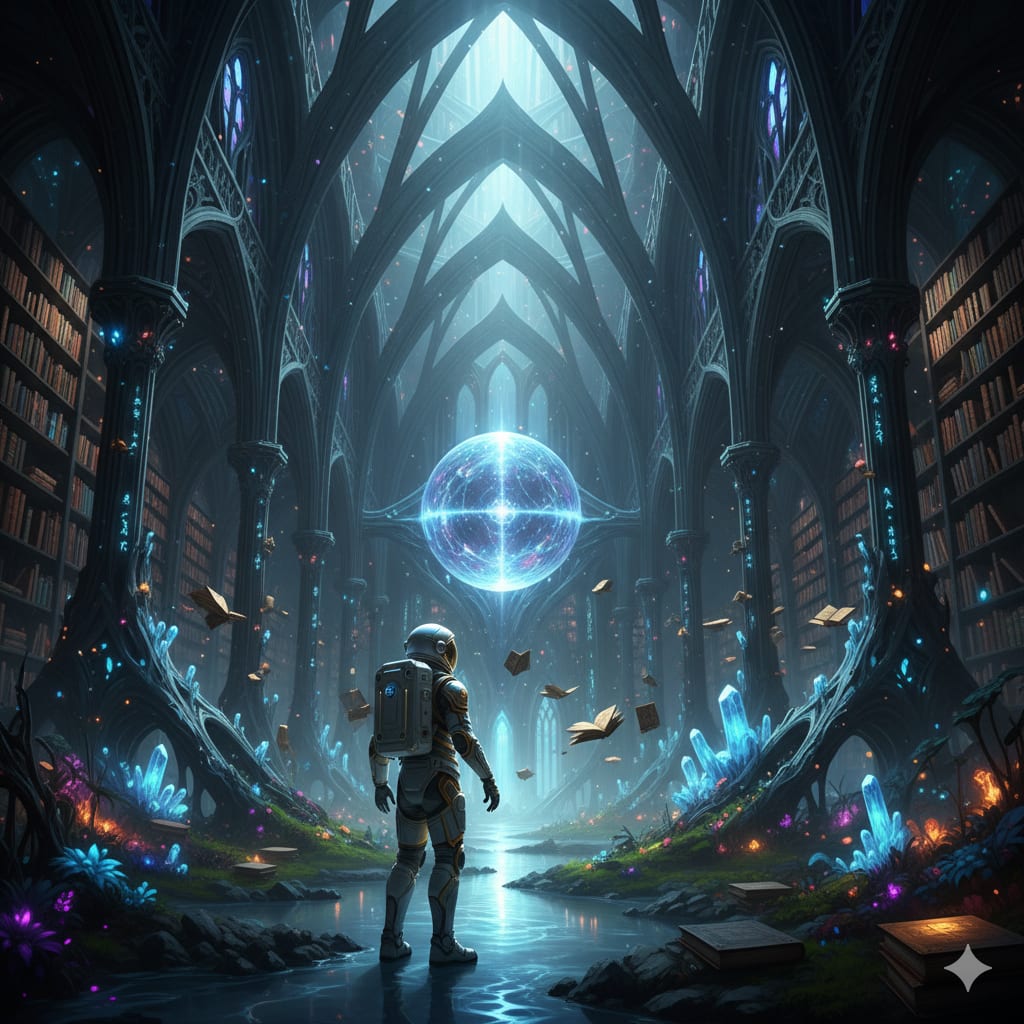
You’ve seen them flooding your social media feeds: impossibly detailed fantasy landscapes, surreal portraits that look like oil paintings, and dreamlike scenes that defy reality. These aren't the work of professional digital artists spending weeks on a single piece. They are created in seconds by an AI art generator.
This revolutionary technology has moved from a niche experiment to a mainstream creative tool, empowering anyone to become a digital artist. But how does it actually transform your words into a picture? What’s the secret to getting a great result?
This is your complete guide. We will cover:
What an AI art generator is and the technology behind it.
A simple step-by-step guide to creating your first piece of AI art.
The secret sauce: How to write prompts that produce amazing results.
The expanding universe of creative AI beyond just image generation.
What Is an AI Art Generator?
An AI art generator is a program that uses artificial intelligence to create original images from a written description, known as a "prompt." You simply type what you want to see—for example, "a majestic lion wearing a crown, sitting on a throne in space"—and the AI interprets your words to produce a unique image that matches your description.
This process, often called "text-to-image synthesis," relies on massive AI models that have been trained on billions of image-and-text pairs from the internet. They have learned the relationships between words and visual concepts, allowing them to understand everything from objects and colors to artistic styles and abstract emotions.
How Does the Magic Actually Happen?
The core technology behind most modern AI art generators is a concept called a diffusion model. While the deep-down science is incredibly complex, here’s a simple analogy to understand it:
Start with Noise: Imagine a screen full of random static, like an old TV with no signal. This is pure noise.
The AI Cleans Up: The AI model has been trained to recognize patterns in noise. Given your text prompt (e.g., "a cat"), it starts to slowly remove the noise in a way that gradually forms the image of a cat.
Step-by-Step Refinement: It doesn't happen all at once. The AI refines the image in dozens or even hundreds of steps, each time getting closer to the prompt's description. It asks itself, "Does this look more like 'a cat' than the previous step?" until the noise is gone and a clear image remains.
Because this process starts from random noise every time, each image generated is completely unique, even if you use the exact same prompt twice.
How to Use an AI Art Generator: A Simple 3-Step Guide
Getting started is easier than you think. Platforms like Midjourney, DALL-E 2, and Stable Diffusion have made the technology accessible to everyone.
Step 1: Choose Your Tool
There are many AI art generators available, some free and some paid. Do a quick search to find one that fits your needs. Many operate through web browsers or community platforms like Discord.
Step 2: Write Your Prompt
This is where the creativity happens. Start with a simple description of what you want to create. Don't be afraid to be specific! The more detail you provide, the better the AI can understand your vision.
(Image: A simple graphic showing a text box labeled "Prompt" with an arrow pointing to a beautiful image. Example Prompt: "A bioluminescent forest at night, with glowing mushrooms and a crystal-clear river, hyperrealistic, 8K.")
Image caption: Your text prompt is the instruction that guides the AI to create a unique piece of art.
Step 3: Generate and Refine
Hit the "generate" button and watch the AI work its magic. Most tools will give you a few variations. If you don't love the first result, you can either generate new ones or tweak your prompt to refine your idea. For example, you could add "digital painting" or "photorealistic" to change the style.
The Art of the Prompt: Tips for Better Results
The prompt is your paintbrush. A well-written prompt is the difference between a generic image and a masterpiece.
Here’s a simple formula for a great prompt:
[Subject] + [Description/Action] + [Style] + [Composition & Lighting]
Subject: What is the main focus? (e.g., a wise old dragon, a futuristic city)
Description/Action: What is the subject doing or what are its key features? (reading a book, at sunset)
Style: What should it look like? (in the style of Van Gogh, as a charcoal sketch, cyberpunk, photorealistic)
Composition & Lighting: How should it be framed and lit? (cinematic lighting, wide-angle shot, dramatic shadows)
Example:
Simple Prompt: "A knight"
Detailed Prompt: "Portrait of a knight in shining, ornate armor, standing in a sun-drenched cathedral, cinematic lighting, hyper-detailed, photorealistic, epic"
The Expanding Universe of Creative AI
Text-to-image generation is just the tip of the iceberg. Generative AI is evolving to handle all kinds of creative tasks, moving from creating things from scratch to transforming and manipulating existing images in fun and powerful ways.
These specialized tools focus on specific tasks, making complex edits simple for everyone. While a large-scale AI art generator is perfect for creating a whole new world, other AI tools can perform magic on your own photos. For example, if you want to play with identity and create stunning or hilarious portraits, you can explore another fun side of creative AI with platforms designed to perform incredible transformations, like swapping faces in photos with stunning realism.
The future of creativity is about having a whole suite of AI tools at your fingertips, each with its own unique power.
AI has democratized digital art creation. It’s a tool for brainstorming, for bringing impossible ideas to life, and for pure, unadulterated fun. So go ahead, write your first prompt, and see what masterpiece you and an AI can create together.
About the Creator
Keep reading
More stories from writers in Art and other communities.
What Voice Cloning Technology Means for Creators and Digital Identity
The rise of artificial intelligence has reshaped the creative landscape in countless ways, from AI-generated visual art to automated music composition, and one of the most intriguing frontiers today is voice cloning. With tools that let users clone your voice using only a short sample of speech, creators and digital communicators are discovering new ways to produce audio content that feels natural and expressive.
By aliyashahzadi5 days ago in Art
The Difference Between Decorative Sculptures and Landmark Sculptures
In many outdoor projects, sculptures are often grouped under a single category. However, in real-world applications, decorative sculptures and landmark sculptures serve very different purposes. Treating them as interchangeable elements can result in design conflicts, inefficient use of budget, and weakened spatial impact. For anyone involved in outdoor space planning, understanding the distinction between these two types of sculptures is essential.
By Shenzhen Ruiheng Crafts8 days ago in Art


Comments