
10 Best Free Sticker Mockup Generators
10 Best Free Sticker Mockup Generators

Designing a sticker is fun, but presenting it the right way can make all the difference. That’s where sticker mockups come in handy! Mockups let you see how your stickers will look on real surfaces—like laptops, packaging, or notebooks—before printing. Even better, you don’t need expensive software to create them. There are many free tools to generate sticker mockups online. This blog introduces the 10 best free sticker mockup generators, perfect for displaying your work professionally without spending a dime.
1. Mockey
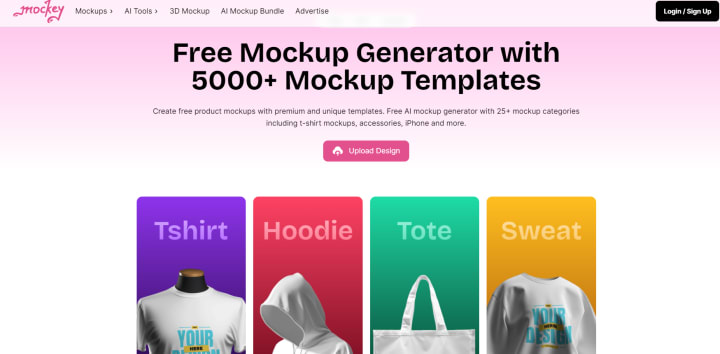
If you’re looking for an easy and effective way to create a sticker mockup free, Mockey is a great place to start. Its user-friendly interface makes it simple to generate professional mockups in just a few clicks. Whether you want to showcase stickers on bottles, laptops, or packaging, Mockey offers plenty of templates.
Why Use Mockey?
Quick, drag-and-drop feature
Variety of free sticker mockup templates
Realistic previews
No design skills required
Mockey allows you to upload your artwork, adjust it on the mockup, and download it immediately.
2. Placeit
Placeit is a popular sticker mockup generator known for its vast library of templates. While some premium features are paid, it offers a good number of free sticker mockup options as well.
Key Features:
Customizable backgrounds
High-quality, realistic templates
Instant download
Use Placeit to create stunning mockups for product labels or promotional stickers with just a few adjustments.
3. Canva
Canva is more than a design tool—it also provides free templates for mockups. You can create sticker mockups using its drag-and-drop editor, which makes it ideal for beginners.
What Makes Canva Stand Out?
Access to free sticker mockup templates
Simple interface
Customization with text, icons, and graphics
Canva’s templates allow you to see your sticker designs on surfaces like water bottles, laptops, and notebooks.
4. Smartmockups
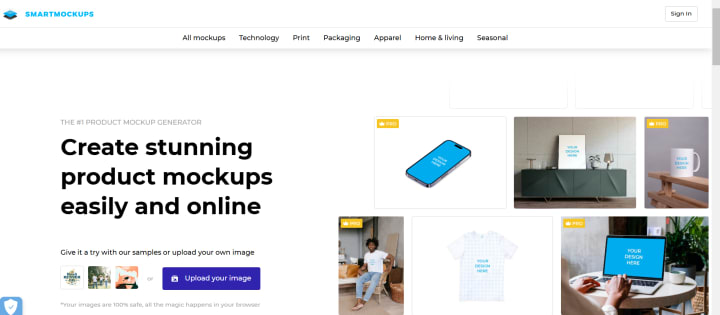
Smartmockups is another excellent tool for creating professional mockups. It offers a decent selection of sticker mockup free options that can be used to showcase logos, labels, or decorative stickers.
Key Features:
Templates for various objects (bottles, packaging, devices)
Customizable sticker placement
High-resolution downloads
You can create your mockup directly on the platform without needing any design experience.
5. Artboard Studio
Artboard Studio is a powerful tool that provides mockup templates for all kinds of products, including stickers. It offers some free options to help you present your designs in a photorealistic way.
Features You’ll Love:
Advanced customization options
Realistic shadows and lighting effects
Works well for branding and product design
This tool is great if you want to add a professional touch to your mockups with precise adjustments.
6. Freepik
Freepik offers free sticker mockups in the form of downloadable PSD files. Though you’ll need Photoshop to edit these, the variety of styles makes it worth checking out.
Highlights:
PSD mockup files for stickers on various surfaces
Free for personal and commercial use (with attribution)
Simple to customize with Photoshop
If you’re comfortable working with PSD files, Freepik is a great resource for high-quality mockups.
7. MockupWorld
MockupWorld curates free and premium mockups from various designers. It’s an ideal place to find sticker mockup free templates for all types of projects.
Why Choose MockupWorld?
A wide variety of free sticker mockups
Regularly updated library
Easy search filters
Browse through the collection to find everything from transparent stickers to paper labels.
8. Mediamodifier
Mediamodifier offers many useful mockup tools, including free sticker mockup options. It lets you upload your design and customize the placement and background effortlessly.
Notable Features:
Templates for packaging, notebooks, and devices
Live preview of designs
Easy download options
This platform is ideal for those looking to create quick and professional-looking mockups.
9. MockupBro
MockupBro provides a simple way to create realistic sticker mockups without needing advanced design tools. Just upload your design, select a template, and you’re ready to go!
Why Try MockupBro?
Beginner-friendly interface
Free templates for various sticker types
Instant mockup generation
This tool works well for small businesses and designers who need fast, good-looking mockups.
10. Pixlr
Pixlr is an online editor that also offers mockup templates, including some free sticker mockup options. It’s a great tool if you want to combine mockup creation with other editing features.
Key Benefits:
Integrated editing tools
Simple, web-based interface
Free access to many templates
Use Pixlr to create customized mockups and adjust your designs directly on the platform.
Conclusion
Finding the right sticker mockup generator can make your design process smoother and help you present your work more professionally. Whether you're promoting a product, designing labels, or building your portfolio, these 10 tools offer great options to create free sticker mockups without hassle. From Mockey's quick mockup generation to Canva's intuitive design tools, there’s something here for everyone.
Experiment with these tools and find the one that best suits your needs. With free mockup generators at your disposal, you can elevate your sticker designs and impress clients without spending a fortune!
also read:
How to make Sticker Mockups: A Detailed Guide
How to Put Your Design on a Mockup in Canva: A Step-by-Step Guide
About the Creator
ladali official
I am a content creator with a love for storytelling and turning ideas into visuals that captivate and connect. I focus on creating engaging, high-quality content that speaks to audiences across platforms
Keep reading
More stories from ladali official and writers in Art and other communities.
How to make Sticker Mockups: A Detailed Guide
Creating sticker mockups is an excellent way to showcase your designs in a professional manner. Whether you’re an artist, a small business owner, or a designer, a good mockup can enhance your presentation and help clients visualize the final product. In this guide, we’ll explore different methods for creating stunning sticker mockups using various tools and platforms.
By ladali officialabout a year ago in Art
The Best Philosophy in the World Is the One You Can Live
Ask ten philosophers what the best philosophy in the world is, and you will receive at least ten different answers—possibly delivered with footnotes, counterarguments, and mild contempt for the other nine. This disagreement is not a flaw of philosophy; it is its essence. Philosophy was never meant to be a universal prescription handed down like a rulebook. It exists to help human beings live better lives. By that standard, the best philosophy in the world is not the most elegant or complex—it is the one that can be lived.
By Fred Bradford5 days ago in Art
When the Artist Becomes the Art
We like to think we can separate the art from the artist, but can we, really? Art is born from the same place as sin. It mainly emerges from conflict: between what is felt and what is permitted, between the self that is lived and the self that must be hidden. No figure embodies this tension more vividly than Oscar Wilde: a man who transformed his own contradictions into style, wit, and devastating clarity. His novel The Picture of Dorian Gray is not merely a tale of aesthetic decadence but the battleground on which this question is fought.
By Yasmine Lagrasabout 14 hours ago in Art
My New Book is Finally Here
My poetry collection Beautiful and Brutal Things is done. It's actually done and finally published over 270 pages. Over a year of my life went into this book. More than a year, really. Long days at my computer, sometimes seven days a week because I couldn't stop even when I probably should have. Then two months of editing that felt harder than the writing itself. But it's finished, and I'm still standing, and the book is real.
By Tim Carmichael4 days ago in BookClub



Comments
There are no comments for this story
Be the first to respond and start the conversation.