
Top 5 video editors for advanced masking in 2024.
"Unlocking Video Masking Mastery with the Best 2024 Editors"

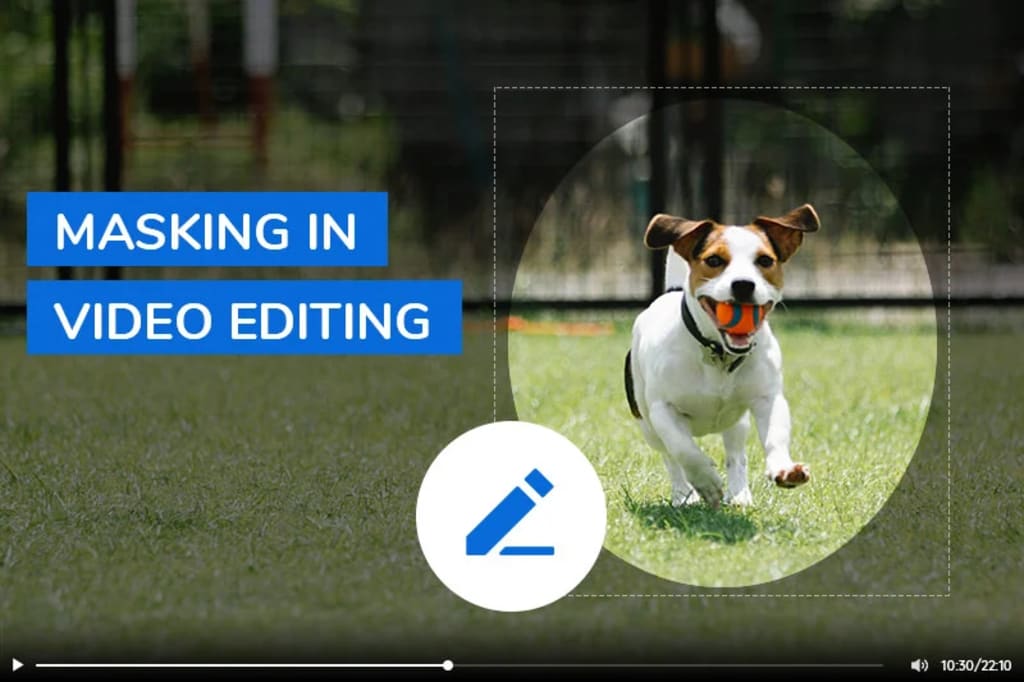
Video editing turns simple clips into awesome videos, and it's not just about cutting or splicing them together. It's also about using tricks to make the video look better and more interesting. One of these tricks is called masking, which lets you decide what people can or can't see in your video. You can make some parts blurry, hide things, or highlight certain areas to make your video look cooler and more polished. This article will teach you about masking and show you the five best video editing programs that have great masking features.
Part 1: What Is Masking in Video Editing?
Video masking is a functionality found in video editing software. This tool enables users to trim specific content, insert or blur particular portions of the video, ultimately directing attention to a chosen focal point while concealing the rest such as faces or license places blur. Additionally, masking technology can be utilized for various creative purposes, such as cloning characters, generating glitch effects, obscuring faces or backgrounds, enhancing the video's dynamism, and making it more engaging for viewers.
Part 2: 3 Types of Masks in Video Editing
Masks serve as a means to independently manipulate various sections of a video by defining shapes or regions that either conceal or reveal specific parts. The types of masks employed in video editing depend on the intended purpose and the software being used. Some common mask varieties include:
- Rotoscoping: This mask type requires manually drawing or tracing the shape of the object or area frame by frame. Rotoscoping proves beneficial for masking intricate or irregular shapes, like people, animals, or plants. Nevertheless, it can be a time-consuming and tedious process, particularly when dealing with moving or changing objects in each frame.
- Chroma-keying: This mask involves utilizing a designated color, typically green or blue, as the video background. It is effective for masking uncomplicated or uniform shapes, such as screens, walls, or skies. Chroma-keying facilitates the removal of the video background, allowing users to replace it with another image or video. However, challenges may arise if the background color lacks consistency or matches the color of the object or area intended to be retained.
- Motion tracking: This mask type employs software or tools that automatically track the movement of the desired object or area. Motion tracking is suitable for masking dynamic shapes like cars, balls, or faces, saving time by automating the mask creation and adjustment in each video frame. However, accuracy issues may arise with small, fast, or blurry objects or areas.
Part 3: Different Ways to Use Masking Videos
Utilizing video masking allows for the creation of diverse effects, including the obscuring of faces, eliminating undesired elements, incorporating text or graphics, and crafting smooth transitions. Moreover, video masking contributes to elevating the realism and quality of videos by seamlessly blending different clips or layers and adjusting parameters like color, brightness, or contrast.
Transition Creation: Masks can be employed to craft personalized transitions between video clips, such as wipes, slides, or fades. For instance, a mask can be utilized to make one clip emerge from behind another or facilitate a smooth dissolve between two clips.
Subject Cloning: Masks offer the ability to clone or replicate subjects within a video, be it people, animals, or cars. This involves creating the illusion of multiple identical subjects in a scene or making it appear as though a subject is interacting with its own duplicates.
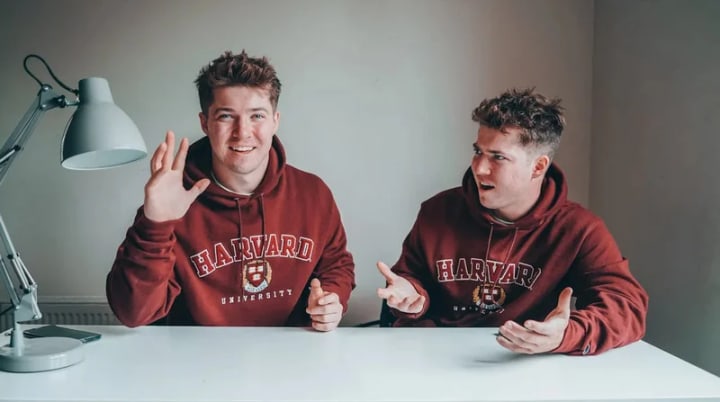
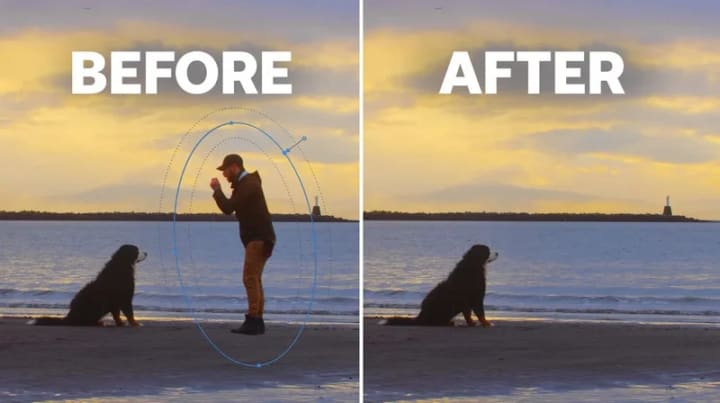
Object Concealment: Video masking proves useful in concealing or removing unwanted objects like logos, watermarks, or individuals. This can be achieved by covering an object with another image or video using a mask, rendering it transparent, or applying a blur effect.
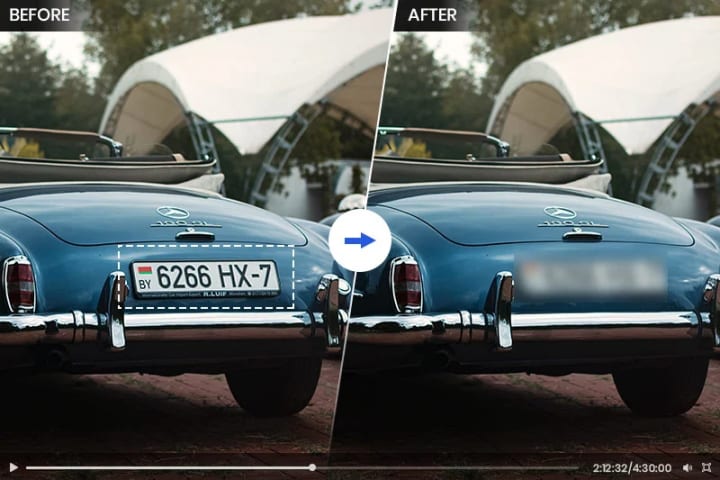
Facial Blurring: Masks can be applied to blur faces or sensitive information in a video, such as license plates, phone numbers, or addresses. Techniques include applying a blur effect, pixelating, or distorting the specific face or area.
Effect Addition: Video masking serves as a tool to introduce various effects or enhancements to a video, such as text, graphics, filters, or animations. Examples include using a mask to incorporate a title or logo, or applying specific color tones or styles to distinct parts of the video.
Part 4: Top 5 Video Editor Software with Useful Masking Tool
1. Adobe Premiere Pro
Adobe Premiere Pro is a highly advanced video editing software that offers unrivaled precision and flexibility in video masking. Within Premiere Pro, users can access two primary masking tools: "Shape" and "Pen." Opting for the "Shape" tool allows you to pick from preset shapes like squares or circles to create masks, while choosing the "Pen" tool grants you the freedom to draw a custom path around the specific object you aim to isolate through masking.
Read more: avclasb.com
About the Creator
Keep reading
More stories from Madeline and writers in Photography and other communities.
Enhancing Video Clarity on CapCut Desktop: Tips and Tricks for 5 Top Methods
With the rise of AI technology, it's not just specialized AI video enhancers that can transform low-quality footage into high-quality content; AI-driven video editing tools like CapCut are also capable of enhancing video quality, allowing users to attain HD and 4K resolutions. Now, let's explore the most comprehensive tutorial on how to achieve good video quality on the CapCut desktop version.
By Madeline2 years ago in Photography
Curious Photography Tips Every Beginner Should Try
Have you ever wondered why two people using the same camera can produce completely different photos? The answer often lies in how well the photographer understands the camera itself. For beginners, cameras can seem filled with confusing buttons, dials, and settings. But what if those settings are actually the key to better photos?
By Craig Spiesman7 days ago in Photography
From ad men to mad men
It's after 2am in the morning when a local police patrol vehicle in Northern New Jersey spots a figure costumed as Quasimodo, The Hunchback of Notre Dame, proceeding southbound on the sidewalk along Lydecker Street. Though the hunchback’s costume stuffing offers added insulation, it's January, and friggin’ freezing. Carefully, the officers slow down, gently question the subject, and offer him a ride home.
By David W. Maury7 days ago in Humor


Comments
There are no comments for this story
Be the first to respond and start the conversation.