
Becoming a successful YouTuber takes time, effort, and dedication. Here are some steps that can help you become a successful YouTuber:
Create high-quality content: Make sure your videos are of high

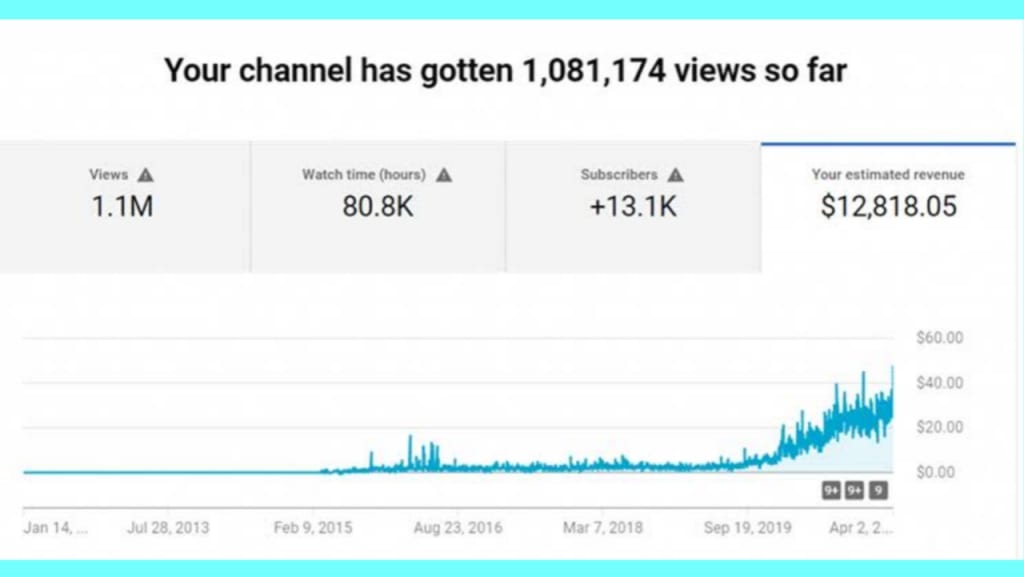
Becoming a successful YouTuber takes time, effort, and dedication. Here are some steps that can help you become a successful YouTuber:
Choose your niche: Decide on what kind of content you want to create and stick to it. This will help you build a loyal audience.
Create high-quality content: Make sure your videos are of high quality, with good lighting and sound. Invest in good equipment if you can.
Be consistent: Post videos regularly, and create a schedule that your viewers can rely on. This will help you build a loyal following.
Engage with your audience: Respond to comments and messages, and interact with your viewers on social media. This will help you build a community around your channel.
Optimize your videos for search: Use relevant keywords in your video titles, descriptions, and tags. This will help your videos show up in search results.
Promote your channel: Use social media and other online platforms to promote your channel and increase your reach.
Collaborate with other YouTubers: Collaborating with other YouTubers can help you reach new audiences and build your brand.
Remember that becoming a successful YouTuber takes time and effort. Be patient, stay focused, and keep creating high-quality content that your viewers will love.
To set a thumbnail for a YouTube video, follow these steps:
Sign in to your YouTube account and navigate to the YouTube Studio dashboard.
Click on "Content" in the left sidebar, and then click on the video you want to set a thumbnail for.
Click on "Edit" to edit the video details.
Click on the "Custom thumbnail" button, which is located below the video player.
Upload an image for your thumbnail by selecting a file from your computer or by dragging and dropping an image into the thumbnail editor.
Use the thumbnail editor to adjust the position and size of the image as needed.
Click on "Save" to save your changes.
Note: It's important to choose an eye-catching thumbnail that accurately represents your video's content and encourages viewers to click and watch. YouTube recommends using images with a resolution of 1280 x 720 pixels, with a minimum width of 640 pixels. Additionally, avoid using misleading or clickbait thumbnails, as this can negatively impact your video's performance and audience engagement.
Fast Income Tips for YouTube.
How to earn Income fast in YouTube
Earning income quickly on YouTube is not a guaranteed process, as it requires effort, consistency, and patience. However, here are some tips that can help you increase your chances of earning income on YouTube:
Build a strong audience: To earn income on YouTube, you need to have a significant number of subscribers who watch and engage with your content regularly. Therefore, focus on creating content that resonates with your target audience and encourages them to subscribe to your channel.
Create quality content: High-quality content is essential to retain your audience and attract new viewers. Ensure your videos are well-produced, engaging, and relevant to your target audience.
Optimize your videos: Optimize your videos with the right titles, descriptions, and tags that reflect your content's topic and purpose. This helps your videos rank higher in search results and attract more views.
Join the YouTube Partner Program: You can only earn income on YouTube by joining the YouTube Partner Program, which allows you to monetize your content by displaying ads. To join the program, you must meet the program's eligibility requirements, such as having 1,000 subscribers and 4,000 watch hours.
Utilize other monetization methods: Apart from the YouTube Partner Program, you can earn income through other monetization methods such as merchandise sales, sponsored content, affiliate marketing, and fan funding.
Be consistent: Consistency is key to building a loyal audience and increasing your chances of earning income on YouTube. Consistently upload high-quality videos and engage with your audience through comments and social media.
Remember, building a successful YouTube channel takes time and effort. So, focus on creating great content, building your audience, and exploring different monetization methods to increase your income potential over time
YouTube content for beginners.
Which content is best for YouTube beginners
There are several types of content that can be great for YouTube beginners:
Vlogs: Vlogs are a great way to document your daily life and share your experiences with your audience.
Tutorials: If you have expertise in a particular subject or skill, you can create tutorials to share your knowledge with others.
Reviews: If you like trying out new products, you can create reviews and share your thoughts and opinions with your audience.
How-to videos: Similar to tutorials, how-to videos can teach your viewers how to do something, whether it's a DIY project or a recipe.
Gaming: If you enjoy playing video games, you can share your gameplay with your audience and provide commentary and insights.
Unboxing videos: Unboxing videos are a great way to showcase new products and give your audience an inside look at what's inside the box.
Travel vlogs: If you love to travel, you can create travel vlogs and share your adventures with your viewers.
Remember that the key to success on YouTube is to create content that you're passionate about and that your audience will enjoy. Consistency and quality are also important factors to consider, so make sure you are regularly uploading content and putting effort into making each video the best it can be.
Top 5 YT Editing Apps
As a language model, I don't have personal preferences, but here are five popular editing apps used by many YouTubers:
Adobe Premiere Pro: This professional video editing software is popular among YouTubers because of its wide range of features and capabilities.
Final Cut Pro: This is a professional-level video editing software designed for Apple devices, and it's particularly popular among Mac users.
iMovie: This video editing software is popular among beginner YouTubers because it's easy to use and comes pre-installed on most Apple devices.
Filmora: This is a beginner-friendly video editing software that's easy to use, but still offers a good range of features and capabilities.
DaVinci Resolve: This professional-level video editing software is free to use and has a wide range of features, making it a popular choice for YouTubers who want to create high-quality videos without spending a lot of money
How to impression for viewers to watch video
Impressions are a metric used to measure the number of times a video or an ad is viewed by someone. Impressions can be a useful metric for evaluating the reach of your video, but it's important to keep in mind that just because someone saw your video doesn't mean they engaged with it.
To make a positive impression on viewers and encourage engagement with your video, here are some tips:
Create a compelling thumbnail: Your video thumbnail is the first thing people will see when browsing YouTube, so it's essential to create a visually appealing and eye-catching thumbnail that accurately represents your video's content.
Start with a hook: To grab your viewers' attention from the start, start your video with a compelling hook that draws them in and makes them want to keep watching.
Focus on storytelling: To keep viewers engaged throughout your video, focus on telling a compelling story that keeps them interested and emotionally invested in your content.
Keep it concise: Attention spans are short, so it's important to keep your videos concise and to the point. Aim to convey your message in as few words as possible, and avoid going off on tangents or including unnecessary information.
End with a call to action: To encourage viewers to engage with your content, end your video with a clear call to action that encourages them to like, comment, share, or subscribe to your channel.
About the Creator
Keep reading
More stories from writers in Motivation and other communities.
From Daydreaming to Doing: How to Turn Desire Into Action
Daydreaming is easy. Action is not. You can sit for hours imagining a better life, the work you want to do, the habits you wish you had, the confidence you hope to feel, the version of yourself you’d love to become. You can picture it in detail, feel the excitement of it, even get a rush of inspiration.
By Stacy Faulka day ago in Motivation




Comments
There are no comments for this story
Be the first to respond and start the conversation.