
Everything you need to know about Google PageSpeed Insights
Make your site load faster! Know how quickly your website loads

How long do you like to wait for a web page to load before you tap the back button? Five seconds? 20 seconds? Perhaps one minute? According to Google, more than half of web users will abandon a website if it takes more than three seconds to load. In fact, the probability of a bounce rate increases to 123% if the page speed takes more than seven seconds.
Page speed has direct connection between conversion rates
A potential customer’s attitude towards load time can severely affect a business’ bottom line. In terms of numbers and figures, for example, if an online retailer is making $100,000 per day in sales, a one-second page delay could potentially cost you $2.5 million in lost sales per year.
If your websites page speed is lagging, there’s a tool you can use to determine what’s slowing it down and how to fix it. It’s called Google PageSpeed Insights.
What is Google PageSpeed and how does it work?
Google PageSpeed Insights is a quick and pain-free way to test the speed of your website page. It will evaluate the performance of the page two ways: for mobile and desktop devices.
It will also look at how you can improve above-the-fold load time (the part of your website that appears before you have to scroll) as well as full page load time.
What will your results look like?
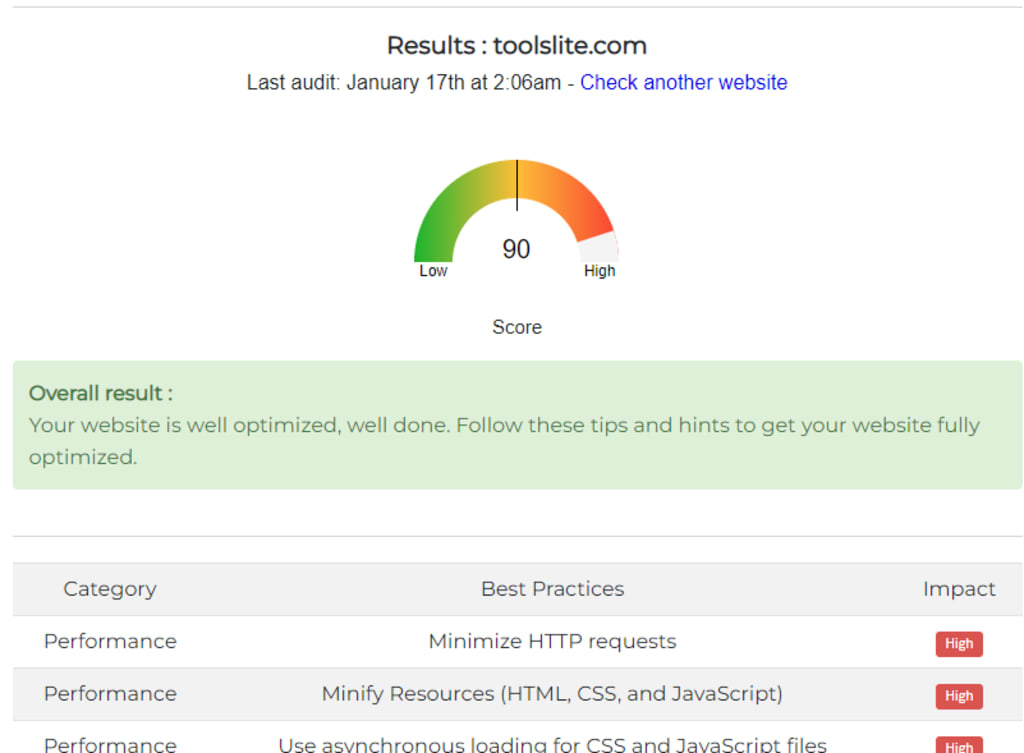
When Google PageSpeed Insights measures the page, it will check to see whether you’ve utilised what Google deems web performance (optimisation) best practices. Once the check is complete, your page will be given a score, ranging from 0 to 100 points, and box the page into one of three categories: Good, needs work, or poor.
Good: Well done, your web page meets most of the standard best performance practices. Based off this score, your website visitor should have a good user experience
Needs work: Getting your page lumped into this category means you’re missing some important web page optimisation elements. A visitor to this page will have a slow user experience
Poor: If your website comes back with a poor rating, it means you have applied little to no optimisation techniques. Users are likely to have a very slow experience.
What can you do to improve page speed?
There are a number of ways you can improve the time it takes to load a page on your website. Here are just a few:
Avoid landing page redirects, as each redirect triggers HTTP request-response cycle and delay page rendering
Enable and test gzip compression to support your web server
Optimise your images and prioritise your content
Clear your cache regularly
Let your scripts and CSS load in external files instead of blocking up every web page
How often should you use Google PagesPeed Insights?
Performance best practices are updated regularly and Google is always working on ways to improve PageSpeed Insights, so it’s important to complete systematic checks even if your page is ranking well.
An optimised website is one of the key ingredients in driving traffic to your website. It also helps to lower your bounce rates and convert your customers.
When it comes to building a search engine friendly website, iFactory are the experts. Our team of digital marketers and website designers will work with you to determine your search engine needs, lower your page load times and help your business climb the ranks.
Make your site load faster! Know how quickly your website loads. Enter the domain or URL into the field below, and click “Check Page Speed” In no time, you will get the detailed results
Alan Breugem Founder and Developer @ToolsLite | Free Online Tools To Grow Your Business 🏆
About the Creator
Alan Breugem
Freelancer at Fiverr.
💰 I Share With You For Free, How Freelancers Earn +$50k/Mo With No Skill 💰
Keep reading
More stories from Alan Breugem and writers in Journal and other communities.
Cash Drawer Basics: Features, Usage, and Maintenance
Handling cash smoothly is still an important part of daily business operations. Whether it’s a small retail shop, a food counter, or a service desk, a cash drawer plays a quiet but essential role. While it may seem like a simple box, it supports accuracy, security, and speed at the counter.
By Will Smith5 days ago in Journal
Autonomy Is The Real Privilege
Good morning, freedom-seekers! Today we’re gonna be looking at autonomy. A strange word, I know; one many would probably look at blankly and run away from on sight. We’re gonna figure out what it actually means, consider how it’s achieved, and decipher just how deeply most of us are tangled up in dependence without realising it.
By That ‘Freedom’ Guy5 days ago in Humans



Comments
There are no comments for this story
Be the first to respond and start the conversation.