
Announcing New Computer Use in Microsoft Copilot Studio for UI Automation
Achieve new efficiencies with computer use

Introduction
Microsoft continues to push the boundaries of AI-powered automation with its latest enhancement to Microsoft Copilot Studio—UI Automation via Computer Use. This new capability empowers developers and business users to automate repetitive tasks by interacting with applications just like a human would, leveraging AI to streamline workflows and boost productivity.
Microsoft is at the forefront of the rapid transformation in the world of robotic process automation (RPA). By integrating AI-powered automation with its existing suite of productivity and development tools, Microsoft is redefining how businesses streamline workflows, reduce manual effort, and enhance operational efficiency.
With advancements in Microsoft Power Automate, AI Builder, and Copilot Studio, RPA is no longer just about rule-based task automation—it’s about intelligent, adaptive, and end-to-end process automation.
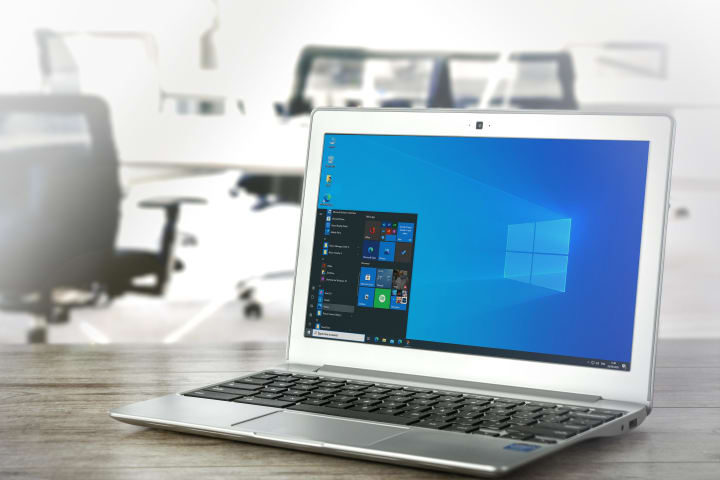
What is UI Automation in Microsoft Copilot Studio?
Copilot Studio can control desktop and web applications by simulating mouse clicks, keyboard inputs, and other interactions using UI (User Interface) Automation. This feature enables end-to-end automation of tasks that previously required manual intervention, such as data entry, form submissions, and application navigation.
Microsoft's development of RPA over time
Traditional RPA relied on structured, repetitive tasks—such as data entry, invoice processing, or report generation—where bots followed predefined scripts. Microsoft, on the other hand, is going above and beyond these restrictions by incorporating AI, ML, and NLP into automation.
Copilot Studio now has the ability to:
• Work with desktop programs like Excel, SAP, and older systems.
• Automate actions like filling out forms and clicking buttons in the web browser.
• Data can be extracted and processed from UI elements.
• Run unattended automations for scheduled tasks.
Key Benefits
1. Seamless Integration with Existing Copilots
• Copilots powered by AI can now handle UI-based workflows without requiring complicated API integrations.
• Combine natural language processing (NLP) with UI actions for smarter automation.
2. No-Code/Low-Code Automation
• Using a visual designer, citizen developers can automate tasks without writing code.
• For more complicated scenarios, scripts can be customized by advanced users.
3. Enhanced Efficiency & Accuracy
• Reduce human errors in repetitive tasks.
• Accelerate business processes by eliminating manual steps.
4. Support across platforms
• Works with applications for Windows, web browsers like Edge and Chrome, and UIs based on Java.
5. AI-Enhanced Automation with Copilot Integration
• Microsoft Copilot brings generative AI into automation workflows, allowing bots to handle unstructured data (emails, documents, chat logs) and make contextual decisions.
• Example: A Copilot-powered bot can read an invoice PDF, extract key details, validate them against a database, and log discrepancies—all without rigid templates.
What It Does
1. Keeping track of UI actions
• To keep track of clicks, keystrokes, and navigation steps, use the Copilot Studio recorder.
• Automated scripts are generated automatically by the system.
2. Customizing and Editing Workflows
• Modify recorded steps or add conditions and loops for dynamic behavior.
3. Running & Monitoring Automations
• Execute automations on-demand or schedule them.
• Monitor performance via Copilot Studio’s analytics dashboard.
Use Cases
• Data Migration – Transfer data between legacy systems and modern apps.
• Report Generation – Automate Excel or Power BI report updates.
• Customer Support – Auto-fill CRM tickets based on email inputs.
• ERP/Finance Automation – Process invoices or update records in SAP/Oracle.
How to Get Started
To try the new UI automation features in Microsoft Copilot Studio:
1. Update to the latest version of Copilot Studio.
2. Explore the UI Automation templates in the workflow designer.
3. Make a recording of your first automation and use it in your company.
Conclusion
The introduction of UI Automation in Microsoft Copilot Studio marks a significant leap forward in intelligent process automation. By bridging the gap between AI-driven conversations and traditional UI interactions, Microsoft is enabling businesses to automate more processes than ever before—without heavy coding or infrastructure changes.
Make use of this potent new feature right away to test it out and discover new levels of productivity in your workflows!
About the Creator
Keep reading
More stories from writers in Journal and other communities.
Craig S. Brown’s Philosophy of Marginal Gains for Business Leaders
Most leaders don’t struggle because they lack ambition. They struggle because growth gets messy. Priorities collide, teams move in different directions, and small inefficiencies quietly stack up until performance starts slipping.
By Mark Walker3 days ago in Journal
Rage
Content Warning: Domestic Violence, Assault Rage D. A. Ratliff “Who did this?” My voice echoed through the house. All I wanted was a cup of tea, but one of the twins, running through the house like maniacs, knocked it over. My nerves tingled, and every muscle in my body felt coiled like a spring. Survival seemed out of reach.
By D. A. Ratliff5 days ago in Fiction
So You Decided To Become a Nurse Practitioner:
So you decided to become an "Advanced Practice" nurse. Congratulations!... is what I would say if this was a good idea. Grad school? In this economy? What were you thinking? Likely it was something along the lines of either 1) “I've seen these other chucklefucks do it— Why can't I?” or even 2) “I've got a nice career, I should shake it up. I miss feeling like I have no clue what I'm doing.”
By Sandor Szabo8 days ago in Fiction




Comments
There are no comments for this story
Be the first to respond and start the conversation.