
WooCommerce Payment Gateways: What You Need to Know
Here’s what you need to know about WooCommerce payment gateways

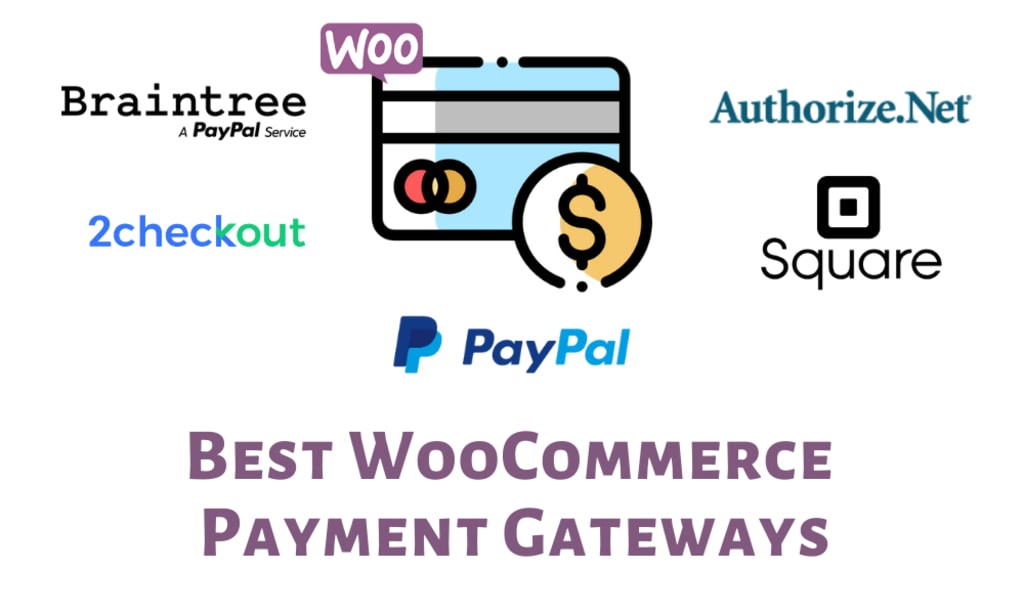
WooCommerce is a popular e-commerce platform built on WordPress that allows you to create and manage online stores. When setting up an online store with WooCommerce, one essential aspect to consider is the selection of payment gateways. Payment gateways are services that facilitate the processing of online transactions by securely transferring customers’ payment information between your store, the customer, and the payment processor.
Here’s what you need to know about WooCommerce payment gateways:
WooCommerce Payment Gateway Options: WooCommerce offers several built-in payment gateways, including PayPal, Stripe, and Simplify Commerce. These gateways come pre-installed with WooCommerce, allowing you to start accepting payments immediately. Additionally, there are numerous third-party payment gateway extensions available in the WooCommerce marketplace, providing you with a wide range of options to choose from.
Popular Payment Gateways: PayPal and Stripe are two of the most popular payment gateways used with WooCommerce. PayPal allows customers to make payments using their PayPal accounts or credit/debit cards, while Stripe enables credit card payments directly on your website. These gateways are widely supported, secure, and trusted by customers.
Additional Payment Gateways: Apart from PayPal and Stripe, WooCommerce supports various other payment gateways, such as Authorize.Net, Square, 2Checkout, Amazon Pay, and many more. The availability of these gateways may vary depending on your location and the specific extensions you install on your WooCommerce store.
Extension Integration: If you wish to integrate a specific payment gateway not included in the built-in options, you can explore the WooCommerce extensions marketplace. Numerous third-party extensions allow you to integrate additional payment gateways seamlessly. Before choosing an extension, make sure it is compatible with your version of WooCommerce and meets your specific requirements.
Considerations for Choosing Payment Gateways: When selecting payment gateways for your WooWooCommerce is a popular e-commerce platform built on WordPress that allows you to create and manage online stores. When setting up an online store with WooCommerce, one essential aspect to consider is the selection of payment gateways. Payment gateways are services that facilitate the processing of online transactions by securely transferring customers’ payment information between your store, the customer, and the payment processor.
Here’s what you need to know about WooCommerce payment gateways:
WooCommerce Payment Gateway Options: WooCommerce offers several built-in payment gateways, including PayPal, Stripe, and Simplify Commerce. These gateways come pre-installed with WooCommerce, allowing you to start accepting payments immediately. Additionally, there are numerous third-party payment gateway extensions available in the WooCommerce marketplace, providing you with a wide range of options to choose from.
Popular Payment Gateways: PayPal and Stripe are two of the most popular payment gateways used with WooCommerce. PayPal allows customers to make payments using their PayPal accounts or credit/debit cards, while Stripe enables credit card payments directly on your website. These gateways are widely supported, secure, and trusted by customers.
Additional Payment Gateways: Apart from PayPal and Stripe, WooCommerce supports various other payment gateways, such as Authorize.Net, Square, 2Checkout, Amazon Pay, and many more. The availability of these gateways may vary depending on your location and the specific extensions you install on your WooCommerce store.
Extension Integration: If you wish to integrate a specific payment gateway not included in the built-in options, you can explore the WooCommerce extensions marketplace. Numerous third-party extensions allow you to integrate additional payment gateways seamlessly. Before choosing an extension, make sure it is compatible with your version of WooCommerce and meets your specific requirements.
Considerations for Choosing Payment Gateways: When selecting payment gateways for your WooCommerce store, keep the following factors in mind:
1. Security: Security is paramount when handling customer payments. Ensure that the payment gateway follows industry-standard security measures, such as PCI DSS compliance, to protect sensitive customer data.
2. Fees and Transaction Costs: Different payment gateways have varying fee structures and transaction costs. Consider the pricing model of each gateway, including setup fees, monthly fees, transaction fees, and any additional charges. Evaluate how these fees will impact your profitability and align them with your budget.
3. Geographical Availability: Check if the payment gateway is available in the countries or regions where you conduct business. Some gateways may have limitations or restrictions on international transactions or may not support specific currencies. Confirm that the chosen gateway supports transactions in your target market.
4. Supported Payment Methods: Consider the payment methods supported by the gateway. Customers have different preferences, so it's beneficial to offer a variety of options, such as credit/debit cards, digital wallets, bank transfers, or alternative payment methods. Choose a gateway that supports the payment methods commonly used by your customers.
5. User Experience: A seamless and intuitive payment process is crucial for a positive customer experience. Evaluate the checkout experience provided by the payment gateway. Does it redirect customers to an external page for payment, or does it allow payments directly on your website? Consider the ease of use, mobile-friendliness, and overall user interface of the payment gateway.
6. Integration and Compatibility: Ensure that the payment gateway integrates smoothly with WooCommerce. Check if there are official plugins or extensions available for the gateway or if third-party solutions exist. Verify that the chosen gateway is compatible with your version of WooCommerce and other plugins you're using to avoid conflicts or functionality issues.
7. Customer Support and Reputation: Consider the reputation and reliability of the payment gateway provider. Look for user reviews, ratings, and feedback to gauge customer satisfaction. Additionally, assess the level of customer support offered by the gateway provider. Prompt and reliable support can be crucial in case of any technical issues or concerns.
8. Settlement and Payout Options: Understand the settlement and payout options provided by the payment gateway. How frequently will you receive funds? Does the gateway offer automated payouts or manual withdrawals? Consider your cash flow requirements and choose a gateway that aligns with your preferences.
By considering these factors, you can make an informed decision when selecting payment gateways for your WooCommerce store, ensuring smooth transactions, customer trust, and overall business success.
Remember that it’s important to comply with legal and financial regulations related to online transactions in your jurisdiction when setting up payment gateways.
Are you looking for a WooCommerce Development Company for your project? To selecting payment gateways, for your business needs, target market, and customer preference, contact us today!
About the Creator
Universe Technologies
Universe Technologies is Top Ecommerce development company in India, USA.We are offering Magento development company, Shopware Development Company, Shopify Development Company, woocommerce development company, Prestashop Development Company
Keep reading
More stories from Universe Technologies and writers in Geeks and other communities.
5 Ways to Optimize your WordPress Website for Speed & Performance
Looking to improve the speed and performance of your WordPress website? Look no further than our team of Wordpress developers! We can help . you make your site run faster and smoother than ever before!
By Universe Technologies3 years ago in Geeks
Silver Screen Magic with Mae West
American actress and singer Mae West became a popular film actress during the Great Depression. She started entertaining in vaudeville, then performed on Broadway, and finally went to Hollywood. She signed up with Paramount Pictures and made her debut in the 1932 film “Night After Night.” She also starred in musicals, comedies, and crime dramas. The American Film Institute named her one of the best classic Hollywood actresses.
By Rasma Raisters7 days ago in Geeks
Book Review: "Everything I Know About Love" by Dolly Alderton
Okay so I'm back to reading some Dolly Alderton. I call these sorts of books my 'treat books' because of their lightness and readibility. At the moment I am sitting up in bed, it's the early morning, I've just finished the book and I am in a lot of physical pain. I haven't been sleeping right, my shoulders are killing me and my legs are entirely in knots. I'm not really sure what to do here because I can't move a lot without being in some kind of pain. Anyways, let's have a look at what Dolly Alderton has to say about love...
By Annie Kapur8 days ago in Geeks


Comments
There are no comments for this story
Be the first to respond and start the conversation.