
Finally, an AI Image Generator That Gets the Text Right
ChatGPT's Game-Changing Update

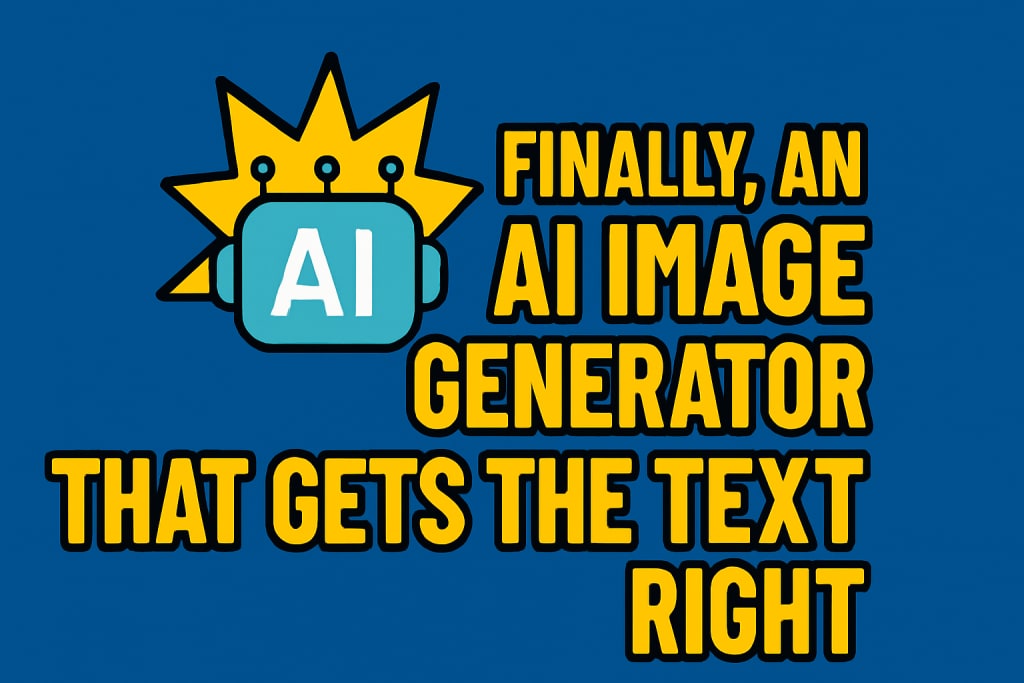
In the ever-evolving world of artificial intelligence, one of the most persistent problems has been the inability of AI image generators to render clean, readable, and accurate text within the images they create. While AI platforms such as Midjourney, DALL·E, and others have made huge strides in image realism, artistic creativity, and stylistic flexibility, the inclusion of accurate textual elements within those images has remained a significant limitation.
Until now.
With its latest update, ChatGPT has introduced a built-in image generation feature that not only produces visually compelling graphics but also delivers something users have been requesting for years—perfect, legible, and properly spelled text within the image. This advancement is a massive leap forward, especially for content creators, marketers, educators, and anyone else who relies on combining visuals with text in a clear and professional format.
In this article, we’ll break down exactly what this new feature does, how it differs from existing tools, and how you can use it right now—even with the free version of ChatGPT.
The Longstanding Problem with Text in AI-Generated Images
AI image generators have dazzled users with the ability to produce photorealistic scenes, imaginative artwork, and stylized graphics from just a simple prompt. But despite all of this progress, they’ve consistently fallen short in one area—text.
Whether it was a title, a caption, a quote, or a label, most attempts to include text in AI images would result in gibberish. The characters were often scrambled, misspelled, incomplete, or distorted beyond recognition. This created frustration for those who wanted to use these tools for practical purposes like creating social media graphics, infographics, quote posts, or YouTube thumbnails.
Tools like Midjourney and DALL·E may have offered some minor workarounds, but they weren’t reliable when it came to producing professional-level imagery with readable text.
Enter ChatGPT's New Image Generator
With the recent release of its new image generation capability, ChatGPT has flipped the script. The tool now allows users to generate images that include text that is not only clear and stylistically appropriate but also spelled correctly—down to the last punctuation mark.
In my latest video (above), you get a firsthand look at how effective this new feature is. Using the free version of ChatGPT, Roy demonstrates how to input simple prompts like “create image for YouTube video thumbnail titled ‘How to make AI images with ChatGPT’. Make sure the entire text fits inside the image.” The result? A clean, usable image with perfectly rendered text.
Not only was the generated image visually compelling, but the text placement, font styling, and spelling were spot-on. For the first time, it seemed possible to fully rely on an AI tool to create branded graphics or content-specific visuals without the need for manual editing or post-production fixes.
Free vs Paid: Do You Need ChatGPT Plus?
One of the most exciting aspects of this new functionality is that it’s not locked behind a paywall. ChatGPT’s image generator can be accessed through the free version of the platform. That said, there are some limitations. The free version restricts how many images a user can generate per day. Although OpenAI has not released the specific numbers, users have reported hitting daily image generation caps.
For those planning to use this feature extensively—such as YouTubers creating thumbnails, social media managers designing daily posts, or educators producing teaching materials—subscribing to ChatGPT Plus may be worthwhile. The paid version offers a significantly higher image generation limit, giving users more freedom to explore variations and experiment with different styles or prompts.
Prompt Structure and Best Practices
One thing I point out in the video is how important prompt structuring is when generating images with text. Starting prompts with “create image” helps ChatGPT understand that the intent is to create a visual output rather than just respond with written content. The rest of the prompt can then describe what the image should contain, including the specific text and any details about the background, color scheme, or style.
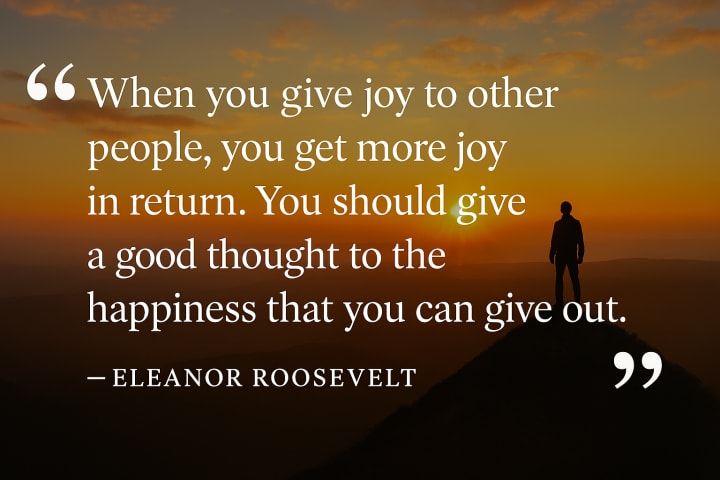
I simply entered a prompt asking ChatGPT to create an image with an inspirational quote:
“Create image of an inspirational quote with quote below. Make sure it fits well in the image and the background image should be relevant to the quote. The text should be easy to see and read.” I then paste the quote by Eleanor Roosevelt: “When you give joy to other people, you get more joy in return. You should give a good thought to the happiness that you can give out.”
The result is a beautifully styled image where the quote is fully readable, spelled correctly, and fits nicely within the design (see below). Even more impressive is that the quote is relatively long, yet the image generator formats it appropriately, which has traditionally been a major challenge for other AI tools.
Creative Possibilities With Perfect Text
This breakthrough unlocks a range of new possibilities for how AI can be used in content creation. Here are just a few examples of where this technology can be applied:
YouTube Thumbnails: Eye-catching thumbnails with bold, legible text are key to driving clicks. ChatGPT’s image tool makes this easy to produce in seconds.
Inspirational Quote Posts: Instagram, Pinterest, and other platforms are filled with quote graphics. With this tool, you can generate your own high-quality versions without needing Photoshop.
Marketing and Ads: Promotional graphics often rely on a combination of image and text. Being able to generate both at once saves time and money.
Educational Content: Teachers and course creators can use this feature to make instructional images that include definitions, formulas, or captions.
Blog Headers and Visuals: Add quick visual elements to blog articles, newsletters, and landing pages without hiring a designer.
How ChatGPT Is Outpacing Other AI Image Tools
There’s no doubt that tools like Midjourney and Stable Diffusion have been pioneers in AI-generated imagery. However, their lack of accurate text support has been a major drawback—especially for professional and practical use cases.
What makes ChatGPT stand out in this new update is not just the inclusion of text, but how well it integrates text into the visual context. Instead of pasting letters randomly or producing half-formed words, ChatGPT understands the importance of design harmony, clarity, and spelling.
This suggests a more holistic understanding of image composition—something that has traditionally been difficult for AI to grasp. It's a sign that the technology is maturing, and that AI tools are starting to cater to real-world needs beyond just novelty and experimentation.
Looking Ahead: What’s Next for AI Image Generators?
While this feature is already a game-changer, it’s likely that we’re just at the beginning of what's possible. As users test the limits of ChatGPT’s image generation capabilities, we can expect further improvements in areas like font control, layout precision, text animation, and perhaps even interactive visual design.
One area that will be worth watching is how OpenAI chooses to expand this feature set. Will we see API access for businesses? Will users be able to fine-tune styles or add brand assets into prompts? And will more advanced layout tools become available directly within ChatGPT’s interface?
What’s clear is that the ability to generate high-quality visuals with perfect text is no longer a fantasy. It’s here, and it’s working better than many expected.
Final Thoughts
ChatGPT’s new image generation update marks a major milestone in AI-driven content creation. For the first time, users can create images that include flawless text directly within the AI tool—no third-party editing software required.
The fact that this functionality is available in the free version makes it even more appealing to creators and professionals looking to streamline their workflow. Whether you’re building a brand, publishing on YouTube, or simply experimenting with AI tools, this update is worth trying.
As the technology continues to develop, one thing is certain: the gap between human creativity and AI-assisted design is closing faster than anyone imagined.
If you haven’t yet explored this new capability within ChatGPT, now’s the time to start. You might be surprised just how good AI has become at getting the details right.
About the Creator
Roy Hendershot
AI enthusiast sharing insights, articles, and trends on how artificial intelligence is reshaping industries, creativity, and everyday life. Let’s explore the future together!
Keep reading
More stories from Roy Hendershot and writers in Geeks and other communities.
AI Coloring Book Creator - Is It Worth It?
If you've ever dreamed of creating and selling your own coloring books but felt overwhelmed by the design process, Coloring Book Creator Live might be the solution you've been waiting for. This AI-powered platform promises to simplify the creation of high-quality, niche-specific coloring books, making it accessible even for those without any design experience.
By Roy Hendershot9 months ago in Geeks
Silver Screen Magic with Mae West
American actress and singer Mae West became a popular film actress during the Great Depression. She started entertaining in vaudeville, then performed on Broadway, and finally went to Hollywood. She signed up with Paramount Pictures and made her debut in the 1932 film “Night After Night.” She also starred in musicals, comedies, and crime dramas. The American Film Institute named her one of the best classic Hollywood actresses.
By Rasma Raisters7 days ago in Geeks
Thoughts on Stranger Things 5
Recalling cultural zeitgeists like HBO's Game of Thrones or the BBC's Sherlock, especially their lacklustre final seasons, gave legitimate reason for audiences to apprehend the quality of Netflix's final run of the hit series Stranger Things, released in three volumes over the last two months of 2025. The sense of finality has been undeniably palpable, given the show's success and decade-long run. Fans wanted to experience a proper conclusion to a story many around the world have grown up with. And like Benioff and Weiss, or Moffat and Gatiss, Stranger Things' creators - the Duffers - have irrevocably and indisputably proven themselves to be... well... just another pair of hack writers.
By Andrei Babanin7 days ago in Geeks


Comments (1)
Oops, a useful content.