
Creating Flyers with the New ChatGPT AI Image Generator
Why It's THAT Good!

If you had told me a year ago that I’d be spending my evenings conversing with an AI about the nuances of flyer design, I would have assumed you were describing a particularly uninspired episode of Black Mirror. Yet here we are, in the age of digital everything, where even something as charmingly antiquated as a garage sale flyer can be generated by a machine with better handwriting than mine.
Enter ChatGPT’s AI Image Generator, a tool that transforms casual descriptions into polished, printable flyers in the time it takes to microwave a cup of tea. The concept is gloriously simple: you type what you want, it makes it happen. No need for graphic design degrees or afternoons spent wrestling with fussy layout software.
Understanding ChatGPT’s Flyer Creation Potential
ChatGPT began its life as a text-based conversationalist, the kind of AI you might consult for a poem about your cat or a recipe involving only frozen peas and despair. Now, it’s grown up and taken an interest in graphic design. Its latest skill is image generation, specifically the kind that makes flyers for events both mundane and momentous.
The process is endearingly straightforward. You tell ChatGPT what you want your flyer to say, what sort of imagery you’d like, and whether the vibe should be playful, elegant, or somewhere between “middle school art fair” and “corporate retreat.” The AI takes your prompt, processes it, and moments later offers a flyer ready for printing or digital distribution.
Examples of Flyers You Didn’t Know You Needed
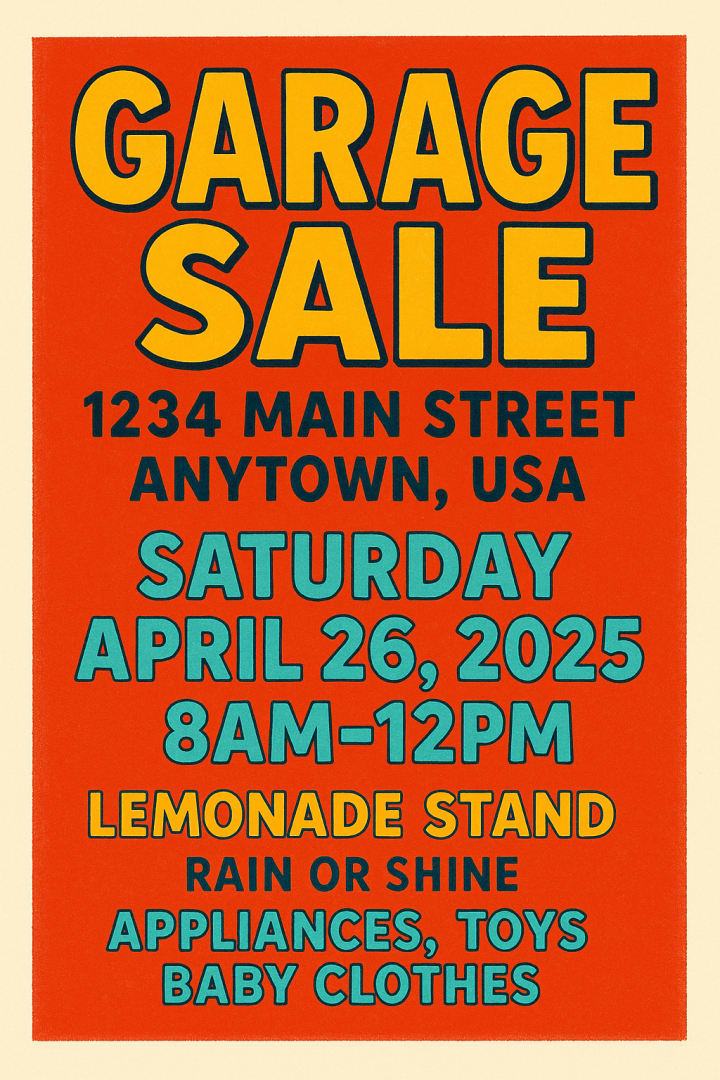
For instance, imagine a garage sale. Not a posh estate sale, mind you, but a real one—hastily gathered, filled with mismatched crockery and the occasional inexplicable garden gnome. With a simple prompt, ChatGPT can produce a flyer featuring your address, date, time, a list of discarded treasures, and perhaps a cheery illustration of a lemonade stand. It’s not just functional; it’s charming, the kind of thing you’d tack onto a community board with a sense of quiet pride.
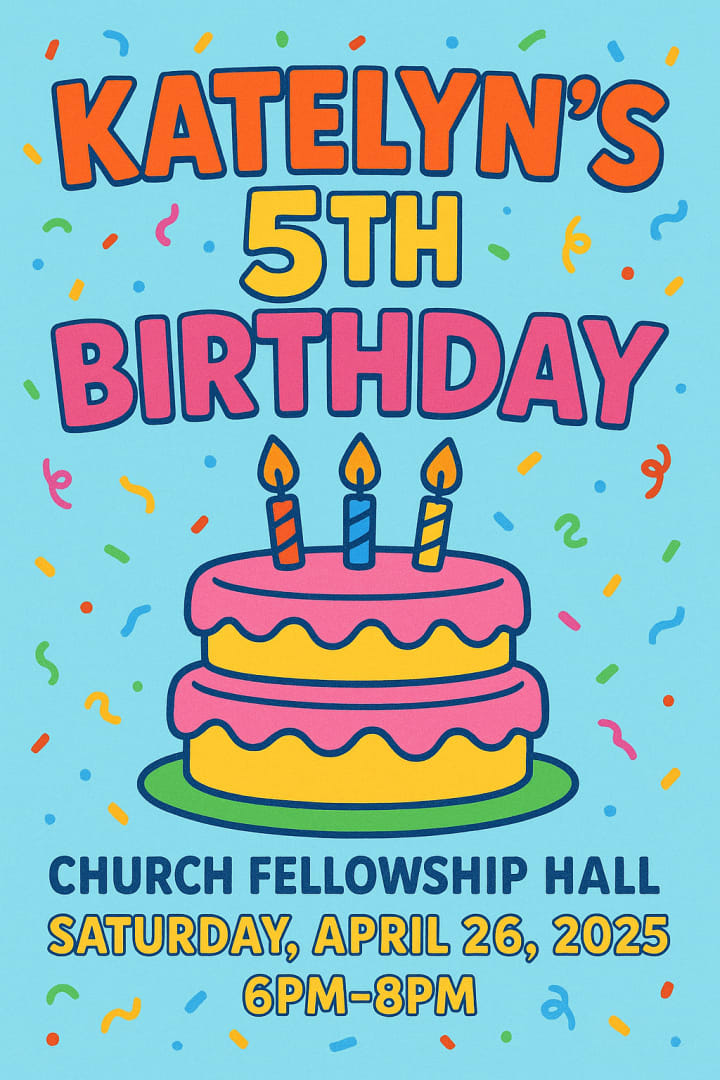
Birthday parties get an equally delightful treatment. Specify that it’s for a fifth birthday and request something cartoonish, and ChatGPT delivers a riot of balloons, cake illustrations, and large-font text designed for tiny, sugar-addled guests and their bleary-eyed parents. It’s vivid, colorful, and suspiciously professional-looking, like something a parent with too much free time might have spent an entire weekend assembling.
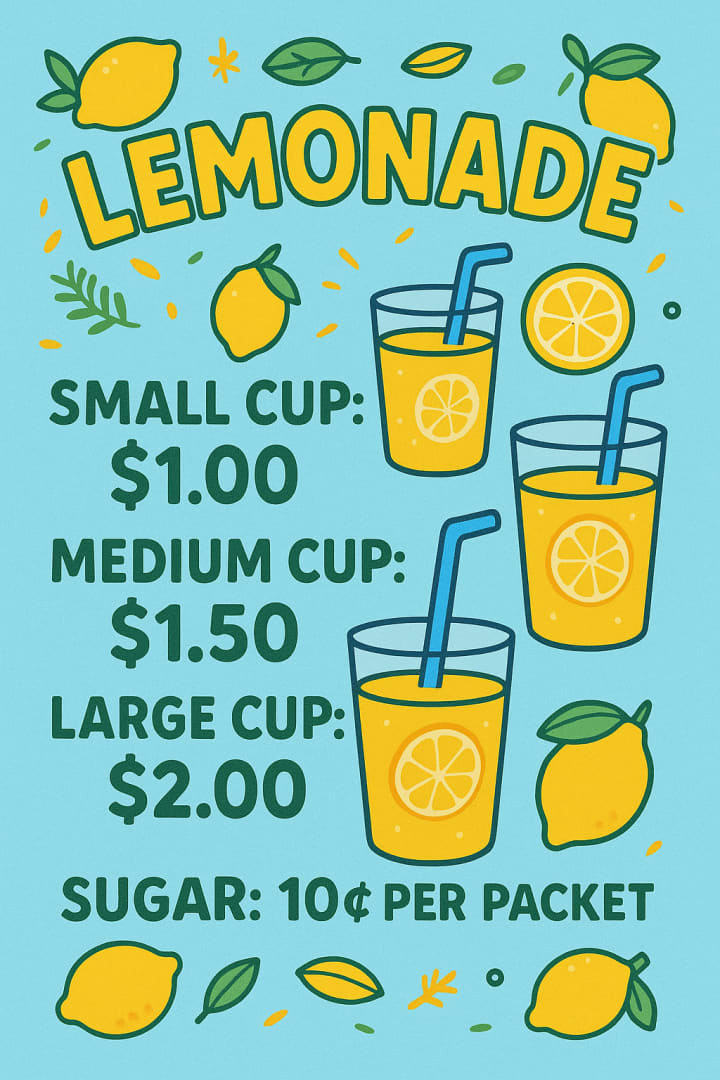
And then there’s the lemonade stand. A rite of childhood passage made all the more adorable by a flyer that includes not just prices for small, medium, and large cups but also a notation that sugar packets cost extra. ChatGPT handles it all: the lemons, the cups, the fonts so legible they practically beg you to buy a drink, and a color scheme that would make Lisa Frank weep with envy.
Why ChatGPT Is Ideal for Flyer Design
The appeal of using ChatGPT for flyer design lies in its ability to be both brilliant and surprisingly fast. It takes the trial and error out of design. No more fussing over font pairings or debating whether Comic Sans is ironic enough to be acceptable (it isn’t). The AI handles the layout, image selection, and text placement, leaving you free to focus on the more important things in life, like whether you’ve remembered to defrost the chicken.
Customization is another point in its favor. You can request specific colors, styles, and imagery, and ChatGPT obliges. If you want a pastel color scheme, it delivers. Prefer a bold, primary-color palette? Done. It’s essentially a graphic designer who never sighs or asks you to clarify your vision.
As for the fast aspect, if you're generating images during non peak times, you can expect to get your image rather quickly. But if the server is overloaded, you may have to wait a few minutes, which is a small price to pay for the amazing output of each image.
Business and Personal Uses, Both Equally Satisfying
ChatGPT’s AI Image Generator isn’t just for hobbyists and disorganized parents. Small business owners can crank out promotional flyers for sales, events, or new product launches without hiring a designer. It’s a godsend for anyone operating on a budget but unwilling to sacrifice aesthetics.
Equally, personal events gain a sense of occasion when announced via a polished, professional-looking flyer. Family reunions, charity bake sales, retirement parties—you name it, ChatGPT can make it look like you spent a small fortune on graphic design services.
It’s worth noting that the free version of the tool has its limitations. Image resolution isn’t always top-tier, and customization options, while generous, don’t match the breadth of the paid version. If you find yourself becoming a habitual user—or, like me, inexplicably addicted to creating imaginary event flyers—you might consider upgrading.
Future Possibilities for AI-Powered Flyer Design
As with most technology, this is only the beginning. Future iterations will likely introduce even more customization, perhaps allowing users to tweak designs in real time or choose from libraries of templates tailored to everything from bake sales to black-tie galas.
One can imagine a future where AI-powered design tools are integrated into social media platforms, enabling users to generate event announcements and promotions directly within apps. The possibilities for creative, accessible digital design are immense.
Audience Feedback and the Joy of Iteration
A delightful aspect of using ChatGPT for flyer creation is the joy of iteration. The tool responds well to feedback in the form of revised prompts. If your first attempt yields a flyer too busy or too subdued, a slight adjustment to your description produces a new design almost instantly.
It’s a back-and-forth not unlike giving notes to a human designer, minus the awkwardness of pretending you understand what kerning is. The AI doesn’t take offense, doesn’t charge overtime, and never insists on adding clip art unless you ask it to.
Optimizing for Readability and Visual Appeal
One of the consistent strengths of ChatGPT-generated flyers is their readability. Text is clean, legible, and appropriately sized relative to background images and decorative elements. If you specify that the text must be easy to read, especially from a distance or on a phone screen, the AI obliges.
Visually, the designs are appealing without being overwhelming. They strike a balance between engaging graphics and clear, concise information. By adjusting your prompt to include preferred color schemes or design motifs, you can ensure your flyer reflects the mood of your event, whether that’s festive, formal, or fantastically absurd.
Final Thoughts
In an era where digital tools promise to simplify every aspect of our lives, it’s refreshing to encounter one that genuinely delivers. ChatGPT’s AI Image Generator offers a seamless, enjoyable way to create customized flyers for virtually any occasion. Its ability to interpret natural language prompts and convert them into polished, visually compelling designs is nothing short of delightful.
Whether you’re advertising a yard sale, planning a birthday bash, or launching a small business promotion, this AI tool turns what was once a chore into a creative diversion. As the technology continues to evolve, one suspects it won’t be long before AI not only generates our flyers but also arranges our events and perhaps even writes our thank-you notes afterward.
For now, though, I’m content to let it handle my flyer designs—and perhaps a few imaginary events along the way.
About the Creator
Roy Hendershot
AI enthusiast sharing insights, articles, and trends on how artificial intelligence is reshaping industries, creativity, and everyday life. Let’s explore the future together!
Keep reading
More stories from Roy Hendershot and writers in Geeks and other communities.
How to Create Stunning Infographics Using ChatGPT
Some people can grow basil on a windowsill and suddenly feel like gods. Others try to bake banana bread, burn it twice, and end up blaming the oven. I fall squarely into the second category—especially when it comes to anything visual. Graphic design? You may as well ask me to fly a plane with chopsticks.
By Roy Hendershot9 months ago in Geeks
Marvel Zombie
The last entry into our 2025 superhero projects catalogue is Marvel Zombies. This was a show that was anticipated by absolutely no one and it disappeared from the public consciousness as quickly as it was released. There was nothing special about the project that made it a must see, or a must remember. In fact if anything it's a must forget.
By Alexandrea Callaghan26 days ago in Geeks
How to Watch Super Bowl?
Super Bowl, one of the most exciting sporting nights of the year, is now less than a month away and the excitement is already palpable. Scheduled on February 8, 2026 at Levi’s Stadium in Santa Clara, California, this will be the third Super Bowl held in the San Francisco Bay Area.
By David Cook2 days ago in Geeks



Comments
There are no comments for this story
Be the first to respond and start the conversation.