
Common Mobile Phone Issues and How to Fix Them
Experiencing mobile phone issues? Learn how to fix common problems like slow performance, battery drain, and cracked screens.

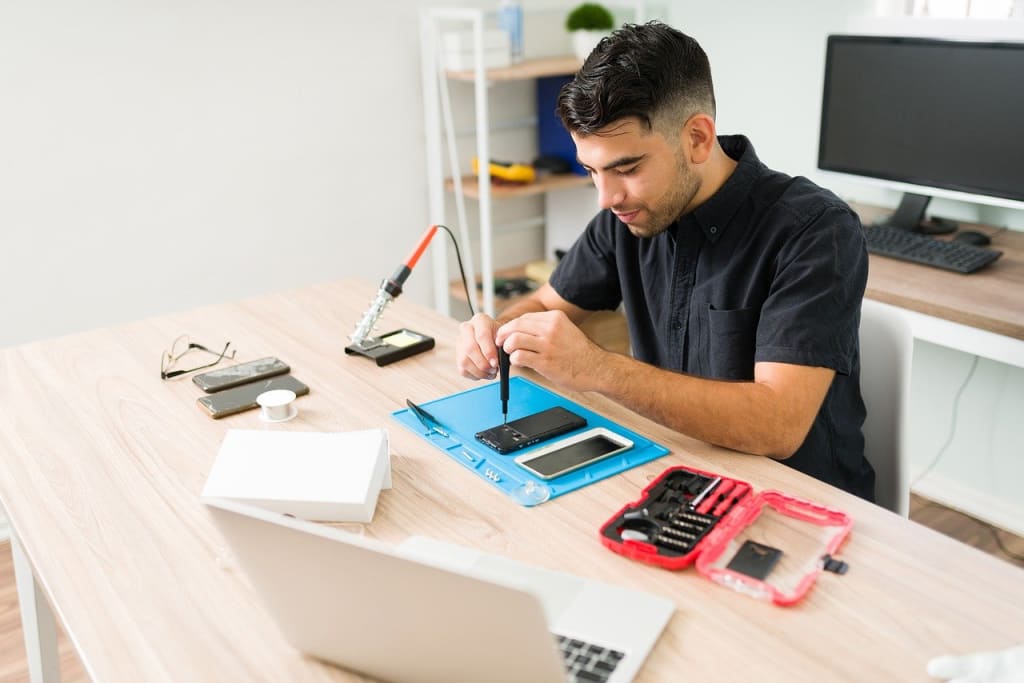
In today’s world, smartphones have become an essential part of our daily lives. From staying connected with loved ones to managing work on the go, we rely heavily on these devices. However, like any piece of technology, mobile phones are prone to issues. While some problems may require professional help, many can be resolved with simple fixes. In this article, we’ll explore some of the most common mobile phone issues and how you can troubleshoot them.
1. Slow Performance
One of the most frustrating issues is a sluggish phone. Over time, devices tend to slow down due to overloaded storage, outdated software, or background apps consuming resources.
How to Fix It:
• Clear Cache and Unused Apps: Go to your settings and clear the cache regularly. Delete apps you no longer use.
• Update Software: Keeping your phone’s software up to date can significantly boost performance, as updates often include bug fixes and improvements.
• Restart Your Phone: A simple restart can clear background processes and refresh your device.
2. Battery Draining Quickly
Excessive battery drain is a common complaint among smartphone users. It often happens due to background apps, high screen brightness, or battery-hungry features.
How to Fix It:
• Reduce Screen Brightness: Lowering brightness or enabling auto-brightness can save power.
• Close Background Apps: Manually close apps running in the background, as they consume battery even when not in use.
• Enable Battery Saver Mode: Most phones offer a power-saving mode that extends battery life by limiting background activity.
3. Overheating
Phones tend to overheat when used for prolonged gaming, video streaming, or while charging with incompatible chargers. Overheating can damage internal components if not addressed.
How to Fix It:
• Avoid Using While Charging: Using your phone while charging generates more heat.
• Remove the Case: Some cases trap heat. Removing it can help your phone cool down faster.
• Close Power-Intensive Apps: Apps like games or navigation tools consume more power, causing your device to heat up. Close them when not in use.
4. Cracked Screen
A cracked screen is one of the most common physical issues. While it doesn’t always affect functionality, it can worsen over time.
How to Fix It:
• Use a Screen Protector: If the crack is minor, applying a screen protector can prevent further damage.
• DIY Repair Kits: For small cracks, you can use DIY repair kits available online. However, be cautious when applying them.
• Professional Repair: For major cracks, it’s best to seek help from a trusted service provider like LYK Repair.
5. Connectivity Issues (Wi-Fi, Bluetooth, or Data)
Struggling with Wi-Fi or Bluetooth connectivity can be annoying, especially when you rely on them for work or entertainment.
How to Fix It:
• Toggle Airplane Mode: Turning airplane mode on and off can reset your phone’s network connection.
• Restart the Router: If the issue is Wi-Fi-related, restart your router.
• Forget and Reconnect: For Bluetooth or Wi-Fi, forget the network or device and reconnect.
6. Unresponsive Touchscreen
An unresponsive touchscreen can make it impossible to use your phone properly. This often happens due to software glitches or physical damage.
How to Fix It:
• Restart Your Phone: A quick reboot can fix temporary glitches.
• Clean the Screen: Sometimes, dirt or oil buildup can reduce screen sensitivity.
• Check for Physical Damage: If the screen is still unresponsive, physical damage could be the cause, and you may need professional repair.
7. App Crashes and Freezes
Apps crashing unexpectedly or freezing can be incredibly frustrating. This can happen due to outdated apps, insufficient storage, or compatibility issues.
How to Fix It:
• Clear App Cache: Go to settings > apps > select the app > clear cache.
• Reinstall the App: If clearing the cache doesn’t work, uninstall and reinstall the app.
• Free Up Storage: Lack of storage can cause apps to crash. Delete unnecessary files or apps to free up space.
8. Water Damage
Accidental water exposure is a nightmare for smartphone users. While not all devices are water-resistant, you can take immediate action to minimize damage.
How to Fix It:
• Turn Off the Phone: Immediately power off your device to prevent short circuits.
• Dry the Phone: Use a microfiber cloth to dry the exterior. Place the phone in a bag of uncooked rice or silica gel packets to absorb moisture.
• Professional Repair: If the phone doesn’t turn on, seek assistance from a repair service like LYK Repair.
Conclusion
Mobile phone issues are common, but with the right knowledge, many of them can be easily fixed. Whether it’s a sluggish device, poor battery life, or physical damage, applying these simple solutions can save you time and money. However, for complex problems or physical damage, it’s best to rely on professional repair services. By maintaining your device properly and addressing issues promptly, you can extend its lifespan and keep it running smoothly.
About the Creator
Steve John
I’m a writer with a passion for exploring diverse topics, from education and lifestyle to health and wellness. I aim to provide readers with valuable insights and practical guidance across various subjects..
Keep reading
More stories from Steve John and writers in Geeks and other communities.
Common Smartphone Issues and Quick Fixes Before Visiting a Repair Shop
Smartphones have become an essential part of our daily lives, helping us stay connected, organized, and entertained. However, like any piece of technology, they are prone to issues. While some problems require professional repair, many can be resolved with simple fixes. In this article, we’ll cover common smartphone issues and practical solutions you can try at home before heading to a repair shop.
By Steve John12 months ago in Geeks
Chess the Musical Back on Broadway!
Have I ever mentioned how much of a fan of the musical Chess I am? I know the answer is “No,” because if it were “Yes,” this one-off story of my day, taking a nibble out of the Big Apple, would become Chapter 327 of my new novel Bishop’s Gamble: The Chess Variations of the ABBA Musical.
By Meredith Harmon2 days ago in Geeks




Comments
There are no comments for this story
Be the first to respond and start the conversation.