
The Smarter Home Office: How to Design a Workspace That Supports Health and Productivity
Home Improvement
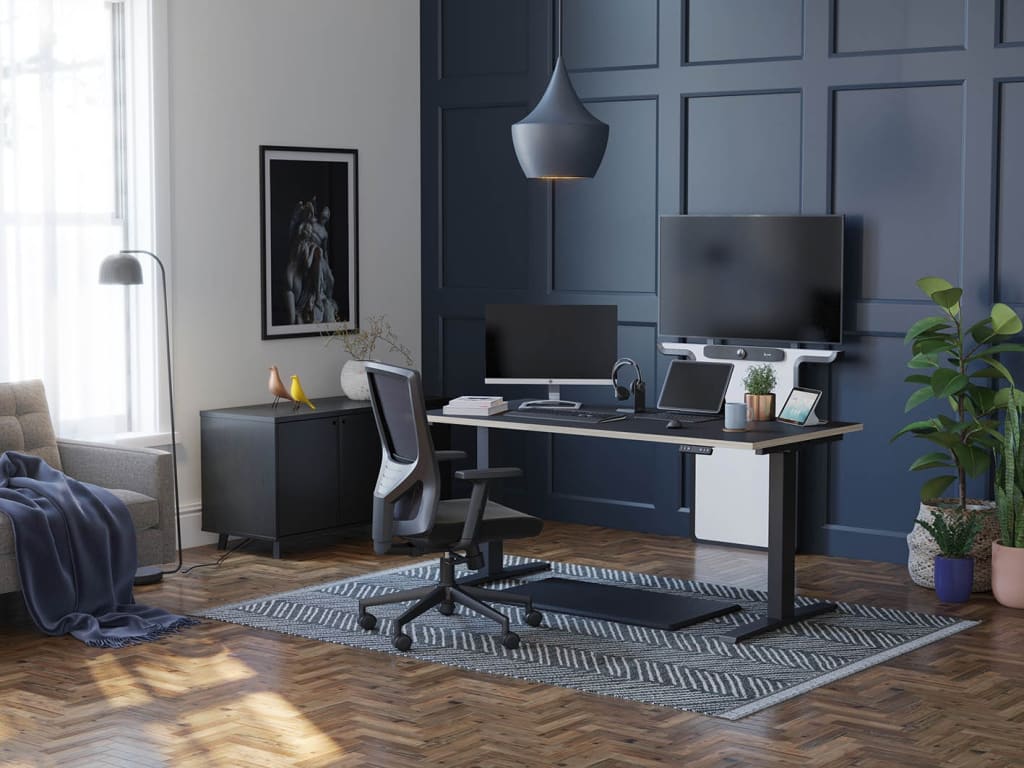
Since 2020, remote work has gone from a temporary adjustment to a permanent fixture of modern life. But while many professionals have settled into Zoom meetings, Slack messages, and virtual whiteboards, one essential question remains: Is your home workspace really supporting your productivity and wellbeing?
The answer, for many, is no.
Dining tables doubling as desks, makeshift chairs causing back pain, and laptop screens that strain your neck—these compromises take a toll. As work-from-home continues for millions across the globe, the conversation has shifted from temporary fixes to permanent, functional solutions.
Whether you're a freelancer, hybrid worker, or small business owner, this article will help you build a setup that not only looks good but actually improves how you feel and perform each day.
1. Rethinking the Home Office: It’s Not Just About a Desk
When most people think of upgrading their work setup, the first thing they look for is a “better desk.” But that’s just one part of the equation. A truly effective home workspace addresses multiple layers of your environment: ergonomics, movement, sound, lighting, and layout.
The best setups aren’t just about aesthetics—they’re about function and flow. You need a space that encourages focus, minimises discomfort, and allows you to transition between tasks without friction.
2. Ergonomics: Your Body’s Best Friend
Ergonomics is more than a buzzword. It’s a science-backed approach to configuring your tools and posture in ways that reduce strain, fatigue, and long-term injury.
A properly arranged desk can prevent common issues like neck pain, carpal tunnel, and lower back tension. The key is to bring your equipment to your body—not the other way around.
✦ The Role of Ergonomic Seating
One of the smartest investments you can make is in an ergonomic task chair. Unlike basic household seating, these chairs are engineered to support your spine’s natural curvature, provide adjustable lumbar support, and offer movement options like tilt and swivel.
A high-quality chair helps you maintain proper posture throughout the day, which has ripple effects on concentration and energy levels. It also encourages micro-movements, reducing stiffness during long sessions of focused work.
Want to explore options built specifically for long-term comfort? Check out a curated selection of ergonomic task chairs designed to adapt to your posture and working style.
3. Movement is Medicine: Why You Shouldn’t Sit Still
Sitting in one position all day isn’t just boring—it’s bad for you.
Research shows that even those who exercise regularly are still at risk for health issues if they spend too many hours sitting. That’s why many remote workers are turning to sit-stand desks, which allow them to alternate between sitting and standing throughout the day.
The benefits go beyond just comfort:
Standing promotes better circulation.
It encourages a more active posture.
It reduces the “afternoon slump” that hits around 3 p.m.
Sit-stand desks can be manual (crank-adjustable) or electric (with preset memory functions), and many models now come in compact sizes suitable for apartments and smaller rooms.
Looking for a flexible solution that fits your space and budget? Browse this range of sit-stand desks optimised for work-from-home comfort.
4. Screen Time: Avoid the Tech Neck
If you're constantly looking down at a laptop or hunching toward a monitor, you're putting unnecessary strain on your neck and shoulders. Over time, this can lead to chronic issues like cervical misalignment or even headaches.
✦ Enter Monitor Arms
Monitor arms elevate your screen to eye level, allowing you to keep your neck in a neutral position. They also:
Free up desk space by lifting your monitor off the surface.
Enable dual or triple monitor configurations for multitasking.
Improve cable management and aesthetics.
The flexibility of monitor arms makes them perfect for shared workstations or hybrid desks that serve multiple purposes.
Explore these adjustable monitor arms that help reduce eye and neck strain while upgrading your setup’s functionality.
5. Don’t Forget the Environment
A high-performance workspace doesn’t end with furniture. Your environment matters just as much.
✦ Lighting
Good lighting reduces eye strain, boosts mood, and keeps your energy levels stable. Natural light is ideal, but if that’s not possible, go for a full-spectrum LED desk lamp that mimics daylight.
✦ Acoustics
If you're constantly distracted by household noise or street sounds, consider acoustic treatments. Simple additions like a rug, curtains, or wall-mounted panels can significantly improve sound insulation and clarity—especially helpful during video calls.
✦ Air Quality
You’d be surprised how much indoor air quality impacts your ability to focus. Invest in a small air purifier to reduce allergens, or bring in a few low-maintenance plants like snake plants or peace lilies for a natural boost.
6. Design for Transitions and Boundaries
When working from home, it’s easy for boundaries to blur. You may find yourself working from bed, eating lunch at your desk, or replying to emails long after dinner.
To maintain long-term productivity and mental health, your workspace should signal when it’s time to work—and when it’s time to stop.
Some helpful ideas:
Use a dedicated room or partition (like a folding screen) to create a sense of separation.
Start and end your workday with a ritual, like turning on a specific light or playing a short playlist.
Store work materials out of sight when you're done, even if that means using a drawer or under-desk storage.
7. Bonus Tips: Small Upgrades That Make a Big Difference
Not ready for a full overhaul? Here are some quick wins to improve your setup today:
Laptop stand + keyboard combo: Elevate your screen while keeping your wrists in a neutral typing position.
Footrest: Helps maintain circulation if your feet don’t rest flat on the ground.
Cable organizers: Tidy desk = tidy mind.
Anti-fatigue mat: If you use a standing desk, this softens the pressure on your legs and joints.
Noise-cancelling headphones: Great for blocking out distractions in shared spaces.
Final Thoughts
Your work-from-home setup isn’t just a backdrop for video calls—it’s the foundation of your daily productivity, physical health, and mental clarity.
By focusing on core elements like ergonomic seating, adjustable desk height, and proper screen positioning, you can dramatically improve your performance and comfort—without waiting for your employer to offer solutions.
The good news? Building a better workspace doesn’t require a huge budget or a complete remodel. With a few smart investments and design tweaks, your home office can become a space you enjoy entering each morning—and leaving at the end of a job well done.
About the Creator
Keep reading
More stories from Zair Fateh Ali and writers in Feast and other communities.
Planning the Perfect Outdoor Christmas Display for Your Home
Introduction The holiday season brings a magical atmosphere to neighborhoods around the world. Families take pride in transforming their homes into festive displays filled with lights, ornaments, and seasonal decorations. Outdoor Christmas decorating has become more than a tradition—it's now a way for homeowners to express creativity, celebrate the season, and spread joy. Whether you’re decorating for the first time or looking to improve on last year’s setup, planning an organized and thoughtful approach to your outdoor display can make a big difference. From lighting arrangements to lawn figures, every element contributes to a festive and welcoming holiday scene.
By Zair Fateh Ali7 months ago in Futurism
My Tous les Jours Trip
As someone who lives in a rural area, I don't get the chance to visit fancy restaurants or bakeries that often. So, when a friend told me about a French-Asian bakery that's less than an hour away, I knew I had to check it out and grab some pictures for social media. Tous les Jours ended up providing an immersive experience that went above and beyond my expectations--although I did leave with a few reservations.
By Kaitlin Shanks24 days ago in Feast
Australia Mayonnaise Market Strengthens on Steady Consumer Demand for Convenience and Healthy Variants
The Australia mayonnaise market has been expanding steadily in recent years, driven by shifts in consumer eating habits, the rising demand for convenient food products, and innovation in flavor and product formulations. According to IMARC Group, the market reached USD 269.3 Million in 2025, and is expected to reach USD 371.2 Million by 2034, registering a compound annual growth rate (CAGR) of 3.63% over the 2026–2034 forecast period.
By Rashi Sharma4 days ago in Feast




Comments
There are no comments for this story
Be the first to respond and start the conversation.