
Best Monitor for MacBook Pro in 2025
A practical, friendly guide to picking the perfect monitor that keeps up with your MacBook Pro’s performance and your daily workflow.


Have you ever tried editing photos, coding, or juggling multiple apps on your MacBook Pro screen and felt like you were running out of space? That was me not too long ago. I love my MacBook Pro it’s sleek, powerful, and the Retina display is gorgeous. But after a few late nights squinting at a 14-inch screen while switching between Lightroom, Safari, and Slack, my eyes felt like they were begging for mercy.
That’s when it hit me: my MacBook deserved a bigger, better companion. Not just any monitor, but one that could keep up with Apple’s stunning display quality, accurate colors, and smooth performance. So I went down the rabbit hole of research, tested a few options, and learned (sometimes the hard way) what actually makes a monitor great for MacBook Pro in 2025.
In this post, I’m sharing that journey with you the good, the bad, and the “why didn’t I do this sooner?” moments so you can find the perfect monitor without wasting time or money.
3. My Top 3 Monitors for MacBook Pro in 2025
Here are the three monitors I’ve used (or currently own) that I think are worth your money this year.
Apple Studio Display
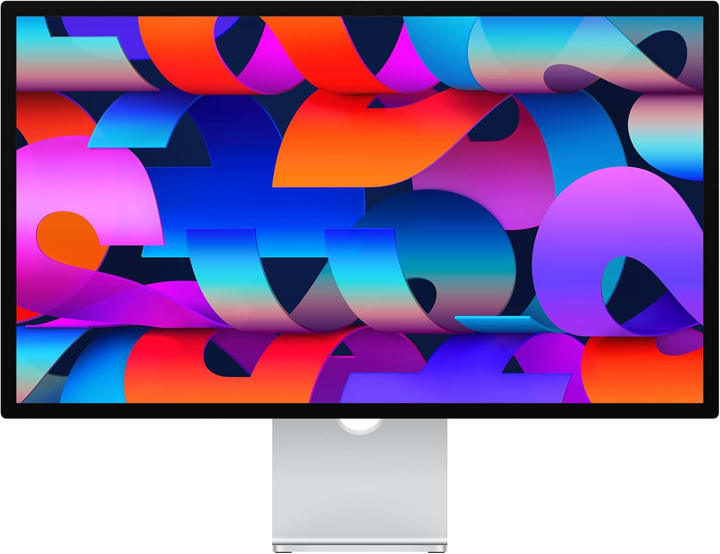
The first time I connected my MacBook Pro to the Apple Studio Display, I had one of those “ah-ha” moments. Everything looked right the text was sharp, the colors matched perfectly, and macOS scaling was flawless.
Key Features:
27-inch 5K Retina display (5120×2880)
P3 wide color gamut, True Tone, 600 nits brightness
Thunderbolt 3 with 96W charging
Built-in 12MP Center Stage webcam + Spatial Audi
Who Is It Best For?
Apple enthusiasts, designers, and anyone who wants a plug-and-play setup without compromises.
What surprised me was how good the speakers are. I didn’t expect to use built-in monitor speakers, but for casual music or Zoom calls, they’re excellent.
Pros:
Perfect scaling with macOS
Great built-in speakers and webcam
Sleek design that matches your MacBook
Cons:
Expensive
Limited to 60Hz
LG UltraFine 5K
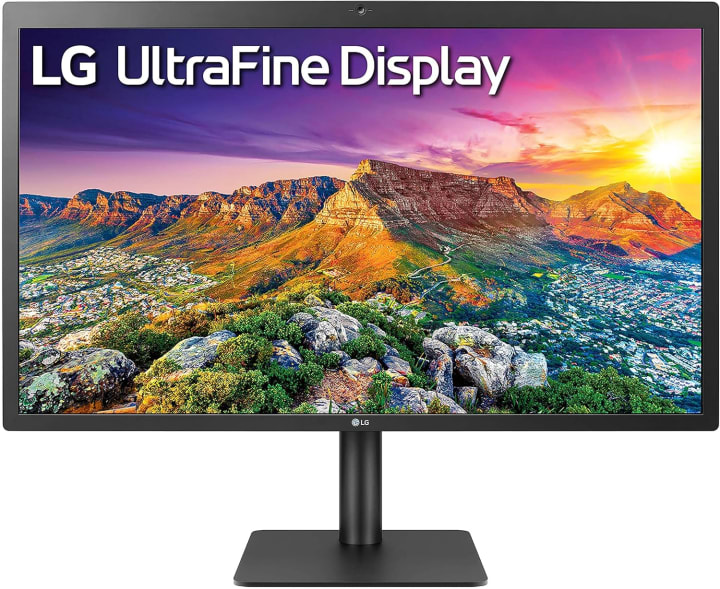
The LG UltraFine 5K doesn’t look flashy, but it just works. I used this monitor for months, and honestly, I almost forgot it wasn’t made by Apple. The resolution is perfect for macOS, and the colors are vibrant and accurate.
Key Features:
27-inch 5K resolution (5120×2880)
P3 wide color gamut, 500 nits brightness
Thunderbolt 3 + USB-C ports
Adjustable stand
Who Is It Best For?
Professionals who want Retina-quality visuals without paying Apple Studio Display prices.
When I used it for photo editing, I trusted the colors right away. No second-guessing. That saved me a ton of time.
Pros:
Sharp Retina-like display
Strong color accuracy
Better value than Apple Studio Display
Cons:
Plain design
Mediocre built-in speakers
Dell UltraSharp U3223QE
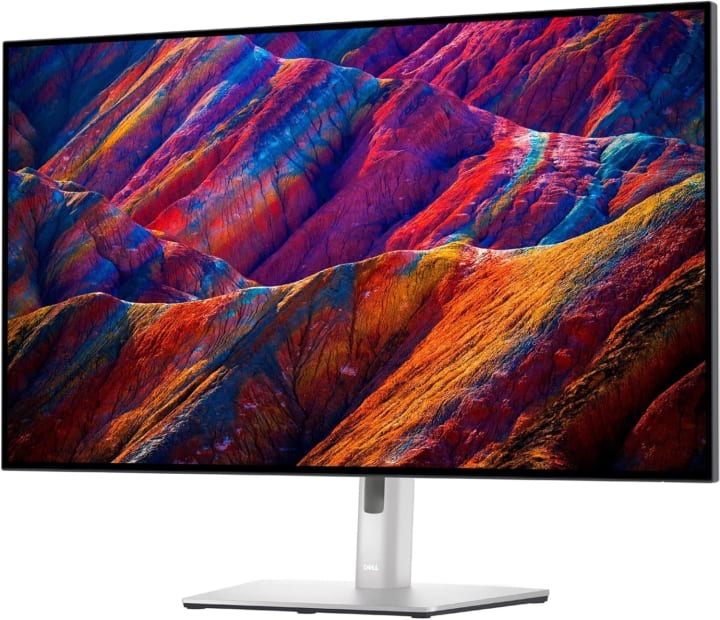
If you want more screen real estate without breaking the bank, the Dell UltraSharp U3223QE is a gem. I tested this at a co-working space, and it immediately made multitasking easier.
Key Features:
32-inch 4K display
IPS Black panel for deeper contrast
Built-in KVM switch + USB-C hub
USB-C with 90W Power Delivery
Who Is It Best For?
Professionals who multitask across multiple windows or want a balance of quality and affordability.
What surprised me was how much the IPS Black panel improved dark mode. Black text on a white background looked sharper, and watching videos felt more immersive.
Pros:
Big screen without being overwhelming
Great contrast for an IPS panel
Tons of connectivity options
Cons:
Not as sharp as 5K/6K monitors
Business-like design (not as stylish)
1. The Moment I Realized I Needed a Monitor for My MacBook Pro
You know that feeling when you love your MacBook Pro but wish the screen was just a little bigger? That was me a few months ago. I was editing photos for a client on my 14-inch MacBook Pro, juggling Lightroom, Safari, and Slack all at once. By the end of the day, my eyes were strained, and my neck felt like I’d been staring down at a book for hours.
That’s when I told myself: I need a bigger screen.
But not just any screen. I wanted a monitor that looked as crisp as Apple’s Retina display, had the same accurate colors, and wouldn’t make me fiddle with adapters. That’s how my search for the best monitor for MacBook Pro in 2025 began.
2. What Makes a Monitor “The Best” for MacBook Pro in 2025?
Over the last year, I tested, borrowed, and even bought a couple of monitors to see what worked best. Here are the key things I learned to look for:
Resolution and Retina Match
If you’ve ever used a cheap 1080p monitor with your MacBook Pro, you know what I mean: the text looks fuzzy, the scaling feels off, and it just doesn’t feel “Mac-like.” For MacBooks, 4K is the minimum, but 5K and 6K monitors are ideal because they match Apple’s Retina scaling perfectly.
Color Accuracy and Brightness
I do photo editing and a bit of video work, so color accuracy matters a lot to me. Look for monitors with wide color gamut (P3 or AdobeRGB), HDR support, and factory calibration. Brightness of at least 500 nits is a good benchmark.
Size and Ergonomics
I’ve found 27–32 inches to be the sweet spot. Big enough to multitask but not so huge that it takes over my desk. Bonus points if the stand is height adjustable or supports VESA mounts.
Connectivity (Thunderbolt, USB-C, HDMI)
Nobody likes dongle chaos. A monitor with USB-C or Thunderbolt 3/4 makes life easier one cable for video, power, and data.
Refresh Rate and Smoothness
I’m not a hardcore gamer, but I do notice the difference between 60Hz and 120Hz scrolling. If you like smooth animations or plan to play games on the side, consider higher refresh rates.
4. Mini Buyer’s Guide: Matching Monitors to Your Workflow
Here’s how I’d break it down based on my experience:
If you’re a designer or creative pro: Apple Studio Display or LG UltraFine 5K.
If you want space for multitasking and productivity: Dell UltraSharp U3223QE.
If you value aesthetics and seamless integration: Apple Studio Display wins every time.
Tip: Don’t skimp on ergonomics. A monitor arm can make your setup cleaner and more comfortable.
5. FAQs: Real Questions, Honest Answers
Q: Can I use any monitor with my MacBook Pro?
Yes, but not all monitors scale well with macOS. Stick with 4K or higher for sharp text and visuals.
Q: Is a 5K monitor really better than 4K for MacBook Pro?
Yes. macOS scales perfectly at 5K, so text looks sharper and smoother compared to 4K at the same size.
Q: Do I need Thunderbolt for a Mac monitor?
Not always. USB-C with DisplayPort Alt Mode works too, but Thunderbolt makes charging and connectivity easier.
Q: What size monitor works best with a MacBook Pro?
I recommend 27–32 inches. Anything smaller doesn’t feel like much of an upgrade, and anything bigger can feel overwhelming.
Q: Do monitors affect MacBook Pro performance?
No, but higher resolution monitors may use more GPU resources when running graphics-heavy tasks.
6. Final Thoughts: My Recommendation
After trying different monitors, here’s what I learned: there’s no one-size-fits-all answer.
If you want the cleanest, most seamless experience → go with the Apple Studio Display.
If you want Apple-level visuals without the price tag → the LG UltraFine 5K is a safe bet.
If you’re all about productivity and desk space → the Dell UltraSharp U3223QE is fantastic.
At the end of the day, the best monitor for MacBook Pro in 2025 is the one that makes your work (and play) easier and more enjoyable. And trust me, once you start editing, designing, or just browsing on a big, beautiful screen you’ll wonder how you ever managed without it.
Amazon Disclaimer: As an Amazon Associate, I earn from qualifying purchases at no extra cost to you.

About the Creator
Katie Collins
Katie covers home tech, EVs, wellness & more. She aims to help people make smart buying choices & reach life goals.
Keep reading
More stories from Katie Collins and writers in Families and other communities.
Best Gaming Monitors for Under $700
A few weeks ago, I was deep into a late-night gaming session. Everything was going smoothly until I realized something frustrating: my shots in Apex Legends weren’t connecting, even though I swore I was right on target. It wasn’t my reflexes it was my monitor. The refresh rate just couldn’t keep up.
By Katie Collins4 months ago in Families
Wise~Guys
— Look Behind what's in Front of You ~ Make Good Choices — Hey, So how you Doin'..! Made~Men — Mobster Movies romanticise a distinctive, elegant appearance, impeccable attire style, along with the 'Families' expressive lingo. Making their 'Bones' gave them Panache — with vintage fedoras, tailored pin-striped suits, mirror-polished wing-tip shoes adorned with tassels; with their 'Gun Moll' gorgeous dates on their arms.
By Jay Kantor18 days ago in Families
The quiet sound of families breaking
There is a kind of silence that is louder than any noise. It is the silence of a child waking in the night and realizing their parent is gone. It is the silence of a kitchen table with one chair suddenly empty. It is the silence of a home that still looks the same, but no longer feels the same. Across the United States, thousands of families live inside that silence. Not because of war. Not because of disaster. Not because of death. But because of policy.
By Kaylee Souther6 days ago in Families




Comments
There are no comments for this story
Be the first to respond and start the conversation.