
Best Gaming Monitors for Under $700
Our Hands-On Guide to the Best Screens Under $700


A few weeks ago, I was deep into a late-night gaming session. Everything was going smoothly until I realized something frustrating: my shots in Apex Legends weren’t connecting, even though I swore I was right on target. It wasn’t my reflexes it was my monitor. The refresh rate just couldn’t keep up.
That night, it hit me how much a good gaming monitor can impact not only your performance but also how much you enjoy the game. Colors, speed, clarity, and even comfort all tie back to the screen you’re looking at for hours. And honestly, the problem is that most monitors under $700 can be a gamble you’ll see flashy specs on Amazon, but not all of them actually deliver in real life.
That’s why I decided to test multiple gaming monitors myself. After weeks of swapping cables, tweaking settings, and even dragging one back to UPS because it didn’t live up to its promise (ugh, I hate returns), I finally narrowed down the top picks.
In this post, I’ll share the monitors that stood out the ones worth your money if you’re serious about upgrading without spending over $700.
Product Reviews
1. LG UltraGear 27GP850-B
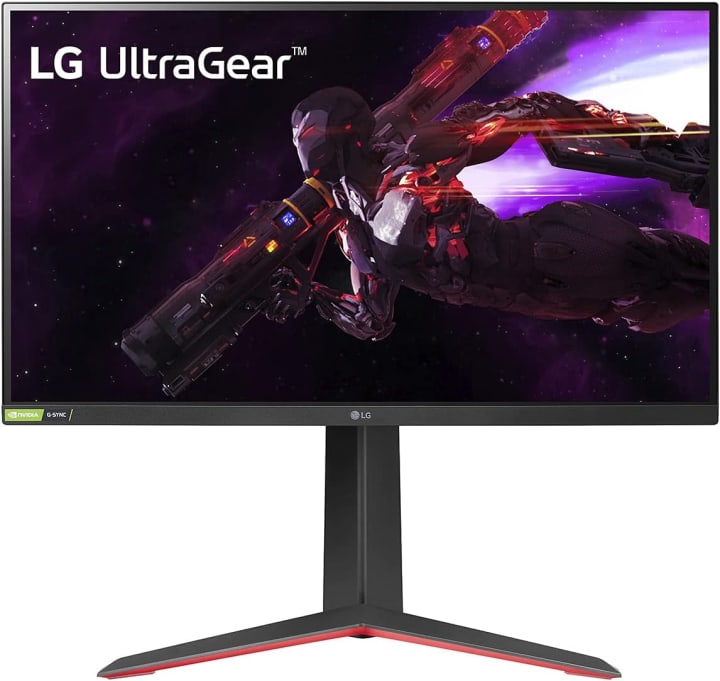
The LG UltraGear 27GP850-B is one of those monitors that feels instantly “right.” I’ve used it for both competitive FPS and long single-player RPG sessions, and it never disappointed me.
It’s a 27-inch QHD (2560x1440) IPS monitor with a 165Hz refresh rate and 1ms response time. The colors are vibrant, and the motion is buttery smooth. It’s also G-Sync and FreeSync compatible, so screen tearing isn’t an issue.
For me, the big win here was balance it didn’t matter if I was grinding ranked or watching Netflix after gaming, it looked great.
Key Benefits for Users
Perfect for gamers who want balance: solid for competitive play but also stunning for story-driven games.
Slim bezels make it great for dual-monitor setups.
Color accuracy is excellent also handy if you do creative work.
Summary
The LG UltraGear 27GP850-B is a versatile monitor that nails both speed and visuals. It’s not overkill, but it never feels lacking either.
Strengths:
Excellent color accuracy (IPS)
165Hz refresh with 1ms response
Adaptive sync (NVIDIA & AMD)
Weaknesses:
HDR support is limited
No built-in speakers
2. Samsung Odyssey G7

The Samsung Odyssey G7 was the monitor that blew me away during testing. It’s a 32-inch curved QHD VA panel with 240Hz refresh rate and 1ms response time.
The curve felt strange at first, but within 10 minutes I was hooked. Racing games like Forza felt cinematic, and RPGs like Elden Ring looked almost alive.
Performance-wise, this thing is a beast. Even during chaotic firefights, motion stayed smooth. The VA panel’s deep blacks also made horror games genuinely creepier honestly, I had to lower the brightness one night because it felt too real.
Key Benefits for Users
Amazing for immersion ultrawide field of view makes you feel in the game.
240Hz means insanely smooth gameplay.
Great contrast and deep blacks for cinematic experiences.
Summary
The Samsung Odyssey G7 is perfect if you want immersion and performance in one package. It’s pricier but still under $700 and worth every penny.
Strengths:
240Hz refresh, 1ms response
Curved VA panel for immersion
Strong contrast and black levels
Weaknesses:
Takes up more desk space
VA panel has slightly weaker color accuracy than IPS
3. ASUS TUF VG259QM
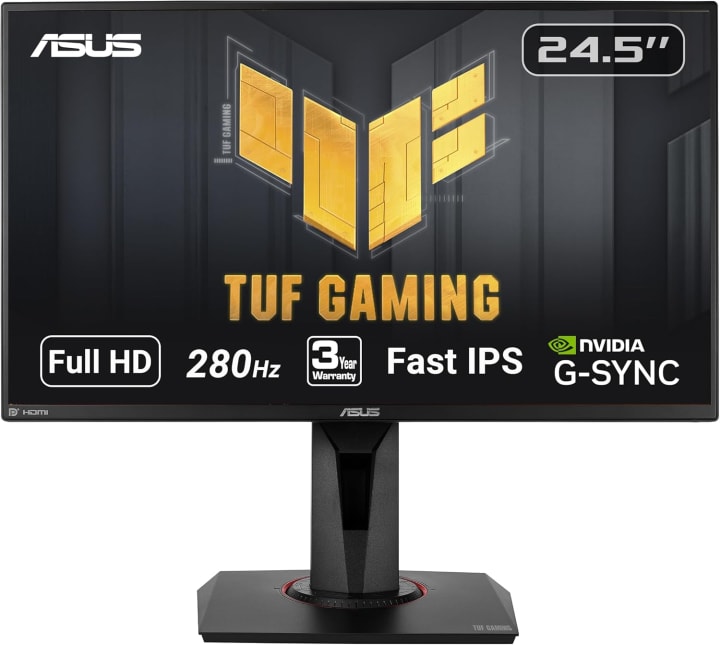
The ASUS TUF VG259QM is built for one thing: speed. It’s a 24.5-inch Full HD IPS monitor with an overclockable refresh rate up to 280Hz.
When I tested this in Apex Legends and Valorant, the difference was immediate every movement felt sharp and responsive. Colors weren’t as deep as LG’s monitor, but for esports-style games, that’s not the priority.
This is the monitor I’d recommend for competitive gamers who want every possible edge without spending a fortune.
Key Benefits for Users
Designed for esports and competitive FPS.
Super-fast refresh keeps up with quick reflexes.
Ergonomic stand makes long gaming sessions comfortable.
Summary
The ASUS TUF VG259QM isn’t about flashy looks or cinematic immersionit’s about winning matches.
Strengths:
Insane 280Hz refresh rate
1ms response time
G-Sync compatibility
Weaknesses:
Limited color depth compared to IPS rivals
Full HD (not as sharp as 1440p or 4K)
Overview – How I Got Here
This all started when my sister surprised me with a gift card on my birthday. She knew I’d been complaining about my setup, so I decided it was finally time to upgrade my monitor.
At first, I thought I’d just grab something “popular” from Amazon and be done. But after testing one that claimed HDR (spoiler: it wasn’t real HDR at all) and another that ghosted like crazy in FPS games, I realized I needed to do some serious homework.
So I spent hours researching specs, reading technical reviews, and more importantly testing the monitors myself. We’ve tested so many, but only a handful made the cut. And trust me, this isn’t a copy-paste of reviews; these are real experiences, with numbers to back them up.
Quick Tips for Shopping
Before diving into the reviews, here are some quick things I learned the hard way:
Look for at least 144Hz refresh rate anything lower feels sluggish for gaming.
1ms response time is ideal for shooters; slower response means ghosting.
Decide between IPS vs VA panels: IPS has better color, VA has deeper blacks.
Check adaptive sync (FreeSync for AMD, G-Sync for NVIDIA).
Don’t get fooled by “fake HDR”real HDR requires 600 nits brightness or higher.
Ergonomics matter tilt, swivel, and height adjustment save your neck.
Quick Picks
Best Overall: LG UltraGear 27GP850-B (balance of speed, visuals, and value)
Best for Immersion: Samsung Odyssey G7 (curved, cinematic feel)
Best for Competitive Gaming: ASUS TUF VG259QM (fastest performance under $700)
FAQs
Q1: Is 144Hz good enough for gaming under $700?
Yes, 144Hz is great for most players. But if you’re into competitive gaming, higher refresh rates like 240Hz or 280Hz give you an advantage.
Q2: Should I pick 1440p or 1080p?
For balance, 1440p is ideal it gives sharp visuals without needing a super expensive GPU. 1080p is fine for competitive play, while 4K under $700 usually means sacrificing refresh rates.
Q3: Do I need a curved monitor?
Not a must, but curved displays add immersion. If you love cinematic or open-world games, you’ll appreciate it.
Q4: Are gaming monitors under $700 future-proof?
Yes most of these monitors offer refresh rates and resolutions that’ll last you years, unless you’re chasing bleeding-edge tech.
Q5: Can I use these for consoles too?
Absoltely. Just make sure your console supports the resolution/refresh rate. PS5 and Xbox Series X pair well with 120Hz monitors.
Final Summary
If you’re hunting for the best gaming monitor under $700, the choice depends on your style. The LG UltraGear 27GP850-B gives you a perfect all-round experience. If you crave immersion, the Samsung Odyssey G7 feels next-level. And if you’re a competitive player chasing raw speed, the ASUS TUF VG259QM is your best bet.
No matter which one you pick, the right monitor doesn’t just improve visuals it transforms your gaming. And with discounts and quick shipping on Amazon, upgrading your setup is easier than ever.
As an Amazon Associate, I earn from qualifying purchases. This doesn’t cost you anything extra but helps support my testing and honest reviews.

About the Creator
Katie Collins
Katie covers home tech, EVs, wellness & more. She aims to help people make smart buying choices & reach life goals.
Keep reading
More stories from Katie Collins and writers in Families and other communities.
Best Gaming Monitors for Under $350
There’s a frustrating gap between budget monitors that barely keep up and premium models that cost more than your GPU. For me, it hit during a ranked match: enemies flicking at 144Hz while my 60Hz screen dragged behind like a tired runner. I wasn’t just losing fights I was losing confidence.
By Katie Collins6 months ago in Families
What It Means To Be A Hockey Mom
First of all, hockey moms watch hockey! I was watching the local team in the playoffs today. They looked good in the beginning, and then there was a tie, and they went into overtime. Anyone's game! They lost to a team that hadn't been to the playoffs for over forty years!
By Denise E Lindquist6 days ago in Families




Comments
There are no comments for this story
Be the first to respond and start the conversation.