

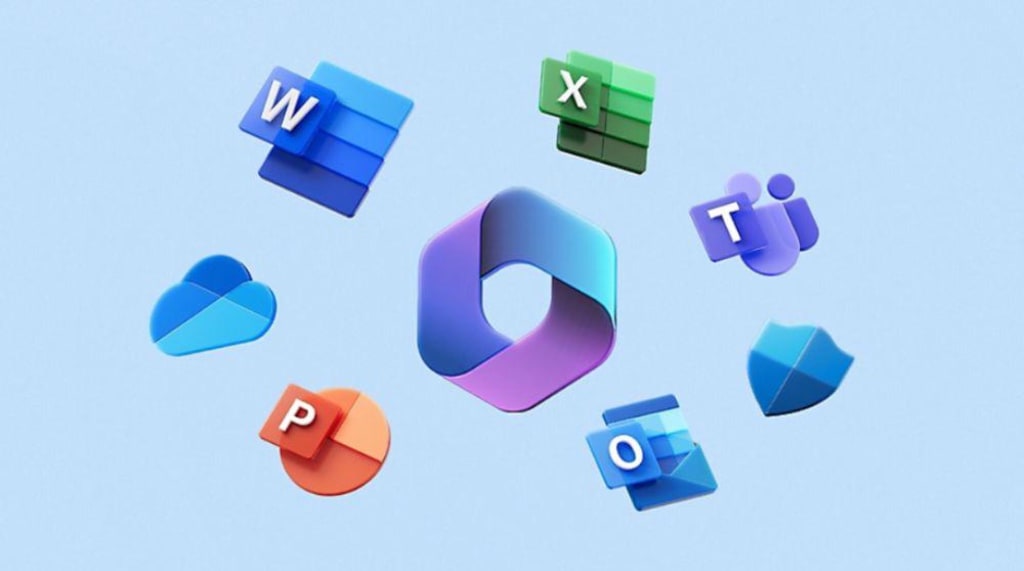
In today's fast-paced world, staying productive and organized is crucial, whether you're working from home, running a small business, or managing a larger office. Microsoft 365 offers a comprehensive solution that can help you achieve just that. With a subscription to Microsoft 365, you're not just getting access to a suite of productivity tools; you're gaining a powerful platform designed to enhance your efficiency and collaboration. Let's dive into what makes Microsoft 365 stand out and how it can benefit you.
- What Is Microsoft 365?
Microsoft 365 is an advanced cloud-based productivity platform that brings together a range of essential applications and services. It's more than just a collection of apps—it's a unified ecosystem that keeps you connected, organized, and efficient. Whether you’re a home user, a business owner, or part of a larger organization, Microsoft 365 offers a tailored solution to meet your needs.
- Key Features of Microsoft 365
Access to the Latest Productivity Apps
With a Microsoft 365 subscription, you get the latest versions of popular productivity apps. These include:
Microsoft Teams: Perfect for collaboration, Teams lets you chat, video call, and share files all in one place.
Word: The classic word processor for creating and editing documents.
Excel: Ideal for handling spreadsheets, analyzing data, and creating charts.
PowerPoint: Useful for designing presentations that make an impact.
Outlook: A powerful email and calendar tool to manage your communications and schedule.
OneDrive: A cloud storage solution that keeps your files accessible from anywhere.
These tools are not just for personal use; they also integrate seamlessly for team projects and business operations.
- Multi-Device Installation
One of the standout features of Microsoft 365 is the ability to install the apps on multiple devices. You can use Microsoft 365 on:
PCs: For a full desktop experience.
Macs: For Apple users who need powerful productivity tools.
Tablets: For working on the go.
Phones: For accessing documents and collaborating from anywhere.
This flexibility ensures that you can stay productive no matter where you are or what device you’re using.
1 TB of OneDrive Cloud Storage
OneDrive is Microsoft’s cloud storage service, and with Microsoft 365, you get 1 terabyte (TB) of space. That’s a massive amount of storage for your documents, photos, and other files. The benefits of cloud storage include:
Accessibility: Access your files from any device, anywhere with an internet connection.
Backup: Keep your files safe and secure, reducing the risk of data loss.
Sharing: Easily share files with others and collaborate in real-time.
Regular Feature Updates and Upgrades
Microsoft 365 ensures you always have the latest features and improvements. Unlike one-time purchases of software, which may become outdated, a subscription to Microsoft 365 means you’ll automatically receive updates and new features. This continuous improvement keeps your tools up-to-date with the latest advancements and security enhancements.
- Benefits for Different Users
For Home Users: Microsoft 365 helps you manage your personal projects, from writing documents and making presentations to storing family photos and videos securely in the cloud. With apps like Word and Excel, you can also tackle various tasks such as budgeting and creating reports.
For Small Businesses: Microsoft 365 is a game-changer for small businesses. It provides professional-grade tools that help streamline operations, enhance collaboration, and ensure you have access to the latest technology. Features like Teams facilitate communication and project management, while OneDrive ensures your business documents are always available and protected.
For Larger Organizations: In a larger office setting, Microsoft 365 can centralize productivity tools, making it easier for teams to collaborate and share information. Admin features allow for managing user permissions, data security, and compliance, ensuring that your organization runs smoothly and efficiently.
- Getting Started with Microsoft 365
Getting started with Microsoft 365 is straightforward. Choose the plan that best fits your needs—whether it’s for home use, a small business, or a larger organization. Once subscribed, you can download and install the apps on your devices, start saving your files to OneDrive, and begin exploring the full range of features and capabilities.
In conclusion, Microsoft 365 is a robust productivity platform that offers everything you need to stay organized, collaborate effectively, and manage your tasks efficiently. With its suite of apps, multi-device compatibility, extensive cloud storage, and regular updates, it’s a valuable tool for individuals and businesses alike. Embrace the power of Microsoft 365 and experience a new level of productivity and connectivity.
About the Creator
SK
Sajawal is an 18-year-old student in Class 13, known for his curiosity and determination. With his fair complexion and thoughtful demeanor, Sajawal stands out among his peers. He is dedicated to his studies and has a passion for storytellin
Sowing Strength: How Farmer Training Breaks the Cycle of Hunger
A single factor rarely causes hunger. It is the result of interconnected challenges, including poverty, weak agricultural systems, climate change, and limited access to education. Although global food production is sufficient to feed the world’s population, millions of people still struggle to secure enough nutritious food. In many cases, those most affected by hunger are farmers themselves—individuals who work the land daily but lack the training needed to farm efficiently and sustainably.
By Convoy of Hope8 days ago in Education
SEO Education: 5 Steps to Start a Career in SEO
Is SEO still worth learning? Where should you start? It’s a fair question. And it comes up almost daily. Google updates feel constant. AI shows up directly in search results. Advice from three years ago already looks shaky. For someone new, SEO can feel unstable, maybe even risky as a career bet.
By Iryna Podliesna5 days ago in Education



Comments
There are no comments for this story
Be the first to respond and start the conversation.