
Adapting Your Agile Testing Strategies for the European Accessibility Act
Optimizing Agile Workflows for EAA Compliance

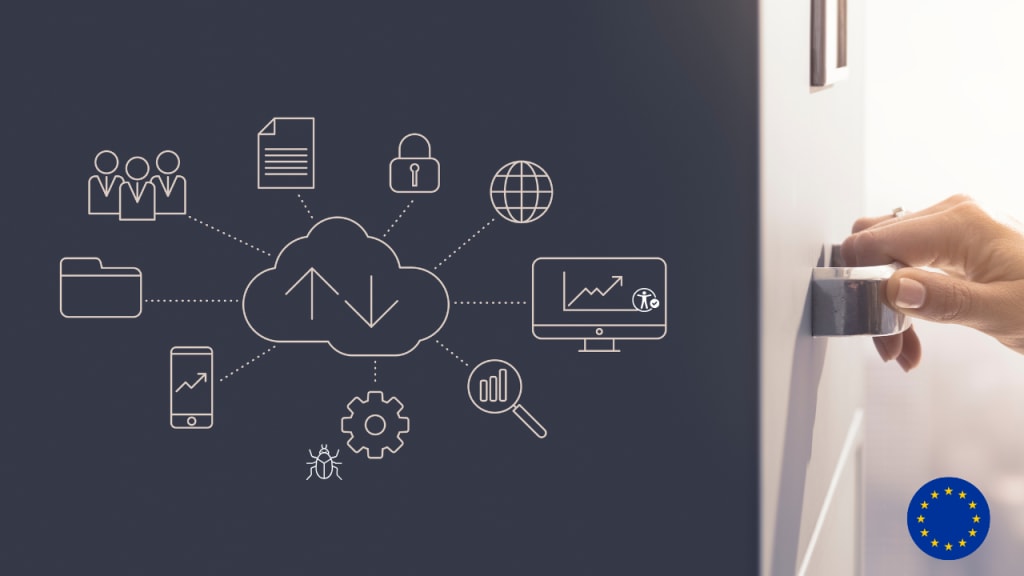
The European Accessibility Act (EAA) is a game-changer for businesses operating in Europe. It’s not just another regulation; it’s a framework designed to ensure that digital products and services are accessible to everyone, including people with disabilities. For agile teams, this means rethinking how we approach development and testing.
If you’ve ever wondered why accessibility should matter to your team or how it impacts your work, you’re in the right place. Let’s dive into what the EAA is, why it’s important, and how it affects your agile processes.
Why EAA?
The EAA aims to create a unified standard for accessibility across the EU, covering everything from websites and apps to e-commerce platforms. Non-compliance isn’t just a legal headache—it can lead to hefty fines and reputational damage.
But on the flip side, embracing accessibility opens doors to a wider audience, enhances user satisfaction, and even boosts your bottom line. So, if you’re an agile tester, developer, or manager, now’s the time to adapt your strategies to meet these new requirements.
Why Accessibility Should Be a Core Focus in Agile
Let’s face it: accessibility isn’t always top of mind in agile teams. With tight deadlines and rapid iterations, it’s easy to push it to the back burner. But here’s the thing—accessibility isn’t just about ticking boxes. It’s about creating products that work for everyone, regardless of ability.
By embedding accessibility into your agile practices, you’re enhancing the user experience for all individuals, not just those with disabilities. Plus, addressing accessibility issues early reduces technical debt, saving you time and money in the long run.
Think about it this way: fixing an accessibility issue during the design phase is far cheaper than retrofitting it after launch. And when your product is usable by everyone, you’re not just meeting compliance—you’re building trust and loyalty with your users.
Common Accessibility Challenges Faced by Agile Teams
Of course, integrating accessibility into agile workflows isn’t without its hurdles. Many teams struggle with a lack of expertise. Accessibility testing requires specific knowledge, and not everyone has access to training or resources.
Then there’s the challenge of fitting accessibility into fast-paced sprints. When you’re juggling multiple priorities, it’s tempting to deprioritise something that feels “optional.” But as we’ll see, accessibility is anything but optional under the EAA.
Adjusting Agile Testing Strategies for EAA Compliance
Embedding Accessibility Testing in Agile Workflows
One of the best ways to tackle accessibility is by making it a non-negotiable part of your process. Start by incorporating accessibility checks into your Definition of Done (DoD). This ensures that every feature or user story meets accessibility standards before it’s considered complete. Running accessibility tests in each sprint keeps issues from piling up and makes compliance feel like a natural part of your workflow.
Shifting Left: Integrating Accessibility Early
You’ve probably heard the phrase “shift left” before, but it’s especially relevant when it comes to accessibility. The earlier you catch accessibility issues, the easier—and cheaper—they are to fix.
Early testing doesn’t just reduce costs; it improves the overall usability of your product. For example, designing with screen readers in mind often leads to cleaner, more intuitive interfaces that benefit all users.
So, how do you shift left? Start with accessibility design reviews. These sessions allow designers and developers to flag potential issues before a single line of code is written. You can also use accessibility linters during development to catch common mistakes in real-time.
Automating Accessibility Testing in Agile Sprints
Automation is a lifesaver in agile environments, and accessibility testing is no exception. Tools like Axe DevTools, Lighthouse, and WAVE can help you identify common issues quickly and efficiently. By integrating these tools into your CI/CD pipelines, you can automate accessibility checks alongside other quality assurance processes. This ensures that accessibility remains a priority, even when timelines are tight.
The Role of Manual Testing and Assistive Technologies
While automation is powerful, it can’t catch everything. That’s where manual testing comes in. Using assistive technologies like screen readers and keyboard navigation tests gives you a deeper understanding of how real users interact with your product. These tests reveal nuances that automated tools might miss, helping you create a truly inclusive experience.
Best Practices for Accessibility Testing in Agile Teams
1. Creating Accessibility-Focused User Stories and Acceptance Criteria
Accessibility starts with clear communication. When writing user stories, include accessibility considerations from the get-go. For example, instead of saying, “As a user, I want to log in,” you could say, “As a user who relies on a screen reader, I want to log in using a clearly labelled form.”
Defining measurable acceptance criteria ensures that accessibility goals are met and verifiable.
2. Using WCAG Guidelines as a Benchmark
The Web Content Accessibility Guidelines (WCAG) are your roadmap to compliance. They’re organised around four principles: Perceivable, Operable, Understandable, and Robust (POUR). Aligning with WCAG 2.1 and 2.2 standards ensures that your product meets the EAA’s requirements. Use these guidelines to inform your design, development, and testing processes.
3. Collaboration Between Designers, Developers, and Testers
Accessibility is a team effort. Designers play a crucial role by ensuring that UI components are accessible from the start. Developers bring these designs to life using semantic HTML and ARIA attributes. Testers, meanwhile, run accessibility audits and report issues back to the team. When everyone works together, accessibility becomes a seamless part of your workflow.
4. Running Accessibility Audits and Reporting Issues
Regular audits are essential for maintaining compliance. Tools like Axe, Tenon.io, and Google Lighthouse can help you identify issues, but the real magic happens when you turn those findings into actionable bug reports. Be specific about the problem, its impact, and how to fix it. This clarity helps developers prioritise and resolve issues quickly.
Webinar Alert: The European Accessibility Act & Digital Compliance

Big changes are coming with the European Accessibility Act. Is your digital product or service prepared for compliance?
Date: 27 Feb 2025 | Time: 17:00–18:00 GMT
🎯 What You’ll Learn:
- ✅ Key accessibility requirements for digital services
- ✅ Compliance risks & opportunities for providers
- ✅ Practical testing roadmap & recommended tools
🔗 Register for free: https://www.eventbrite.com/o/test-evolve-57581467393
Tools and Technologies for Agile Accessibility Testing
There’s no shortage of tools to help you test for accessibility. Each tool has its strengths, so consider combining them for comprehensive coverage. Here are some Automated tools that can streamline accessibility testing:
- Axe DevTools – Browser extension for real-time issue detection
- Lighthouse – Google’s open-source accessibility audit tool
- WAVE – Visual accessibility analysis tool
- Tenon.io – API-based testing solution
- Test Evolve Spark - an advanced framework, integrates with Deque’s Axe for ADA & WCAG testing
Integrating Accessibility Testing into CI/CD Pipelines
Automation shines when it’s integrated into your CI/CD pipeline. Platforms like GitHub Actions, Jenkins, and GitLab CI allow you to run accessibility tests automatically with every build. This ensures that accessibility issues are caught early and don’t make it to production.
Leveraging AI and Machine Learning for Accessibility
AI is revolutionising accessibility testing by detecting complex issues that traditional tools might miss. AI-driven tools help detect complex issues that traditional methods may miss.
- AI-powered accessibility scanners analyse large datasets
- Machine learning models predict usability concerns for disabled users
For example, machine learning algorithms can analyse images for alt text accuracy or evaluate colour contrast ratios dynamically. While AI isn’t a silver bullet, it’s a powerful ally in your accessibility toolkit.
Conclusion
Adapting your agile testing strategies for the European Accessibility Act isn’t just about compliance—it’s about creating better products for everyone. By embedding accessibility into your workflows, shifting left, and leveraging the right tools, you can meet EAA requirements while delivering exceptional user experiences.
For teams preparing for EAA compliance, my advice is simple: start now. Build accessibility into your culture, not as an afterthought but as a core value. Encourage collaboration, invest in training, and celebrate small wins along the way.
Remember, accessibility isn’t a one-time project—it’s an ongoing commitment. And when done right, it benefits not just your users but your business too.
About the Creator
Guiding the Future: Creating Ethical Synergy Between AI and Humanity
Artificial Intelligence (AI) is no longer just a futuristic vision; it is firmly rooted in our everyday lives. From powering virtual assistants to enabling real-time language translation and predicting disease outbreaks, AI's capabilities are remarkable. However, its growing influence on society poses a crucial challenge: aligning rapid technological advancement with the foundational values that define us as humans. Now more than ever, AI ethics must stand as a pillar alongside innovation.
By Jason Pruet3 days ago in Education




Comments
There are no comments for this story
Be the first to respond and start the conversation.