
The Ultimate Guide: Using a Free AI Photo Generator for Social Media
Tired of boring stock photos? Learn how to use a free AI photo generator to create stunning, unique graphics for your social media. This guide covers everything from prompts to strategy.
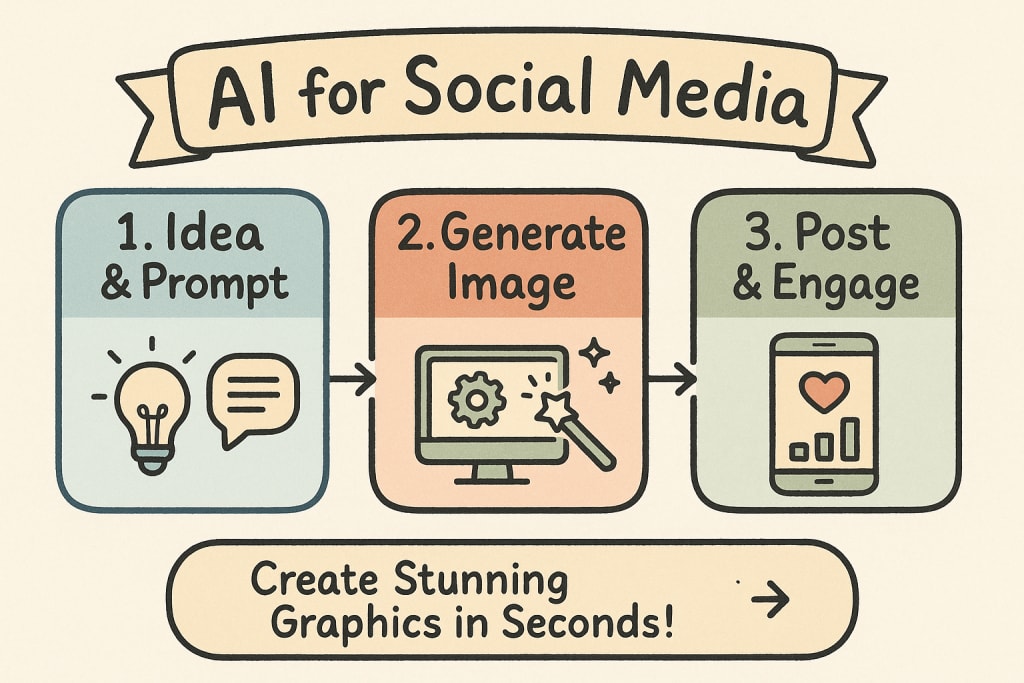
The endless scroll. A sea of sameness. As a social media manager, content creator, or business owner, you know the struggle: creating visually stunning content that stops thumbs, sparks engagement, and doesn't obliterate your budget or schedule. Stock photos feel tired, and custom graphics are time-consuming. But what if you had a secret weapon? An infinitely creative artist, available 24/7, ready to turn your ideas into captivating visuals in seconds.
Welcome to the world of the AI photo generator. This transformative technology is no longer a futuristic novelty; it's a practical, powerful tool that's democratizing design and supercharging social media strategies.
This isn't just another list of tools. This is your definitive guide to mastering the art and science of using a free AI pic generator. We'll go beyond the basics and give you a complete workflow—from crafting the perfect prompt to developing a cohesive brand aesthetic and navigating the practicalities of different generators. By the end of this post, you'll be equipped to create unique, attention-grabbing social media graphics that look professional and get results.
What is an AI Photo Generator (And Why Should You Care)?
At its core, an AI photo generator is a type of artificial intelligence that creates images from text descriptions. You type in a sentence or a series of keywords—known as a prompt—and the AI interprets your words to generate a completely new, original image.
From Text to Treasure: How It Works in Simple Terms
Imagine describing a scene to a fantastically skilled artist. You say, "A minimalist flat lay of a steaming cup of coffee on a rustic wooden table, with a MacBook and a succulent plant, morning light streaming in." The artist listens, understands the concepts of "minimalist," "steaming," and "morning light," and paints the picture.
An AI generator does this at lightning speed. It has been "trained" on billions of image-and-text pairs from across the internet, learning the relationships between words and visual concepts. When you enter a prompt, it taps into this vast knowledge to construct a pixel-by-pixel representation of your idea.
The End of Boring Stock Photos: The Social Media Advantage
Why is this a game-changer for social media?
Infinite Originality: Stop using the same stock photo as your competitors. Every image you generate is unique to your prompt, giving your brand a distinct visual identity.
Unbeatable Speed: Need an image for a last-minute post about a new product launch? You can generate dozens of options in the time it takes to search a stock photo library.
Cost-Effectiveness: Many powerful AI photo generators offer free tiers or credits, giving you access to high-quality custom visuals without the cost of a graphic designer or expensive stock photo subscriptions.
Creative Brainstorming: Stuck for an idea? Use the AI as a creative partner. Describe a concept and see what it comes up with—it can often spark entirely new campaign directions.
From Blank Canvas to Viral Post: A 5-Step Workflow
Using an AI generator effectively is more than just typing a random phrase and hoping for the best. Follow this strategic workflow to get predictable, high-quality results every time.
Step 1: Define Your Goal and Aesthetic
Before you write a single word, ask yourself:
What is this image for? (Instagram post, Facebook ad, blog header, Story background?)
What is the mood? (Playful and vibrant, professional and sleek, moody and artistic?)
What are my brand colors and style? (Do you use pastels, bold colors, minimalist design?)
Having a clear vision is the most crucial step. Write it down. Example: "I need a vibrant, eye-catching image for an Instagram post about our new summer skincare line. The mood should be fresh, sunny, and luxurious."
Step 2: Choose the Right AI Generator for the Job
Not all generators are created equal. They differ in style, complexity, and content filters.
For Beginners: Tools like Midjourney (via Discord) or DALL-E 3 (via Microsoft Copilot) are known for being user-friendly and producing beautiful, artistic results out of the box.
For Power Users: Platforms like Stable Diffusion (either locally or through web UIs) offer immense control over every variable, from the training model to the composition.
For Creative Freedom: Some platforms have strict content filters, preventing the generation of anything deemed sensitive, including certain artistic nudes, horror themes, or edgy concepts. If your brand or creative vision requires more flexibility, you may need an uncensored AI image generator. These tools provide fewer restrictions, allowing for a wider range of artistic expression, which can be crucial for artists, game developers, or brands with a more mature or avant-garde identity.
Step 3: Master the Art of the Prompt (The Prompt Engineering Formula)
Your prompt is your paintbrush. A weak prompt gives a blurry, generic image. A great prompt creates a masterpiece. Use this formula for consistently better results:
[Subject] + [Action/Setting] + [Style/Aesthetic] + [Technical Details]
Subject: The main focus. Be specific. Not "a dog," but "a golden retriever puppy."
Action/Setting: What is the subject doing and where? "A golden retriever puppy playing in a field of wildflowers at sunset."
Style/Aesthetic: This is where the magic happens. Use keywords that define the look and feel.
Artistic Styles: impressionist painting, art deco, psychedelic, steampunk, pixel art
Photography Styles: macro photography, cinematic shot, golden hour lighting, long exposure, Vogue photoshoot
Moods: serene, energetic, dreamy, nostalgic, futuristic
Technical Details: Fine-tune the output.
Composition: close-up shot, wide-angle, flat lay, top-down view
Quality: hyperrealistic, ultra-detailed, 4K, sharp focus
Engine/Renderer: Unreal Engine, Octane Render (these can add a photorealistic, CGI look)
Example Prompt Built with the Formula:
photorealistic shot of a vibrant fruit smoothie in a glass, splashing out, surrounded by fresh strawberries and blueberries on a white marble countertop, bright studio lighting, macro details, sharp focus, food photography --ar 1:1
(Note: --ar 1:1 is a common parameter for a square aspect ratio, perfect for Instagram).
Step 4: Iterate, Refine, and Upscale
Your first generation is rarely your last. Look at the four (or more) options the AI gives you. What do you like? What's missing?
Refine the Prompt: If the image is too dark, add "bright, airy lighting." If it's not realistic enough, add "hyperrealistic, photorealistic."
Use Negative Prompts: Many advanced generators allow you to specify what you don't want. Negative Prompt: blurry, distorted, extra limbs, ugly, bad anatomy. This helps clean up common AI mistakes.
Upscale: Once you have a version you love, use the platform's upscale function to generate a larger, higher-resolution version ready for use.
Step 5: Integrate into Your Graphic Design
An AI-generated image is a powerful asset, but it's often just one part of your final social media post. This is the answer to the common question, "Is there a free AI to make graphic design?"
While the AI generator creates the core visual, tools like Canva, Adobe Express, or VistaCreate are where you complete the design.
Upload your upscaled AI image.
Use the graphic design tool to add your logo, text overlays, headlines, and call-to-action buttons.
Ensure the fonts and colors of your text match your brand guidelines.
The AI is your image creator; Canva is your layout and typography tool. The combination is unstoppable.
Prompting Like a Pro: Recipes for Stunning Social Media Graphics
Let's get practical. Here are some "prompt recipes" you can adapt for common social media needs.
For Instagram Posts: Vibrant Lifestyle & Flat Lays
The goal is to be scroll-stopping and on-brand.
Prompt Recipe: Top-down flat lay photography of [Your Product], arranged neatly on a [Texture] background, surrounded by [Thematic Props], soft natural lighting, minimalist aesthetic, vibrant colors, shot on a DSLR --ar 1:1
Example: Top-down flat lay photography of a beautiful ceramic coffee mug, arranged neatly on a dark wood background, surrounded by coffee beans and a croissant, soft natural lighting, minimalist aesthetic, warm tones, shot on a DSLR --ar 1:1
For Facebook Ads: High-Contrast, Attention-Grabbing Concepts
Here, clarity and a strong focal point are key to driving clicks.
Prompt Recipe: Cinematic product shot of [Your Product] on a simple pedestal, isolated on a [Bold Color] background, dramatic studio lighting creating high contrast, sharp focus, ultra-detailed, 8k, marketing photo --ar 1.91:1
Example: Cinematic product shot of a sleek black wireless headphone on a simple pedestal, isolated on a vibrant orange background, dramatic studio lighting creating high contrast, sharp focus, ultra-detailed, 8k, marketing photo --ar 1.91:1
Creating Professional AI Headshots for Your Profiles
Yes, there are free and powerful ways to create AI headshots. Instead of specialized, often costly services, you can use a general AI photo generator with the right prompt. This requires a bit more skill but offers incredible flexibility.
Prompt Recipe: Professional corporate headshot of a [Gender/Ethnicity/Age] with [Hair Style/Color] and [Clothing], smiling confidently, in a modern office with a blurred background, soft studio lighting, sharp focus on the eyes, photorealistic, DSLR quality photo --ar 1:1
Pro Tip: For best results, some platforms allow you to upload a photo of yourself as a reference (image-to-image), which the AI can use as a stronger guide for likeness.
Beyond Single Images: AI for Full Social Media Posts
The next frontier is here. People often ask, "Is there a free AI for generating social media posts?" The answer is yes, by combining tools.
While few single platforms do everything perfectly for free, you can create a powerful "AI assembly line":
Generate the Image: Use your AI photo generator with the techniques above.
Generate the Caption: Use an AI writer like ChatGPT or Jasper. Give it the context: "Write three engaging Instagram captions for an image of a new wireless headphone. Tone: exciting and tech-focused. Include a call-to-action to 'Shop Now' and relevant hashtags."
Combine & Schedule: Put the AI image and AI text together in your preferred graphic design tool or social media scheduler.
This multi-tool approach allows you to leverage the best of AI for both visuals and copy, dramatically cutting down your content creation time.
Navigating the Practical Side: Copyright and Ethical Use
This is a critical topic. Who owns an AI-generated image? The landscape is still evolving, but here's the simple breakdown for social media use:
General Rule (as of 2024): In the U.S., works created solely by AI without significant human authorship cannot be copyrighted. This means the raw output of a prompt is often considered public domain.
Platform Terms of Service: This is what matters most for you. Read the terms of the AI generator you use. Most commercial services (both free and paid) grant you a broad license to use the images you create, including for commercial purposes like marketing and social media. They essentially give you ownership-like rights to your generations.
Ethical Use: Avoid generating images in the distinct, recognizable style of a living artist without their consent. Don't create misleading or harmful images. Use AI as a tool to enhance your own creativity, not to mimic others.
For most social media and marketing use cases, using images you generate on a commercial-friendly platform is perfectly acceptable.
Conclusion: Your New Creative Co-Pilot
The AI photo generator is more than just a novelty; it's a fundamental shift in digital creativity. It's the ultimate assistant for any social media professional, small business, or creator looking to produce a higher volume of higher-quality content.
By moving beyond simple prompts and adopting a strategic workflow, you can unlock its true potential. You can define your aesthetic, craft detailed instructions, and generate a limitless stream of on-brand visuals that capture attention and tell your story. You learned how to craft graphics, headshots, and even full posts by combining AI tools. The barrier between your creative vision and a finished, professional graphic has never been lower.
The age of generic content is over. The age of infinite, personalized creativity is here.
Call to Action
Now that you understand the strategy and the immense potential, it's time to put it into practice. A truly versatile and powerful ai photo generator gives you the freedom to experiment, refine your style, and create without limits. To explore a platform designed for maximum creative freedom, check out the powerful and flexible tools available at x-artistry.
About the Creator
Keep reading
More stories from Zenobios Tomiko and writers in Art and other communities.
Is It Real? How to Detect AI-Generated Images Instantly
In the last year, you’ve likely seen it: a stunningly detailed portrait of a historical figure, a bizarrely beautiful landscape that doesn't exist, or maybe the Pope in a high-fashion puffer jacket. The rise of the powerful ai photo generator has flooded our social media feeds and news cycles with images that blur the line between reality and digital fiction. While this technology unlocks incredible creative potential, it also demands a new kind of digital literacy. How can you trust what you see?
By Zenobios Tomiko9 months ago in Art
'Till Death We Do Art
There would be nothing divine in this world without art. Nature may surpass the divine to all intents and purposes, but like everything it absorbs and is absorbed by, it remains here, stuck on the surface of this world, ever-present, physically bound to the universe.
By Avocado Nunzella BSc (Psych) -- M.A.P 25 days ago in Art



Comments