
How to Choose the Right Scanner for 3D Scan to CAD Projects
3D scanning,CAD
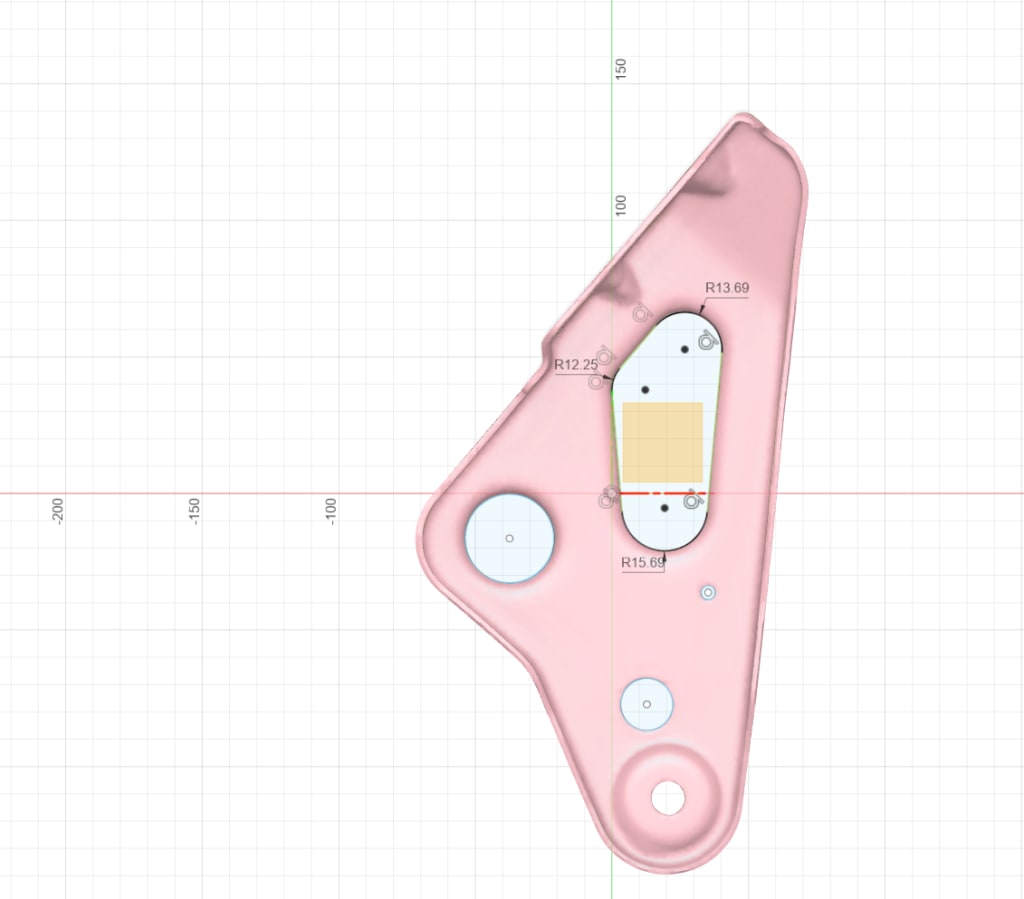
In modern engineering, manufacturing, and product development workflows, 3D scan to CAD has become a powerful and efficient solution. By digitizing physical objects and converting them into CAD models, designers and engineers can accelerate reverse engineering, product improvements, quality control, and creative redesigns.
However, choosing the right 3D scanner for a 3d scan to cad project is not always straightforward. The market offers a wide range of devices with varying features, from consumer-level tools to high-end professional equipment. Without a clear set of evaluation criteria, it's easy to select a scanner that may fall short in terms of accuracy, compatibility, or ease of use—ultimately slowing down your CAD modeling process. In this article, we'll explore the key considerations to help you select the most suitable scanner for your 3d scan to cad needs.
Understanding the 3D Scan to CAD Workflow
Before diving into device specifications, it's important to understand what “3d scan to cad” actually involves:
Data Acquisition: Capturing the physical object using a 3D scanner to generate point clouds or mesh data.
Data Processing: Cleaning up the scan with mesh reconstruction, alignment, noise removal, and simplification.
CAD Reconstruction: Importing the mesh into a CAD environment for surface fitting, sketch extraction, or parametric modeling.
Application Integration: Using the final CAD model for manufacturing, simulation, or design iterations.
Any scanner used in a 3d scan to cad workflow must therefore offer accurate data capture and strong compatibility with CAD platforms.
Define Your Scanning Scenarios and Object Types
The first step in choosing a 3D scanner is to clearly define your intended use cases:

Object Size: Large industrial parts and small mechanical components require different scanning volumes and levels of precision.
Surface Properties: Reflective, transparent, or dark surfaces can pose scanning challenges and may require specific sensors or surface treatment (like matting spray).
Environment: Will you be scanning indoors, on-site, or in a factory setting? Portability and environmental resistance can impact performance.
Understanding your typical scanning environment and object types will help you narrow down the right type of scanner for your 3d scan to cad projects.
Accuracy and Resolution for CAD Modeling
Since the goal of a 3d scan to cad process is to generate usable CAD models, the accuracy of the scan is critical. Key parameters to evaluate include:
ccuracy: Measures how close the captured points are to the real-world object. The lower the deviation (usually in millimeters), the better.
Resolution: Refers to the density of points or polygons captured per scan area. Higher resolution allows for better reconstruction of complex geometries.
Repeatability: Ensures that scans are consistent each time—an important factor for engineering workflows.
If you're conducting reverse engineering or precision manufacturing, consider scanners with accuracy in the 0.05mm range or better to ensure high-quality CAD conversions.
File Format and Software Compatibility
Different scanners export data in different formats—STL, OBJ, PLY, and WRL are common for mesh data. However, CAD environments often require STEP, IGES, or parametric formats for further design work. Therefore, it’s essential to choose a scanner that fits smoothly into the CAD workflow.

Look for scanning software that offers:
Auto-alignment and merging of multiple scan angles
Mesh reconstruction and hole filling
Tools for surface fitting and sketch extraction
Export options to major CAD platforms such as SolidWorks, Fusion 360, or Siemens NX
Some scanners come with native integration with CAD software, which can significantly streamline the 3d scan to cad process.
Usability and Automation Features
Not every user is a CAD expert or experienced 3D technician. That’s why the usability of the scanner and its accompanying software is crucial. Features like guided workflows, intuitive interfaces, and training resources can make a big difference.
In addition, AI-powered tools are increasingly being integrated into modern scanning systems. These features may include:
Automatic mesh optimization
Feature recognition
Smart CAD sketch suggestions
Such automation helps reduce the need for manual CAD modeling and speeds up the overall 3d scan to cad workflow.
Scalability and Technical Support
A high-quality scanning system is more than just hardware. Long-term usability depends on the quality of software updates, technical support, community resources, and compatibility with other tools.
Ask yourself:
Can the scanner be upgraded or adapted for different object sizes?
Does the software support scripting, SDKs, or integration with other automation tools?
Is there ongoing software support and bug fixes?
These “soft” factors can have a major impact on the success of your 3d scan to cad projects, especially over time.
Budget Planning and ROI
Finally, your budget should reflect how often and how intensively you plan to use the scanner. If you're only occasionally reverse engineering a prototype or capturing a sample object, an entry-level device might suffice. However, if you frequently convert real-world objects into CAD-ready models, investing in a reliable, high-performance system offers much greater value.
In 3d scan to cad applications—especially in engineering and manufacturing—the stability, precision, and software ecosystem of a scanner often matter more than the initial price.
Conclusion
Choosing the right 3D scanner isn’t about getting the most expensive or feature-packed device—it’s about matching the tool to your specific 3d scan to cad project needs. Start by understanding your use case, then evaluate the scanner’s accuracy, resolution, software compatibility, ease of use, and long-term support.
As technology continues to evolve, we can expect the 3d scan to cad workflow to become even more automated and intelligent. But one thing remains the same: understanding your needs and choosing the right tool is always the first step toward success.
f you're planning to launch a new 3d scan to cad initiative, use the criteria outlined in this guide to make an informed decision. Whether for reverse engineering, product development, or digital asset management, the right scanner can be a game-changer.


Comments
There are no comments for this story
Be the first to respond and start the conversation.