
How to Animate a Wedding Invite
Simply Animate a Wedding Invite

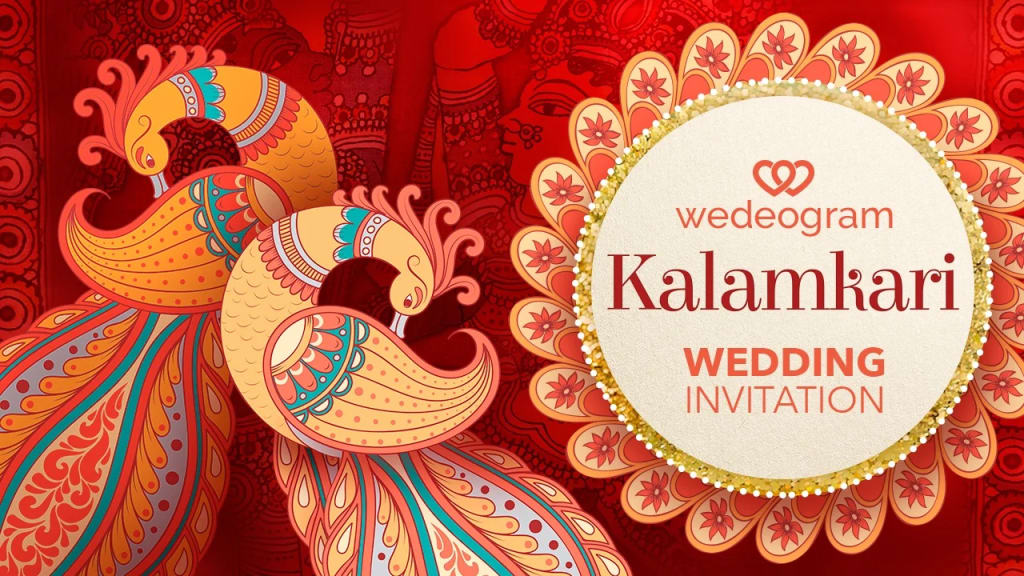
When it comes to planning a wedding, every detail matters, including the wedding invitations. In today’s digital world, couples are choosing more creative ways to share their wedding details with family and friends. One popular trend is creating animated wedding invites. Not only are these invites fun and unique, but they also allow for a personal touch that paper invitations can't always achieve.
If you're thinking about creating a wedding invite with a bit of motion and flair, this guide will walk you through the steps to animate a wedding invitation. We'll also explore how to include wedding invitations with online RSVP, making it even easier for guests to confirm their attendance. Let’s get started!
Step 1: Choose the Style and Theme
Before diving into the animation part, you need to decide on the style and theme of your wedding invite. Your wedding invite should reflect the overall vibe of your big day, whether it’s formal, casual, rustic, or modern. The animation should match this theme to create a seamless, beautiful invitation.
Here are a few things to consider:
Colors: Choose colors that match your wedding theme. Soft pastels, golds, and whites are common choices for elegant weddings, while bright colors work well for casual or modern celebrations.
Fonts: Select readable and elegant fonts for the text, ensuring they complement the style of your wedding.
Visual Elements: You might want to include graphics like flowers, rings, or even animated versions of your wedding venue or location.
Step 2: Create the Design for Your Invite
Once you have a theme in mind, it’s time to design the static version of your wedding invite. You can use online tools like Canva, Adobe Spark, or Crello, which offer easy-to-use templates. These platforms allow you to design beautiful invitations without needing professional design skills.
Make sure your design includes the following important details:
Couple’s Names: Highlight the names of the bride and groom.
Wedding Date and Time: Clearly mention when the wedding will take place.
Venue: Include the wedding location and any other important venue details.
RSVP Information: Make sure there’s a section for guests to RSVP. This is where you can integrate wedding invitations with online RSVP, making it convenient for guests to confirm their attendance digitally.
Step 3: Add Animation to Your Wedding Invite
Now comes the fun part—animating your wedding invite! There are a few simple ways to add motion to your invite:
1. Subtle Text Animations
One of the easiest ways to animate your invite is by adding subtle text animations. For example, you can make the couple’s names appear with a fade-in effect or have the wedding date and time gently slide in from the side.
2. Animated Graphics
If you have images or illustrations on your wedding invite, consider adding animations to them. A flower graphic might slowly bloom or a heart shape could pulse or glow. These small touches can add life to your invite.
3. Moving Backgrounds
Instead of a static background, you can use moving patterns or light effects. Imagine soft twinkling lights or a floating cloud background that adds elegance without being too distracting.
4. Personalized Animations
To make the invitation even more unique, you can create personalized animations, like a short video of the couple walking hand-in-hand, or a clip showing the journey leading to the wedding venue.
There are plenty of online animation tools to help you with this. Websites like Animaker, Powtoon, or Adobe After Effects provide easy-to-use features for creating animated invites.
Step 4: Incorporate Online RSVP
One of the key benefits of digital wedding invites is the ability to include an online RSVP option. This not only makes it easier for your guests to confirm their attendance, but it also helps you keep track of responses in real-time.
Here’s how to do it:
Create an RSVP Link: Use tools like Google Forms or a dedicated wedding website to create an RSVP form. Add fields for guest names, meal preferences, and any other necessary details.
Add RSVP Button: When animating your invite, add an interactive RSVP button that directs your guests to the RSVP form.
Set Up Automated Reminders: Some platforms allow you to set up automated reminder emails for guests who haven’t RSVP’d yet, making your job much easier.
Step 5: Test and Share Your Animated Wedding Invite
Once you've created your animated wedding invite and included the online RSVP, it’s time to test everything! Check how the animation looks on different devices (smartphones, tablets, laptops) to make sure everything runs smoothly.
Make sure the animations are not too fast or slow. You want them to be engaging but not overwhelming.
Test the RSVP link to ensure it works properly. Your guests should easily be able to submit their responses.
Once you're happy with how everything looks, you can share the invite. You can either email it to guests or share it via social media or wedding websites. Some couples even send their animated invites as video messages, which makes it even more personal and engaging.
Step 6: Keep Your Guests Engaged with Follow-ups
To keep your wedding top of mind, you can send follow-up emails or messages after the RSVP deadline. You can also send a reminder closer to the wedding day with additional details like parking information, dress code, and other event-related updates.
With your wedding invitations with online RSVP, managing guest responses will be a breeze, and you can focus more on enjoying your big day.
Read Also: How To Send a Free Wedding Invitations Online
Conclusion
Animating a wedding invite is a fun and creative way to share your wedding details with loved ones. By following these simple steps, you can create a unique, engaging, and personal wedding invitation that reflects your style. Plus, integrating an online RSVP option ensures that managing guest responses is hassle-free.
Remember, your wedding invite is the first glimpse your guests will get of your celebration, so make it memorable! Whether it’s through beautiful animations, interactive elements, or a simple online RSVP form, you’ll create an invitation that excites and engages everyone on your guest list. Happy wedding planning!
About the Creator
Motion Stamp
Announce your engagement party invitations in style with MotionStamp's captivating party invitations. Choose from an array of elegant templates to set the perfect tone for your celebration.
Keep reading
More stories from Motion Stamp and writers in Art and other communities.
Can We Make Digital Wedding Invitations for Free?
In today's world, weddings are becoming more modern and digital. One of the biggest changes is the way couples send out their wedding invitations online. With the rise of smartphones and computers, many couples are turning to digital wedding invitations as an easy, eco-friendly, and cost-effective way to invite their friends and family. But the big question is: Can we make digital wedding invitations for free?
By Motion Stamp11 months ago in Art
Why 316 stainless steel sculpture is the gold standard for coastal sculptures
If stainless steel sculptures are installed in coastal environments, corrosion caused by sea breezes becomes an important issue to consider. Salt in the air, high humidity, and frequent temperature changes can all accelerate surface deterioration if the material or finish is not suitable.
By Shenzhen Ruiheng Crafts5 days ago in Art




Comments
There are no comments for this story
Be the first to respond and start the conversation.