
Batang Font: A Timeless Typeface for Digital and Print Media
Batang Font

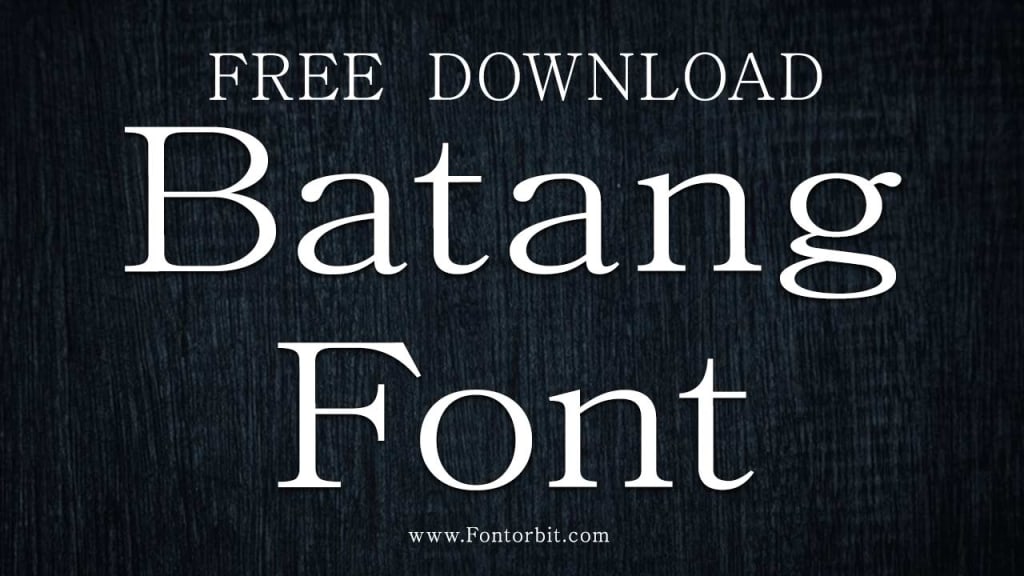
Batang font is a well-known serif typeface that has gained popularity for its readability, versatility, and aesthetic appeal. Designed with a classic style that incorporates elements of traditional calligraphy, Batang is widely used in various digital and print applications.
This article delves into the features, history, uses, and benefits of the Batang font, providing a comprehensive understanding of why it remains a preferred choice for designers and typographers.
History of Batang Font
The Batang font originates from the Korean language script and is primarily designed to support Hangul, the Korean alphabet. It also includes support for Latin characters, making it a multilingual typeface. The font’s design is inspired by traditional Korean calligraphy, incorporating elegant strokes and well-defined serifs that exude a sense of formality and tradition.
Developed as part of the Microsoft Windows operating system’s font library, Batang has been a staple in digital typography for years. Its inclusion in Windows systems has significantly contributed to its widespread usage and recognition.
Key Features of Batang Font
Serif Design: Batang features a classic serif design with sharp edges and refined details that enhance readability.
Multilingual Support: The font supports both Hangul and Latin scripts, making it versatile for global applications.
High Readability: Its clear letterforms and balanced spacing make it ideal for body text in both print and digital media.
Traditional Aesthetic: The calligraphic influence of Batang adds a touch of elegance and sophistication.
Wide Availability: As a system font in Windows, Batang is easily accessible to users worldwide.
Uses of Batang Font
Batang is commonly used in the following applications:
Books and Academic Publications: Its readability and classic design make it ideal for lengthy texts.
Official Documents: The font’s formal appearance lends credibility to official and professional documents.
Web Design: With its clean and sharp serifs, Batang is suitable for web content, especially in regions that use Hangul.
Marketing Materials: It can add a touch of elegance to brochures, flyers, and other promotional materials.
Presentations: Its clear and professional look ensures effective communication in slides and reports.
Benefits of Using Batang Font
Enhanced Legibility: Its well-spaced characters and clear serifs make reading long texts easier.
Cultural Authenticity: For Korean language content, Batang reflects a sense of cultural heritage.
Professional Appeal: The font’s traditional design is perfect for formal documents and academic writing.
Versatility: Its compatibility with multiple scripts broadens its usability across languages and regions.
Conclusion
Batang font is more than just a typeface; it is a bridge between tradition and modernity. Its ability to blend classic calligraphic elements with the requirements of contemporary typography has cemented its place in the world of design. Whether you are crafting a formal document, designing a website, or publishing a book, Batang font provides a timeless and professional touch that enhances the overall presentation.
FAQs
1. What is the Batang font?
The Batang font is a serif typeface designed to support Hangul (Korean script) and Latin characters, widely used for its readability and aesthetic appeal.
2. Where can I find the Batang font?
Batang is a default system font in Microsoft Windows, making it easily accessible on most Windows devices.
3. Is Batang font suitable for web design?
Yes, Batang’s clarity and sharp serifs make it an excellent choice for web content, especially for multilingual websites.
4. Can I use Batang font for commercial purposes?
As a system font, Batang can generally be used for personal and commercial purposes, but it is advisable to check specific licensing terms.
5. What are the alternatives to Batang font?
Alternatives to Batang include other serif fonts like Times New Roman, Georgia, and Gulim for Hangul-focused designs.
6. What is the best use case for Batang font?
Batang is best used in formal documents, academic texts, and any design requiring a professional and traditional appearance.
7. Does Batang support other languages besides Korean and English?
While primarily designed for Hangul and Latin scripts, Batang may include support for some additional characters, depending on the version.
About the Creator
Jillur Rahaman
Jillur Rahman is the creative mind behind FontOrbit. This website is a vibrant hub for typography enthusiasts. With a CSE degree and over a decade of experience in web design & development, Jillur got passion for sharing knowledge.
Keep reading
More stories from Jillur Rahaman and writers in Art and other communities.
Verdana Font: A Comprehensive Guide
Fonts play a crucial role in communication, design, and readability. Among the many fonts available, Verdana has carved a niche for itself as one of the most popular and versatile typefaces. Known for its clarity and functionality, Verdana is a favorite choice for digital and print designs alike. This article explores the origins, features, uses, and significance of Verdana, along with a conclusion and answers to frequently asked questions.
By Jillur Rahamanabout a year ago in Art
The Locked Room
The Locked Room “There are spirits in the locked room upstairs, which is why no one goes there.” This incident happened almost thirty years ago and it is something I experienced myself. At that time, I had come to Sukkur for my job. My maternal uncle lived there, so I stayed at his house for a few days until I could arrange separate accommodation. I had come to my uncle’s house after many years. In childhood, I used to visit occasionally with my mother.
By Sudais Zakwanabout an hour ago in Art



Comments
There are no comments for this story
Be the first to respond and start the conversation.