
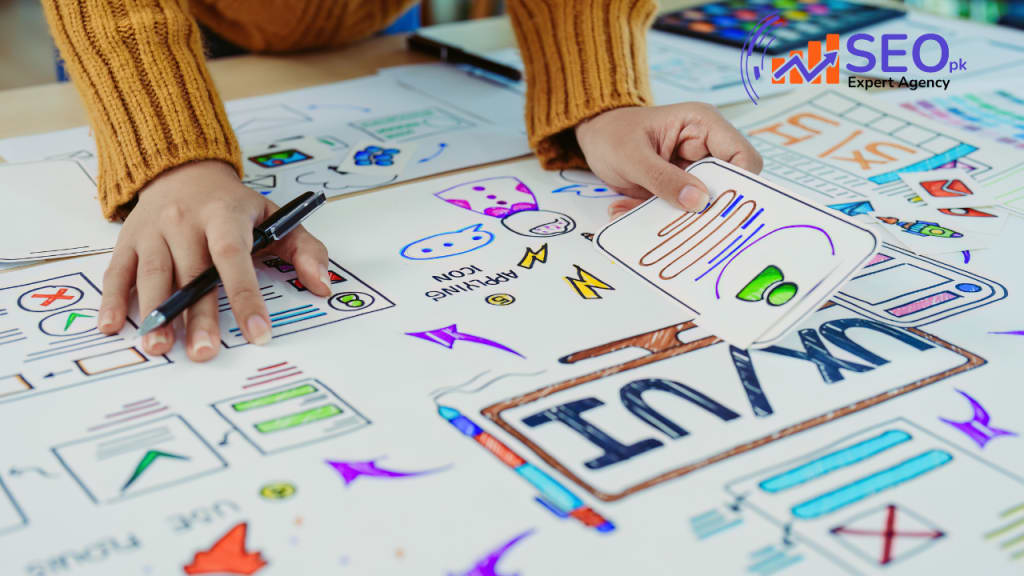
Icons play a crucial role in user experience (UX) and user interface (UI) design. They simplify communication, enhance the aesthetic appeal of applications, and guide users through interfaces. Well-designed icons can improve usability, while poor ones can confuse or mislead users. Whether you're creating icons for a website, app, or presentation, designing them effectively is essential for clarity and cohesion.
Here are five essential tips to design better icons that ensure functionality, recognizability, and scalability:
1. Keep Icons Simple
One of the cardinal rules in icon design is simplicity. Icons should quickly communicate their intended message without unnecessary complexity. Overly detailed icons can overwhelm users, especially when scaled down, making them hard to understand. A simple, streamlined icon is easier for users to interpret at a glance, even at smaller sizes.
To keep your icons simple:
- Focus on minimal shapes and essential details.
- Avoid intricate patterns or textures that clutter the design.
- Use empty space strategically to create balance and legibility.
Simplicity ensures clarity and ease of recognition, making the icon intuitive and user-friendly.
2. Make Them Recognizable
Icons should be immediately identifiable. The goal is to create visuals that represent actions, objects, or concepts that users can easily understand without explanation. For example, a magnifying glass is universally recognized as a symbol for "search," and an envelope represents "email." Using familiar, metaphorical shapes ensures that users don't have to pause and think about the icon’s meaning.
Read more About Interesting stories here
To make your icons more recognizable:
- Rely on commonly accepted iconography.
- Test your icons with users to see if they understand the meaning.
- Avoid using abstract shapes unless your brand or design requires it.
A recognizable icon will contribute to a smoother user experience and reduce cognitive load.
3. Make Sure They Are Scalable
Scalability is a key factor in icon design. Icons are often used across various contexts, from large screens to small mobile devices. They should look good and be readable at any size. Ensuring scalability means that the icon retains its clarity, proportions, and details, no matter how large or small it appears.
To ensure scalability:
- Design icons using vector graphics (more on that in Tip #5).
- Avoid relying on tiny details that could blur or disappear when resized.
- Test icons at different sizes to ensure they remain clear and recognizable at all resolutions.
Scalable icons save you from creating multiple versions for different contexts, allowing for greater consistency and flexibility.
4. Keep Icons Consistent
Consistency is essential for creating a cohesive icon set that maintains uniformity across your designs. Inconsistent icon designs can distract users and break the flow of interaction. Whether it's size, color, or line thickness, every icon in a set should follow the same design principles to ensure a seamless experience.
To maintain consistency:
- Stick to a single style throughout the icon set (outline, solid, or two-tone, for example).
- Use consistent dimensions, line weights, and proportions.
- Ensure alignment and spacing between elements are harmonious.
A consistent icon set ensures a polished, professional look and helps users become familiar with your visual language.
5. Always Use Vectors
Vectors are crucial for creating high-quality, scalable icons. Unlike raster images, which are made up of pixels, vector graphics are based on mathematical formulas, allowing them to be resized infinitely without losing quality. Whether the icon is being displayed on a high-resolution display or in a tiny corner of a mobile app, vector graphics ensure it always looks sharp.
Benefits of using vectors:
- High scalability without losing quality.
- Easy to export to various formats (SVG, AI, EPS) for different platforms.
- Modifiable and adaptable for any design need.
By using vectors, you future-proof your icons and ensure they’re ready for any design context or platform.
Conclusion:
Icon design requires a balance between aesthetics and functionality. Keeping icons simple, recognizable, and scalable, while ensuring consistency across your set, will improve both the visual appeal and the usability of your icons. Finally, always design in vectors to guarantee your icons can adapt to any size or medium without compromising quality.
By following these five tips, you’ll be on your way to creating icons that not only look great but also enhance the user experience.
About the Creator
Keep reading
More stories from Seopkexpert and writers in Art and other communities.
If you manage SEOs, here are 8 important things to remember
This list provides a realistic take on SEO and its challenges. Let’s break down these points: SEO takes time: SEO is a long-term investment. Ranking improvements, traffic increases, and other outcomes don’t happen overnight. It often takes months to see substantial results.
By Seopkexpertabout a year ago in Geeks
What is abstract sculpture?
Abstract art often feels mysterious because it does not rely on recognizable figures, realistic animals, or a clear narrative. Abstract sculpture follows the same principle. Rather than imitating the real world, it uses form, line, surface, volume, and space to convey ideas, movement, or emotion.
By Shenzhen Ruiheng Crafts7 days ago in Art
How Tattoo Parlours in Cape Town Help Clients Feel Comfortable and Informed
Walking into a tattoo parlour in cape town for the first time can feel strange. You are trusting someone with your skin, your story, and a design you might wear for life. It is normal to feel excited and scared at the same time.
By Tools of Trade Studios5 days ago in Art
Smart phones, Humans and Aliens.
WARNING. I will be tapping into one of your favorite creative tensions: The absurdity of humans worshipping their glowing rectangles as if they were tiny oracles. There’s something deliciously poetic about that contradiction, and it lends itself beautifully to an instructive proviso.
By Novel Allen5 days ago in Poets


Comments
There are no comments for this story
Be the first to respond and start the conversation.