
Yahoo Account Hack 2026
Protection Against Modern Threats


As one of the oldest and most established email providers, Yahoo accounts represent attractive targets for cybercriminals due to their longevity and frequent connection to other online services. This comprehensive guide examines Yahoo account security through both defensive and analytical lenses, with the understanding that unauthorized account access violates laws and ethical boundaries globally.
Historical Context and Current Threat Landscape
Yahoo's history includes significant data breaches affecting billions of accounts, making credential stuffing attacks particularly effective against Yahoo users. Understanding this context is crucial for implementing proper security measures today.
Hacking Tools
These tools are used by cybersecurity professionals to identify vulnerabilities and strengthen systems. Unauthorized use against Yahoo accounts is illegal.
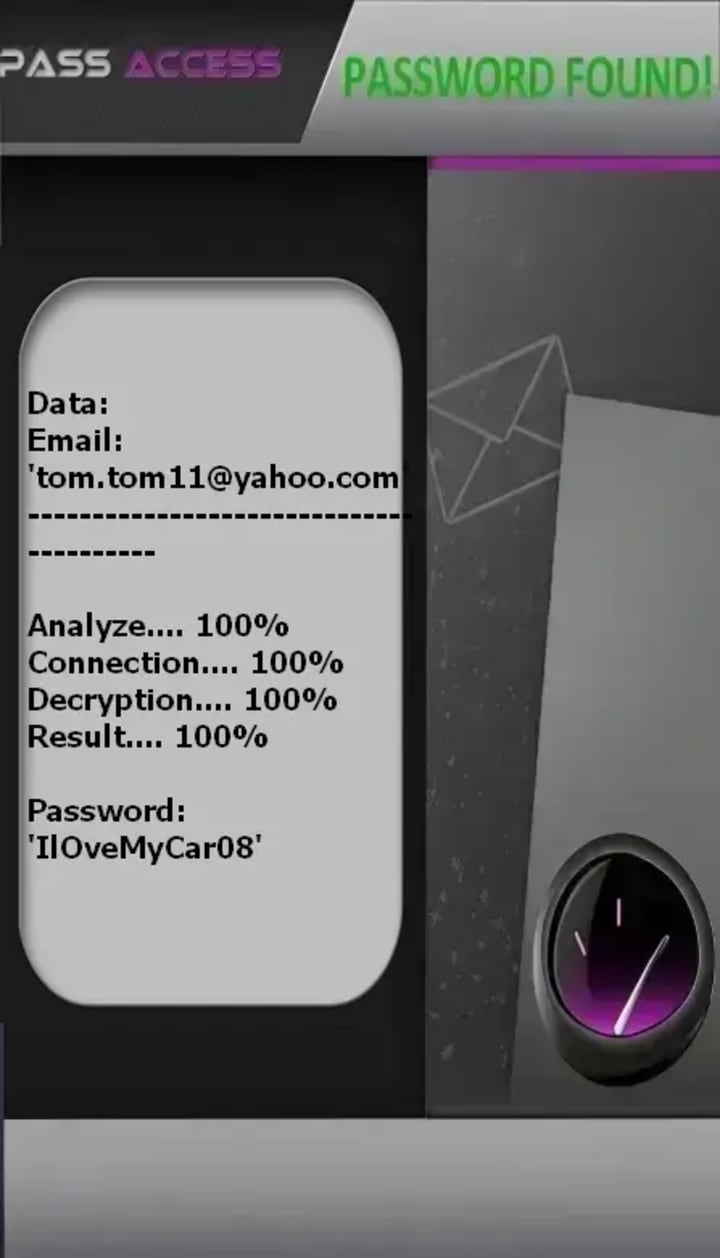
1. PASS ACCESS
Description: The best hacking application to decrypt Yahoo Mail access. Simply enter the email address or the phone number and the application will connect to the database and hack the account for you to connect.
Official Website: https://www.passwordrevelator.net/en/passaccess
2. Metasploit Framework
Description: An open-source penetration testing platform that helps security teams identify, verify, and manage vulnerabilities. It includes modules for testing various authentication systems and social engineering vectors.
Official Website: https://www.metasploit.com/

3. Wireshark
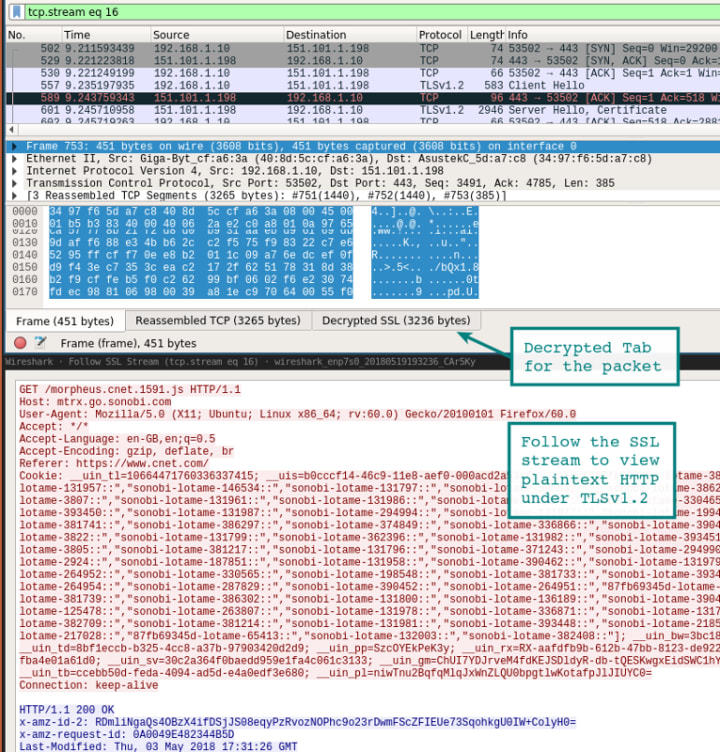
Description: The world's foremost network protocol analyzer, allowing security professionals to examine network traffic in real-time and identify unencrypted data transmissions that could expose credentials.
Official Website: https://www.wireshark.org/
Primary Attack Vectors Targeting Yahoo Accounts
1. Credential Recycling Exploitation
Given Yahoo's numerous historical breaches, attackers frequently employ credential stuffing using previously leaked username/password combinations. This attack capitalizes on users' tendencies to reuse credentials across multiple platforms.
2. Sophisticated Phishing Campaigns
Yahoo-Specific Techniques:
- Fake Security Alerts: Emails mimicking Yahoo's security team requesting immediate password changes
- Account Verification Scams: Messages claiming account suspension unless verified through malicious links
- Promotion-Based Lures: Fake notifications of "Yahoo Mail upgrades" or special offers requiring login
3. Browser Extension Vulnerabilities
Malicious browser extensions can capture Yahoo login credentials by injecting code into legitimate Yahoo pages or intercepting form data before encryption.
4. Man-in-the-Middle Attacks
Unsecured public Wi-Fi networks allow attackers to intercept Yahoo login sessions, particularly when users access webmail without HTTPS verification.
5. Recovery System Exploitation
Attackers research publicly available information to answer security questions or manipulate Yahoo's account recovery process.
Comprehensive Yahoo Account Protection Strategy
Enhanced Authentication Measures
- Yahoo Account Key: Utilize Yahoo's passwordless authentication feature that sends verification requests to your mobile device
- App-Specific Passwords: For third-party applications, generate unique passwords rather than using your primary credentials
- Two-Step Verification: Enable this feature and consider using authentication apps rather than SMS-based codes
Technical Security Enhancements
- Yahoo's Advanced Security Features: Enable end-to-end encrypted emails for sensitive communications
- Browser Security: Use updated browsers with security extensions and clear browsing data regularly
- Separate Email Strategy: Consider using different email providers for different purposes to compartmentalize risk
Behavioral Defenses
- Attachment Caution: Yahoo Mail's filters are robust but imperfect—remain skeptical of unexpected attachments
- Link Verification: Hover over links to reveal actual URLs before clicking
- Social Media Separation: Avoid using Yahoo email addresses as public contact points on social platforms
Yahoo-Specific Recovery and Damage Control

If you suspect Yahoo account compromise:
- Immediate Password Reset: Use Yahoo's official recovery process at https://login.yahoo.com/account/challenge/forgot
- Account Recovery Information Update: Change security questions and answers completely
- Forwarding Rule Check: Review email settings for unauthorized forwarding rules
- Signature and Auto-Reply Audit: Ensure no fraudulent automatic responses have been set up
- Contact List Protection: Warn contacts if spam messages were sent from your account
- Financial Account Review: Check any accounts linked to your Yahoo address for suspicious activity
Conclusion
Yahoo account security represents a critical component of your overall digital identity protection. While historical breaches have exposed vulnerabilities, current security measures—when properly implemented—provide substantial protection against modern threats. The most effective approach combines Yahoo's security features with user education and prudent online behavior.
Remember that cybersecurity is an ongoing process rather than a one-time setup. Regular reviews and updates to your security posture will ensure your Yahoo account remains a secure communication channel rather than a vulnerability in your digital life.
Disclaimer: This article is exclusively for educational purposes to promote understanding of account security principles. The techniques and tools mentioned should only be used on systems you own or have explicit written authorization to test. Unauthorized access to computer systems violates national and international laws and Yahoo's Terms of Service. Always respect privacy and digital property rights.
About the Creator
Alexander Hoffmann
Passionate cybersecurity expert with 15+ years securing corporate realms. Ethical hacker, password guardian. Committed to fortifying users' digital safety.
Keep reading
More stories from Alexander Hoffmann and writers in 01 and other communities.
The Complete Guide to Hack Facebook Account Security in 2026
Have you ever wondered how Facebook accounts are compromised, or more importantly, how you can shield yours from such an invasion? In an era where our digital and social lives are deeply intertwined, a hacked Facebook account can lead to more than just embarrassing posts—it can result in financial fraud, identity theft, and a profound loss of privacy. This guide delves into the mechanics behind Facebook hacking not to enable malicious activity, but to empower you with knowledge. By understanding the tools and techniques cybercriminals use, you can build an impenetrable defense for your online identity.
By Alexander Hoffmann2 months ago in 01



Comments
There are no comments for this story
Be the first to respond and start the conversation.