
Top 5 YouTube to FLAC Converters in 2025 [PC/Mac/Online]
/

Do you find that the sound quality has deteriorated when converting YouTube videos? Don't worry. By converting YouTube to FLAC format, you can effectively reduce the sound quality loss caused by compression and easily get lossless audio files.
This article will introduce you to the latest top 5 YouTube to FLAC converters in 2025. Whether you need a YouTube to FLAC converter for Windows, Mac or online, keep reading this article and you will find the best YouTube to FLAC converter for you.
5 Best YouTube to FLAC Converters on PC/Mac/Online
👉️Note: The audio quality of the free YouTube account is usually 128kbps. Converting YouTube videos to FLAC format with these 5 YouTube to FLAC Converters can't improve their sound quality, but it can only avoid further sound quality loss due to secondary compression and facilitate your playback on other devices. If you need to get higher sound quality like 256kbps, it is recommended to upgrade to YouTube Premium.
1. Any Video Converter
By using Any Video Converter to convert YouTube to FLAC format, you can extract and save high-quality audio for free. In terms of audio options, Any Video Converter offers customization options. You can freely adjust the sampling rate and audio bit depth according to your needs. Any Video Converter also supports a batch conversion function, so you can convert multiple YouTube videos to FLAC files at one time, avoiding repetitive operations and saving time.
Besides converting YouTube videos to FLAC format, this free YouTube to FLAC converter also provides a variety of useful video processing tools. For example, you can use the software to download online videos from 1,000+ websites, convert videos to MP4, AVI, MP3, OGG, and other common formats, as well as AI trim YouTube videos and extract specific parts. These features can meet your diversified needs in video downloading, conversion, and editing.
How to Convert YouTube to FLAC with Any Video Converter
Step 1: Download and Install Any Video Converter
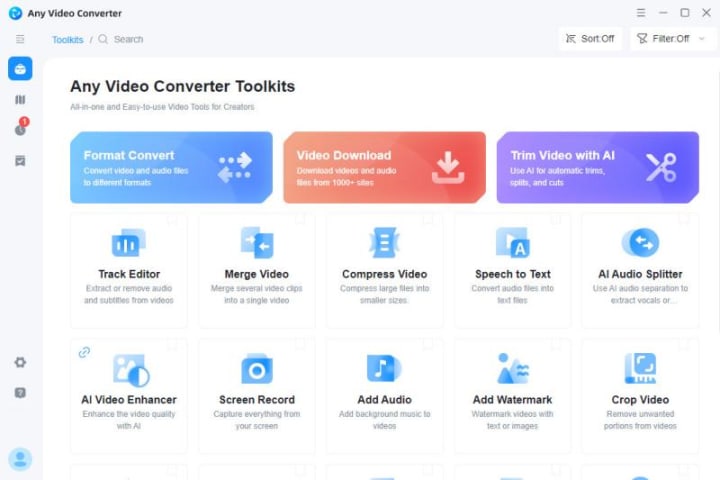
Step 2: Select Format Convert Tool and Upload YouTube Video Files
After uploading YouTube video files successfully, you can select FLAC format in the output profile. Then select the sampling rate and audio bit depth you want in the audio options.
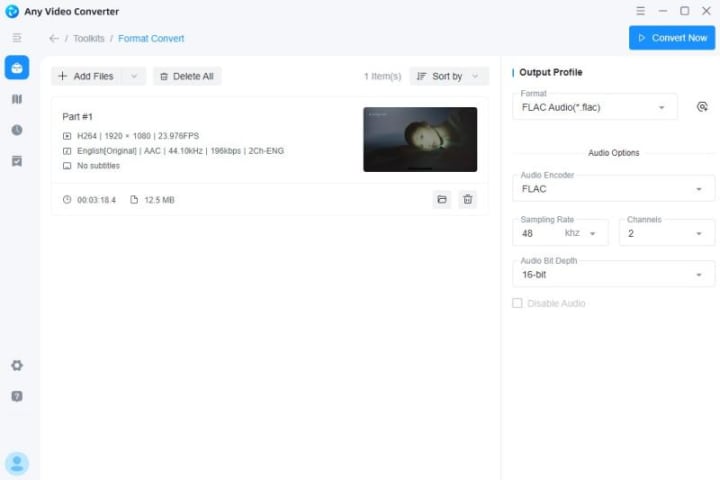
Step 3: Start Converting YouTube to FLAC
Click the Convert Now button in the upper right corner, and you can easily get YouTube to FLAC files.
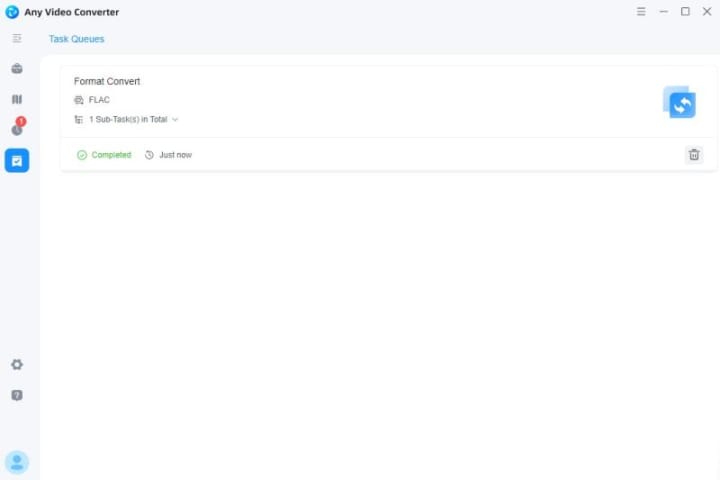
2. VLC Media Player
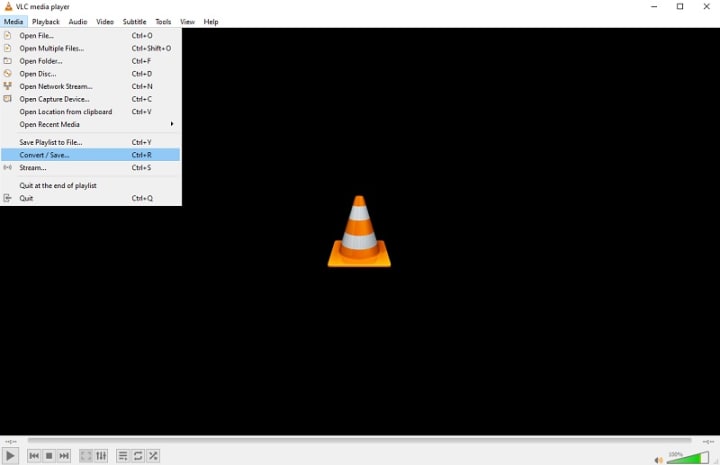
VLC Media Player is an open source, cross-platform multimedia player. In addition to playback, VLC also provides a variety of practical tools such as video conversion, streaming, and screen recording. It supports almost all common audio and video formats, including MP4, FLAC, MKV, MP3, AVI, etc. You don't need to install additional codecs, and it can run smoothly on Windows, macOS, Linux, Android, and iOS.
Although VLC is popular among users, the steps to convert YouTube to FLAC are a bit complicated in practice, and the converted FLAC files often encounter playback failure issues.
3. EaseUS Video Converter
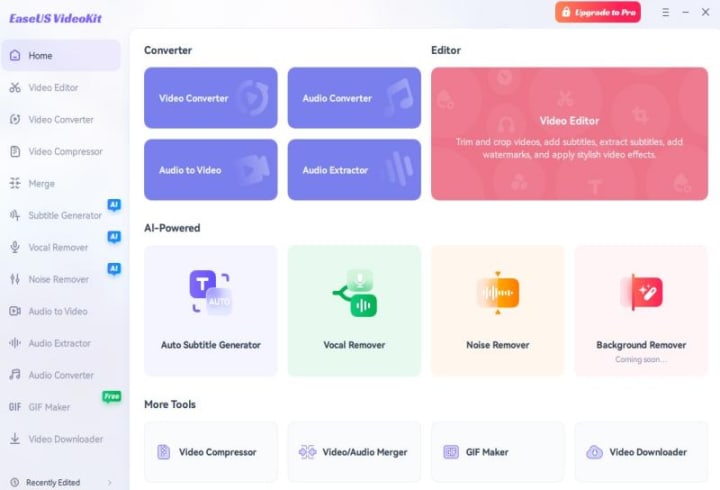
EaseUS Video Converter is a powerful video conversion and editing software that supports conversion, downloading, and editing of video, audio, and GIF formats for one-stop processing. It is compatible with more than 1000 formats (e.g., MP4, FLAC, MKV, AVI, MP3, etc.) and offers many useful features such as HD and 4K video conversion, batch processing, and GPU acceleration (paid features).
However, EaseUS Video Converter can't convert a YouTube URL to FLAC format directly. You need to use other third-party software to download YouTube videos first, and then convert the downloaded videos to FLAC files with EaseUS Video Converter. Besides, the YouTube to FLAC converter is a paid tool, you need to pay at least $17.97 if you want to convert YouTube videos to FLAC format.
4. KeepMusic YouTube Music Converter
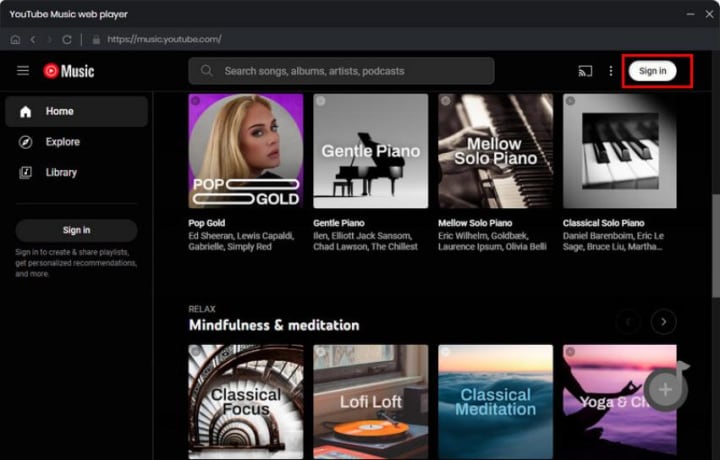
KeepMusic YouTube Music Converter is an audio conversion tool designed for YouTube music users, which can quickly convert audio at up to ten times the processing speed. It focuses on helping users easily download and convert music videos on YouTube to multiple audio formats, including FLAC, MP3, AAC, etc., to meet the needs of different users.
However, it should be noted that KeepMusic YouTube Music Converter mainly focuses on the conversion of YouTube music videos. It does not provide video editing or advanced audio processing features. If you need to perform complex audio or video processing, you may need to look for other tools to meet these needs.
5. Wondershare UniConverter
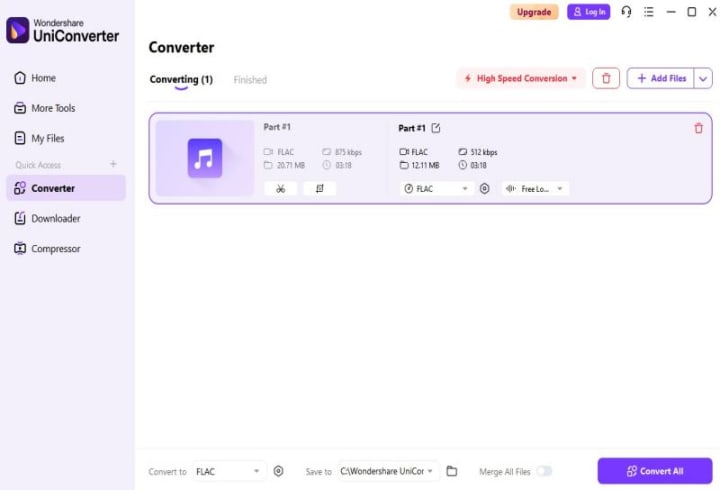
Wondershare UniConverter is an all-in-one multimedia processing software for Windows and macOS. It also supports conversion of over 1,000 audio and video formats, including popular MP4, MOV, MKV, AVI, FLAC, etc. With its powerful GPU acceleration technology, Wondershare UniConverter offers conversion speeds up to 30 times faster than other tools.
Although this software can convert YouTube to FLAC, the free trial version can only convert one-third of the original video. If you want to convert the whole video completely, you need to pay at least $44.99.
If you want to know more YouTube to FLAC converters, please check the original article: Top 10 YouTube to FLAC Converters in 2025 [PC/Mac/Online]
Conclusion
This story introduces the top 5 YouTube to FLAC converters in 2025. Are you still hesitating about which YouTube to FLAC converter to choose? Why not start with Any Video Converter! This completely free YouTube to FLAC converter is not only easy to operate and fast in conversion, but also can perfectly preserve lossless sound quality. It is definitely an ideal choice for music enthusiasts and quality pursuers.
About the Creator
Keep reading
More stories from Joanna Wang and writers in Writers and other communities.
Any Video Converter: Free Audio Extractor
Any Video Converter is a comprehensive free video conversion tool that can not only efficiently extract audio from various video formats, but also ensure that the extraction process is completely free. The software supports extracting audio from many common video formats such as MP4, MOV, etc. to meet your diverse extraction needs. During the extraction process, Any Video Converter uses advanced technology to separate audio tracks without re-encoding, thus ensuring lossless audio quality during the extraction process, allowing you to enjoy the high-fidelity effect of the original audio.
By Joanna Wang8 months ago in Writers
Published in Portrait of New England
My quest to find many publications with prestige to submit to has worked out even better than I thought. I was searching for more publications with more prestige in order to bolster my resume. I truly thought I'd try this for a year and not get published anywhere... maybe if I was lucky... in one of them. And I was OK with that... I was just going to try again the following year, and the year after that, and so on.
By Stephen Kramer Avitabile27 days ago in Writers
How Students Can Check Scholarship Status Without Missing Updates
For millions of students worldwide, scholarships play a critical role in continuing education without financial strain. However, receiving a scholarship is only the first step. One of the most common challenges students face afterward is tracking their scholarship status accurately and on time. Missed updates, incomplete information, or misunderstanding the process can result in delayed payments or even disqualification.
By Abbasi Publisher5 days ago in Writers



Comments
There are no comments for this story
Be the first to respond and start the conversation.