
5 Signs Your Smartphone Needs Immediate Repair
Smartphone Repair

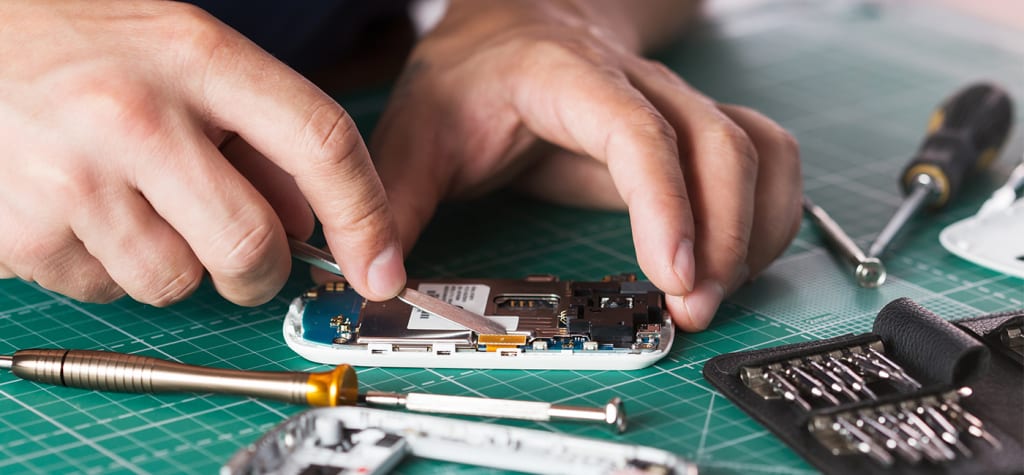
Our smartphones are integral to almost everything we do from staying connected to loved ones to managing work, entertainment, and education. However, no matter how advanced they are, these devices aren't invincible. Over time, wear and tear can lead to performance issues that may require prompt attention. Ignoring these problems could result in further damage, higher repair costs, or even total device failure.
To help you stay ahead of potential breakdowns, this article explores five critical signs that your smartphone is in need of immediate repair. By staying informed, you can save costs, extend your device's lifespan, and avoid the frustration of unexpected malfunctions.
1. Cracked Screen, But It’s More Than Cosmetic
A cracked or shattered screen is one of the most common issues smartphone users face. While many consider it a cosmetic problem, a damaged screen can have serious implications.
Why It Matters:
● Touch Sensitivity: Cracks can interfere with touch responsiveness, making it difficult to use your device efficiently.
● Screen Protection: The screen acts as a protective barrier for internal components. Damage to this barrier can expose your phone to dust, water, and debris, causing further harm.
● Worsening Damage: Small cracks can expand over time due to pressure, temperature changes, or further impacts, costing significantly more to fix.
When to act:
If you notice declining touch sensitivity or worry about exposing your phone to environmental damage, it’s time to get that screen repaired ASAP.
2. Rapidly Draining Battery
Does your phone die just a couple of hours after being fully charged? This could be more than just everyday battery wear and could signal deeper issues.
Common causes of battery problems:
● Aging Batteries: All smartphone batteries degrade over time due to charge cycles. After 500-1,000 cycles, most batteries lose efficiency.
● Background Apps and Processes: Excessive app activity can push your battery to its limits.
● Software Malfunctions: Corrupted software updates may prevent your phone from properly managing power consumption.
Warning signs:
● Your phone heats up while charging.
● Unexpected shutdowns, even when the battery is fully charged.
● The battery percentage drops drastically in minutes.
Solution:
A battery replacement can restore your phone’s longevity, ensuring it stays powered throughout your day.
3. Unresponsive Buttons or Touchscreen
Struggling to press your power or volume buttons? Or perhaps your touchscreen isn’t as responsive as it should be?
What’s happening:
● Buttons can wear out over time due to repeated use. Dust and debris may also cause jamming.
● Touchscreens may lose sensitivity due to damaged sensors, software glitches, or even hardware failures linked to moisture exposure.
Why it matters:
Unresponsive buttons and touchscreens can render critical features of your device unusable, drastically impacting functionality.
Fixing the issue:
Repair services can clean contacts, replace damaged components, and recalibrate your touchscreen to ensure accurate input.
4. Overheating Problems
Excessive heat while using your phone is more than an inconvenience; it could damage your device’s internal components.
Why your phone could overheat:
● Hardware Stress: Running processor-heavy apps or games.
● Battery Issues: Faulty batteries often overheat due to poor energy management.
● Blocked Cooling: Dust and debris can block vents, making it difficult for heat to escape.
Signs to watch for:
● Frequent temperature warnings.
● Slow performance or lag during use.
● Devices shutting down to prevent overheating.
Long-term impact:
Chronic overheating can harm your phone’s battery, processor, and display. A technician can diagnose whether you need hardware repairs, replacement parts, or system updates.
5. Poor Audio or Microphone Quality
Having trouble hearing during calls, or do people complain that your voice is muffled or inaudible? Audio problems often indicate damage to speakers, microphones, or audio jacks.
Possible causes:
● Speaker Issues: Buildup of dust in speaker grills or damage from moisture can compromise sound quality.
● Microphone Problems: External debris or hardware failures may distort your voice.
● Software Glitches: Bugs from recent updates could impact audio performance.
What to do:
Before rushing to repair, clean your device’s audio ports or reset software settings to rule out minor glitches. If the issue persists, professional inspection is necessary.
Why Prompt Repairs Matter
Repairing your smartphone at the first sign of trouble can save you money in the long run and keep your device functioning optimally. Procrastinating could lead to compounding issues, resulting in costly repairs or the need to replace your phone altogether.
Benefits of early repairs:
● Cost Savings: Fixing small issues early is far less expensive than waiting for bigger problems.
● Longevity: Regular maintenance extends your phone’s lifespan.
● Business Continuity: Avoid disruptions by ensuring your device is always ready to support your productivity.
How to Choose the Right Repair Service
When it’s time to fix your smartphone, entrust it to qualified experts. Look for services that offer:
● Certified technicians.
● Transparent pricing and warranties.
● Genuine parts to maintain your device's integrity.
● Quick turnaround times to minimize inconvenience.
Research reviews, compare prices, and check online testimonials to find a reliable repair service near you.
Why Wait? Get Your Device Fixed Today!
Don’t let a malfunctioning device slow you down. At Repair My Devices, our certified technicians, premium-quality parts, and quick turnaround times ensure that your smartphone is back in action without delay. Visit us today or schedule a repair online for unbeatable service you can trust!
Act Now, Save Later
Your smartphone is more than just a device; it’s an investment in your productivity and communication. Watching for these five warning signs can help you act before small problems spiral into major issues.
If you’re currently experiencing any of these issues, schedule a repair with a trusted professional immediately. Keeping your phone in top shape will save you from costly downtime and ensure it supports your daily needs.
Pro tip:
Stay proactive with maintenance! Use cases and screen protectors, keep apps updated, and monitor battery health to prevent common issues.
About the Creator
sammmy
Passionate digital writer focused on SEO, tech, and marketing. I create engaging, value-driven content to inform and inspire readers.
Unofficial Challenge: Black History Celebration
Forward: February 28th, 10:53 PM, EST... The final hour of Black History Month, 2026. Hello fellow writers. I've had this challenge waiting in my drafts for most of the month. But I held off on publishing it, until now.
By Sam Spinelli5 days ago in Writers
The Difference Between Vanity, Traditional, and Hybrid Publishers
When it comes to publishing, there are a ridiculous number of possibilities. However, for most people it breaks down to self-publishing versus traditional publishing. These options need to be fully explored, and this article attempts to look at the numerous options available to authors. Be advised that not all concerns are likely to addressed, but this article should be reasonably complete and covers a lot of topics important to those interested in publishing their books.
By Jamais Jochim5 days ago in Writers
Rachel Reviews: Lakefront Wolves by Joseph Deegan
Meet Finn. He's an 18 year old kid who has potential. He's bright with great school scores and he's also an athlete, a footballer of some prowess. He has it all going for him, it would seem, and yet, he's determined to send what could be a well-planned, stable existence firmly off the rails. He drinks, he smokes, he takes drugs, he has violent tendencies and he's in danger of losing not only his mind but all that he holds dear.
By Rachel Deeming4 days ago in BookClub




Comments
There are no comments for this story
Be the first to respond and start the conversation.