
5 Methods to Download SoundCloud Playlist to MP3 [Latest in 2025]
/

Are you still frustrated about not being able to download SoundCloud playlist? SoundCloud's download restrictions often make people feel frustrated. Fortunately, there are many SoundCloud playlist downloaders that can help you easily download your favorite song playlists.
This article will provide you with 5 methods to download SoundCloud playlists to MP3 that are still effective in 2025, and guide you on 3 easy steps to download SoundCloud playlist to MP3 using Any Video Converter. Continue reading this article to unlock different tools and find the downloader that suits you best.
Part 1: Can You Directly Download SoundCloud Playlist to MP3?
Most playlists on SoundCloud cannot be downloaded to MP3 directly. In SoundCloud, the download permissions are determined by the artists. In order to protect the copyright of the songs, artists may not allow you to download their works. Some artists may enable the download button for their songs, but the format and quality of the download still depend on their settings.
If you want to download the playlist directly from SoundCloud for offline listening, there are two ways for you to choose:
Method 1: You can directly ask the song author to apply for downloading.
👉️Note: This method may not be absolutely effective, because the artist has the right to reject your application.
Method 2: Upgrade to SoundCloud Go/Go+, which requires payment.
Part 2: How to Download SoundCloud Playlist to MP3: 10 Methods Available in 2025
Downloading playlists to MP3 directly from SoundCloud is tedious and complicated. Therefore, this section will provide you with 5 methods available in 2025 to quickly download SoundCloud playlist to MP3.
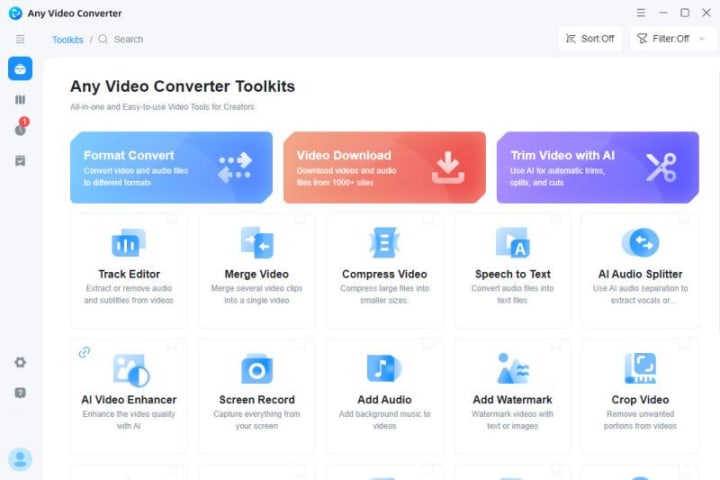
1. Any Video Converter
The download tool in Any Video Converter allows you to directly download SoundCloud playlist to MP3 for free. The playlist on SoundCloud usually contains many songs, and Any Video Converter can batch download all the songs in the playlist at once and convert them all to MP3 format, avoiding you from manually downloading each song repeatedly. It saves your time and improves download efficiency so that you can listen to your favorite songs anytime and anywhere. During the download process, Any Video Converter can maintain the original audio quality, ensuring that the MP3 files sound just like the online streaming version.
Besides downloading SoundCloud playlists to MP3, Any Video Converter also supports downloading videos from 1,000+ websites. Whether it is movies, educational videos, or various creative short videos, you can easily download them as MP4, MKV, MP3, M4A to your device. You can choose the appropriate format according to your playback device and storage space.
2. MusicVerter
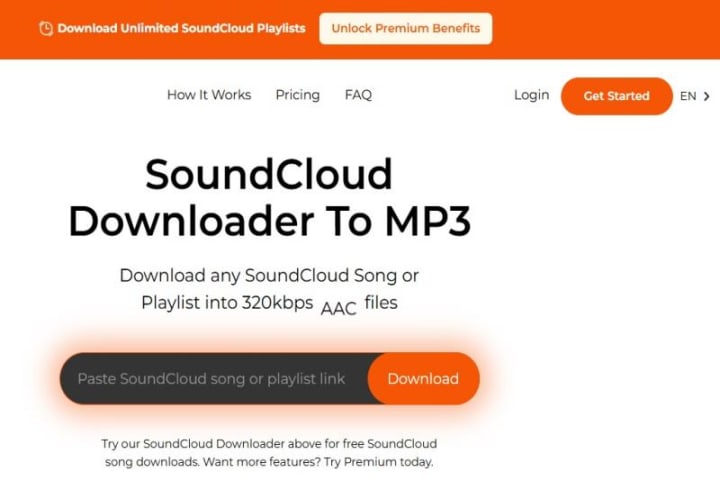
MusicVerter provides a convenient way to download SoundCloud playlists to MP3. You only need to paste the link of the playlist, and it will download all the songs in the entire playlist at once. This feature is especially suitable for users who want to quickly save a large number of songs for offline listening. In addition, MusicVerter supports multiple audio formats, including MP3, WAV, AAC, and FLAC, and ensures that the downloaded audio quality is up to 320kbps.
👉️Note: The free version only supports downloading SoundCloud songs, and the audio quality is limited to 128kbps. If you want to download the entire playlist and 320kbps audio quality, you need to upgrade to the Premium version ($10/month).
3. Sidify All-In-One Converter
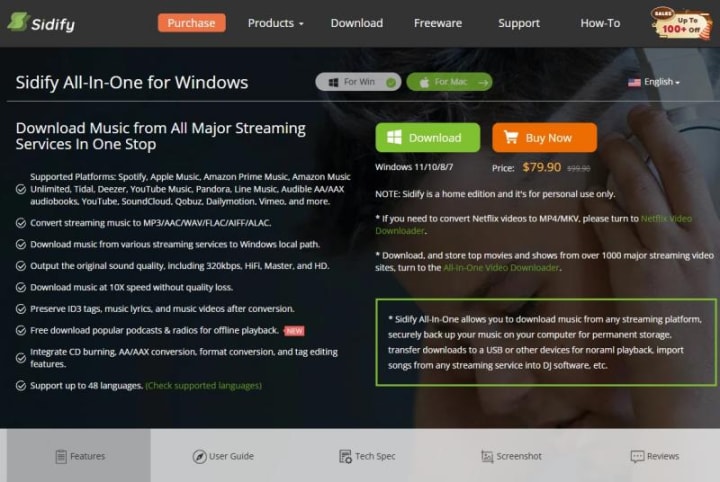
Sidify All-In-One Converter is a powerful music converter that allows you to easily download playlists from different platforms, including SoundCloud, Spotify, Apple Music, Amazon Prime Music, YouTube Music, etc. This software supports outputting original sound quality, including 320kbps, HiFi, Master, and HD. It can also download popular podcasts and radio for free for offline playback.
👉️Note: The trial version is limited to converting the first minute of each song, and you need to pay at least $79.9/year to unlock the full version.
4. TuneFab SoundCloud Music Converter
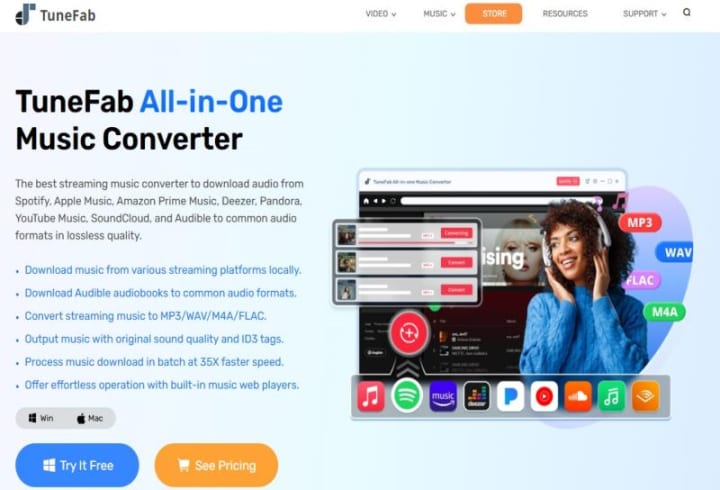
TuneFab SoundCloud Music Converter can help you download SoundCloud songs, albums, and playlists to MP3 easily. Whether you are a free, Go, or Go+ subscriber, you can log in to your SoundCloud account in TuneFab SoundCloud Music Converter and directly download any SoundCloud song, album, or playlist to MP3. The software utilizes advanced technology to accelerate the conversion process by up to 35x.
👉️Note: The free version only allows you to download the first 3 minutes of each song. And you need to pay at least $15.95/month to unlock the full version.
5. ViWizard Audio Capture
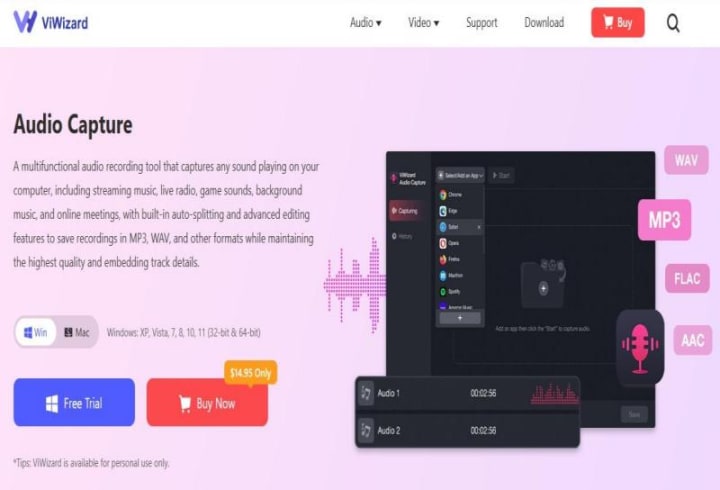
Whether you want to save an entire playlist or just capture a single track, ViWizard can make it. Even those that are not officially allowed to be downloaded by SoundCloud can be easily handled. ViWizard allows you to select your preferred output format (MP3, WAV, FLAC, AAC, M4A, and M4B) and ensures that all tracks are converted with the original sound quality you love on SoundCloud.
👉️Note: The minimum charge is $14.95/month.
You may want to know more: 10 Methods to Download SoundCloud Playlist to MP3 [Latest in 2025]
Part 3: 3 Super Easy Steps to Download SoundCloud Playlist to MP3 with Any Video Converter
This section will guide you on how to quickly download SoundCloud playlists to MP3 with Any Video Converter in 3 super easy steps.
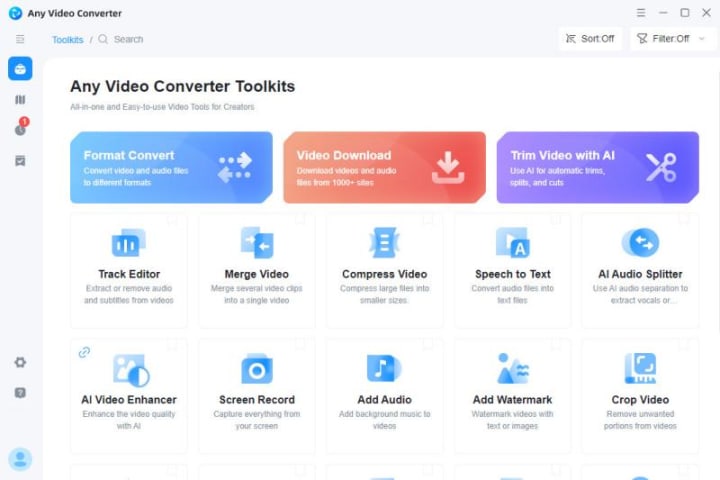
Step 1: Download and Install Any Video Converter
Step 2: Paste the SoundCloud Playlist Link
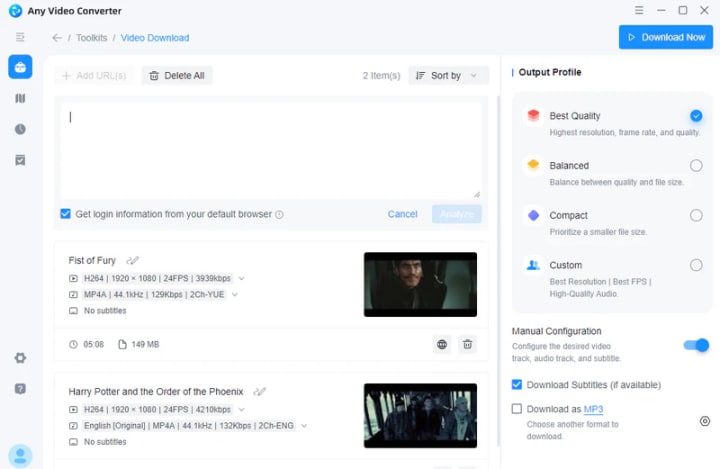
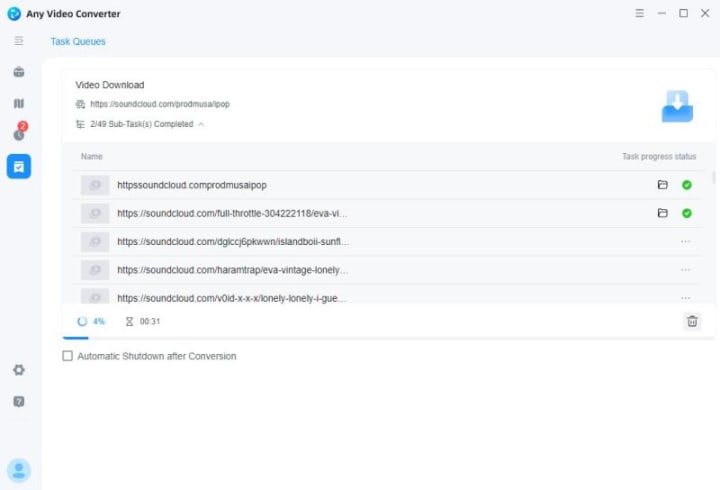
First, you can paste the playlist link in the Video Download tool. Then select MP3 audio format.
Step 3: Download SoundCloud Playlist to MP3
Make sure you have selected "Download Audio Only", then click the "Download Now" button in the upper right corner to start downloading SoundCloud Playlist to MP3. And you can view your MP3 file in the task queues.
About the Creator
Keep reading
More stories from Joanna Wang and writers in Writers and other communities.
Top 5 YouTube to FLAC Converters in 2025 [PC/Mac/Online]
Do you find that the sound quality has deteriorated when converting YouTube videos? Don't worry. By converting YouTube to FLAC format, you can effectively reduce the sound quality loss caused by compression and easily get lossless audio files.
By Joanna Wang7 months ago in Writers
Where Dreams Loved Me Back
chapter 1 Chapter One: The Quiet I Learned to Carry Matthew’s perspective, I don’t remember when life started feeling heavy. It wasn’t sudden — it was gradual, like carrying a bag that someone kept adding weight to until one day I realized I couldn’t put it down anymore.
By Anshu Giri3 days ago in Writers


Comments
There are no comments for this story
Be the first to respond and start the conversation.