
Understanding Social Media Profile Picture and Banner Sizes in 2025
Understanding Social Media Profile Picture and Banner Sizes in 2025

To have an ever-evolving and professional online presence, one is supposed to keep themselves updated with the best image size of various social media platforms. Be it Facebook, Twitter, Instagram, Discord, or WhatsApp, all the platforms have different specifications for profile pictures and banners. Knowing these specifications lets your images remain sharp and well-sized on any kind of device. This article will discuss image sizes of profile pictures and banners on different platforms and finally present PhotoCut, a tool that can assist in editing and resizing images for those platforms.
Create tier lists online for free with PhotoCut’s Tier List Maker.
1. Facebook Profile Picture Size
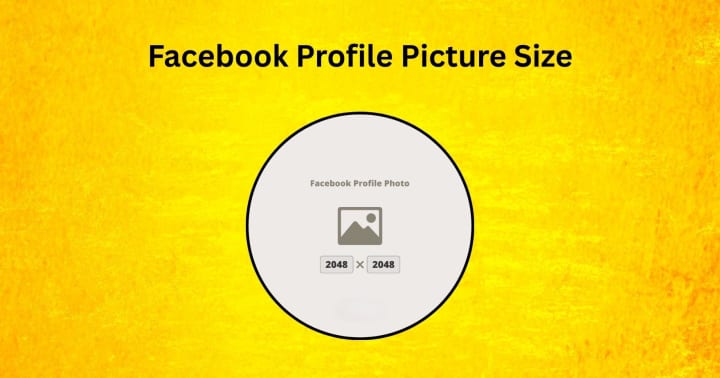
Facebook, being the social networking site with the highest number of users, is also one of the main online marketing platforms that is becoming popular at present. The first thing that anybody will notice when they enter your profile is your Facebook profile picture. Thus, the image must be sized and resolved properly.
Optimal Size:
- Profile Picture Dimension: 180 x 180 pixels (minimum recommended size).
- Display Size: 170 x 170 pixels on desktop and 128 x 128 pixels on smartphones.
- Cover Photo Dimension: 820 x 312 pixels.
Also, the profile picture on Facebook will appear in a circular format, so it becomes even more necessary to keep the most important portion of your image-centric, considering it is going to be chopped off to become a circular image.
Tips:
- You must use a high-quality, clear image.
- Ensure the image represents yourself or your brand well.
- Don't use small or low-pixel images because they will appear pixelated.
PhotoCut can crop your images into a perfect circle. Alternatively, it can resize the image to a fitting 180 x 180 pixels, allowing you to adjust brightness and contrast to get the best visual impact.
2. Twitter Banner Size
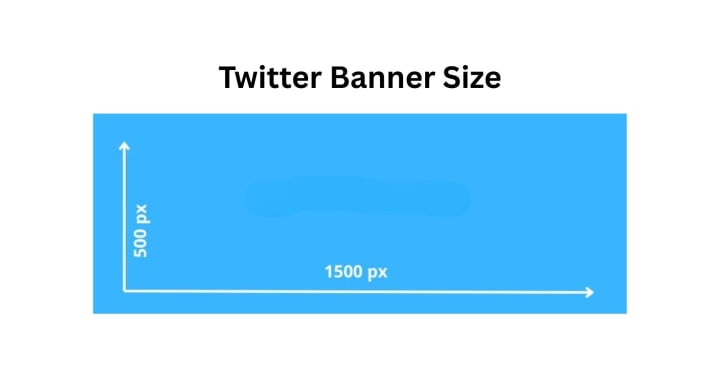
Twitter is a very dynamic platform that epitomizes the hectic atmosphere of real-time updates and covers the most recent happenings. The Twitter banner (also called header image) is one of the vital features of your profile because it attracts the reader's attention to your page and makes the users feel what kind of profile you're maintaining, as well as some cues about your personality, interests, or even your brand identity.
Optimal Size:
- Twitter Banner Dimension: 1500 x 500 pixels
- Profile Picture Dimension: 400 x 400 pixels (minimum size).
Tips:
- The banner should visually align with what the brand represents or your aesthetic.
- Important features should not be introduced into the edges as other devices will likely crop the edge.
- Profile photos should never overlap with the visual keys of the banner since the profile picture will rest on the left side of the header image.
The photos could also be cropped and resized to fit within the appropriate Twitter banner of 1500x500 pixels using PhotoCut. You can also adjust the saturation, contrast, and hue to your preference and branding style.
Explore the best family tattoo ideas for your next tattoo.
3. Discord Profile Picture Size
Discord is becoming the name of the game as an ideal communication channel for gamers, creators, and communities. Those Discord profile pictures serve to represent users and give their accounts a bit of a personal touch. The proper size also makes sure your profile looks professional and eye-catching.
Optimal Size:
- Profile Picture Dimension: 128 x 128 pixels.
- Display Size: 512 x 512 pixels on a high-resolution screen.
Unlike other platforms, Discord displays profile pictures in a square shape. Moreover, the flexibility allows customizing profiles with animated avatars through the Nitro subscription. In any case, choosing an image that is well-defined and properly sized will make sure that the avatar is visible.
Tips:
- Keep it sharp and recognizable.
- Maybe a moving avatar can add a creative zing.
- Avoid busy designs that might be difficult to assess in smaller sizes.
PhotoCut makes resizing and cropping your profile image for Discord easy. Whether you want a static image or an animated GIF, PhotoCut provides the tools to adjust your images perfectly.
4. Instagram Profile Picture Size
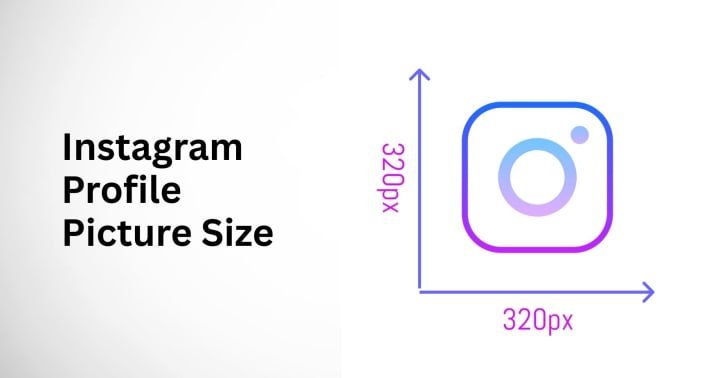
Instagram is a faceless universe, with the obvious exception of the profile picture. The profile picture on Instagram can hold its own for the business, influencer, or individual user to convert into engagement and goodwill.
Optimal Size:
- Profile Picture Dimension: 320 x 320 pixels.
- Display Size: 110 x 110 pixels on mobile.
- Feed Photo Dimension: 1080 x 1080 pixels (Square photo).
Center the image properly to avoid cutting features along the corners since Instagram profile images are generally in circular borders.
Tips:
- Choose a picture that accurately represents you or your brand.
- Even at reduced sizes, the image should be clear and accessible.
- A little less text or a very busy image makes them almost unreadable.
PhotoCut provides one-click cropping under crop to circle and resizing into a perfect size of 320 x 320 pixels for your Instagram profile image. The app also contains built-in tools and filters that help improve the quality of your image by editing.
Find everything you need to know about 5x7 photos.
5. WhatsApp Profile Picture Size
The most widely used messaging app globally right now is probably WhatsApp. Since others will view your WhatsApp profile photo before messaging you, it should have a high resolution and be responsive to different screen sizes.
Optimal Size:
- Profile Picture Dimension: 192 x 192 pixels (minimum).
- Display Size: 640 x 640 pixels for a high-resolution version.
WhatsApp profile pictures appear as circles, so it’s important to keep the focus of your image in the center to avoid losing details around the edges. Other than that, the app does not allow much customization, but a sharp and clear image still helps.
Tips:
- Use a simple and recognizable image that represents you.
- Ensure the image is clear, as WhatsApp profile pictures are often viewed on small screens.
- A well-lit photo will make your profile picture stand out.
PhotoCut is the best application that gets a perfect circle cut-out from images for WhatsApp. Well, you can also add fun by making the image look more attractive with the filters and the app's adjustments. Making the profile picture best regarded by the messaging app can also be done with this feature in the application.
Edit and Resize Your Photos for Social Media
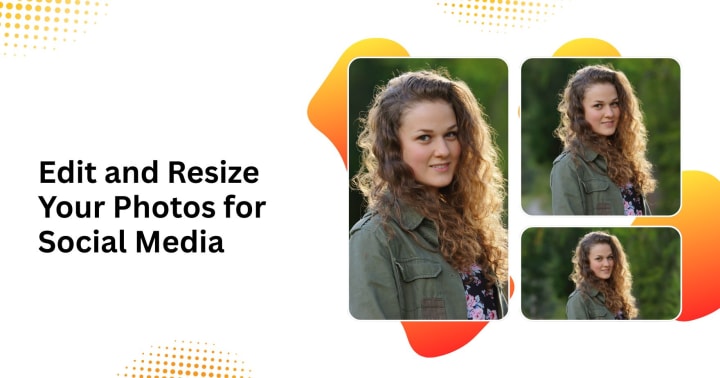
PhotoCut is a very well-functioning application for photo editing made to resize, crop, and improve photographs in the best way possible. No matter whether a person is a professional content creator, owner of a business, or simply wants to have an ideally maintained online presence, PhotoCut will let one get his or her profile picture and banner ready for every social media site.
Change the color of your photo backgrounds with PhotoCut’s Background Color Changer.
Key Features of PhotoCut
- Easy Resizing & Cropping: One could resize images to specific dimensions for Facebook, Twitter, Discord, Instagram, and WhatsApp using PhotoCut. It would also crop your images into perfect circles or squares thereby making them suitable for uploading at each platform.
- Great Edits: With advanced tools for brightness, contrast, contrast, and sharpness, PhotoCut features everything you need to bring out the best in your images. The result will be an HD-ready profile picture or banner that will shine through any screen.
- AI-powered Background Removal: Among the better features of PhotoCut is that it includes an AI-driven background-removal utility. PhotoCut's AI algorithm isolates the image rapidly and precisely, clearing it up, if you want to isolate a subject or erase an uninvited background.
- Customization Templates: PhotoCut provides social media photo templates so you don't have to start from blank. Whether you're making a banner or a profile photo, you may select a template that fits the suggested measurements for each platform.
- Support for All Image Formats: The beauty of PhotoCut is that it supports several image formats like JPG, PNG, and TIFF. That means, whatever images you have, you will easily make use of them without a hitch, irrespective of the fact it is for social media or any other purpose.
- User-Friendly Interface: The tool would be designed intuitively so that even a beginner will be able to use the app without much effort. You can adjust your photos quickly, apply filters and save them in the correct dimension without any hassle.
- Mobile and Desktop Versions: The availability of this awesome app is both for mobile as well as desktop, meaning your editing edits for your pictures can be done whether in the office or on your mobile. An awesome flexibility best suited for photo managers or for anyone who wants to have a streamlined photo editing workflow.
Conclusion
When each social media site is accurately sized on your profile pictures and banners, that will go a long way toward ensuring a professional online presence. Using the proper ideal image sizes for Facebook, Twitter, Discord, Instagram, and WhatsApp helps ensure that images will be displayed as attractively and clearly as possible irrespective of the type of device used by the audience.
The PhotoCut application is a great one that removes the headache of editing images for social media. Anyone can easily manipulate this simple interface, but at the same time, the PhotoCut features provide tools for amazing profile pictures and fantastic banners on all mediums. The most varied type of user has some major payoffs at this particular point for casual users as well as business owners by spending a little extra time properly sizing images.
Learn the easiest ways to make a collage on your Instagram Story.
FAQs
Q1. What if my Facebook profile picture is smaller than 170 x 170 pixels?
Ans. Facebook will stretch the image to at least fit the dimension requirement, resulting in pixelated, blurry, or generally poor quality.
Q2. What file types are sharp for the best profile pictures on Facebook?
Ans. For photographs, JPEG is usually a safe bet. If your profile image has logos or text in it and you want it rendered sharply, you may want to consider PNG format.
Q3. What file types are the best for Twitter banners?
Ans. JPEG and PNG would be more or less acceptable. However, if your banner has wording or logos on it, you may want PNG for better clarity.
Q4. Why does my Twitter banner look as if it has been stretched or has been rendered blurry?
Ans. This would usually occur when your picture is less than the conventional size of 1500 pixels across 500 pixels because it means that its original size has to be scaled up. Use images that meet or exceed the recommended specifications instead. File compression may also play a part, so ensuring the file isn't too small to begin with might help produce high-quality renders.
Q5. What are the best types of files to use as profile pictures on Discord?
Ans. Discord supports JPEG, PNG, and GIF (including animated GIFs).
Q6. Is there a size limit on Discord profile pictures?
Ans. Yes, there is a size limit of 8 MB on files.
Q7. Will Instagram crop my profile picture?
Ans. But this one's a little tricky, because, as already said, profile pictures on Instagram will be shown as a circle. Therefore, you might want to select a square image, ensuring that the focus points are centered so they do not get cut off.
Q8. Why does my Instagram profile picture look blurry?
Ans. There are several reasons why the original image may be too small. Instagram compression occurs or a poor internet connection at upload.
Q9. Will WhatsApp crop my profile picture?
Ans. Yes. WhatsApp uses/displays profile pictures in a circular format; therefore any square or rectangular image would get cropped in that manner.
Q10. What causes pixelation on my WhatsApp profile image?
Ans. This usually happens as the original photograph was too small, and WhatsApp thereby had to blow it up. Use a larger image for the best results. WhatsApp also applies compression to images, which can slightly reduce quality.
About the Creator
PhotoCut
AI Photo Editing Tool - Remove or Change your Background & Enhance Product Photos
Keep reading
More stories from PhotoCut and writers in Photography and other communities.
A Complete Guide to Resizing, Printing, and Sharing Photos with PhotoCut
Photography dimensions are foremost in its application in communication, social media, and a storehouse of memories in every digital world today. Supplies are therefore mandatory for printing or posting, or maintaining a photo library. Different purposes would call for different photo sizes. For example, you might want to know how large a 4x6, 5x7, or 8x10 photo should be for printing, or how to make an image seem its best on Instagram or another site. More often than not, resizing and editing will be required to get your shots just right on social media or cropped to the various measurements needed. This article explains how to fit photographs on Instagram Stories, use PhotoCut to resize and modify photos, and the measurements of typical photo sizes.
By PhotoCut9 months ago in Photography
My Year, in Prattling and Photos
It's been a year since... last year. Ironically, it seems I've found myself a new tradition of getting sick during the New Year holidays. At least, this year (that is, this inter-year period remarkable for its shiny decorations in the streets and houses, and closed supermarkets and pretty much everything), I'm doubtlessly doing better: I've managed to come visit my friends in Germany for Christmas (which I failed to do last year) and—after having some good quality time eating machanka, playing Munchkin and swinging machetes (the last one obviously crept into this checklist only for the sake of the phonological form)—I came back home via proverbial Deutche Bahn and probably less known Schweizerische Bundesbahnen, my body hosting a family of viruses, virions and who knows what other tiny critters somewhere inside my chest.
By Andrei Z.17 days ago in Photography



Comments
There are no comments for this story
Be the first to respond and start the conversation.