
Split Images Online for Free
Split Images Online for Free

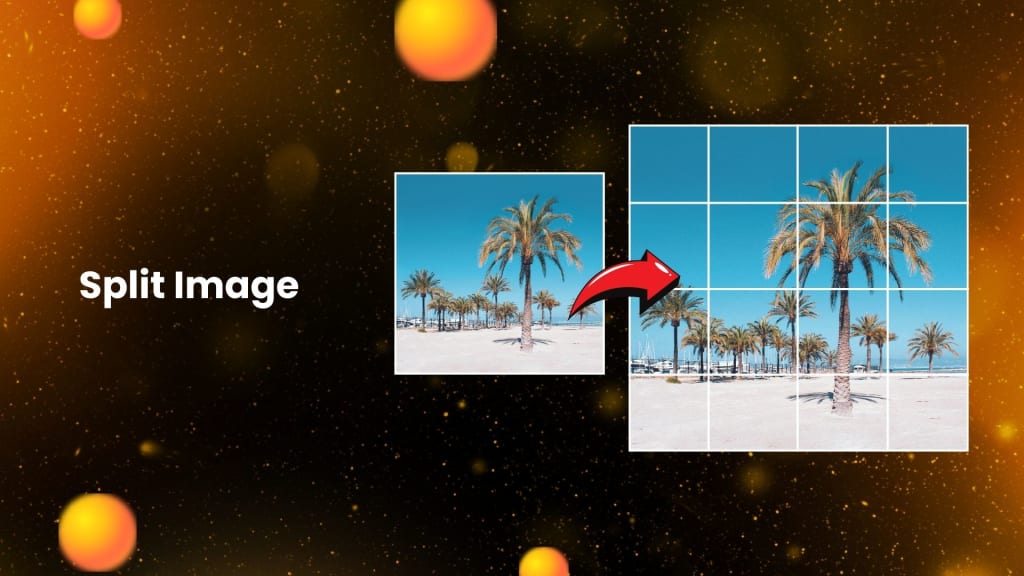
Splitting images into smaller parts has become a popular technique, especially for creative and practical purposes today, especially in the world of social media. Be it in making an Instagram post, banner, or even a stunning visual story, having an online image splitter tool can make the work smooth and efficient. Using PhotoCut, you can easily divide any pictures into creative ways without the need for any specialized software.
In this blog, we'll look at all the possible applications and functions of online image splitters, such as PhotoCut, see how to split images, and also address frequently asked questions regarding this process. Want to create an Instagram grid, or event teaser, or just have fun playing around with your photos? This is a game-changer.
Why Split Images?
Before we talk about how you can split an image, let's talk about why you'd want to do that at all. There are several reasons why you might want to divide a photo, and it isn't just for pretty pictures. Here are some common occasions:
- Social Media Layouts: One of the most common uses of image splitting is for Instagram, especially when creating a multi-image grid layout. This allows for a unique, cohesive aesthetic across multiple posts.
- Event Promotion: You can tease your upcoming events by splitting promotional materials like posters or invites into pieces. Each piece can be posted separately, building anticipation as followers view the content one piece at a time.
- Website Design: If you are a web designer, breaking up images into smaller parts like banners or background pieces helps you create a unified website layout.
- Photo Collages: A good photo collage, on the other hand, will be created with the help of splitting a single image into separate pieces that convey a story, or simply allow different elements within the same image to be developed.
Whether it is artistic, business, or personal purposes, splitting images can provide creativity and help make your content unique.
Learn about the different types of e-commerce APIs and their benefits.
How Does PhotoCut’s Image Splitter Work?
PhotoCut offers an online image splitter to split your photos with ease. Here's a step-by-step guide to using this tool:
Step 1: Upload Your Images
Import first the image of your choice; PhotoCut will provide you with a very simple-to-use interface wherein you can also drag and upload your photos via drag and drop. It supported PNG, JPG, and JPEG file formats with no issues, so compatibility doesn't seem an issue here at all.
Step 2: Customize Your Grid Layout
Once you upload an image, then you can use the number of rows and the number of columns to split how you want them. You choose simple grids to get 2x2 or 3x2, but you can pick more creative and unique layouts also. The greater the number, the smaller a piece of this image will look. So choose your grid type and experiment there.
For Instagram, 3x3 or 3x1 works well, too, in producing an aesthetically appealing grid. Now, there's no end to what you might do.
Step 3: Split and Download Your Images
After you’ve chosen your grid dimensions, you can initiate the split. PhotoCut will divide your image into the smaller sections you’ve specified. If you've used the Split Function, you get to preview and make sure everything is all good.
Click that download button; the split image will come along in a nice ZIP file where you can now extract to piece together your various parts.
Step 4: Post Your Split Images
You can now share your downloaded split images with your audience. For Instagram, you may publish the images individually so as not to distort your unique visually consistent grid. However, this does not imply the order in which you should publish your images as this is sensitive to when it appears to other people and thereby affects the quality of your picture.
Why Choose PhotoCut’s Image Splitter?
- No Special Apps Needed: The biggest advantage of PhotoCut's online image splitter is that no special software has to be downloaded. Everything happens within your web browser, which means no extra storage space or complicated installations.
- Multiple Image Format Support: Whether you’re working with PNGs, JPEGs, or JPGs, PhotoCut’s tool can handle various formats without any restrictions. This ensures you can split your images regardless of file type.
- Flexible Grid Dimensions: PhotoCut will allow you to choose the dimensions of the split photo grid. You can achieve grids as basic as 2x2, or as detailed as 5x4, and so on to have complete control over how images are divided, which is flexible enough to cater to your individual needs, perhaps in designing an Instagram grid custom or creating a banner for a website.
- Ease of Use: PhotoCut is easy to use for all. You could be a person with or without the most significant IT skills in the world because it's quite intuitive and navigable. There is no hassle to spend on learning complicated software but instead, concentrate on being creative.
Design your home beautifully using PhotoCut’s AI Interior Design Generator.
Common Uses for PhotoCut’s Image Splitter
Now that we know how the tool works, let’s explore some of the best ways to use an online image splitter like PhotoCut:
1. Instagram Storytelling
Instagram is all about visuals, so splitting an image into multiple parts is a playful and engaging means of telling the story. After coming back from a trip, or after accomplishing something huge, split the photos into a series of pictures and post one after another for your audience's excitement. That way, people can piece up the full picture while scrolling down through your feed, creating more suspense and fun. Discover the best Instagram filters and effects for your photos.
2. Event Teasers
Planning for a big event and want some hype around that? Split your event poster in several pieces; it will create buzz. By posting each segment separately, you give your audience the chance to unlock the full image over time, which creates a sense of excitement and curiosity.
3. Grid Layouts for a Cohesive Feed
Instagram users love creating visually cohesive feeds. By using an online image splitter, you can split a single image into multiple sections and post them strategically to create a seamless grid layout. It’s a fun way to give your page a creative aesthetic while sharing larger images in a segmented form.
4. Creating Collages or Panoramas
You can also use the image splitter tool to create collages or panoramas. This technique is especially useful when you have a wide landscape or a group photo you want to display in pieces. You can then arrange the individual sections in a way that creates a collage-style effect.
5. Website Design Elements
For designers, image splitters are also handy for creating elements like banners, icons, or background pieces for websites. By splitting large images into smaller sections, you can easily incorporate them into website layouts without losing quality.
Conclusion
The online image splitter of PhotoCut is a really powerful yet not complicated tool through which you can creatively divide the images for all your social media, design projects, and lots more. With no special software required, the tool supports multiple formats and allows for customizing grid dimensions, it is perfect for both beginners and advanced users. Be it something elaborate like an Instagram grid, an event promotion, or merely just having fun with your photos, PhotoCut's online image splitter has everything you need to split your photos easily.
Learn how Video APIs can make your videos better.
FAQs
Q1. What does it mean to "split an image online"?
Ans. Sharding an image online is slicing a large graphic into smaller units, usually viewed in a matrix or row-column layout. Commonly used, it applies to Instagram, collages on websites, as well as graphics design.
Q2. Do I need to download software to split images online?
Ans. Of course not. Online image splitter works right out of your computer browser, with no need for any software.
Q3. Are online image splitters free?
Ans. Many online image splitters, like PhotoCut, are free to use. However, some may offer premium features for a fee.
Q4. What formats do online image splitters support?
Ans. Most online image splitters support popular formats like PNG, JPG, and JPEG, and some may also support additional formats like TIFF.
Q5. Can I split images into irregular shapes?
Ans. Basic online image splitters focus primarily on grid-based splits. For irregular shapes or more advanced splitting options, you may need to use image editing software like Photoshop.
About the Creator
PhotoCut
AI Photo Editing Tool - Remove or Change your Background & Enhance Product Photos
Keep reading
More stories from PhotoCut and writers in Photography and other communities.
Free AI Interior Design Online
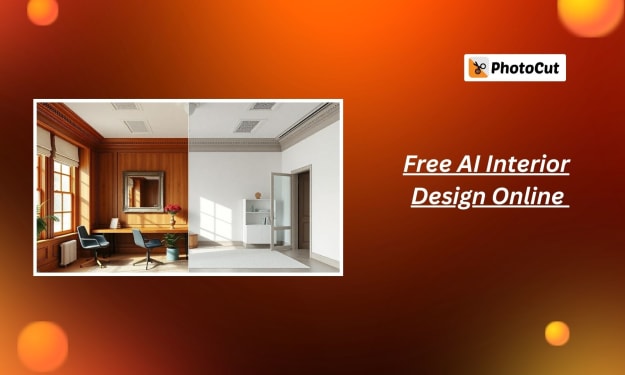
Are you fed up with the old interior of your house but don't want to hire an interior designer? You only need to click a few times to change your living area using PhotoCut's free AI interior design tool! Using this cutting-edge AI-powered generator, you can easily and affordably develop customized interior design plans and picture your ideal house. PhotoCut's AI technology provides a simple solution for every situation, including vacant rooms, outdated décor, or just wanting a new look at your house.
By PhotoCut11 months ago in Photography
The Gold Tone (Orotone) Technique
She picked it up from a dusty shelf at an estate sale, thinking it was just an old frame. Then the light caught it. The image glowed, not like a print, not like a painting, but like something that seemed to carry its own inner warmth. That was her first encounter with an Orotone, and she bought it without asking the price.
By CurlsAndCommas4 days ago in Photography



Comments
There are no comments for this story
Be the first to respond and start the conversation.