
Free AI Interior Design Online
Free AI Interior Design Online

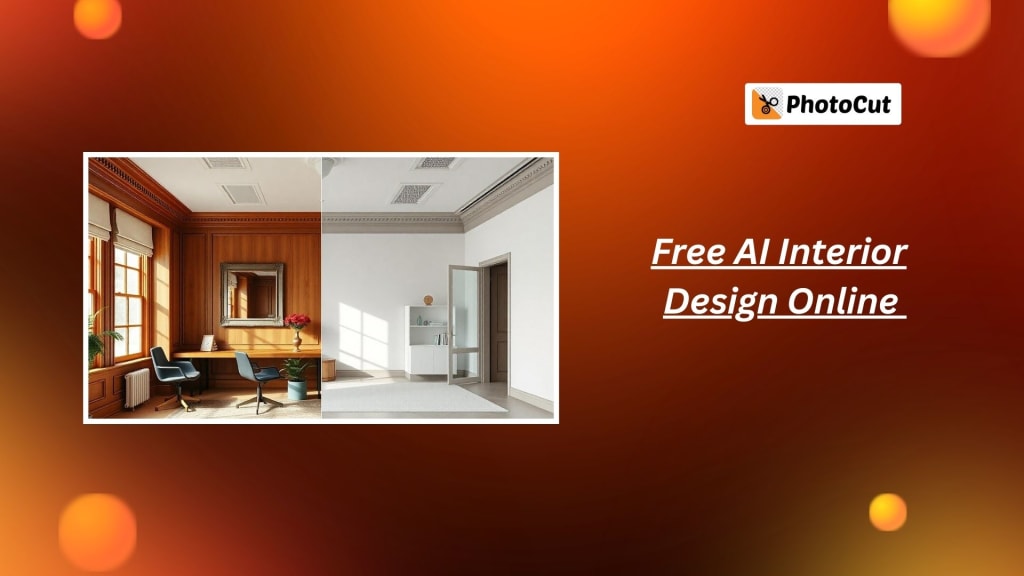
Are you fed up with the old interior of your house but don't want to hire an interior designer? You only need to click a few times to change your living area using PhotoCut's free AI interior design tool! Using this cutting-edge AI-powered generator, you can easily and affordably develop customized interior design plans and picture your ideal house. PhotoCut's AI technology provides a simple solution for every situation, including vacant rooms, outdated décor, or just wanting a new look at your house.
What is AI Interior Design and How Does It Work?
AI interior design is drastically changing how we make home decoration plans and visions. Now, upload your present space image using PhotoCut's AI interior design generator, and wait for the magic to happen. Your room's layout will be analyzed along with the furniture and decor available, and design modifications will be automatically proposed based on your preferred style.
With PhotoCut, you do not need to spend days getting conceptualized by designers or shelling out lots of remodeling money. It lets you redesign an interior to your satisfaction. In other words, it's like having a virtual interior designer in your pocket. The great thing is that you can input changes and test different designs almost effortlessly in real time.
Read about Video Editing APIs and enhance your videos.
How to Use PhotoCut’s AI Interior Design Generator
The use of PhotoCut's AI interior design tool is as simple as it is quick. Simply follow these steps to get started.
- Start by uploading an image of your room. Whether it's an old interior or an empty room, the AI can work with any image you provide. PhotoCut supports various formats, including PNG and JPG, and processes your image efficiently.
- Now you can upload the image of the room you need to design; there are different styles one can choose according to their design preferences, including modern minimalist style, French country, or Zen-inspired Japanese styles.
- Once the style is selected, PhotoCut's AI proceeds to analyze your room and make a design plan based on your chosen style. The AI suggests layout changes, furniture arrangements, and color schemes to bring your vision to life. The best part? You can see the transformation in a matter of minutes!
- PhotoCut goes beyond just suggesting a style—it also allows you to make customizations. Use the AI inpainting tool to add elements like new furniture, wall colors, or decor. You can also use the AI replacer tool to swap out outdated items with modern alternatives, ensuring your design is exactly how you envision it.
- Once you’re happy with your design, download your high-quality AI-generated interior design plans in PNG format. You can even share these designs with family, friends, or professional contractors for feedback or implementation. Whether you're looking to update one room or revamp your entire home, PhotoCut’s tool provides the resources you need to visualize your interior ideas.
AI Style Transfer: The Future of Interior Design
One of the most impressive features of PhotoCut's AI interior design tool is its AI Style Transfer. It allows you to take any picture of your room, whether it is full of old furniture or empty, and "transfer" a new style onto it. Here's how it works:
- Select Your Favorite Style: From modern, minimalist, French, Japanese, and many more, you can pick your favorite. The AI will then apply that style to your room’s layout.
- Automatic Design Suggestions: The AI doesn’t just make surface-level changes, it carefully crafts a design plan that fits the style you’ve selected. The AI designs the interior of your space in every detail from furniture to color schemes and layout.
- Instant Visualization: All this would be available to you in just a few minutes, and you can witness the transformed view of how your room would look following the new style. It is an instant interior update without making a fuss.
AI Inpainting Tool for Customized Interior Design
Another cool feature of PhotoCut's AI interior design generator is the AI Inpainting Tool. In this tool, you can feed in specific elements that you want added to your room, whether it is certain furniture items, art, or a few decorative elements, to have the AI change the design accordingly.
For example, you can use the AI inpainting tool for an empty room and ask for furniture suggestions. You may also specify what kind of furniture you need for a modern sofa or classic chair, and the AI will add them to your design automatically. Further, the AI home decor changer software lets you change any existing décor that does not match your new design, including old curtains and worn-out rugs.
Split your images online for free using PhotoCut’s Image Splitter.
Quick and Easy Home Interior Design Tool
This amazing tool is pre-trained with millions of images of popular interior designs. For that reason, the suggestions and plans produced by AI are modern and fashionable. You don't need to make difficult design decisions or waste hours researching potential ideas. With a few descriptions and an image upload, you are in for high-quality 3D designs within minutes.
For quick and efficient remodeling of your house, PhotoCut's AI technology is the ideal solution. With it, there is no costly consultation, wasted time in making decisions, or uncertainty in your design. Multiple ideas can quickly be generated to be tweaked till you get just the best outcome.
AI Room Design App for iOS and Android
Even the photo-cut AI interior design generator is coming in a mobile application, so you can easily imagine your ideas on the go, whether at home, in the office, or out and about using your device-whether Android or iOS. This portability allows you to work on your home design at any given time and place.
The app runs smoothly with the desktop version; you can thus start your design project on the computer and complete it on the mobile device. You will thus have the capability to redesign the space anywhere with the touch of your fingertips.
Discover the best Instagram filters and effects for your photos to make them look outstanding.
Why Choose PhotoCut’s AI Interior Design Tool?
- Customization Options: You can customize your room design using the AI inpainting tool and AI replacer according to your style and preferences.
- Multi-Style Options: From modern to traditional and everything in between, you get a wide variety of interior design styles.
- HD Interior Design: Download high-quality AI-generated interior design plans in PNG format so that you work with clear and detailed designs.
- Time-Saving: Create a high-quality home design plan in minutes without the cost of a designer or the time spent finding inspiration.
- Accessible Anytime, Anywhere: Get inspiration for and create your dream home while you are at home or on the go using PhotoCut's AI interior design.
- Security: None of the images you upload will be stored so your data remains private and safe.
Explore Popular Home Interior Design Ideas
In case you are confused about what interior design style is best suited for your home, PhotoCut presents some of the most popular styles of interior design to get ideas from:
- Modern Interior Design: Modern design uses clean lines, minimal ornamentation, and efficient spaces to express simplicity and sophistication.
- Minimalist Interior Design: This style eliminates clutter and offers open spaces that feature neutral tones and a plain appearance to achieve serenity and peace.
- French Interior Design: Characterized by vintage appeal, the French style uses richly colored, lavish furniture with ornamented pieces that convey a traditional feel of sophistication.
- Japanese Room Interior Design: Rooted in the principles of Zen philosophy, this style is minimalistic and calm, making ample use of natural materials to produce a peaceful space.
- Chinese Style Room Design: These designs are for those people who feel a great sense of balance and harmony. It contains richness in colors and traditional elements with peace and unification.
- Bohemian Interior Design: Bohemian design is for folks who love rich colors and eclectic patterns. A bohemian house is thus all about a fun and artistic lifestyle.
Get Inspired with AI-Generated Interior Designs
Thanks to PhotoCut's AI interior design generator, you no longer need an expensive interior designer to change the look of your house. All you need to do to generate amazing, bespoke designs reflecting your taste and style are just a few simple steps. Whether it's redesigning a single room or the whole house, PhotoCut provides all the resources you need to make your vision turn into reality.
Conclusion
With PhotoCut's AI interior design generator, you are only a few easy steps away from transforming your house. Start your dream home design today!
Learn how Video APIs make your videos look flawless.
FAQs
Q1. Who can use PhotoCut’s AI interior design tool?
Ans. Anyone from the homeowner and tenant to the professional interior designer and even home enthusiasts can utilize the AI-powered interior design generator provided by PhotoCut.
Q2. How does PhotoCut’s online AI interior designer work?
Ans. Simply upload an image of your room or home, and PhotoCut's AI will scan the image to develop a unique design plan according to your style preferences. You may then refine your design with AI inpainting and replacer capabilities.
Q3. Is PhotoCut’s AI interior design tool free?
Ans. Yes! PhotoCut offers a free version of its AI interior design tool, allowing you to create and download design plans without any costs.
Q4. Can I access the AI interior design tool on mobile devices?
Ans. Yes, PhotoCut offers an AI tool for interior designing through mobile apps both iOS as well as on Android so can design wherever possible.
Q5. How quickly can I generate a design using PhotoCut’s AI tool?
Ans. You can generate a personalized interior design plan in just minutes, thanks to the tool’s fast processing and intuitive interface.
Q6. Can I make customizations to my AI-generated design?
Ans. Absolutely! The AI inpainting and replacer tools let you make detailed customizations, ensuring your design matches your unique style.
About the Creator
PhotoCut
AI Photo Editing Tool - Remove or Change your Background & Enhance Product Photos
Keep reading
More stories from PhotoCut and writers in Photography and other communities.
A Comprehensive Guide to Video Editing APIs
Today's digital environment has made video editing a crucial component of content creation. For social media postings, instructional materials, or even full-length movie promotional materials, high-quality video editing is essential to producing a valuable result. Editing videos, however, usually calls for strong tools, intricate algorithms, and laboriously long processes that are too much for even the most daring developers and enterprises to manage internally.
By PhotoCut11 months ago in Photography
The Gold Tone (Orotone) Technique
She picked it up from a dusty shelf at an estate sale, thinking it was just an old frame. Then the light caught it. The image glowed, not like a print, not like a painting, but like something that seemed to carry its own inner warmth. That was her first encounter with an Orotone, and she bought it without asking the price.
By CurlsAndCommas4 days ago in Photography



Comments
There are no comments for this story
Be the first to respond and start the conversation.