
How to Create Dynamic Light Wave Effects for Viral TikTok Videos
A step-by-step guide to adding futuristic light wave effects that sync with music, boost visual appeal, and make your videos stand out on TikTok, Instagram, and beyond.

Creating eye-catching videos is easier than ever, especially with the rise of effects like dynamic light waves. This effect adds energy, a futuristic vibe, and makes your videos stand out on platforms like TikTok and Instagram.
If you want to capture attention and boost your content’s visual appeal, learning how to make these light wave effects is a must.
You will find two main ways to do this—manual editing and quick automated tricks—that can both bring your videos to life.
In the below tutorial I will show you how you can enhance your videos using dynamic light waves and engage your audience.
Understanding Dynamic Light Wave Effects in Videos
What are Dynamic Light Waves?
Imagine ripples of neon or glowing waves that follow your movements. That’s the core of a dynamic light wave effect.
It uses bright, flowing lines that dance along with your gestures, creating a futuristic energy. These effects make your videos feel alive, energetic, and fun to watch.
Why are they so popular?
More creators are using these effects because they make videos look professional and trendy. Many viral TikTok clips feature light waves that connect with music beats.
They grab viewers’ attention instantly, get more likes, and help your content stand out. Styled right, these effects can turn simple dance moves into eye-popping visuals.
Preparing to Create Light Wave Effects
Shooting your dance or action video
Start by filming a clear, steady clip. Pay special attention to lighting—good lighting makes effects look clearer.
Move your hands and body smoothly along with the music. The more intentional your movements, the better the light waves will sync with your flow.
Choosing and syncing your audio
Pick a song with a strong beat that matches your moves. The rhythm guides where effects will pop up.
Save the background music (BGM) you plan to use. When editing, your goal is to make each movement hit the beat perfectly, so the effects look embedded in the music.
Creating Dynamic Light Wave Effects using CapCut
1. Upload and prepare your video
Import your dance clip into CapCut, a popular editing app. Mute the original sound so the BGM you added takes center stage. Add the music file you saved earlier.

2. Sync effects with music automatically
CapCut has a handy feature—auto-generate—that lines up effects with the beat automatically. Here’s how:
- Use the auto-generate tool to analyze the music.
- The app creates yellow dots along the timeline, marking where effects should happen.
- Split your video clips at these yellow dots using the split tool for precise timing.
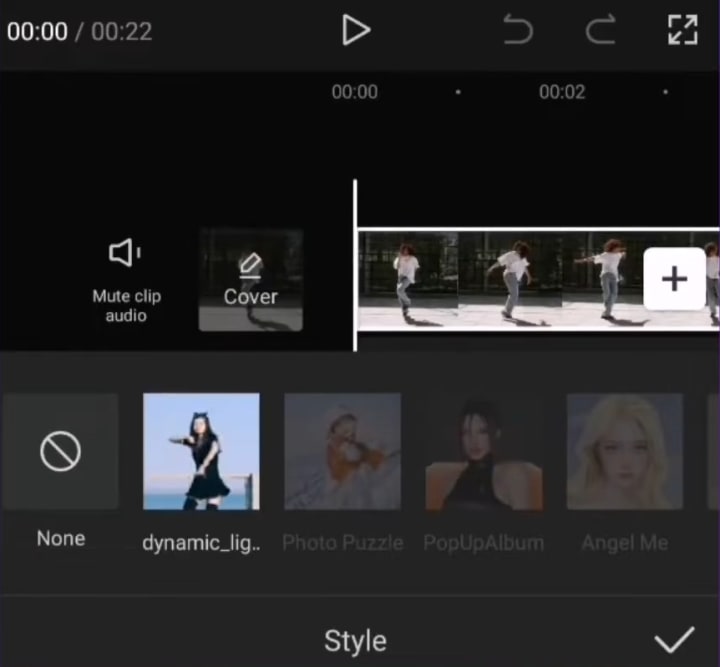
3. Fine-tune speed and transitions
To make effects stand out:
- Speed up the first part of a clip up to 4 times faster.
- Slow down the second part to about 0.4 times slower.
- Match the turning point of your clip with the yellow dots to keep everything in sync.
Repeat this process for each segment. This gives your video smooth, beat-aligned transitions.
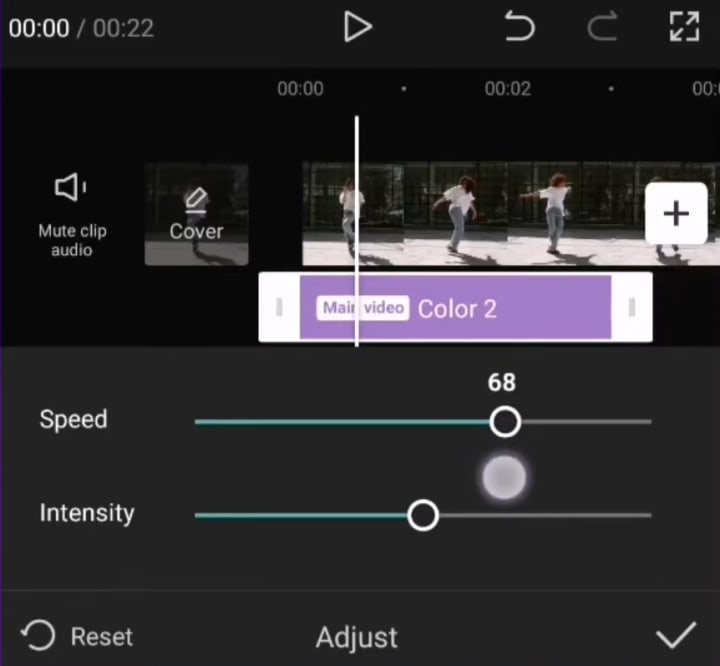
4. Add visual effects and filters
Now, to bring everything together, layer on visual effects:
- Apply a flashlight effect on the fast-moving parts.
- Insert flash effects during slow-motion sections.
- Use flicker effects to make the fast parts pop more.
- Finish with filters that add texture or color for a polished look.
An easier method: speed and style adjustments
Need a quick fix? Here’s a shortcut:
- Split the video into sections needing speed change.
- Use the speed tool to adjust clip speed manually.
- Select “auto velocity” style for more natural motion.
- Add a shake effect at the start or key moments to add energy.
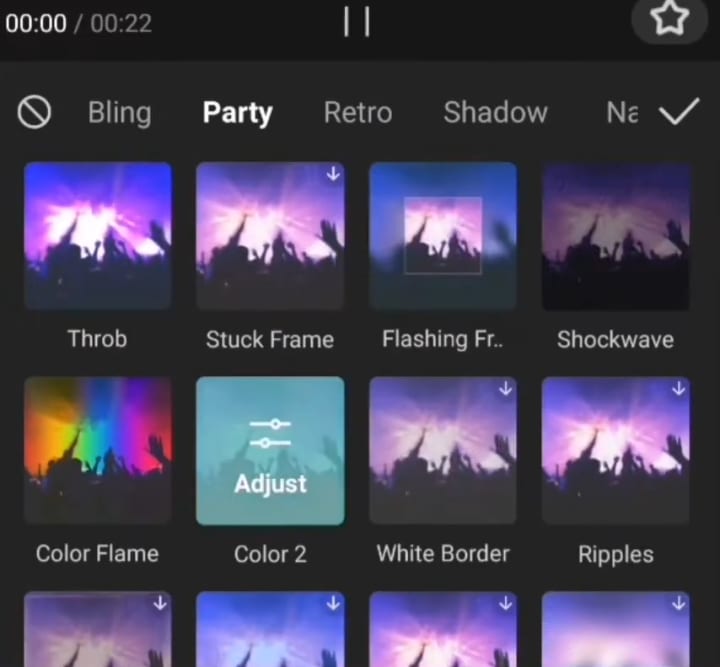
This method is less precise but works fast and saves time.
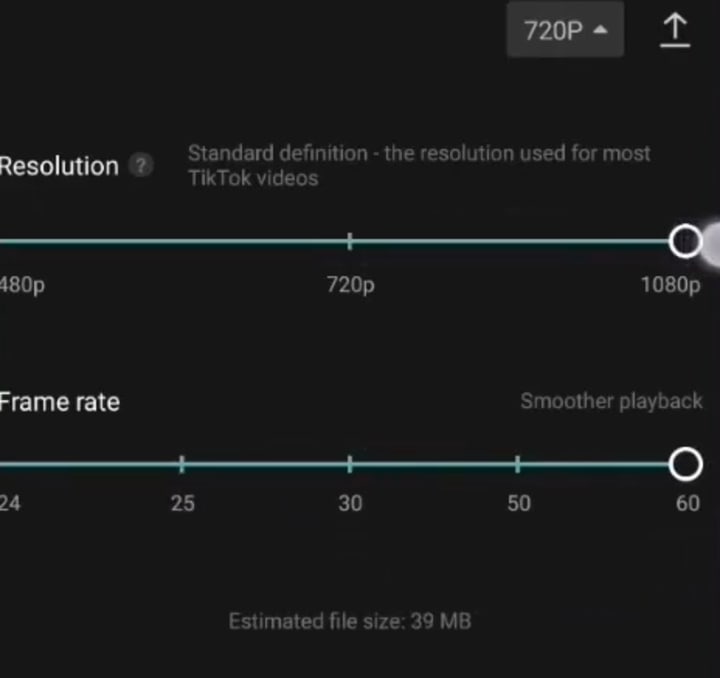
Finalize and export
Once you’re happy with the effects and timing, export your video in high quality. Review to make sure everything matches the beat and looks seamless.
Tips and tricks for perfect light wave effects
- Always match effects to the music’s rhythm for maximum impact.
- Use effects sparingly—too many can clutter your video.
- Enhance visuals with filters that complement your movements.
- Practice filming and editing to improve timing and a smooth flow.
Explore different apps and tools to find your favorites. CapCut is great for beginners, but others like InShot or VN work too.
Real-world examples
Many TikTokers use these effects to turn simple dance videos into dynamic shows. The secret to success is syncing the light waves tightly with the beat and keeping movements confident.
Videos with well-timed effects tend to increase viewers’ engagement and get shared more often.
Final tips for creating eye-catching light wave videos
- Make sure to record with intention—think about where effects will appear.
- Experiment with different speeds and effects to invent your unique style.
- Keep up with trending effects to stay fresh and relevant.
The more you practice, the better your effects will look. Don’t hesitate to try new techniques and refine your skills.
Conclusion
Creating stunning dynamic light wave effects is within your reach. Whether you choose the detailed manual approach or a quick speed adjustment, both methods can boost your videos effortlessly.
Sync your effects carefully with music, add some flair, and your content will instantly look more professional and exciting.
Dive into editing, experiment boldly, and watch your videos stand out. Now, go try these techniques and make your next video shine.
About the Creator
Adithya S
I am passionate about video editing and creating stories. I explore editing techniques and the latest trends in content creation. I love experimenting and sharing tips with fellow creators. Always learning, always editing!
Keep reading
More stories from Adithya S and writers in Photography and other communities.
15 Powerful Effects and Techniques to Level Up your Videos
Editing videos used to be tough and costly. But now we have several free editing software available that pack powerful features. Today I will provide you tips on how to make your videos more creative and engaging based on my video editing experience.
By Adithya S10 months ago in Photography
Gold Chrysotype Photography Is Back and the Colours Are Breathtaking
There is a moment when a chrysotype print is lifted from its chemical bath and held up to the light stops people mid-breath. The colours that bloom across the surface — soft dusty pinks fading into deep magenta, rich cyans pooling at the edges, velvety blacks settling into the grain of the paper — look less like a photograph and more like something pulled from a dream.
By CurlsAndCommasabout 21 hours ago in Photography



Comments (1)
This article's spot-on about making eye-catching videos with light wave effects. I've used similar techniques in my own projects. It's all about getting the lighting right during filming. And syncing the audio is crucial. Can't wait to see the tutorial on how to actually create these effects. Any tips on making the waves look more realistic?