
Creating Anime Characters, Art, and Profile Pictures Online with AI
Creating Anime Characters, Art, and Profile Pictures Online with AI

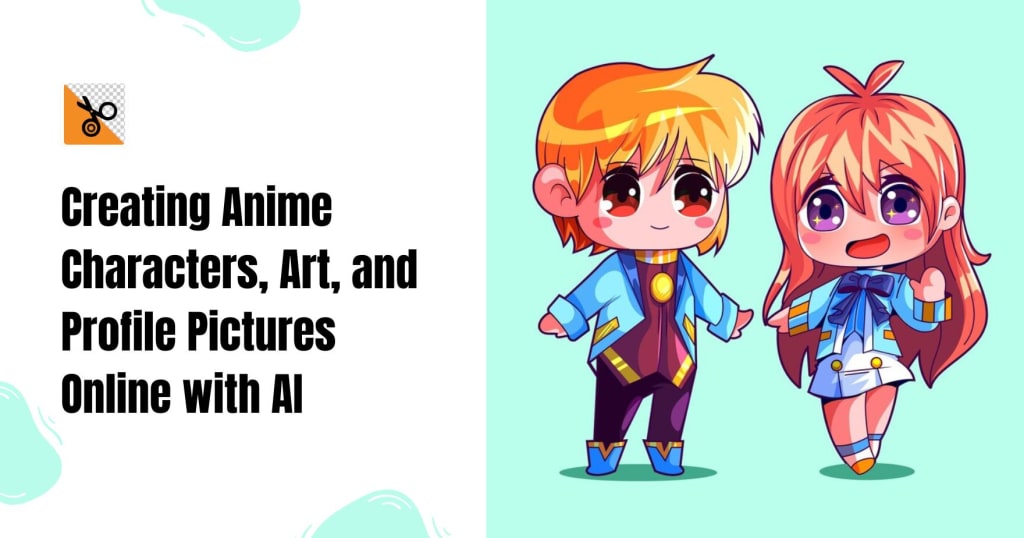
Anime is now a global phenomenon, and it has been winning the hearts of many people with its distinctive artwork and expressive characters. If you are an anime enthusiast, a computer artist, or someone who wants to design personal anime profile pictures, AI tools have made creating anime works of art simpler than ever. With tools like PhotoCut and other AI-based software, you can create amazing anime characters, turn your pic into anime, and even discover great quality anime wallpapers for your phones. Here, we will see how to make anime characters and artwork through AI online, customize your anime profile photos, and utilize PhotoCut for instant edits and touches.
Convert your photo sizes from MB to KB with PhotoCut’s Converter.
Creating Anime Characters Online with AI
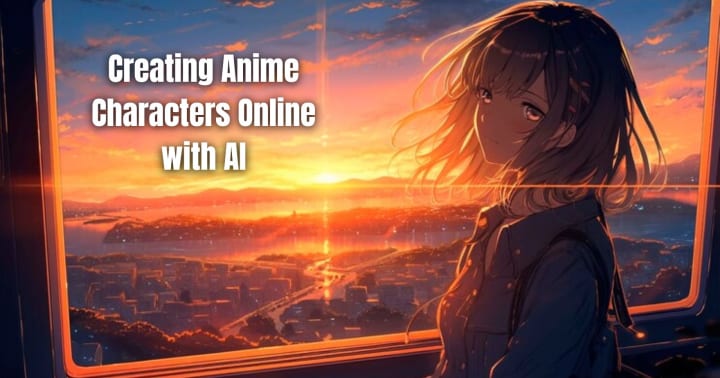
AI-powered platforms have revolutionized character creation by allowing users to generate anime characters without extensive drawing skills. Some of the best AI tools for anime character creation include:
1. AI-Based Character Generators
- Websites like This Anime Does Not Exist, Waifu Labs, and Deep Dream Generator employ AI algorithms to generate unique anime characters.
- These websites provide customization features like hairstyle, eye color, clothing, and background.
2. Using Stable Diffusion and MidJourney for Anime
- Stable Diffusion and MidJourney enable you to create anime characters based on text prompts.
- Just describe your character (e.g., "A futuristic anime warrior with silver hair and glowing blue eyes"), and AI will design an image as per your imagination.
3. Customizing Characters with PhotoCut
- Once your anime character has been generated, use PhotoCut to modify and customize the elements.
- You may add effects, remove undesirable items, and improve colors with its AI-powered editing tools.
Creating Anime Art Online with AI
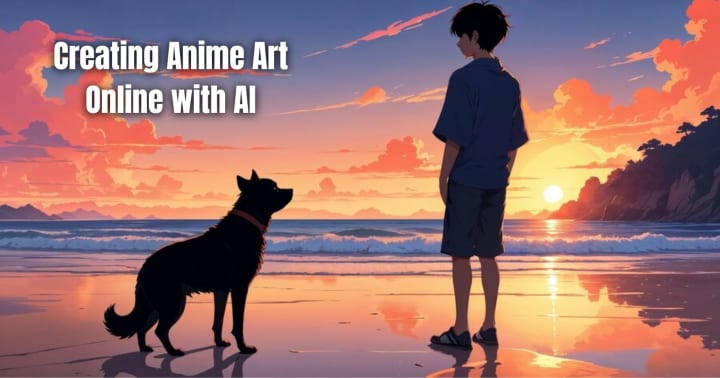
AI-assisted anime art generators enable users to create professional-quality illustrations in just a few clicks. Some popular methods include:
1. AI Art Platforms
- Artbreeder and Runway ML allow users to manipulate anime images using machine learning.
- Adjust facial expressions, change colors, or mix multiple styles to create unique anime art.
2. AI-Powered Sketch-to-Anime Converters
- Platforms like PaintsChainer can transform simple sketches into detailed anime-style illustrations.
- Users can upload a rough drawing and let AI automatically apply colors and shading.
3. Enhancing AI-Generated Art with PhotoCut
- PhotoCut allows you to edit AI-generated anime illustrations using brightness, contrast, and saturation.
- Cutout tools may also be employed to separate characters and produce transparent backgrounds for additional applications.
Visualize your interior design ideas with PhotoCut’s AI Interior Design Generator.
Creating Anime Profile Pictures for Social Media
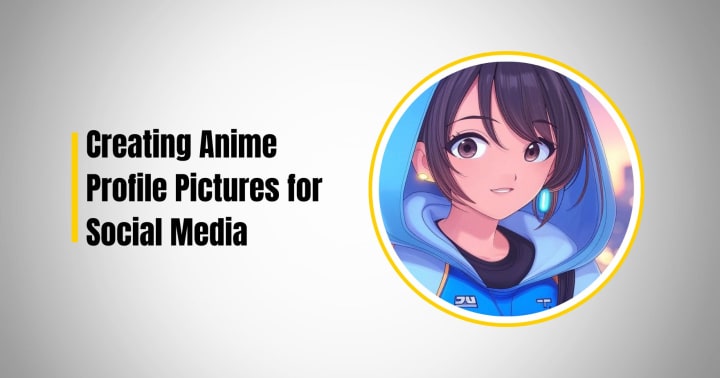
Anime profile pictures , or PFPs, are now commonly found on social media sites like Twitter, Instagram, and Discord. Here's how you can develop an impressive anime PFP:
1. AI Avatar Generators
- Websites such as Avatarify, Picrew, and Zmoji provide anime-style avatar generation.
- Modify facial expressions, hairstyles, and accessories to your liking.
2. Converting Your Image into an Anime PFP
- Artificial intelligence applications such as Toonify and Selfie2Anime can turn a real photograph into an anime one.
- Just upload your selfie, and the AI will rework it as an anime-type portrait.
3. Editing with PhotoCut
- Use PhotoCut to crop out backgrounds and add filters to improve your anime PFP.
- Apply effects such as anime glows, lighting shadows, or distinctive color schemes for a distinctive look.
Split your images easily for your needs with PhotoCut’s Photo Splitter.
Converting Yourself into an Anime Character
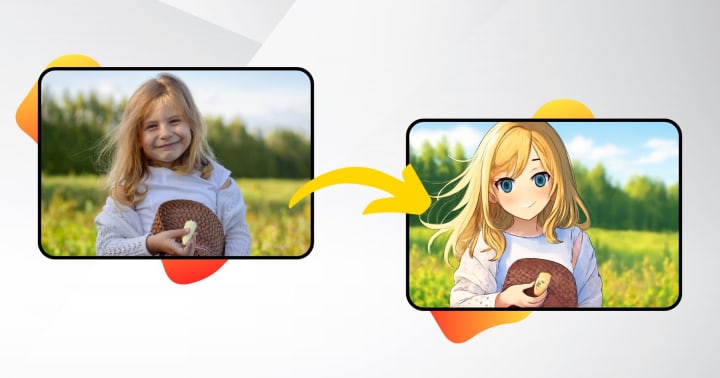
For those who have ever dreamed of becoming an anime character, AI technology can turn dreams into reality. Here's how:
1. Using AI Face Conversion Tools
- Platforms like DeepAnime and VanceAI can analyze facial features and transform a human portrait into anime.
- These tools maintain facial proportions while adapting to the anime art style.
2. Creating an Anime Character Based on Your Features
- AI websites enable users to provide features such as hair color, hairstyle, and wardrobe choices to create an individualized anime character out of oneself.
3. Refining the Image with PhotoCut
- After you've done your anime version, apply PhotoCut to sharpen edges, eliminate backgrounds, and create details.
- Use anime-style filters to transform and appear more real.
Explore the best Instagram filters and effects to enhance your photos.
Finding Anime Wallpapers for Your Devices
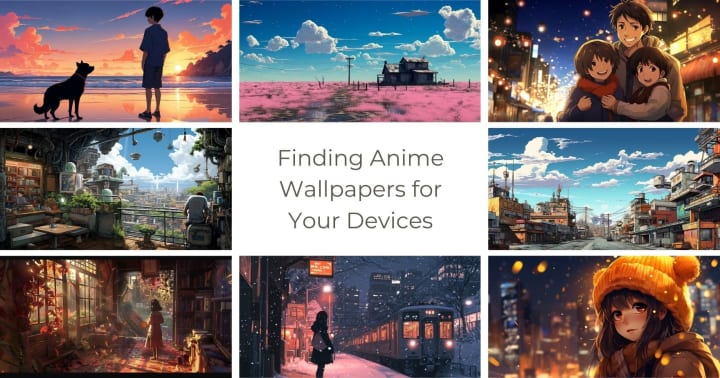
Anime wallpapers give your computer, tablet, or phone a charm. Here's how to find or create original anime wallpapers:
1. Downloading High-Quality Anime Wallpapers
- Wallhaven, Zerochan, and DeviantArt offer thousands of free anime wallpapers.
- Search by theme, character, or resolution to match your device.
2. Using AI to Generate Custom Anime Wallpapers
- AI applications such as Dream by Wombo and DeepAI can generate personalized anime-style wallpapers from prompts.
- Personalized factors include lighting, mood, and the background landscape.
3. Editing Wallpapers with PhotoCut
- Crop, resize, and edit anime wallpapers using PhotoCut.
- Delete unwanted components and add artistic filters to your style.
Conclusion
Designing anime characters, artwork, and profile photos has never been simpler, courtesy of AI tools. If you wish to create original anime characters, turn your photo into anime, or discover beautiful wallpapers for your devices, AI platforms such as Stable Diffusion, DeepAnime, and PaintsChainer present unlimited options. PhotoCut also offers the necessary tools for editing and improving AI-created images so that you can attain professional-grade outcomes with minimal effort.
With PhotoCut and AI, you can unleash your imagination and turn your anime ideas into reality in a matter of clicks. For social media, personal projects, or artistic endeavors, these tools bring anime-making within reach like never before. Start experimenting today and create your very own anime universe!
Use PhotoCut’s Video Editing API to take your videos to the next level.
FAQs
Q1. What is AI anime generation?
Ans. It's the activity of employing AI algorithms, such as machine learning models in the form of diffusion models or GANs (Generative Adversarial Networks), for producing anime-styled images, characters, and artworks. AI models are pre-trained on very large sets of anime art and are capable of generating new pictures using text instructions or other images as input.
Q2. What kind of prompts work best for AI anime generators?
Ans. The more specific your question, the better the outcome. Add information on:
- Character look: Hair color, style, shape/color of eyes, attire, accessories.
- Pose and action: Is the character standing, sitting, running, or fighting? What is the emotion they are portraying?
- Background: In what kind of environment is the character located? (For instance, a school, a forest, a city street, or a place)
- Art style: Do you prefer a particular artist's style, a specific anime series style, or a general style such as "cute," "detailed," "realistic," etc.? Specify keywords such as "cell shading", "watercolor style", or the anime engine ("Unreal Engine")
- Lighting and mood: Define the image's lighting and overall tone (e.g., "soft lighting," "dramatic shadows," "cheerful," "melancholy").
Q3. Are AI-generated anime images free to use?
Ans. That depends on the terms of service of the AI platform. Some provide royalty-free images, while others ask for a commercial license to be purchased. Always check the terms of licensing before using images created by AI, particularly for commercial usage. Also, research copyright risks.
Q4. What are the limitations of AI anime generators?
Ans: Here are some limitations:
- Inconsistency: AI can sometimes produce inconsistent results, especially with complex prompts or character features.
- Artistic Style: AI might not entirely mimic the style of an individual artist or depict subtle artistic elements.
- Copyright issues: AI models are trained using existing pieces of art, thus creating issues with copyright with respect to generated art.
- Ethical issues: There are ethical controversies surrounding the employment of AI-generated art, most notably its influence on human artists.
- Details: Hands, eyes, and text are occasionally poorly rendered.
Q5. How do I produce the best possible results when I convert my photo to an anime profile picture?
Ans. This is how:
- Use a clean, well-illuminated photo: The higher the quality of your initial photo, the better the AI will be able to understand it.
- Try out various AI tools and filters: Varying tools will yield varying results, so try a few and see what works best for you.
- Employ precise prompts: In the case of using a text-to-image AI, include precise details about the way you'd like your anime version of yourself to appear.
- Edit the resulting image: Several tools permit you to adjust the resulting image, e.g., hair color, eye color, or dress.
Q6. Are there apps that allow one to make free anime profile pictures?
Ans. Yes, basic anime profile-picture-making is provided by some free apps and websites. They are, however, limited, perhaps with watermarks, reduced resolution, or reduced customization features.
Q7. What resolution do I search for in an anime wallpaper?
Ans. The desired resolution varies according to the device you're accessing:
- Phone: Look for wallpapers with resolutions that are equal to or slightly higher than your phone's.
- Computer: Look for wallpapers with a resolution equal to or slightly higher than your monitor's.
Q8. How can I create my custom anime wallpaper?
Ans. Here's how to make personalized anime wallpapers:
- Use an AI anime creator: Create a unique anime image with your preferred characters, setting, and resolution.
- Edit a photo: Utilize photo editing software to apply effects and captions or merge several anime images to design a personalized wallpaper.
- Commission a designer: Pay an anime designer to design a personalized wallpaper for you.
Q9. How can I transform myself into an anime character?
Ans. Here's how you can become an anime character:
- Use an AI anime generator: This is Similar to making anime profile photos.
- Photo Editing Software: Utilize layering, filters, and color adjustment to make an anime-style image of your face.
- Commission an artist: Get an anime artist to design a special artwork for you.
Q10. What are the greatest artificial intelligence technologies for transforming oneself into an anime character?
Ans. There are several AI anime generators, each with its own set of characteristics and capabilities. Some popular options include:
- Fotor
- VanceAI
- ToonMe
- AnimeFilter
- Neural.love
More general art AI like Midjourney and Stable Diffusion are also available, however, they may require significantly more tinkering to get the desired result.
About the Creator
PhotoCut
AI Photo Editing Tool - Remove or Change your Background & Enhance Product Photos
Keep reading
More stories from PhotoCut and writers in Photography and other communities.
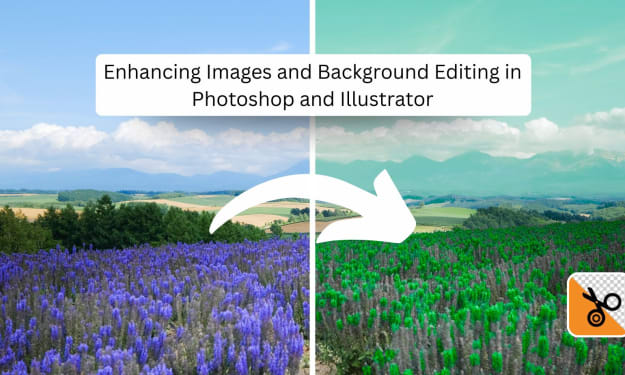
Enhancing Images and Background Editing in Photoshop and Illustrator
Real editing is one of the essential skills one can have in the digital design and photography world. Be it any professional field, such as a graphic designer, filmmaker, or even as an enthusiast, mastering how to change background colors, remove backgrounds, or enhance images in these practices to take work beyond the ordinary. Thus providing tools such as PhotoCut for an easier and faster way to refine photos. This will sound more interesting as an article since it enables the reader to explore and learn about these techniques, from the basic edits to the most advanced enhancements.
By PhotoCut9 months ago in Photography
My Year, in Prattling and Photos
It's been a year since... last year. Ironically, it seems I've found myself a new tradition of getting sick during the New Year holidays. At least, this year (that is, this inter-year period remarkable for its shiny decorations in the streets and houses, and closed supermarkets and pretty much everything), I'm doubtlessly doing better: I've managed to come visit my friends in Germany for Christmas (which I failed to do last year) and—after having some good quality time eating machanka, playing Munchkin and swinging machetes (the last one obviously crept into this checklist only for the sake of the phonological form)—I came back home via proverbial Deutche Bahn and probably less known Schweizerische Bundesbahnen, my body hosting a family of viruses, virions and who knows what other tiny critters somewhere inside my chest.
By Andrei Z.17 days ago in Photography
The People We Meet on Vacation: Moments, Connections, and Lasting Impressions
The People We Meet on Vacation: Moments, Connections, and Lasting Impressions Vacations are more than a break from daily routines. They are a unique social experience where people from different backgrounds cross paths in unexpected ways. The people we meet during a holiday often leave strong impressions, even if the interaction lasts only a few minutes. These encounters can shape memories, influence perspectives, and sometimes turn into lifelong friendships. Understanding who we meet on vacation helps explain why travel feels so meaningful to many people.
By America today 7 days ago in Photography



Comments (1)
Fabulous!!!