
Time Management Strategies for Remote Employees
Increase Productivity Anywhere

Picture this: you’re working from home, sipping coffee in your favorite sweats, no commute in sight. Sounds perfect, right? But then the dishes start calling, your inbox overflows, and suddenly it’s 5 PM and you’ve barely checked off your to-do list. I’ve been there. Remote work is awesome, but without a grip on your time, it can feel like you’re juggling chaos. That’s why I’m sharing my go-to time management strategies for remote employees—practical tips to help you stay focused, get stuff done, and still have time to binge that new show guilt-free.
Let’s jump into some real-world ways to make your work-from-home life smoother.
Why Time Management Is a Big Deal for Remote Workers

Remote work hands you freedom on a silver platter, but it’s not all rosy. Your couch looks way too inviting, and distractions like Instagram or a noisy neighbor can tank your focus. Let time management slip, and you’re left stressed, overworked, and wondering why you’re always behind.
Get it right, though, and you’ll:
- Smash your tasks without burning the midnight oil.
- Carve out actual downtime to recharge.
- Impress your team with work that’s on point and on time.
- Here’s how to make it happen.
1. Kick Off Your Day with a Game Plan

Nothing’s worse than staring at your laptop, clueless about where to start. I used to wing it, and trust me, it’s a recipe for wasting hours. A solid plan changes everything.
How to Nail It
- Jot it down the night before: Spend a few minutes listing what you need to tackle tomorrow. It’s like giving your morning self a head start.
- Keep it simple: I aim for three must-do tasks, a couple of nice-to-dos, and maybe one quick win. No overwhelming allowed.
- Use what works: I love a spiral notebook, but apps like Notion or a sticky note on your screen do the trick too.
- Quick Tip: Glance at your plan over breakfast to hit the ground running.
2. Block Your Time Like It’s Your Job

I swear by time blocking—it’s like putting guardrails on your day. You decide when to tackle what, so you’re not bouncing between tasks or getting sidetracked.
How to Make It Work
- Map out your day: I might set 9-10 AM for emails, 10:30 AM-noon for big projects, and 3 PM for calls.
- Don’t skip breaks: I give myself 10 minutes every hour to stretch or grab water—it keeps me sane.
- Stick to the plan: Act like these blocks are meetings you can’t ditch.
- Why I Love It: It’s like having a personal assistant who keeps you on track. I use a basic calendar app to plot it out—no fancy tools needed.
3. Get Cozy with the Pomodoro Trick

Some days, focusing feels impossible. That’s when I turn to the Pomodoro method. It’s stupidly simple but works like magic for getting in the zone.
Here’s the Deal
- Work hard for 25 minutes. Pick one task and go all in—no checking your phone.
- Chill for 5: Stand up, shake it out, maybe pet your dog.
- Do it again: After four rounds, take a longer break, like 20 minutes, to reset.
- Why It Rocks: It breaks work into bites you can handle, so even huge projects don’t scare you off. I just set a timer on my phone and go.
4. Draw a Line Between Work and Life

Remote work can blur everything together. I’ve answered emails at 11 PM and vacuumed during a deadline—big mistake. Setting boundaries saves your time and your sanity.
Ways to Hold the Line
- Tell people your hours: I let my team and family know I’m “at work” from, say, 9 AM to 5 PM.
- Claim a spot: My workspace is a tiny desk in the corner. It’s not much, but it screams “work mode.”
- Learn to say no: If a random task pops up, I’ll politely push it to later unless it’s urgent.
- Honest Truth: Boundaries feel awkward at first, but they’re your superpower for staying focused.
5. Shut Down Distractions (Even the Fun Ones)

Distractions are everywhere when you work from home. For me, it’s the urge to scroll Twitter or my cat begging for attention. You’ve got to be ruthless to stay on task.
How I Stay Focused
- Mute the noise: I turn off notifications on my phone and laptop. Game-changer.
- Block tempting sites: I use an app to lock out social media during work hours—sorry, memes.
- Headphones are key: Even if I’m not playing music, they tell my brain it’s go-time.
- Sneaky Move: When I’m tempted to goof off, I scribble a quick note—like “check that recipe later”—and keep working.
6. Sort Tasks with a Simple System
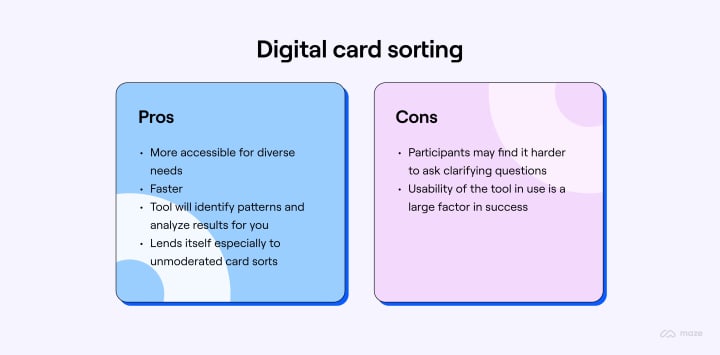
Not everything on your plate needs your attention right this second. I use a trick called the Eisenhower Matrix to figure out what’s worth my time.
How It Works for Me
- Do it now: stuff that’s urgent and matters, like a client report due today.
- Plan it: Important but not pressing, like brainstorming a new project—I’ll slot it for next week.
- Pass it off: Urgent but low-value, like scheduling meetings? Someone else can handle it.
- Toss it: Things like scrolling for no reason? Gone.
- Easy Hack: I sketch four boxes on a piece of paper to sort my tasks. Takes two minutes, saves hours.
7. Fuel Your Body, Not Just Your Schedule

I learned the hard way that time management flops if you’re exhausted. You can have the perfect plan, but if you’re running on coffee and no sleep, good luck.
What Keeps Me Going
- Sleep like you mean it: I aim for 7 hours minimum. It’s non-negotiable.
- Move a little: A 10-minute walk around the block clears my head like nothing else.
- Eat real food: I skip the chips and go for stuff like fruit or a quick sandwich to avoid crashing.
- Try This: I save my brain-heavy work for mornings when I’m sharpest. Know your peak hours and use them.
8. Check In with Yourself Weekly

Your routine isn’t set in stone. I take a few minutes every Friday to look back and tweak what’s not working.
What I Ask Myself
- Did I get my big stuff done?
- What kept pulling me off track?
- How can I make next week smoother?
Why It Matters: This habit helps me catch little issues before they become big problems. Just grab a coffee and reflect—it’s worth it.
Tools That Make Life Easier

I’m not a tech wizard, but a few tools help me stay organized:
- Notion or a notebook: For planning my tasks.
- RescueTime: Shows me if I’m spending too long on random websites.
- Google Calendar: Keeps my time blocks in check.
- Slack: Cuts down on email ping-pong with my team.
Test a couple to see what feels right for you.
Wrapping Up: You Can Do This!

Figuring out time management strategies for remote employees isn’t instant, but you don’t have to overhaul everything at once. Pick one tip—like blocking your time or trying Pomodoro—and give it a whirl. Soon, you’ll be cruising through your workday with energy left for the stuff that makes you happy.
What’s the toughest part of managing your time at home? Let me know in the comments—I’d love to hear your story. And if these ideas clicked, pass them along to your work-from-home buddies!
About the Creator
Padm R
Writing about personal growth, self-improvement, and productivity. Discover practical, no-fluff tips to build better habits, stay motivated, and reach your goals.
Keep reading
More stories from Padm R and writers in Motivation and other communities.
Top Productivity Apps for 2025
Let’s face it—2025 is looking like it’s going to be another blur of deadlines, Zoom meetings, and that constantly increasing to-do list that seems to taunt us on the edge of our screens. But here’s the silver lining: the right productivity apps have the power to transform chaos into serenity and take back your day. Whether you’re balancing work, side gigs, or just trying to keep your plants watered, these apps are here to rescue the day.
By Padm R11 months ago in Motivation




Comments
There are no comments for this story
Be the first to respond and start the conversation.