
How to Blog as a DeafBlind Person
A guide to blogging with low vision

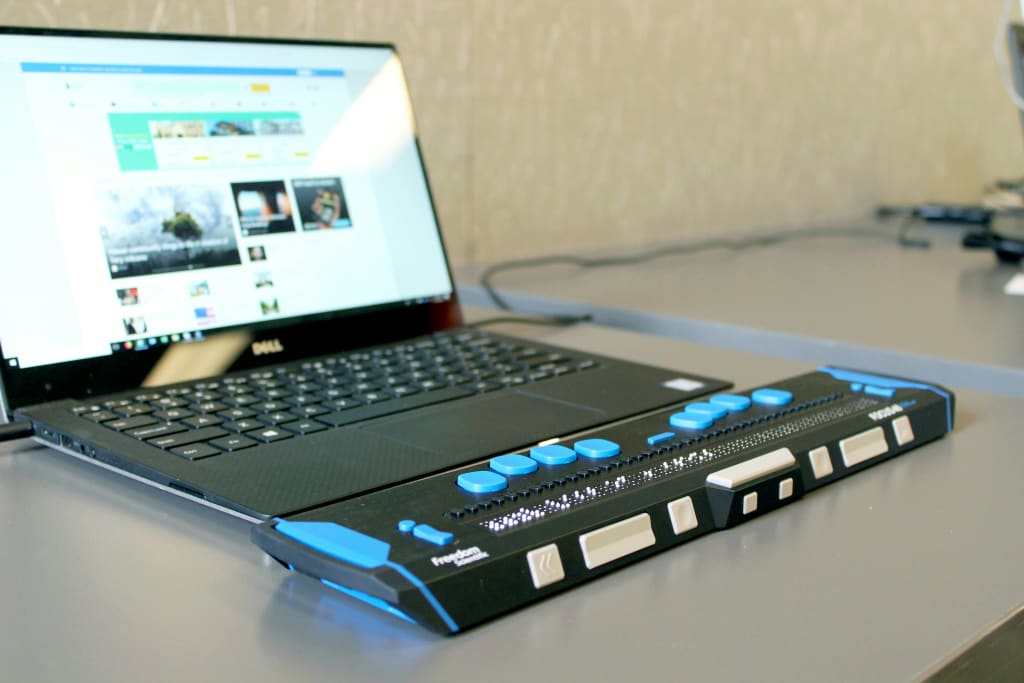
As a DeafBlind blogger, I’ve written various blogs over the years under different names and aliases — about 25 years’ worth.
I know there are many talented DeafBlind people out there, and I recently read a comment on a Facebook post from someone who said they couldn’t write because websites are not accessible. Others have mentioned that they wish they could make money writing.
This brings us to today’s article. I’ll split this into two sections: accessible websites and blogging tips.
Accessible Websites
I’m legally blind and use a screen magnifier to access the internet. I don’t use a refreshable braille display, so I researched as best as I could. If you’re a braille user and find my suggestions inaccessible, please let me know.
Vocal
This page you're reading is on Vocal. It’s fairly accessible for low vision readers, as it has a responsive design that adjusts to magnifier size settings. However, it doesn’t offer options for contrast colors or font choices.
Signing up for Vocal is easy. Just use your email or social media account. To complete your profile, add a profile picture, write a brief bio, and choose your interests.
To start writing, click your profile picture, then scroll down to “Create Story.” Add a title and subtitle. You can also choose to upload an image, embed a video, or select an Unsplash image. Vocal requires a photo at the top of every story, this may be difficult for low vision or blind bloggers to accomplish. You may get around this by uploading pictures you have saved from your reliable resources.
Next, start writing your story. The pop up menu when you highlight text includes bold, italic, strikethrough, underline, remove formatting, quote, header, link, numbering, and bullets.
There's also a side menu at the beginning of every paragrah to insert an image or video.
To prevent losing your work, frequently click “Save Changes.” You can save your story multiple times before publishing. When you’re ready to publish, you’ll be asked to choose a story type: community story, exclusive story, or public story with comments. You can also add a content warning or an AI-generated label. Next, select a community, add relevant tags, and decide if you want to enter a Vocal challenge.
Vocal Challenges are themed storytelling contests with cash, prizes, experiences, donations, and more as rewards. Some challenges are open to everyone, while others are exclusive to Vocal+ members.
Vocal+ is a premium membership offering increased earnings, priority support, additional tools, and promotional opportunities like featured stories, networking, and an ad-free experience. Subscriptions cost $99 a year, but they're currently having a sale for the first year of $49!
Vocal offers three ways to earn money: reads, engagements, and tips.
Earnings differ between free and Vocal+ accounts:
• Free accounts earn $3.80 for every 1,000 reads
• Vocal+ accounts earn $6.00 for every 1,000 reads
I couldn’t find information about Vocal’s accessibility for braille readers or Voiceover users. If you know of a resource, please share it.
Medium
Another site I used to blog on was Medium. As a low vision user, I find this site has an easy sign-up process, a straightforward profile page, and a simple layout. It adapts to your computer’s screen size settings, but it does not support high-contrast colors or customizable font types.
Signing up for Medium is free. Just click sign up in the top-right corner and connect using a third-party accounts such as a social media account or a Google email.
Next, create your profile by choosing a profile picture, entering your pronouns (optional), and writing a short bio (up to 160 characters). Once your profile is set up, you’re ready to start writing! Just click on ‘Write’ near your profile picture.
The story editor is relatively easy to use with a keyboard and mouse. To change text style or add headers, highlight the text with your mouse and choose an option. The pop-up toolbar includes options for bold, italics, links, large and small headers, quotes, drop caps, and highlighting. These straightforward options make writing easier.
Next, there’s a paragraph option that appears at the beginning of each paragraph. Clicking on this reveals different symbols for various functions: uploading a photo, selecting an image from Unsplash, embedding a YouTube video, embedding code, adding a new code block, or inserting a new section.
This story editor also automatically saves your story as you work. When you’re ready to publish, click ‘Publish’ (it’s where the ‘Write’ button was). On the Publish page, you can select up to five tags for your story, decide whether to place it behind a paywall to monetize it, and choose to send it to your email subscribers before making it live.
For those using braille refreshable displays or VoiceOver options, Jim Homme, a blind blogger explains his experience on Medium.
Earning money on Medium involves becoming a member, which costs $5 per month or $50 per year. Membership grants you extra privileges, such as access to more content, audio reads of articles, and a bookmark option. Once you’re a member, you can join the Partner Program, where earnings are based on members’ reading and listening time, as well as engagement signals like claps, highlights, replies, and new follows.
Other Sites
Other blogging sites that are available and I’ve tried at one time or another include:
• Blogger
• WordPress
• Wix
• Weebly
• Web
• Drupal
Blogger and WordPress offer editor layouts similar to traditional word processors like Google Docs or Word.
Wix, Weebly, and other platforms use a ‘Drag and Drop’ format, where you can visually arrange elements like images, text boxes, buttons, code boxes, and more. While this can be intuitive for some users, it may pose challenges for individuals who rely on screen readers or refreshable braille displays.
These sites do not offer monitization inside their platform, instead you can monitize from third-party sources such as google ads, affiliate marketing, sponsored posts, selling products, or Amazon affiliate links.
You may need to test out a few sites to see which suits your vision loss and accessibility needs.
Blogging Tips
Let’s look at some blogging tips for anyone to use.
- Pick an easy blog name — Choose something people will remember and type out in their search bar. Avoid using too many words or unique spellings. Also the name needs to represent what your blog is about.
- Be Consistent —Write regularly, whether it’s once a week or twice a month, keeping a consistent schedule helps maintain your audience’s interest. I admit, I’m not the best at this and tend to post irregularly.
- Focus on Quality Content —Create valuable, informative, and well-researched content. Quality is more important than quantity, as it helps build your credibility. Make your writing engaging and cohesive and avoid rambling or disjointed thoughts.
- Engage with your Audience — Respond to comments, seek feedback, and engage with your readers on social media. Building a community around your blog fosters loyalty and encourages return visits.
- Promote Your Blog —Share your posts on social media, join groups related to your blog’s niche, and consider guest posting on other blogs to expand your reach.
- Stay Authentic — Be yourself and let your personality shine through your writing. Authenticity builds trust with your readers.
For DeafBlind Bloggers
Some extra tips:
1. Utilize your assistive technology —Whether you use a magnifier, refreshable Braille reader, or audio screen reader, make the most of these assistive technologies. If you’re unfamiliar with any of these tools or don’t have access to them, reach out to your local agency for training. If it’s a matter of affordability, check out iCanConnect for equipment that you can get for free (if you qualify).
2. Develop an efficient workflow — Write your posts in your favorite word processing program and saving them in a separate file designated for blog posts then cut and paste to your blog page may be more efficient than trying to type directly into the blog’s editor.
3. Take advantage of Ai — First, take care that many blog sites such as Medium and Vocal do not like ai written material as it’s “cheating”. But you can use it to help with your grammar, getting story ideas, and even story outlines with titles that you can then type yourself.
4. Experiment — Don’t be afraid to try what works for you. Be patient with yourself as you learn new skills and writing styles.
5. Share your Unique Perspective — Show your readers your insights as a DeafBlind person. How your experience views current events, travelling, working, and so on.
6. Read other blogs — Read other blogs from DeafBlind people and see how they write, what they write about. See how many viewers they get per topic, get a feel about their writing style, and see if you can incorporate some of their techniques into your own writing.
By following these tips, you can create a successful and informative blog that reaches a wide audience. So, start writing today and share your viewpoint with the world!
About the Creator
Tracy Stine
Freelance Writer. ASL Teacher. Disability Advocate. Deafblind. Snarky.
Keep reading
More stories from Tracy Stine and writers in Motivation and other communities.
The Silent Invasion
Imagine having your private conversation suddenly displayed for the world to see and judge. This is the unsettling reality many Deaf individuals face as a growing trend takes hold across social media, particularly within sign language learning groups.
By Tracy Stine10 months ago in Motivation
Four years after fleeing domestic violence
(Trigger warning: This article covers the topic of domestic violence. If you or someone you know needs help, please contact the National Domestic Violence Hotline for help https://www.thehotline.org/ 1–800–799–7233)
By Kristine Franklin5 days ago in Motivation




Comments
There are no comments for this story
Be the first to respond and start the conversation.