
Mastering YouTube Description Templates
Elevate Your Channel with Professional and Engaging Content

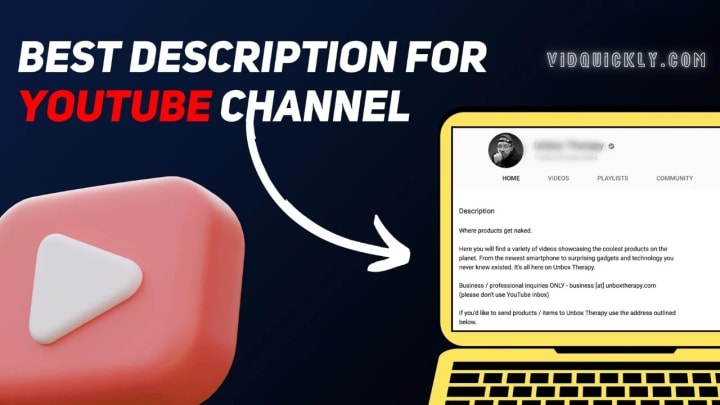
In the dynamic world of YouTube, where millions of videos are uploaded daily, capturing the attention of your audience goes beyond just creating high-quality content. A critical but often overlooked aspect of success on this platform is the YouTube description. These descriptions are not just a place to summarize your video—they're powerful tools that can boost your video’s visibility, enhance viewer engagement, and contribute to your channel’s growth. This is where YouTube description templates come into play.
Whether you’re a budding creator or a seasoned YouTuber looking to refine your approach, mastering the art of crafting compelling YouTube descriptions can set your content apart. In this article, we’ll explore the importance of YouTube description templates, how to create them, and why they are essential for building a professional and appealing channel. By the end, you'll have the tools to create descriptions that not only attract viewers but also align perfectly with your branding strategy.
The Power of a YouTube Description
Before we dive into the specifics of creating templates, it’s crucial to understand why YouTube descriptions matter so much. These brief blocks of text do more than provide a simple summary of your video—they are instrumental in how your content is discovered and engaged with on the platform.
1. Boosting SEO and Discoverability
YouTube is the second-largest search engine globally, and like any search engine, it relies heavily on keywords to determine which content to serve up in response to user queries. Your YouTube description plays a key role in this process. By carefully incorporating relevant keywords into your description, you can significantly enhance your video’s SEO (Search Engine Optimization), making it more likely to appear in search results both on YouTube and Google.
For example, if your video is about “vegan meal prep,” including keywords like “vegan recipes,” “meal prep ideas,” and “plant-based diet” can help YouTube understand the content of your video, improving its chances of reaching the right audience.
2. Engaging and Guiding Your Viewers
A well-written YouTube description does more than just attract clicks—it also engages viewers by providing context, offering additional information, and guiding them on what to do next. This could be directing them to related videos, encouraging them to subscribe, or leading them to your website or social media profiles.
By using clear and compelling calls to action (CTAs) in your descriptions, you can drive higher engagement rates. For instance, you might encourage viewers to leave a comment with their thoughts, subscribe for more content, or visit a link for exclusive offers.
3. Enhancing Professionalism and Branding
Your YouTube Description is an extension of your brand. A consistent, well-crafted description template reflects professionalism and helps establish your channel’s identity. When viewers see that your descriptions are clear, informative, and consistent, it adds to their overall perception of your brand, making your channel appear more trustworthy and polished.
Crafting the Perfect YouTube Description Template
Creating a YouTube description template is about balancing efficiency with customization. You want a template that’s easy to use across multiple videos but still allows for specific details and personality to shine through.
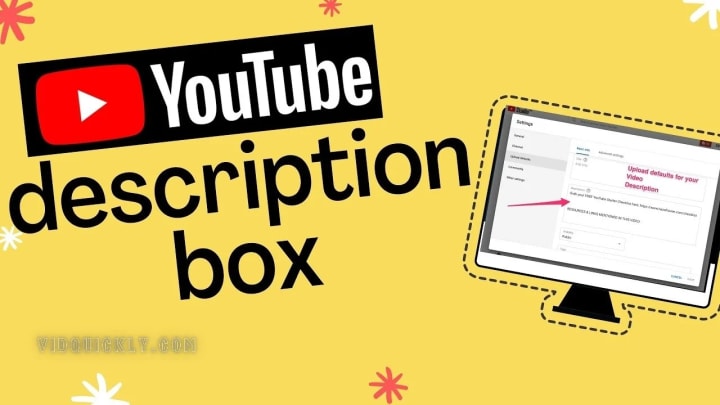
Here’s a breakdown of the essential elements that should be included in every YouTube description template:
1. Compelling Opening Line
The first sentence of your description is the most crucial. It’s what appears in search results and at the top of the description box, so it needs to be engaging and informative. This is your opportunity to hook viewers and make them want to click on your video.
Example:
“Looking for easy vegan meal prep ideas? In this video, we’ll show you five delicious recipes that are perfect for anyone looking to eat healthier and save time.”
This opening line immediately addresses the viewer’s potential need (easy vegan meal prep) and promises a solution (five delicious recipes).
2. Detailed Video Summary
After your opening line, provide a more in-depth summary of what the video covers. This section should include secondary keywords and give viewers a clear understanding of what they can expect.
Example:
“In today’s video, we’ll guide you through simple, nutritious vegan meals that you can prepare in under 30 minutes. These recipes are perfect for beginners and those on a plant-based diet. We’ll also share tips on how to store your meals for maximum freshness.”
This summary not only explains the video’s content but also appeals to specific audience segments, such as beginners and those on a plant-based diet.
3. Timestamps for Easy Navigation
If your video is longer or covers multiple topics, adding timestamps to your description can greatly enhance the viewer experience. Timestamps allow viewers to jump directly to the parts of the video they’re most interested in.
Example:
“Timestamps:
00:00 - Introduction
01:45 - Recipe 1: Vegan Burrito Bowls
04:30 - Recipe 2: Chickpea Salad
07:15 - Recipe 3: Quinoa Stir-Fry
10:00 - Storage Tips and Final Thoughts”
By including timestamps, you make your video more user-friendly, which can lead to higher viewer retention rates.
4. Clear Call to Action (CTA)
Every description should include a CTA that encourages viewers to take the next step, whether that’s subscribing, watching another video, or visiting your website. A strong CTA not only drives engagement but also helps build your community.
Example:
“Love these recipes?
Don’t forget to subscribe for more vegan meal ideas every week! And leave a comment below with your favorite dish.”
This CTA is direct and encourages viewers to interact with your content beyond just watching the video.
5. Relevant Links and Resources
Including links to related content, your website, or social media profiles can add value to your description and drive traffic to other areas of your online presence. If you’re promoting products or services, this is also where you can include affiliate links.
Example:
“Useful Links:
Full Vegan Recipe Playlist
Get Our Free Vegan Cookbook
Follow Us on Instagram
Buy Our Recommended Meal Prep Containers affiliate link”
These links not only provide additional resources for viewers but also create opportunities for cross-promotion and monetization.
6. Relevant Hashtags
Hashtags can enhance the discoverability of your videos by categorizing them under relevant topics. While YouTube allows up to 15 hashtags, it’s best to use 2-3 that are most relevant to your content.
Example:
“#VeganRecipes #MealPrep #HealthyEating”
By strategically placing these hashtags, you increase the chances of your video being discovered by users searching for related content.
Customizing Templates to Fit Your Brand
While having a standard template can save time and ensure consistency, it’s important to customize each description to reflect your unique brand voice and the specifics of the video.
1. Adapt the Language and Tone
Your YouTube description should reflect your brand’s personality. Whether your tone is casual and fun or professional and informative, make sure the language in your description aligns with your overall branding.
Example:
If your channel is known for its light-hearted, humorous content, your description might include playful language or jokes. Conversely, if your channel is focused on educational content, you might opt for a more straightforward, informative tone.
2. Update CTAs Based on Your Goals
Your call to action should be tailored to your current goals. For instance, if you’re running a promotion or launching a new product, your CTA should direct viewers to take advantage of that offer.
Example:
“Don’t Miss Our Latest Ebook Release!
Click the link below to get your copy of our new vegan meal prep guide.”
By updating your CTAs to reflect your current objectives, you can more effectively drive the desired actions from your audience.
3. Personalize with Additional Details
While your template provides the structure, it’s important to personalize each description with details specific to the video. This could include mentioning guest appearances, highlighting unique aspects of the content, or addressing trending topics.
Example:
“Special Guest: Today’s video features a collaboration with [Guest Name], a nutritionist who shares her expert tips on creating balanced vegan meals.”
Personalizing your descriptions in this way adds value for your viewers and keeps your content fresh and relevant.
Avoiding Common Mistakes
Even with a well-crafted template, there are a few common mistakes to watch out for when writing YouTube descriptions:
1. Overloading with Keywords
While it’s important to include relevant keywords, overloading your description with too many can make it difficult to read and may even hurt your SEO. Focus on incorporating keywords naturally.
2. Neglecting the Opening Line
The first sentence of your description is critical for capturing attention and improving SEO. Avoid the mistake of neglecting this important part of your description—make sure it’s engaging and keyword-rich.
3. Ignoring Mobile Users
Remember that many viewers will be reading your description on a mobile device. Keep your most important information at the beginning of the description and avoid long, dense paragraphs.
Conclusion: Elevate Your Channel with VidQuickly Blog
Creating attractive, appealing, and professional YouTube descriptions doesn’t have to be a daunting task. With the right templates and a clear understanding of your goals, you can craft descriptions that not only enhance your videos’ visibility but also drive engagement and reinforce your brand identity.
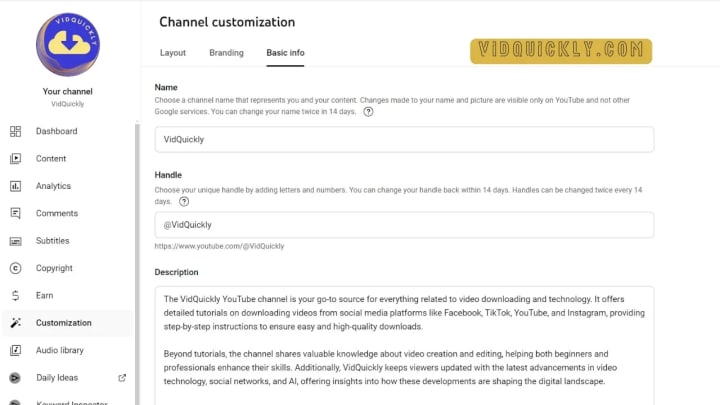
If you’re ready to take your YouTube channel to the next level, follow the instructions on VidQuickly Blog. Our expert guides and tutorials will help you create the most beautiful, attractive, and professional YouTube descriptions, ensuring that your channel stands out in the crowded world of online content creation.
By mastering the art of YouTube descriptions, you’re not just filling in a text box—you’re setting the stage for your content to shine. So, dive into VidQuickly today and start crafting descriptions that capture attention, drive action, and reflect the professionalism of your brand.
About the Creator
VidQuickly
VidQuickly offers free, fast video downloads from Facebook, YouTube, TikTok, and Instagram. Easy to use and supports 20 languages. Download videos effortlessly!
Keep reading
More stories from writers in Lifehack and other communities.
Planning a Successful Move in Boise, Idaho: What to Look for in Professional Movers
Moving in Boise, Idaho, often feels straightforward at first glance. The city is known for its accessible neighborhoods, manageable traffic compared to larger metro areas, and steady growth. However, relocation still involves many decisions that can influence how smooth—or stressful—the experience becomes. One of the most important choices is selecting movers who are prepared, reliable, and familiar with local conditions.
By House Doctor6 days ago in Lifehack
Spirulina Benefits
In recent years, spirulina has earned a strong reputation as one of the most powerful natural superfoods available today. Used for centuries by ancient civilizations and now backed by modern scientific research, spirulina is praised for its impressive nutritional profile and wide range of health benefits. From boosting energy levels to supporting immunity and detoxification, this microscopic algae has become a favorite among health-conscious individuals worldwide.
By shakir hamid4 days ago in Lifehack




Comments (1)
Thanks for sharing