
Google Pixel Watch 4 Feels Smarter With New Gestures and AI Replies
How subtle interaction changes are making Google’s smartwatch easier to use every day

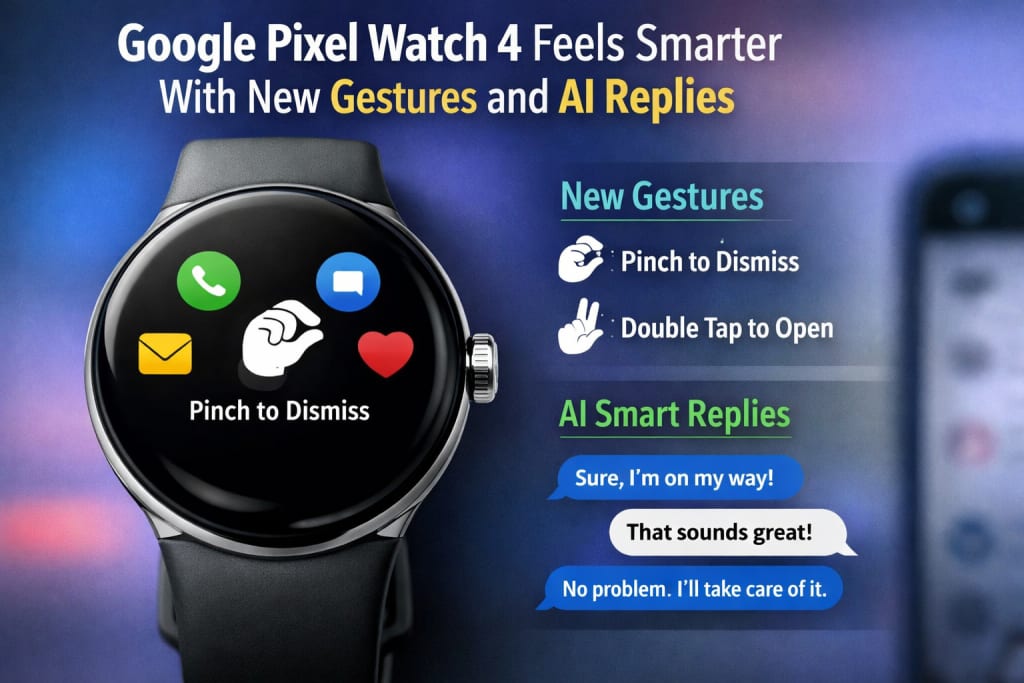
Google Pixel Watch 4 Feels Smarter With New Gestures and AI Replies
Smartwatches have reached an intriguing phase. They’re no longer novel or experimental, and most people now understand what they’re for. They provide alerts, measure health, and save you from taking out your phone every few minutes.
So when a new smartwatch function appears in 2026, the question isn’t “Is this impressive?” anymore. It’s “Does this actually make daily use easier?”
That’s why the new improvements to the **Google Pixel Watch 4** stand out. Not because they fundamentally redefine what a smartwatch is—but because they discreetly eliminate friction. New gesture controls and AI-enhanced smart responses don’t require attention. They just make the watch simpler to live with.
And that’s precisely what wearable tech should be doing at this time.
Why Small Changes Matter More Than Big Features
Early smartwatches attempted to do everything. They jammed in features, menus, and applications, sometimes at the sacrifice of comfort and simplicity. Over time, firms recognized that customers don’t want to use their watch—they want it to assist them.
The Pixel Watch 4 represents that lesson plainly.
Instead of introducing additional displays or more sophisticated interactions, Google concentrated on lowering how frequently users need to touch the display at all. That’s where gesture controls come in—and why they mean more than they may sound at first.
Gesture Controls That Feel Natural, Not Gimmicky
Gesture controls on wearables aren’t new, but they’ve frequently felt uncomfortable or unreliable. Waving your hand exactly right or making exaggerated gestures never seemed comfortable in public.
The Pixel Watch 4’s new motions are unusual because they’re subtle.
Small wrist movements and finger gestures let users scroll, dismiss alerts, or interact with the interface without touching the screen. It’s the type of contact that seems natural after a brief adjustment time.
This matters in real life. When your hands are busy, wet, or gloved—or when you just don’t want to smear the screen—gestures seem like a comfort rather than a trick.
Less Screen Tapping, Less Disruption
One of the main criticisms regarding smartwatches is how frequently they require attention. Taps, swipes, and adjustments pile up rapidly over the course of a day.
With better gesture capabilities, the Pixel Watch 4 lessens that requirement. You engage just enough to obtain what you need, then move on.
That may seem small, but over time it impacts how the watch feels. It becomes less of a thing you control and more of a tool that blends silently into your routine.
AI Smart Replies That Actually Feel Useful
Smart answers have existed for years, but they’ve frequently seemed generic. Short, rigid comments that didn’t exactly fit how people really speak.
The Pixel Watch 4’s AI-enhanced smart answers try to solve that.
Instead of delivering one-size-fits-all comments, the watch creates replies that seem more context-aware. They’re better at matching tone, purpose, and timing. You don’t feel like you’re sending a robotic response—you feel like you’re reacting efficiently.
For brief texts, that makes a tremendous difference.
Why Context Matters on a Small Screen
On a phone, you may type, modify, and rethink your message. On a watch, you can’t. Every encounter has to be short and assured.
That’s where AI-driven answers shine—when they comprehend not just the message, but the situation.
The Pixel Watch 4 appears constructed around this principle. Replies are brief yet meaningful, saving time without seeming casual. It’s less about automation and more about help.
The Watch Feels More Aware, Not More Talkative
One of the hazards of introducing AI to wearables is noise. Too many proposals, too many interruptions, too many choices.
The Pixel Watch 4 avoids that by putting AI primarily in the background. It steps in when it’s useful and keeps silent when it’s not.
That restraint is vital. A smartwatch should feel helpful, not demanding. The new smart responses seem like an extension of your purpose, not an effort to take control.
Accessibility Improvements That Don’t Call Attention to Themselves
Gesture controls also boost accessibility in ways that aren’t always visible.
For users who struggle with accurate touch input, gestures may make interaction simpler and less irritating. For users on the move—walking, carrying stuff, or commuting—being able to communicate without tapping increases comfort.
What’s interesting is that these enhancements don’t seem like “accessibility features.” They’re simply superior in design. And when accessibility improvements operate that way, everyone benefits.
How These Changes Affect Daily Use
The ultimate test of any smartwatch upgrade is how it feels after a few days, not during a demo.
With the Pixel Watch 4, the mix of gestures and AI answers modifies the pace of usage. You check alerts quicker. You reply more confidently. You spend less time fidgeting with the screen.
Over time, it adds up to less distraction and greater flow. The watch seems like it’s respecting your attention rather than competing for it.
A Shift Toward Calm Technology
There’s a bigger movement going on in IT right now—away from continual engagement and toward quiet usefulness.
The Pixel Watch 4 fits into that transition. It doesn’t attempt to lure you in. It attempts to step out of the path.
That’s particularly critical for wearables, which are practically tied to your body. The less mental work they need, the more effective they are.
Google’s Design Philosophy Comes Through
Google’s approach with the Pixel Watch 4 appears consistent with its overall direction: intelligence that adjusts subtly rather than declaring itself loudly.
The motions aren’t showy. The AI answers aren’t attempting to impress. Everything seems planned for genuine situations—quick looks, brief answers, hectic times.
It’s not about displaying what the technology can achieve. It’s about displaying when it should not do anything at all.
Who Will Appreciate These Changes the Most?
These modifications will resonate best with:
those who use smartwatches primarily for alerts
users who seek minimum contact
anybody bored of tapping tiny displays
those who desire efficiency without automation overload
For power users who demand applications and personalization, the changes may seem slight. But for ordinary users, subtlety is the purpose.
What This Says About the Future of Wearables
The Pixel Watch 4 implies that the future of wearables isn’t about more features—it’s about greater interactivity.
As watches get more competent, the issue becomes making them less invasive. Gesture controls and AI answers are steps in that direction.
If wearables are going to be relevant long-term, they need to respect attention, context, and comfort. The Pixel Watch 4 seems like it gets that.
Concluding Remarks
The Pixel Watch 4 doesn’t innovate the smartwatch. It refines it.
By minimizing the need for touch and making responses seem more natural, Google has made the watch simpler to use in the times that matter most. The changes don’t yell for attention—and that’s precisely why they work.
In 2026, the finest wearable features aren’t the ones you notice initially. They’re the ones you appreciate after a week, when you realize you’re interacting less and living more.
And that’s what makes these upgrades actually relevant.
About the Creator
abualyaanart
I write thoughtful, experience-driven stories about technology, digital life, and how modern tools quietly shape the way we think, work, and live.
I believe good technology should support life
Abualyaanart
Keep reading
More stories from abualyaanart and writers in Lifehack and other communities.
Why Huawei, Xiaomi, and Apple Are Leading the Wearable Market Right Now
Why Huawei, Xiaomi, and Apple Are Leading the Wearable Market Right Now Wearable devices used to feel like accessories—nice to have, but easy to overlook. A fitness band here, a smartwatch there. For many others, wearable devices were simply a transitory curiosity.
By abualyaanart3 months ago in Lifehack
The Top Five Things You Should Consider When Looking For A Homestead
A homestead is more than its parts. However, those parts need to work well together, and that’s why you need to know what you’re looking for. Any homestead can work, if you put enough work into it, but that doesn’t mean that you should settle for a parcel with more banes than boons. You should be looking for something that at least gives you a fighting chance, and so therefore there are some things you should be looking for. With that in mind, here are some things that every good homestead should have.
By Jamais Jochim3 days ago in Lifehack
Why Oral Health Matters More Than You Think
Your mouth is one of the main gateways to your body. Everything you eat and drink passes through it first. When hygiene is neglected, harmful bacteria can grow quickly, forming plaque and irritating soft tissues. Over time, this can lead to inflammation, sensitivity, and infections that may even affect other parts of the body.
By Nenci Gajera 5 days ago in Lifehack
The BAFTA Awards
By now, in a stunning departure from recent years, most of the world is aware of what happened at the BAFTA film awards. Social Media Headlines will tell you the bare bones: that John Davidson, a Tourette's Syndrome advocate, shouted a racial slur at two Actors of Colour, Michael B Jordan and Delroy Lindo.
By Natasja Rose4 days ago in Psyche



Comments
There are no comments for this story
Be the first to respond and start the conversation.