
Choose the Ultimate Remote Work Management Platform for Your Distributed Team
Right Remote Work Management Platform


As remote work continues to reshape the modern workplace, businesses are increasingly relying on remote work management platforms to keep their distributed teams connected and productive. These platforms are the backbone of effective remote collaboration, offering tools for communication, project management, file sharing, time tracking, and more. But with countless options available—think Slack, Asana, Zoom, or Trello—how do you pick the one that’s right for your team?
The answer lies in understanding your team’s unique needs, anticipating potential challenges, and aligning platform features with your workflows. In this guide, we’ll walk you through a practical decision framework to evaluate your requirements, highlight common implementation hurdles with actionable solutions, and share expert insights to help you make an informed choice. Whether you’re managing a small startup or a global enterprise, this article will help you find a remote work management platform that boosts efficiency and keeps your team engaged.
Why Choosing the Right Platform Matters
The rise of remote work has been nothing short of revolutionary. According to a 2023 study by Cisco, 82.2% of employees reported greater happiness with flexible work arrangements (FlexOS). But without the right tools, remote work can lead to miscommunication, missed deadlines, and disengaged teams. A well-chosen remote work management platform bridges these gaps, enabling seamless collaboration across time zones and locations. The wrong choice, however, can result in wasted resources, frustrated employees, and disrupted workflows. Let’s dive into how to get it right.
A Decision Framework for Selecting a Remote Work Management Platform
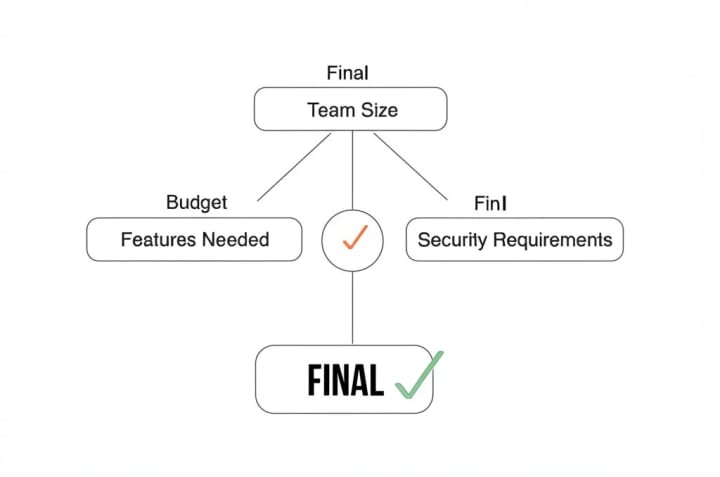
Choosing a remote work management platform starts with a clear understanding of your team’s needs. Below is a decision framework with specific questions to guide your evaluation. Answering these will help you filter out platforms that don’t fit and focus on those that do.
Overcoming Common Implementation Challenges
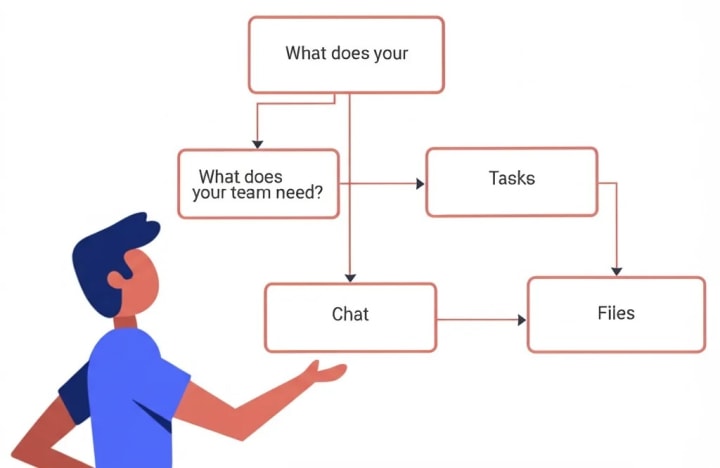
Implementing a new remote work management platform can be tricky, especially in a distributed setting. Below, we outline six common challenges and practical solutions to ensure a smooth rollout.
Challenge 1: Communication Barriers
Problem: Without face-to-face interaction, misunderstandings can arise, leading to delays or conflicts.
Solution: Use platforms with robust communication tools like video conferencing (e.g., Zoom) and instant messaging (e.g., Slack). Schedule regular team meetings to maintain alignment, as recommended by remote work specialists (Risely).
Challenge 2: Building Trust
Problem: Remote settings make it harder to foster trust among team members who rarely meet in person.
Solution: Encourage transparency by sharing regular updates and progress reports. Platforms like Workstatus offer features for transparent time tracking and performance reviews (Workstatus).
Challenge 3: Managing Productivity
Problem: Ensuring productivity without micromanaging is a delicate balance.
Solution: Set clear goals and use project management tools like Trello or Monday.com to track progress. Focus on outcomes rather than activity, as advised by experts (Gmelius).

Challenge 4: Data Security
Problem: Remote work increases the risk of data breaches, especially with sensitive information.
Solution: Choose platforms with end-to-end encryption and compliance with regulations like GDPR or HIPAA. Splashtop, for instance, emphasizes robust security measures (Splashtop).

Challenge 5: Time Zone Differences
Problem: Coordinating across global time zones can disrupt schedules and delay responses.
Solution: Use scheduling tools that account for time zones, like those in Google Calendar, and establish “core hours” when everyone is available (Virtual Latinos).
Challenge 6: Maintaining Team Cohesion
Problem: Remote teams can feel disconnected, impacting morale and collaboration.
Solution: Organize virtual team-building activities and use platforms with engagement features, such as Culture Amp for surveys and recognition (Omni HR).
Expert Insights on Matching Platform Features to Team Workflows
Matching a platform’s features to your team’s workflows is critical for long-term success. Here’s what experts recommend, tailored to different team types:
For Software Development Teams
- Needs: Integration with version control systems (e.g., Git), code review tools, and agile project management.
- Recommended Platforms: Jira or Asana, which support agile workflows and integrate with GitHub (Hive).
- Expert Tip: “For developers, seamless integration with existing tools reduces friction and boosts efficiency,” says Kim, a remote HR expert (People Managing People).
For Marketing Teams
- Needs: Social media scheduling, content collaboration, and analytics.
- Recommended Platforms: Hootsuite for social media management or Filestage for content review (Filestage).
- Expert Tip: “Marketers need platforms that streamline content workflows and provide real-time feedback,” notes a Forbes Advisor review (Forbes Advisor).
About the Creator
Muhammad Raffay
Hi! My name Muhammad Raffay ali passionate web developer and SEO expert with three handsome experirnce. And also the CEO of everythingsblogs company that provide informational blogs or update about Technology or AI to people on google
Keep reading
More stories from Muhammad Raffay and writers in Lifehack and other communities.
iOS 18.4.1 Update: Essential Fixes for Your iPhone – Update Now
On April 16, 2025, Apple released iOS 18.4.1 update, an urgent update that addresses two critical zero-day vulnerabilities being actively exploited in the wild. These vulnerabilities, identified as CVE-2025-31200 and CVE-2025-31201, pose a significant threat to iPhone users, particularly those running iOS 18.4 and earlier. Security experts, including those from Google’s Threat Analysis Group, strongly recommend that all users update their devices immediately to protect against potential attacks. Additionally, for high-risk individuals such as journalists, politicians, and activists, enabling Lockdown Mode is advised as an extra layer of security.
By Muhammad Raffay9 months ago in Lifehack




Comments
There are no comments for this story
Be the first to respond and start the conversation.