
QuickBook Integration for Small Businesses
QuickBooks Check Printing
What are QuickBooks?
QuickBooks is a widely used accounting software for small businesses that helps manage income and expenses, track financial health, invoice customers, pay bills, generate reports, and prepare taxes. It offers different solutions to support various business needs, including QuickBooks Online, QuickBooks Desktop, QuickBooks Payroll, and QuickBooks Time.
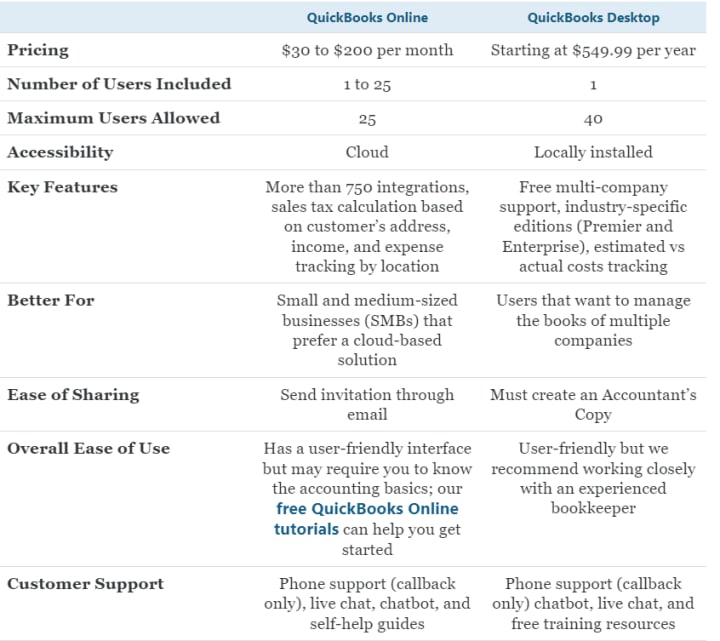
What is the difference between QuickBooks Online and QuickBooks Desktop?
QuickBooks Online is a cloud-based accounting software accessible from any internet-enabled device, with monthly subscription options. On the other hand, QuickBooks Desktop is on-premise software that requires installation on a computer and is available as an annual subscription.
15 Uses for QuickBooks in Small Businesses
- Create & Send Invoices
- Track Bills & Expenses
- Pay Bills Online
- Customize Your Expense Classifications With a Chart of Accounts
- Print Financial Statements for Your Business
- Track Employee Time & Expenses
- Monitor Project Profitability
- Manage Payroll
- Track Inventory
- Simplify Taxes
- Accept Online Payments
- Scan Receipts
- Track Mileage
- Connect Your Apps
- Perform Accounting Tasks on the Go
Types of QuickBooks Checks
QuickBooks offers checks in three different formats that can be used for different things.
Voucher Checks
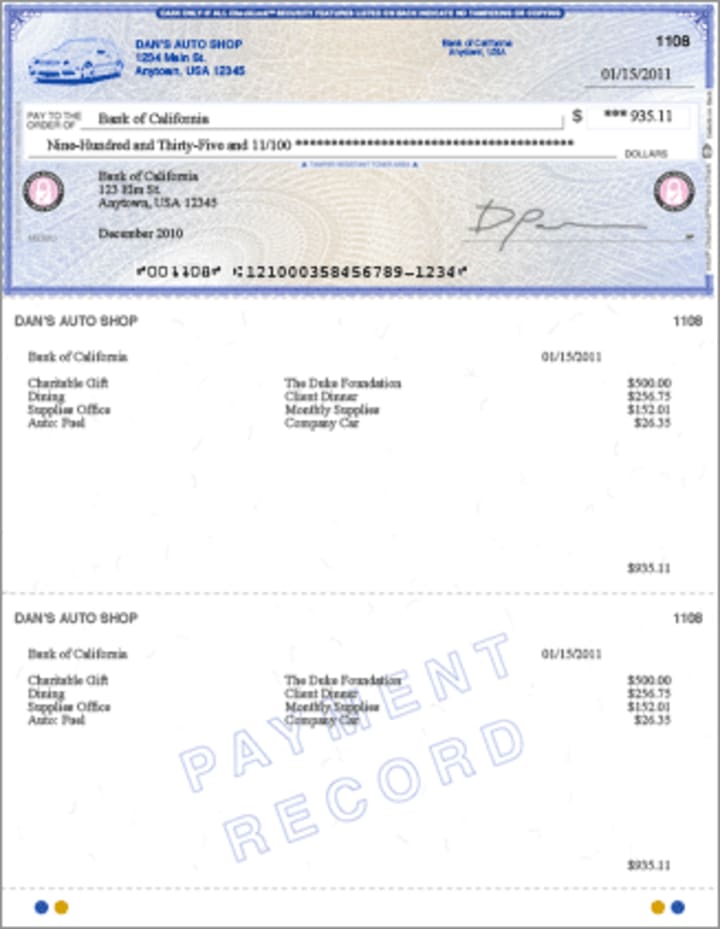
Voucher Checks consist of the following 3 units:
- Vendor or Employee Check
- Payroll Check
- Accounts Payable Check
One unit is sent to the vendor, while the other two are for record-keeping purposes, including invoices. Voucher checks are compatible with QuickBooks Desktop, QuickBooks Online, and QuickBooks Payroll, automating the process of tracking salary deductions and bills. Additionally, it provides a backup of paper files containing payroll and supplier payments.
Standard Checks
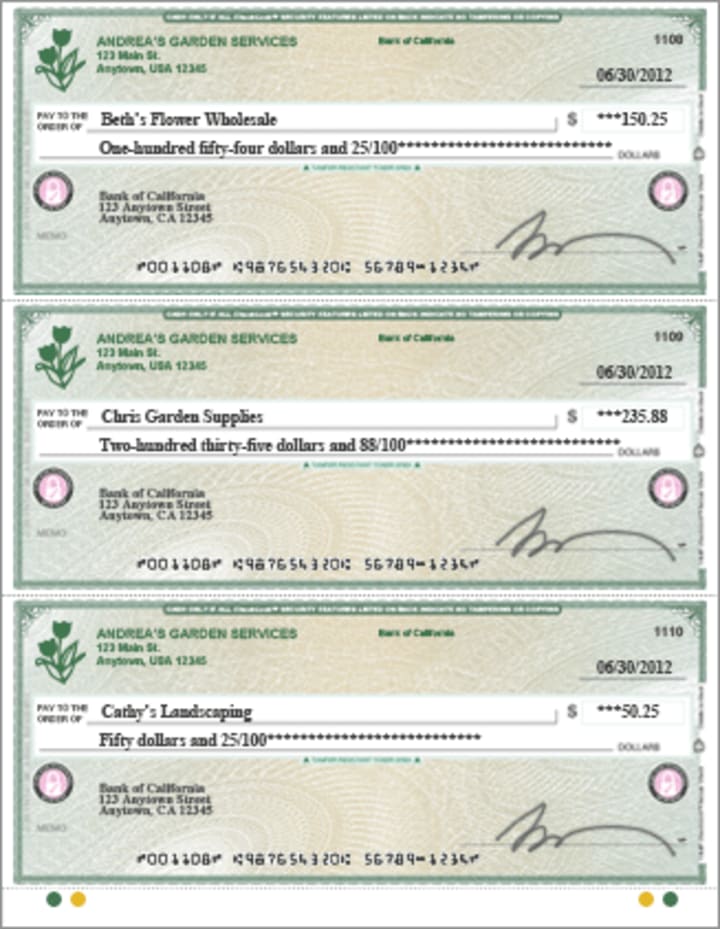
Standard checks work similarly to voucher checks but cannot be stored as file records. They are cheaper but have limited functionality and require manual addition of information such as invoice numbers if used for settling bills. They are compatible with most versions of QuickBooks except QuickBooks Online Payroll and are easy to use.
Wallet Checks
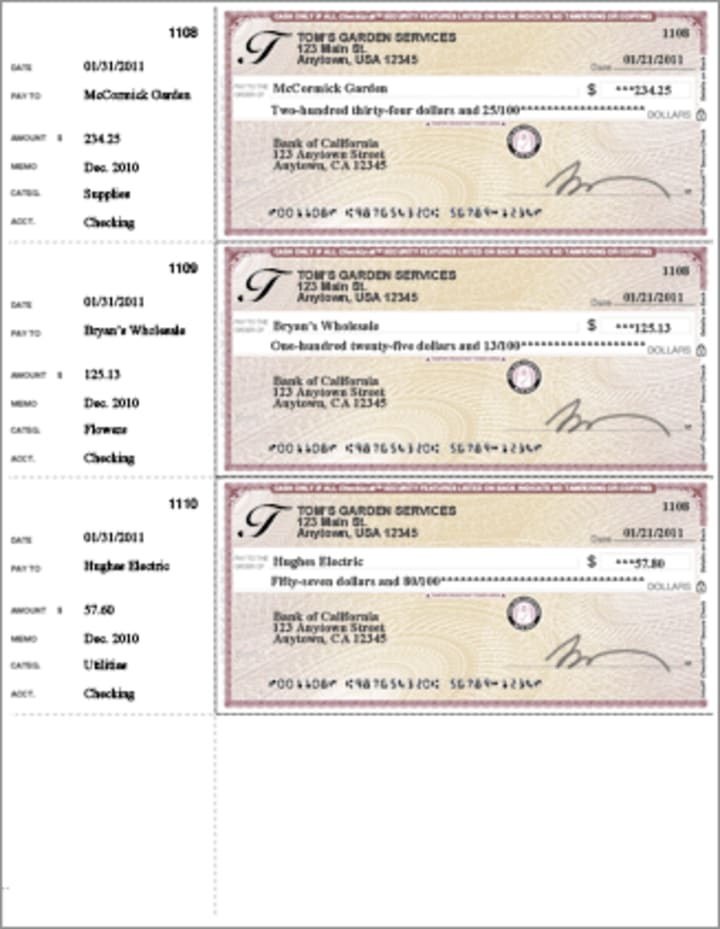
Wallet checks are useful for tracking payments and expenses, as they can be printed and carried in a wallet. These checks automatically maintain records of payments from the time of printing and can be used with any QuickBooks version. Additionally, QuickBooks offers handwritten checks that must be uploaded manually to the dashboard and are not compatible with any QuickBooks version, and are seldom used.
QuickBooks Integration with Online Check Writer
Online Check Writer is an easy-to-use check writing and printing software that allows users to print checks using any printer. The software is fully compatible with both QuickBooks Desktop and QuickBooks Online, making it easy to import checks into either program with just one click. With Online Check Writer, there's no need to worry about errors – users can simply input the payee's information and the amount, and the software will generate a properly formatted check automatically.
After installation, you can access QuickBooks Desktop or QuickBooks Online by logging in with your account credentials. From there, you can select the checks you wish to import. When you open your checklist, the application will import the checks automatically. You can include the payee's bank information while sending your checks, and there is no need to purchase pre-printed checks. You can print checks from the convenience of your home or office, saving time and money.
How to Integrate QuickBooks?
Printing checks using QuickBooks is a straightforward process. First, obtain QuickBooks and search for Online Check Writer in the app store. Click "Get the app now" and follow the on-screen instructions to integrate it. You can add multiple bank accounts by downloading the check design application from the settings. Once integrated, simply print checks using QuickBooks, and Online Check Writer will automatically download the newly produced checks.
If you already have an Online Check Writer account, log in and select "QuickBooks connect" in the settings. This will allow you to integrate with QuickBooks online by entering your username and password. Once linked, you can print checks by using Online Check Writer with QuickBooks.
Online Check Writer is a comprehensive platform for check printing, offering bank reconciliation solutions and check fraud protection. It's an essential tool for businesses of all sizes and is integrated with the best accounting software. If you're looking for a trustworthy and effective approach to managing your business's check writing needs, Online Check Writer is the answer.
About the Creator
Trump Administration Announces Next Phase of Gaza Peace Plan
The Trump administration has announced the next phase of its Gaza peace plan, marking a new step in efforts to bring stability to a region that has faced months of conflict, destruction, and humanitarian suffering. This second phase, often called “Phase Two,” focuses on post-war governance, security, and rebuilding Gaza after intense fighting between Israel and Hamas.
By sehzeen fatima6 days ago in Journal


Comments
There are no comments for this story
Be the first to respond and start the conversation.