
🚀 iOS 26.2 Beta 3: AirDrop Evolves, Health Gets Deeper, and Privacy Reigns
A hands-on look at the latest beta update: Why the new AirDrop controls and native blood pressure tracking are more than just incremental changes.

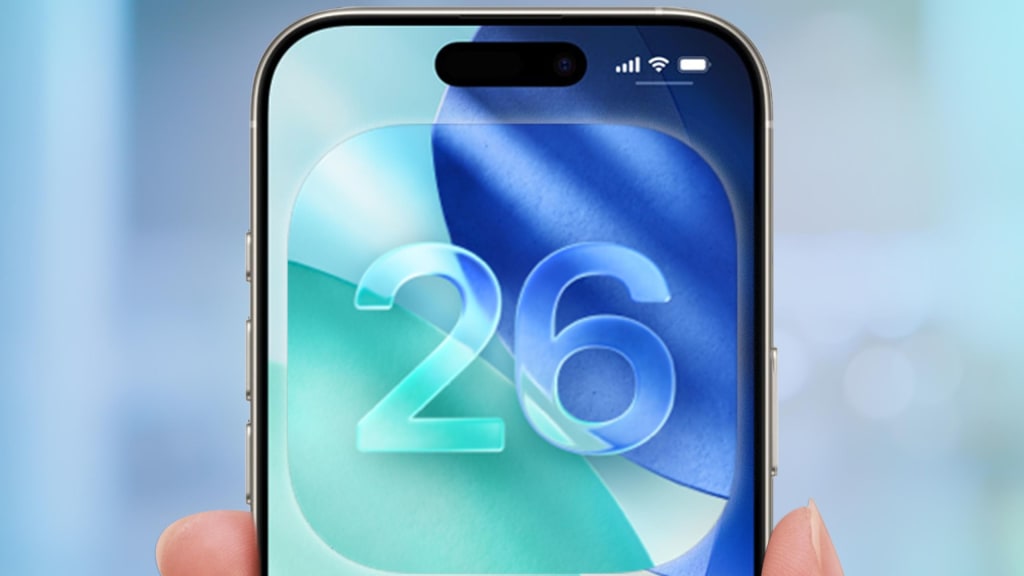
The release of iOS 26.2 Beta 3 might seem like just another development cycle update, but after spending several days testing its features, it’s clear that Apple is quietly laying the groundwork for some significant shifts in how we interact with our devices, share data, and monitor our health. This beta focuses on three critical pillars: refining the seamlessness of core features (AirDrop), deepening the utility of the Health ecosystem (Blood Pressure Monitoring), and reinforcing user control (Privacy Enhancements).
This update demonstrates Apple’s commitment to improving the user experience not just through major product launches, but through persistent, iterative software refinement that touches every corner of the OS.
1. AirDrop: The Proximity and Control Evolution
AirDrop has always been one of the iPhone’s "killer features"—a simple, fast, and magical way to share content. However, in previous iterations, managing who can send you things could sometimes be clunky, often requiring users to manually toggle between "Contacts Only" and "Everyone for 10 Minutes."
In iOS 26.2 Beta 3, Apple introduces the ‘Intelligent Proximity Filter’ for AirDrop.
Adaptive Range Control: Instead of the old binary settings, AirDrop now uses a combination of Ultra-Wideband (UWB) and Bluetooth signals to dynamically adjust the discovery range. If you are in a crowded space, the system defaults to a tighter, immediate proximity focus, reducing unwanted connection requests.
Contextual Priority: The new filter prioritizes devices based on recent interaction and calendar context. For example, if you are in a meeting and have a calendar event with a participant, their device might appear higher on the share sheet, even if they aren't in your immediate contact list—provided they are physically nearby.
Enhanced Contact Verification: For the "Contacts Only" setting, there is an added layer of visual verification. When a new contact attempts to AirDrop you, a unique, subtle haptic pattern and visual ID badge flashes, ensuring you know exactly who is sending the file before you accept. This dramatically increases security and trust in the sharing process.
This refinement makes AirDrop smarter, less intrusive, and more securely targeted, resolving a long-standing point of friction for power users.
2. Health: Native Blood Pressure Monitoring
This is arguably the most impactful feature for the Apple Watch ecosystem. While users could previously record blood pressure data through third-party devices and apps, the integration in iOS 26.2 Beta 3 suggests native capabilities are imminent, likely tied to the upcoming Apple Watch Series 11.
The Health App now features dedicated, advanced modules for:
Baseline Tracking: The app encourages users to set a personalized "Baseline BP Range." Deviation from this range triggers detailed, non-diagnostic alerts and trend analysis.
Contextual Logging: The system prompts users to log contextual information alongside the BP reading, such as "After exercise," "Post-meal," or "Before bed." This rich data allows the Health App’s machine learning models to identify personal triggers and better track long-term health trends.
Passive Data Readiness: The Beta code strongly hints at the capability to receive and interpret data directly from the Apple Watch without the need for an external cuff. While the hardware isn't confirmed for this Beta, the software groundwork is fully laid out, preparing the ground for the Watch to become a true, continuous blood pressure monitor.
This feature is a huge step in solidifying the Apple Watch as a medical-grade health device, moving beyond activity tracking into serious, chronic condition management.
3. Privacy and Transparency Boosts
Apple continues its privacy crusade with two key changes designed to increase user transparency:
Microphone/Camera Access History: The green and orange dots indicating microphone and camera usage are now linked to an accessible usage log in the Control Center. Tapping the indicator reveals a timestamped list of the last 72 hours of app usage that accessed the mic or camera, along with the duration of use. This makes it impossible for apps to secretly record audio or video without the user being able to audit the activity later.
Third-Party Data Broker Report: Within the Privacy section of Settings, a new "Data Sharing Report" module has appeared. This feature compiles a simplified report detailing which third-party data brokers (identified by Apple) have recently acquired your anonymous data identifiers (e.g., ad identifiers) from apps you use. It includes a streamlined "Opt-Out All" button, significantly simplifying the process of stopping data monetization by third parties.
These enhancements are not just about adding features; they are about giving the average user actionable, intelligible tools to see and control the unseen background activities on their device.
The Verdict: Strategic Refinement
iOS 26.2 Beta 3 is a testament to Apple's focus on strategic refinement over flashy overhaul. The changes in AirDrop make an essential feature frictionless. The updates to Health are future-proofing the Watch for medical capabilities. And the new privacy tools continue to champion user control.
For developers, the stability and API consistency in Beta 3 are excellent. For end-users, these features promise a more intuitive, secure, and health-aware experience that will make the final release of iOS 26.2 a truly meaningful upgrade.
About the Creator
Author’s Advice
If you would’ve asked me 20 years ago did I know I’d become a writer and an author, I would’ve said “nope, ain’t happening”. As fate would have it I did become an author and I can honestly say I’m loving it so far. It really does feel good to be a writer. I’ve learned a lot on this journey and I feel like with even me being as new to this world as I am, there’s some wisdom I need to share with every other aspiring author.
By Joe Patterson2 days ago in Journal
5 Things That Could Excuse You From the Draft — And 5 That Surprisingly Wouldn’t
Although the United States hasn’t had an active military draft since 1973, men ages 18–25 still have to register with the Selective Service System. If a draft were ever reinstated, there are certain circumstances that could excuse someone from service — and others that many people assume would work, but actually wouldn’t.
By Navigating the World3 days ago in Journal



Comments (1)
tks!