
How to Cool Down Your Phone: Simple Tips to Keep It Safe
Learn easy and effective ways to cool it down quickly and Protect your device’s battery, performance, and lifespan with these simple tips

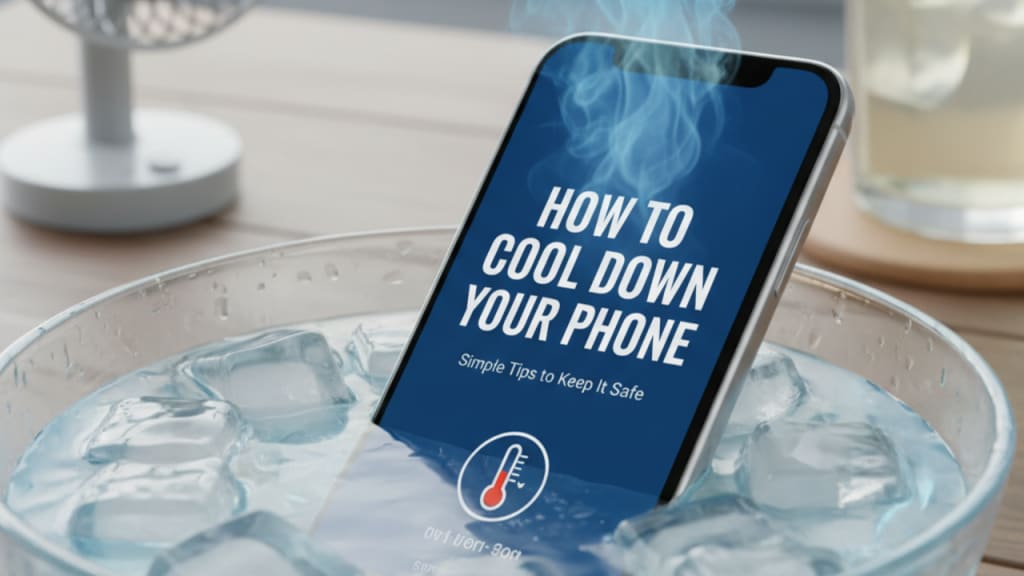
Smartphones are part of our daily life, but sometimes they get too hot. Overheating can slow your phone, damage the battery, or even cause it to shut down unexpectedly. Here’s a complete guide on how to cool down your phone and prevent overheating.
Why Phones Overheat
Phones can get hot for several reasons:
- Heavy use like gaming, video streaming, or navigation.
- High-performance apps running in the background.
- Charging while using the phone.
- Exposure to direct sunlight or high temperatures.
Overheating is more than just uncomfortable—it can reduce your battery life and affect your phone’s performance.
Immediate Steps to Cool Down Your Phone
If your phone is already hot, try these quick steps:
- Turn Off Unnecessary Apps
Close apps running in the background. They can use a lot of power and generate heat.
- Remove Phone Case
Some cases trap heat. Taking off the case allows your phone to cool faster.
- Move to a Cooler Environment
Bring your phone indoors or into the shade. Avoid leaving it on a car dashboard or outside in the sun.
- Avoid Direct Sunlight
Direct sunlight can make your phone temperature rise very quickly. Keep it in your pocket, bag, or shaded areas.
Manage Phone Usage
How you use your phone affects its temperature:
- Limit Gaming and Streaming: Heavy apps generate heat. Take breaks between sessions.
- Avoid Using While Charging: Charging creates heat, and using your phone while charging makes it worse.
- Reduce Screen Brightness: High brightness drains the battery and warms the device.
- Enable Battery Saver Mode: This reduces power consumption and helps keep your phone cooler.
Optimize Phone Settings
Tweaking your settings can make a big difference:
- Close Background Apps: Open your task manager and close apps you’re not using.
- Disable Unused Features: Turn off Bluetooth, GPS, or Wi-Fi when not needed.
- Update Software and Apps: Updates often include fixes that make your phone run more efficiently.
Hardware Solutions
Some solutions involve physical adjustments:
- Use a Cooling Pad or Fan: External fans or cooling pads help reduce heat during heavy use.
- Avoid Fast Charging in High Temperatures: Fast charging generates more heat; use standard charging if your phone is hot.
- Consider External Battery Packs: Using a power bank can reduce heat generated inside the phone itself.
Long-Term Maintenance
Preventing overheating is easier than fixing it:
- Clear Cache Regularly: Old data can slow your phone and increase heat.
- Monitor Battery Health: A degraded battery can overheat easily. Replace if necessary.
- Replace Old or Faulty Batteries: This is crucial if your phone frequently gets hot without heavy use.
Signs Your Phone Needs Professional Help
Sometimes, overheating indicates a deeper problem:
- Persistent overheating even with minimal use.
- Unexpected shutdowns or restarts.
- Swollen battery or unusual bulges.
If you notice any of these signs, take your phone to a professional technician.
Conclusion
Keeping your phone cool is important for its performance and longevity. Quick steps like closing apps, removing the case, or moving to a cooler spot help immediately. Long-term habits like managing usage, updating software, and monitoring battery health prevent future problems. By following these tips, your phone will stay cooler, safer, and work efficiently for a longer time.
About the Creator
J. Hanry
Hanry James is an experienced analyst and content writer with over 8 years of experience. He has contributed to several leading publications in renowned tech summits such as TechWorld Expo, Global Digital Forum, and FutureTech Summit.
Trump Administration Announces Next Phase of Gaza Peace Plan
The Trump administration has announced the next phase of its Gaza peace plan, marking a new step in efforts to bring stability to a region that has faced months of conflict, destruction, and humanitarian suffering. This second phase, often called “Phase Two,” focuses on post-war governance, security, and rebuilding Gaza after intense fighting between Israel and Hamas.
By sehzeen fatima3 days ago in Journal
How to Succeed at the Benson Directory®
Congratulations and welcome to the Benson Directory® employee #22391! As our newest call handler, you will have the privilege of speaking with dozens of unique and interesting people on a daily basis as well as the opportunity to earn bonuses for high performance. Contained within this handbook you will find a set of ease to follow instructions designed to help you settle in to your new role and begin paving the way to success.
By S. A. Crawfordabout 13 hours ago in Fiction




Comments
There are no comments for this story
Be the first to respond and start the conversation.